

TL;DR
Frontline teams lose time every shift looking for answers the business already has. An AI assistant closes that gap. It answers operational questions in natural language, from your own approved documentation, at the moment the question comes up.
The distance between a useful assistant and a liability is narrower than most buying conversations suggest. Three things decide it: the source of the answers, the permissions around them, and your visibility into what went unanswered.
Store teams can’t find the answers they already have
Most retailers don’t have a knowledge problem. They have a retrieval problem.
The policy exists. The planogram exists. The returns process exists. But they sit in a document library, a training module, or an email sent three weeks ago. None of that helps an associate standing in front of a customer. The customer wants to know whether an online order can be refunded in store.
So the question travels up the chain. The associate asks a colleague, the colleague asks the store manager, and the manager either knows or calls head office. While that happens, the customer waits and the manager works as a help desk instead of running the floor.
That cost shows up in three places.
Sales. Every question that interrupts a customer interaction is a conversion risk.
Consistency. When teams can’t find the procedure, they interpret it. Ten stores then run ten versions of the same standard.
Visibility. Head office never learns which questions teams struggle with, so documentation and training stay guesswork.
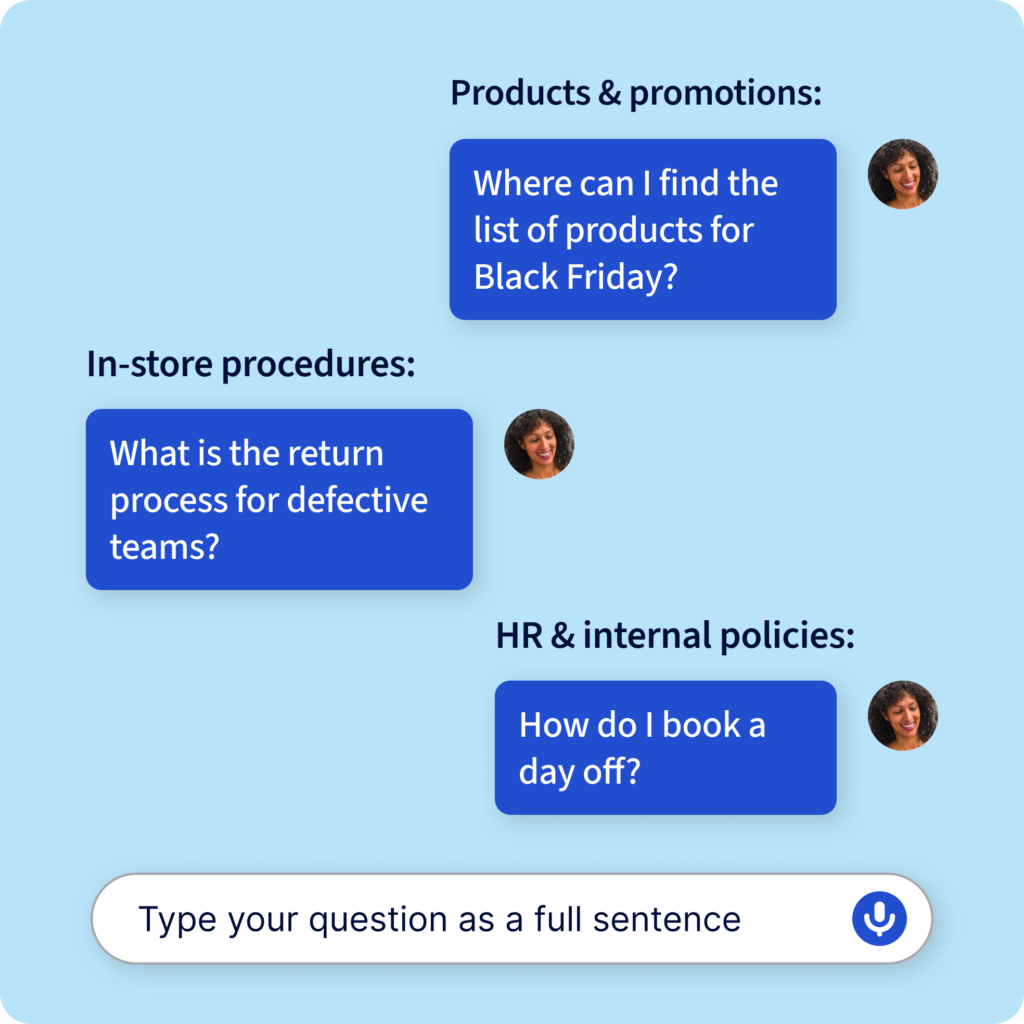
It lands hardest on the people with the least context. Seasonal hires, part-time staff, and new starters don’t yet know which document holds the answer. They often don’t know who to ask either. So they ask a manager, or they guess. The same pattern shows up at the other end of the chain. Support centers answer the same handful of questions across a whole network, week after week.
The third one compounds the other two. Until you can see what teams are asking, every change you make to your documentation is a guess. The volume of information an associate carries keeps rising too. That’s why frontline work now looks a lot like knowledge work.
What is an AI assistant for frontline workers?
DEFINITION:
AI assistant for frontline workers
A conversational tool that answers employee questions in natural language, drawing on the organization’s own approved documentation rather than the open internet.
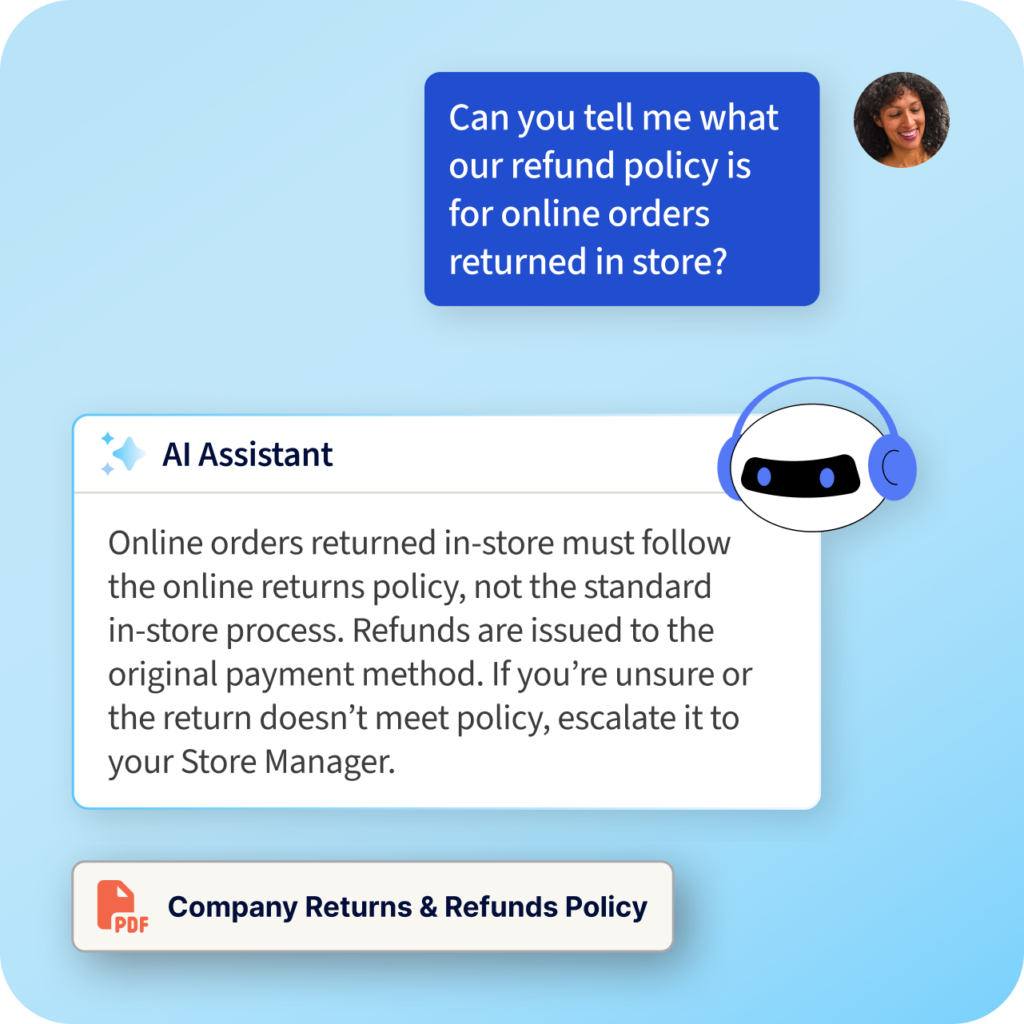
You’ll also see these called generative AI assistants. The name describes the mechanism. A scripted chatbot works from a fixed decision tree. A generative assistant builds each answer from the source material at the moment of asking. An associate types “what’s the return process for a defective item”. The answer comes back in seconds, with a link to the document it came from.
The important word is “own”. A general-purpose assistant trained on the internet will produce a plausible answer about returns policy. It won’t produce yours. That distinction matters most where being roughly right is the same as being wrong. Think refunds, age-restricted sales, allergen information, and anything covered by a compliance standard.
How is an AI assistant different from a general-purpose chatbot?
Three approaches look similar from the outside and behave very differently in a store.
A traditional support line puts a person between the question and the answer. It’s accurate when you reach the right person, but it runs on business hours and takes minutes or hours. It also leaves no record of what was asked.
A general-purpose AI chatbot answers in seconds from public internet data. It has no access to your policies, planograms, or campaign information. So it returns a plausible answer rather than your answer. It can’t show you where that answer came from.
An AI assistant grounded in your own knowledge also answers in seconds, but only from documentation you’ve approved. Every answer carries a source link, and permissions follow role and location. Every question asked also becomes data you can act on.
INSIGHT
Verifiability is the deciding factor. An assistant that can’t show where an answer came from is asking store teams to trust it blindly. There’s no good reason to do that.
Six things an AI assistant should do for frontline teams
Six capabilities separate a working rollout from a pilot that quietly stalls. Use them as your evaluation checklist.
1. Answer only from your approved content
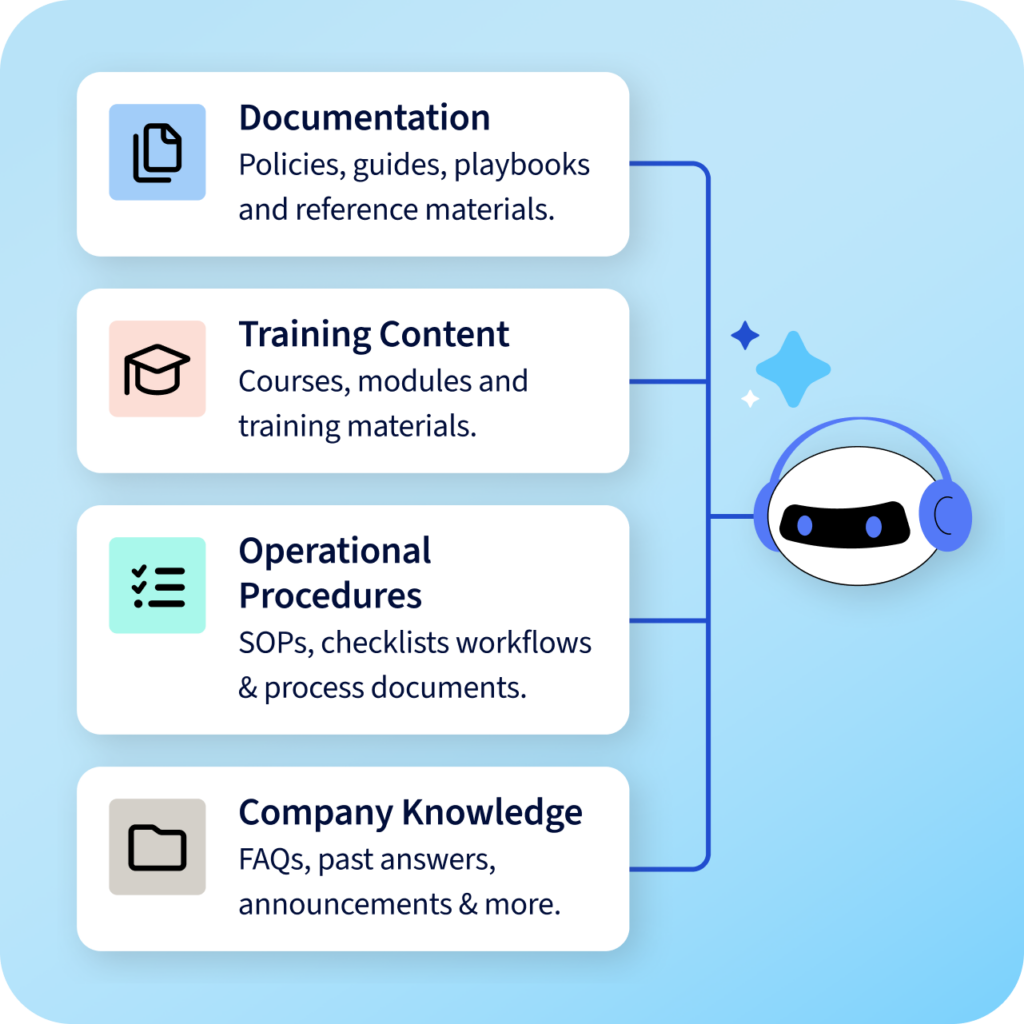
The assistant should draw on the documentation you’ve authorized and nothing else. That means policies, procedures, playbooks, training material, and campaign information, with no public web sources mixed in. This is what removes the hallucination risk that makes general-purpose tools unusable for compliance-sensitive work.
2. Link every answer to its source
Teams need to be able to check. A source link turns a generated answer into something an associate can verify in one tap. It also gives a manager somewhere to go when an answer looks wrong. Without it, every answer is a matter of faith.
3. Sit inside the tools teams already use
An assistant in a separate app is an assistant nobody opens. It should be native to the platform where tasks, communications, and learning already live. Asking a question then becomes part of the shift rather than a detour from it.
4. Respect role and location permissions
Not everyone should see everything. Answers should be generated only from documentation the individual is authorized to access, scoped by role and by store. That’s what keeps regional pricing, commercial terms, and HR material from surfacing to the wrong person.
5. Work in every language your teams speak
Associates should be able to ask and get answers in their own language. That shouldn’t require translating your entire documentation library first. For multi-market retailers, this is the difference between rolling out in one country and rolling out everywhere.
6. Show you what teams couldn’t get answered
The unanswered questions are the most valuable output. They’re a live map of where your documentation has holes. Answer ratings do the same job from the other direction, showing you where the content exists but isn’t landing. An assistant that reports what it couldn’t answer turns frontline confusion into a prioritized content backlog. That’s the point of running an AI knowledge centre rather than a search box.
How do you measure whether it’s working?
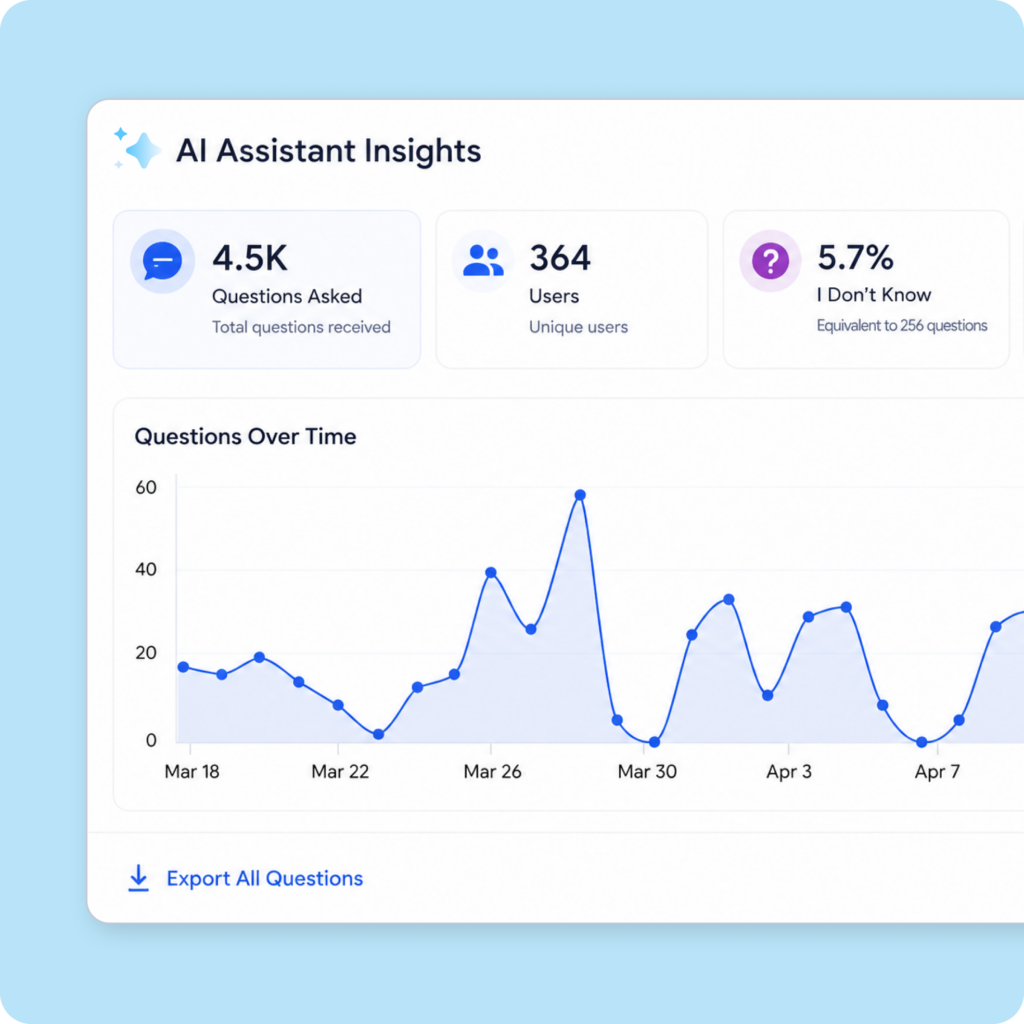
Adoption on its own proves nothing. Four measures tell you whether anything has actually changed.
Questions asked per user, per week. Rising usage means teams trust it. Flat usage after week four usually means they tried it once and went back to asking their manager.
Escalations to head office. This is the clearest commercial signal. If routine questions still reach HQ, the assistant isn’t covering the content teams actually need.
Unanswered rate. The share of questions the assistant couldn’t answer from your knowledge base. Treat this as a documentation metric rather than a product one.
Manager time recovered. Ask store managers how much of the day still goes on repeat questions, then compare it with where you started.
Read together, these four tell you whether the assistant is changing behavior or simply sitting in the app. They also tell you where to look first when it isn’t. That’s almost always the content rather than the technology. A culture of shared knowledge is built on documentation people can find, not on documentation that exists.
What this looks like in practice
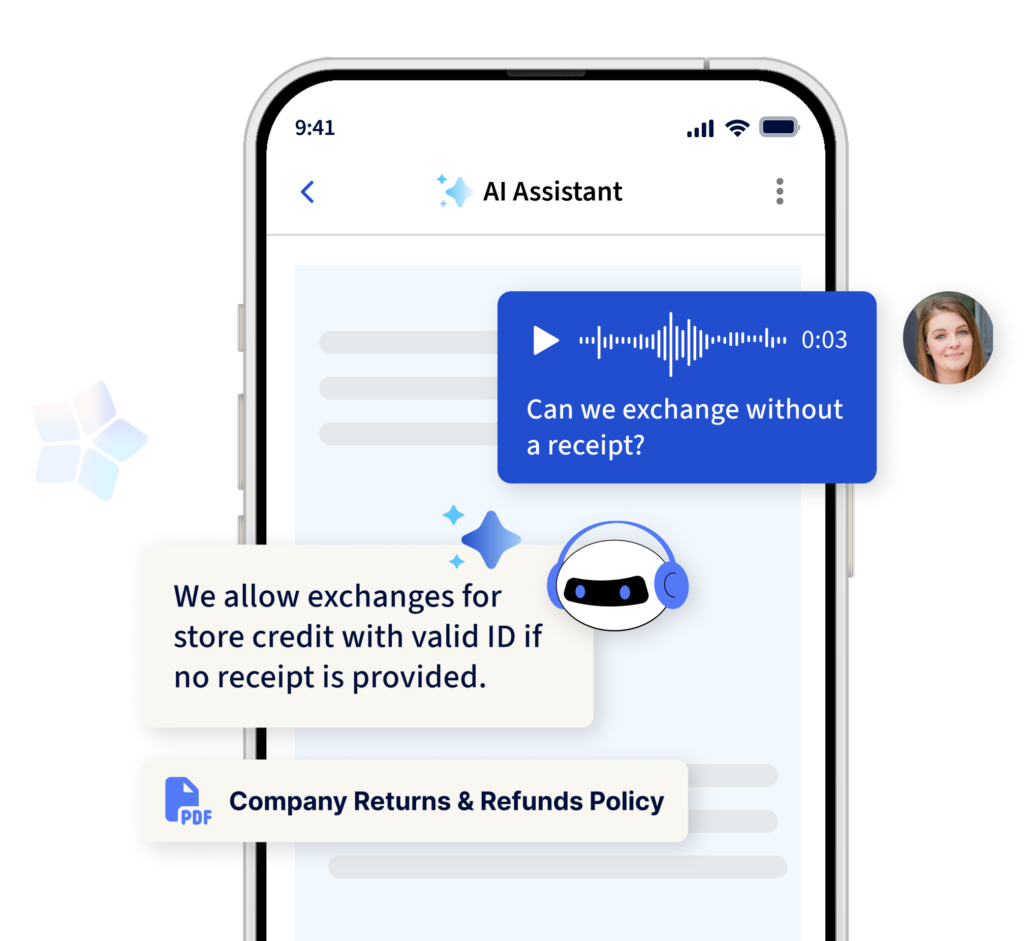
YOOBIC’s AI Assistant answers frontline questions from your approved company knowledge, inside YOOBIC. Every answer carries a link to the document it came from.
Store teams get answers on the floor in seconds instead of interrupting a manager or waiting on a support line. Managers get back the time they were spending as a help desk. HQ sees every question asked, including the ones that came back empty, so documentation gets fixed where it actually breaks.
PureGym runs it across hundreds of sites in a 24/7 operating model. The assistant answers from more than 2,000 internal documents. They cover HR policies, health and safety, and site operating procedures. Teams asked close to 2,000 questions in the first month alone.
2,000 questions
Asked by PureGym teams in the first month of using YOOBIC’s AI Assistant, answered from a library of more than 2,000 internal documents.
PureGym case study
“Adaptability and agility are essential for a 24/7 international business like ours. With YOOBIC’s AI assistant, team members can access information instantly, freeing them up to focus on higher-value, impact-driven work across the business.”
Callum Bonthrone, Central Operations Manager, PureGym
That volume is the part worth sitting with. Those questions were always being asked. They were just being asked of managers, inboxes, and colleagues who had to stop what they were doing to answer. Now they’re answered in seconds, and the ones that come back empty tell HQ exactly which document to write next.
Start retailing smarter
Frequently asked questions
What is an AI assistant for frontline workers?
An AI assistant for frontline workers is a conversational tool that answers employee questions in natural language using your own approved documentation rather than public internet sources. Associates ask in plain language and get an answer in seconds. Each answer links to the source document, so they can check it. It’s built for people working on a shop floor or a site, where the question needs answering in the moment.