

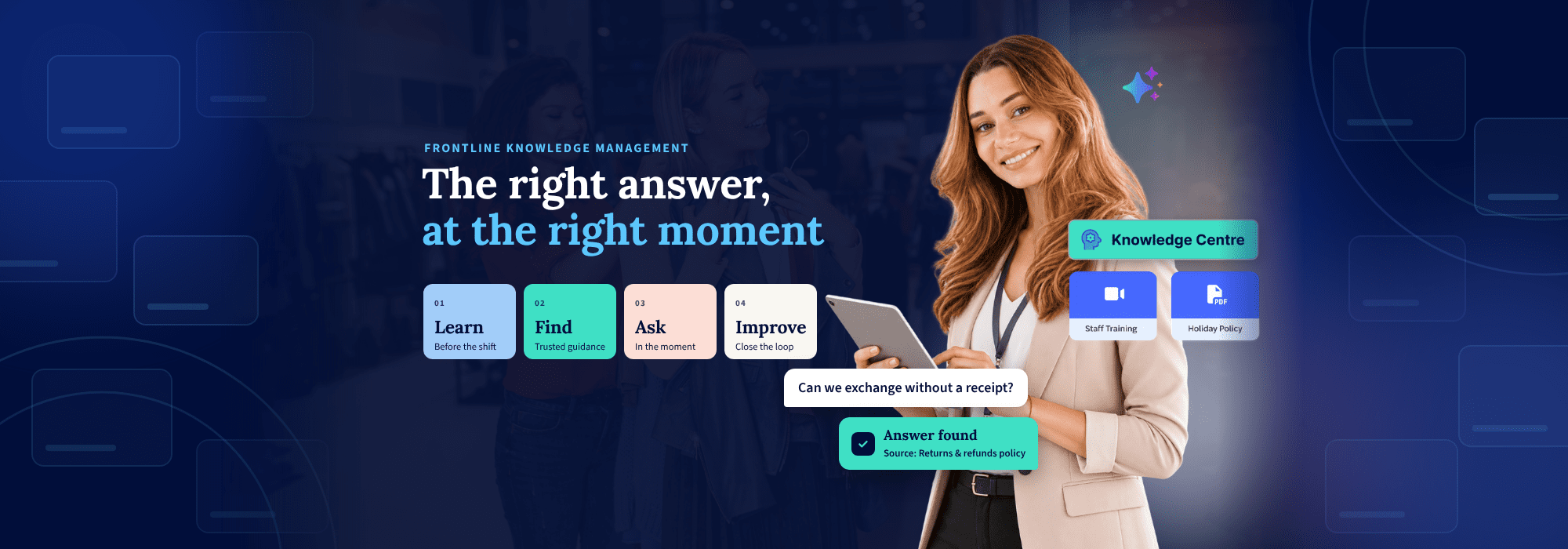
It’s the Saturday before the holidays, one of the busiest trading days of the year. The queue is out the door, and Ruby is the only colleague on the till.
Ruby joined as a seasonal hire in mid-November. She finished her induction training and did well on it. Now a customer wants to swap a sweater from the Black Friday sale. It’s the wrong size, there’s no receipt, and it’s a gift for Christmas Day.
Does the extended holiday returns window cover it? Do Black Friday items count? Can she exchange without a receipt? It might have been in her training, but she doesn’t remember.
So where does the answer live? Maybe in a returns policy PDF on a shared drive, if she knows which version is current. Maybe in a Black Friday briefing that went out in a group chat weeks ago. Or in her store manager’s head, while the manager is busy in the backroom.
The customer waits and the manager gets interrupted. Worse, Ruby’s answer might differ from the one the store down the road gives. Frontline knowledge management exists to close exactly this gap.
In our webinar, Consistent execution starts with consistent answers, we followed Ruby’s Saturday from start to finish. This guide covers the four practical ways to close the gap, with examples from retailers already doing it.
KEY TAKEAWAYS:
- Most retailers don’t have a knowledge problem. The gap sits between learning something and acting on it.
- Store teams need guidance that’s easy to find, easy to trust and easy to use mid-shift.
- New starters, long-time colleagues and seasonal hires each need something different.
- Learn, find, ask and improve work best as one connected system.
- Every question store teams ask shows HQ where content or training needs work.
Why do store teams struggle to act on what they’ve learned?

Most retailers have invested in training and documented their processes. The knowledge exists. The difficulty is everything that happens between learning something and acting on it during a shift.
That difficulty usually shows up in three ways:
- Spread too thin: guidance lives in documents, emails, chat groups, systems and people’s heads, so teams don’t know where to look.
- Hard to trust: when there are three versions of a policy, people stop trusting any of them.
- Hard to use: even great content doesn’t help if it isn’t there at the moment of need, with a customer waiting.
For operations leaders, the cost appears in familiar places. Time goes on searching, and routine questions land on store managers. Onboarding also slows down, so execution varies from one store to the next.
This is why more training rarely fixes the problem on its own. As our guide to retail training explains, an associate can pass an assessment and still hesitate on the floor. Training builds the knowledge, but store teams also need a reliable way to reach it mid-shift.
DEFINITION:
Frontline knowledge management
Frontline knowledge management is how retailers organize policies, procedures and training so store teams can use them mid-shift. Done well, every store gives the same accurate answer, without calling a manager or head office.
Three people, three different needs
Picture three people working in Ruby’s store this week. Whatever you put in place has to serve all of them.
The new starter needs structure from day one. That means a clear learning path, the company’s values and easy access to everyday policies. A structured onboarding path gives them direction without waiting on a manager’s schedule.
The long-time employee doesn’t want to repeat training they’ve already done. Instead, they want to grow through skills development, career paths and upskilling when they need it.
The seasonal hire, like Ruby, has no time for a full learning path. She needs short lessons and quick answers, so she’s useful from her first shift.
Your long-time colleagues stay when they can see a path forward. Your seasonal hires need to contribute straight away. One approach has to cover both.
Learn, find, ask, improve: four ways to close the gap
Closing the gap doesn’t take one large program. It takes four connected steps:
- Learn: build knowledge before the shift with short, mobile learning.
- Find: give teams one trusted home for policies, procedures and product information.
- Ask: let teams get an answer in the moment, from approved content, with a link to the source.
- Improve: use the questions teams ask to show HQ where guidance or training needs work.
Each step helps on its own. Connected, they reinforce each other. What teams learn links to the guidance they need, and the AI Assistant answers from all of it.
How do you prepare store teams before the shift?

The best time to prepare Ruby for a promotion weekend is before it starts. That means a few minutes on her phone, between tasks. For her, it’s a five-minute promo briefing with a three-question quiz, assigned to her store before Saturday.
YOOBIC’s Learning Zone gives frontline learning one home. Courses and quizzes are mobile-first and targeted by role or location, so each colleague sees one clear next step. Points, rank and competencies show people how they’re growing. Meanwhile, Battles and the Leaderboard give them a reason to come back.
These short, focused lessons fit the pace of a shift. However, completing a course doesn’t tell you whether someone is ready.
See where reinforcement is needed
Most of us report on course completion. Far fewer of us can say who’s actually ready. Four steps close that gap:
- Define: link each competency, such as returns or product knowledge, to the courses that build it.
- Measure: scores update automatically from course and quiz results, so nobody tracks anything by hand.
- See the gaps: view readiness by business, by store and by person.
- Act: assign targeted learning to the people who need it, backed by the Knowledge Centre and the AI Assistant.
What this looks like during a major launch
This approach pays off most when the stakes are high. One specialty retailer with thousands of stores runs communications, tasks and learning on YOOBIC. For a major product launch, store teams faced full store resets, seasonal hiring and new product training. For many colleagues, it was a first.
The retailer ran dedicated launch training, tasks for the resets and community pages for planning. All of it sat in one main menu.
76%
average completion for launch training at one specialty retailer, against a standard 45 to 50%, and their highest for any course.
Source: YOOBIC customer data.
When learning is short, relevant and tied to the moment, people complete it, and it shows up in execution. Still, even great training can’t cover every question or stick the first time.
Find: give store teams one trusted source of guidance
Ruby’s training covered the promotion. It didn’t cover an exchange without a receipt. For that, she needs the current returns policy, on her phone.
The Knowledge Centre brings policies, procedures, product information and training into one organized home. It holds Documents, Articles and Collections, on mobile and desktop. As a result, store teams have one place to look, instead of five.
Why Articles make the difference
Articles are rich pages, not files. Your returns policy reads like a web page, not a PDF you pinch and zoom. That matters in three ways:
- Easy to find and read: images and video, organized in folders.
- One truth, any language: edit once and every store sees the latest version, with translation built in. So when promo terms change on Friday night, every store sees the update.
- Reach and track impact: share with the right groups, notify them and see who has read it.
850K+
documents in YOOBIC Knowledge Centres today, alongside more than 13,800 Articles published on YOOBIC.
Source: YOOBIC customer data.
Four choices that make knowledge usable: lessons from Bang & Olufsen

Bang & Olufsen had plenty of knowledge, including a retail handbook covering brand standards and what good looks like. The problem was that it sat across different systems. Rather than upload it as a PDF, the team rebuilt it as living Articles for their global partner network.
Four choices made it work:
- Make it worth opening: Articles, podcasts and audio, because people learn in different ways.
- Design for every market: translation from day one, so every partner reads the handbook in their own language.
- Protect people from noise: VM, marketing and operations each own their content, so partners see only what’s relevant to them.
- Put guidance next to action: the handbook sits beside the checklists, tasks and campaigns people already use.
INSIGHT
The goal isn’t more content. It’s more relevant, more usable knowledge, and that’s the foundation for AI.
How can store teams get a trusted answer in the moment?
Now the returns policy exists, it’s current and it’s in one place. But Ruby still has a customer in front of her and no time to browse folders. She needs one answer, now.
So she opens the AI Assistant and asks in her own words, by typing or by voice: can we exchange without a receipt? The answer comes back straight away.
Two things make that answer one Ruby can act on:
- Answers from your content: every answer comes from your own approved Knowledge Centre content, not the internet.
- A link to the source: every answer links to the policy it came from, so Ruby can trust it and check the detail.
How the AI Assistant works
The setup follows three steps. First, connect the documents, Articles, training content and procedures already in your Knowledge Centre. Next, teams ask questions in their own words, the way they’d ask a colleague. Finally, they get answers on the store floor, without leaving the customer.
The order matters. Get the content right first, then add AI. If your knowledge is well organized, you’re already most of the way there.
TerryWhite Chemmart: an AI Assistant teams ask like a colleague

TerryWhite Chemmart, the Australian pharmacy network, named its AI Assistant Carey. Teams ask it everyday questions about campaign execution, pricing and processes, training and staff admin, and eCommerce and delivery.
The result has been fewer support tickets and calls, and regional managers with time back for strategic priorities. You can read how TerryWhite Chemmart built a self-service culture across its network.
12.4K
questions asked of TerryWhite Chemmart’s AI Assistant in five months, with a 97.8% satisfaction rating.
Source: YOOBIC customer data.
“Our new AI Assistant has transformed YOOBIC from a communications platform into an intelligent operations assistant. Our teams can ask questions in plain language and get the answers they need in seconds, helping them execute with greater confidence and consistency.”
Dave Robinson, Central Operations & Network Engagement Manager, TerryWhite Chemmart
Every one of those questions is also data, which brings us to the final step.
Close the loop: every question is a signal
Here’s the part most teams don’t expect. Back in Ruby’s store, another seasonal colleague has a follow-up: “A customer bought this as part of a 3-for-2. If they return one item, what do I refund?”
Neither the training nor the policy covers it, so the assistant can’t answer. That gap gets flagged. HQ then updates the Article and adds the topic to next week’s promo training.
Across a network, the loop runs in three parts:
- Measure adoption: track questions asked, active users and how often the assistant can answer.
- Find knowledge gaps: unanswered or repeated questions show where content or training is missing.
- Improve content: use real questions to refresh procedures, training and store guidance.
Once the questions build up, the patterns become clear quickly.
65%
of one customer’s questions fell into just three topics: planograms, HR policies and tool access.
Source: YOOBIC customer data.
Fix the content behind those three topics and you’ve solved most of the problem. Better content means better answers, and every answer shows you what to improve next.
Back to Saturday: what changes for your stores
Ruby learned the promo before her shift. The returns policy was current and easy to find. When the customer asked, she had a trusted answer in seconds.
For your business, that adds up to four things:
- Less time searching: approved answers in seconds, with a source link, and more time with customers.
- Fewer escalations: routine questions answered without a call, so managers get back to coaching.
- Faster onboarding: new and seasonal staff are confident from their first shift.
- Consistent execution: the same guidance in every store and language, with HQ visibility into gaps.
Where to start: one question theme, one role, one region
You don’t need to rebuild everything at once. Start with the questions your store teams ask most often, and work back from there.
A frontline knowledge assessment is a practical way to begin. It’s a working conversation with our team, not a sales demo, and it covers three things:
- Map your top questions: what your store teams ask most often, and where the answers live today.
- Find the gaps: where finding or applying guidance breaks down, and what that does to execution in store.
- Prioritize quick wins: where learning, knowledge and AI help first, with a practical plan to get there.
If you take one thing away, make it this. Start small, with one question theme, one role and one region. Then build from there.
For the full detail behind this guide, read our report from the session.
Give every store the same right answer
Find out where your store teams lose time searching, and where learning, knowledge and AI help first.

FAQs
What is frontline knowledge management?
Frontline knowledge management is how retailers organize policies, procedures and training so store teams can use them mid-shift. It differs from a corporate intranet because it’s built for a phone, not a desk. The aim is one trusted source of guidance. That way, every store gives the same accurate answer without calling a manager or head office.


