Compliance audits are the report cards of the business world.

 YOOBIC
Compliance audits are the report cards of the business world.

Microlearning examples are easiest to picture on the sales floor. They’re short, structured lessons your store teams finish in the flow of daily tasks, not in a day-long session pulled away from customers.
Mordor Intelligence estimates the microlearning market at $3.32 billion in 2026. They project it to reach about $5.81 billion by 2031, growing roughly 12% a year. The same report puts retail among the biggest categories, at 21.5% of 2025 revenue.
Related: A Guide to Microlearning and Why Your Employees Need It
But when is the right time to use microlearning in your training, and why?
Here are seven microlearning examples to make your retail training stick.

A new associate learns this week’s promo on their phone between customers, in a two-minute lesson, then uses it at the next sale.
Microlearning gives store teams short, structured lessons built around a single objective and delivered on a mobile device. It embeds into daily store tasks and communications, in the flow of work. Instead of pulling the team off the floor for a half-day class, the lesson comes to them.
The microlearning examples below show how that plays out across seven everyday store situations you’ll recognize from your own floor.
A new associate’s first week used to feel overloaded: policies, product, the register, and brand values all in one afternoon. Break it into a topic a day instead. They learn brand values on Monday and the point-of-sale (POS) system on Tuesday, applying each on the floor before the next lands.
Picture an associate two days in, hovering near the fitting rooms while a customer waits for another size, unsure who to flag down. How you welcome someone onto the floor shapes the way they’ll perform, and it signals whether they feel valued here.
When a shaky first week leaves new hires guessing, doubt creeps in, and plenty leave before they find their footing. Replacing them isn’t cheap, because you’re back to posting, interviewing, and training from scratch.
Related: Improving Onboarding for Retail Teams: Top Tips
Good onboarding teaches new hires exactly what they need to start strong, without overloading them with everything at once. That’s what makes microlearning such a useful part of an onboarding program.

It gives new hires a safe space to apply what they’ve learned in low-stakes quizzes and peer challenges. They’re ready when they’re on their own.
For example: divide a new hire’s first week into digestible chunks. Give each day a topic, like brand values, and assign micro-courses on those topics.
in learning program participation.
Stat source: Michaels
Store teams forget too much between live training sessions, and that slows adoption on the floor. Blended learning closes that gap by using microlearning between sessions.
It mixes classroom sessions with online and peer-to-peer learning, and microlearning holds it together in between. Classroom time is now the minority, and Training Magazine’s 2025 industry report puts stand-and-deliver, instructor-led sessions at just 28% of training hours.
Blending classroom learning with online and peer-to-peer discussion helps learners retain information and master new skills faster. That finding comes from a study in the International Journal of Educational Technology in Higher Education.
Microlearning doesn’t replace in-person learning. It complements both in-person and remote sessions, keeping store teams engaged in the gaps between them.
Blending microlearning with face-to-face sessions helps you make the most of the limited time you get with your store teams. Use it to quiz teams before, during, and after a session to keep it engaging and check what’s sticking.

For example: send participants a quiz before the session, halfway through, and right after to reinforce it. Then put those scores on a leaderboard to spark some friendly competition.
An associate rings up their first sale on the new register during a normal shift, guided by a two-minute lesson on their phone. No day off the floor, no thick manual. That beats scheduling an hour-long session, which usually frustrates store teams.
New systems land on the floor all the time: a new POS one quarter, a new inventory or scheduling app the next. Each one means retraining teams across every store. Considering how much you invest in choosing, buying, and scaling those systems, cost is a real reason to keep training short.
With microlearning, you get teams up to speed by walking them through the tool step by step. Some retailers build role-specific paths. A store manager gets a course on the new POS, and the back-of-house team gets one on a new warehouse management system (WMS).
We roll a single course out to every store at once through YOOBIC Learning, so distributed teams get up to speed the same day.
in training completion.
Sportscene
Related: How to Get Reluctant Employees On Board With Using New Tech
What’s the point of hours of training if the information doesn’t stick? Memory of newly learned material fades fast, over anywhere from 20 minutes to about a month, unless learners reinforce it. Researchers have replicated that pattern in studies of the forgetting curve.
That’s where microlearning comes in. Because each session is built around one applicable piece of knowledge, you can, and should, end each session with a quiz.
Cognitive Load Theory holds that people can only keep a handful of new things in mind at once, about five to nine. Past that, it’s too much. Learning works by moving those into long-term memory, by doing.
Finishing each session with a quiz, and requizzing on the same material at intervals, is one of the clearest ways microlearning boosts retention.
For example: change up your quiz formats to keep them fresh:
Microlearning works best when each format matches a real store task, from display builds to product training. You’ve probably seen a few of these microlearning examples already, even if you didn’t call them that.
| Format | What it is | Where it fits on the floor |
|---|---|---|
| Short videos | A 60-90 second clip showing one task or technique | A new display build or sales technique before a shift |
| Artificial intelligence (AI) adaptive quizzes | Questions that adjust to what each associate already knows | Reinforcing product knowledge without repeating the basics |
| Gamified challenges and badges | Points, streaks, and performance badges tied to learning | Friendly competition between stores during a launch |
| Checklists tied to tasks | A short lesson attached to the task it supports | The moment an associate opens a task they haven’t done before |
| Image and photo-based questions | Questions that ask teams to spot the right answer in a picture | Visual merchandising standards and planogram checks |
| Multi-language micro-courses | The same course translated for every market | Rolling one program across stores in different countries |
Training works better when associates can revisit one lesson at the moment they need it on the floor.
Workplace learning should be like a tasty buffet, not like a sit-down restaurant where all the waiters are so busy they never come over to ask you if you want any dessert.
Combining microlearning with mobile learning makes training accessible, so store teams can go back and revisit content wherever they are. It’s a real bonus if your platform works offline, so associates can download and finish courses between shifts.
For example: build a course library of microlearning content that your teams can open whenever they want a refresh.
A store manager opens the dashboard on a Monday and sees one course’s completion sliding across the region. They send a nudge and reassign it before it ever shows up in sales numbers. That’s the shift microlearning makes: training you can actually measure.
Conventional training is hard to quantify. Even with everyone in one room, there’s no way to measure how much stuck until it’s too late. Because microlearning reformats training around one standalone, applicable topic, you can measure how well that topic is being applied.
Micro-course completion rates and quiz scores are the metrics to start with. They give you insight into what’s landing with your teams and what isn’t, so you can change the format or content when you need to. At a higher level, that data helps you justify the spend and show why it’s worth it.
For example: test two formats of the same content, like a video and an infographic, and compare completion rates between the two. Use a dashboard to show course analytics in realtime, so you can act fast when scores or completion rates start to slump.
An area manager checks the dashboard on Friday and confirms every store finished the new compliance course before the weekend rush. No travel, no chasing, no wondering who missed it.
Getting every associate in one room to train on an important topic, like a new product launch or a new return policy, usually isn’t practical. Replacing that with a long video call isn’t engaging either. As an employer, you want full confidence that everyone has both completed the training and retained it.
With microlearning, you push a new course to every store the same day, and get traceability into who’s completed it and who hasn’t. Two things make this work: it boosts retention, and it shows you exactly who finished. That also helps you meet compliance regulations and protect customer and employee safety.
With YOOBIC Learning, you can build a new course fast with drag-and-drop authoring and push it out the same day.
in time spent on standard operating procedure (SOP) training.
Boots
Related: Confidence-Based Learning: What It Is and Why Your Frontline Employees Need It
These microlearning examples all point to the same thing: training that sticks because it’s delivered in the flow of the work your teams already do. Get the format right, and your store teams keep coming back for seconds, thirds, and fourths.
YOOBIC brings tasks, communications, and learning together in one platform built for frontline retail teams. See how it works for your stores.
Avoid wasted hours, blind spots
and lost revenue with YOOBIC
Yes. Short lessons that you reinforce over time counter the way memory fades after training, so knowledge sticks instead of slipping away. Smaller, repeated lessons you can actually measure beat one long session you can’t.

In an era of hiring shortages and supply chain concerns, operational excellence has become more critical than it has ever been – not only for profitability and reducing costs, but for creating a resilient, adaptable organization.

In March 2020, our team surveyed 2351 YOOBIC users to see how using YOOBIC empowers them in 3 main areas:

A quality audit checks whether a store, warehouse, or site meets the standards it’s supposed to. Done well, quality audits catch errors before they reach customers: product defects, compliance gaps, safety risks, and the complaints that follow.
Done poorly, they miss all of that, and the cost is real. The American Society for Quality (ASQ) describes the cost of poor quality as a major hidden drain, and it’s widely estimated at 15% to 20% of sales revenue at many organizations. An audit that works protects that revenue.
The goal of every audit should be continuous improvement of products, systems, and people. Yet plenty underdeliver, sliding into box-ticking, slowed by inefficiency and missed chances to fix what’s broken.
You’ve probably sat through one. Below are 5 common problems with quality audits and how to fix them.
Picture an inspector walking a store floor, comparing shelves against the brand standard note by note. That’s an audit in action.
A quality audit is a structured review that measures whether products, processes, or systems meet a defined standard.
ASQ groups audits into three main types by who runs the check:
You’ll also hear them grouped by what they examine: a process, product, or full system audit. Whichever one you run, the goal is the same: find what’s slipping before it costs you sales or compliance.
During fieldwork, an auditor might photograph a mislabeled pallet the moment they spot it in a flagship store’s stockroom. Nothing gets written up from memory later. Here’s the sequence you’ll follow:
That last step is where things slip across a large estate. You can’t close a loop you can’t see, so YOOBIC Task Management keeps every location’s audit status in one view, which makes follow-through repeatable.
Every plant, store, warehouse and physical site is different, and so are the teams working in them. So the flow and content of the process might differ every time, too.
Yes, it’s critical to standardize audit processes so findings are objective. But inflexible processes and checklists stop the auditor from using their expertise to uncover more areas for improvement. A main cause is lack of access to previous audit histories, so auditors go in blind and waste time they could spend better.
Imagine an auditor finds defective packaging, detailed in the report. An adaptable process gives the next auditor that full history, plus the flexibility to deep dive and see if it improved. If you’ve ever inherited a site with no record of what came before, you know how much time that costs.
Digitize your audit processes. That makes them easier to standardize, update, and adapt, and auditors can pull up histories in a flash to plan and prepare.
That’s where YOOBIC Task Management earns its place. Every past report stays a tap away, and standards stay repeatable. You scale a consistent process across a large estate instead of rebuilding it site by site.
With paper, pulling up a history means thumbing through 10 folders in a back office, and that isn’t a good use of anyone’s time.
And speaking of paper:
Completing audit checklists manually or on paper does three things, all of which take the “quality” out of a quality audit:
For auditors on their feet all day, there are even more chances for mistakes, and the data-entry time could go to coaching instead. If you’ve ever lost a page between visits, you know the problem.
Toss paper checklists where they belong, in the recycling bin. Digitize them with YOOBIC Task Management: modular digital checklists for store visits and audits that cut out manual data entry.
That entry isn’t harmless. Research in the Journal of the American Medical Informatics Association documents how error-prone manual data entry is, with mistakes climbing as tasks grow more complex.
The payoff shows up fast. After moving daily checks off paper, Boots cut the time those checks take.
spent on daily checks at Boots
Boots
Related: Go paperless: 5 reasons to switch to digital checklists
Sure, quality audits focus on systems, products and facilities. But who operates the systems, makes the products and maintains the facilities?
Employees.
Everyone loses when auditors don’t have time with teams. Employees miss out on learning from a pro who could make their day easier. Auditors miss the chance to share expertise and build relationships, which makes the role more fulfilling and sharpens their own skills.
You’ve felt this if you’ve ever rushed one visit to make the next. The admin to fill checklists, write reports, assign scores and build action plans keeps auditors from the work with the most impact, time with employees. It’s fine to catch errors in an audit, but better when employees are coached to catch them first.
YOOBIC Task Management handles data collection, scoring, and report generation automatically, handing auditors back the hours they’d lose to admin. Spend them where they count: coaching the people on the floor until doing the job right becomes the default.
Yes, you read that first part right.
Too many questions, or irrelevant ones, make audits slow without new insight. Too few, or subjectively worded ones, or answers missing data (pictures), make the report inaccurate and unreliable.
Auditors should be free to skip irrelevant questions and jump between sections. And questions should be worded as objectively as possible. Consider two similar checklist questions:
Question 2 yields a more objective answer, because it doesn’t depend on an auditor’s view of what counts as adequate.
And don’t forget, pictures are data too. They’re worth 1,000 words, far more than a yes or no, and a crucial source for the next auditor.
Review and prune your checklists regularly. Then give your team YOOBIC Task Management. Photo-based feedback and approvals tie objective evidence to each question, and flexible, modular audits let auditors skip what doesn’t apply.
Objective wording plus photo evidence is what makes a report you can trust.
The data in audit reports should help the whole organization improve. Done right, they flag defects and errors in real time, so issues get resolved before they grow. They should also create consistency across locations.
That’s hard when reports are compiled by hand or in Excel. It leaves everyone else, including the teams being audited, without visibility into what’s working.
Manual collation, scoring, and action-plan creation eat time and invite human error. Since scores aren’t automatic, they drift between auditors and locations, and the next auditor burns more time retrieving the file.
This is where YOOBIC Task Management does the hard part for you. It automatically:
From there you get instant issue resolution through action plans, plus operational insights from dashboards that give everyone the same real-time view. You stop rekeying numbers and start acting on issues the moment they’re logged.
The time back is real. After moving daily checks and food-safety processes onto YOOBIC Task Management, Pret a Manger saved 154,000 hours a year and cut its recall compliance time fourfold.
Faster, clearer reports do more than save time. They change what happens in the store.
In one store, a seasonal end-cap sat half-built for a week because no one flagged the missing header card. The system still showed the promotion as running, so head office saw green. Meanwhile, shoppers walked past an empty-looking display, and the category quietly missed its numbers.
That’s the real cost of a weak audit: not a failed check, but lost sales. We see it across retail networks. Researchers at the University of Texas at Austin found that about 30% of promotional displays never reach the store floor, and those that do are used for only about half their planned time. The lost sales stack up long before they show in the numbers.
Tighten audit quality and you tighten execution, which is where sales are won or lost. YOOBIC customer data shows the payoff when audits actually drive execution on the floor.
on visual merchandising and promotions at Sportscene
Sportscene
The same pattern shows up when store teams act on daily priorities instead of stale reports.
from an early Store Manager Copilot rollout
YOOBIC customer data
You’ve probably seen a version of this in your own stores. The audit is the signal; execution moves the number.
A regional manager used to wait on emailed spreadsheets to compare 20 stores. Now they pull up the same audit on a phone between visits and spot which site is slipping before the day ends.
That shift is what good audit software buys you. Here’s what to require before you sign:
| What you need | What to look for |
|---|---|
| Deskless store teams | Mobile-first workflows built for the floor, not a desk |
| Consistent audits across sites | Modular, flexible digital checklists you can adapt per format |
| Objective findings | Photo-based evidence tied to each question |
| Fast, fair scoring | Automated scoring and analysis |
| Issues that get fixed | Action plans for instant issue resolution |
| Visibility for HQ | Real-time compliance analytics and dashboards |
YOOBIC Task Management is built for multi-unit retail against exactly these criteria. The recognition backs it up: it ranks #1 in all three G2 Fall 2026 Grid Reports for Retail Task Management.
Weigh any option against this list, not a feature sheet. The real question is whether your store teams will actually use it.
Fixing these 5 problems comes down to one shift: getting audits off paper and into a system your whole team can act on. That’s what we built.
We unite tasks, communications, and learning in one platform. A finding on the floor becomes an assigned fix, a quick message, and a coaching moment, not a report that sits in a folder. Automated scoring gives your auditors their time back, and it goes where it matters most, with the people who run your stores.
Want to see it on your own audits? Book a demo and we’ll walk your team through it.
Avoid wasted hours, blind spots
and lost revenue with YOOBIC
It’s the structured set of questions and checks an auditor works through on-site. Good ones are modular, so you can adapt them per store format, drop irrelevant questions, and attach photo evidence to each answer. The goal is objective, repeatable findings you can compare across every location.

Knowledge is power. And for frontline employees in industries like manufacturing, logistics, retail and hospitality, knowledge is also connection, empowerment and community.
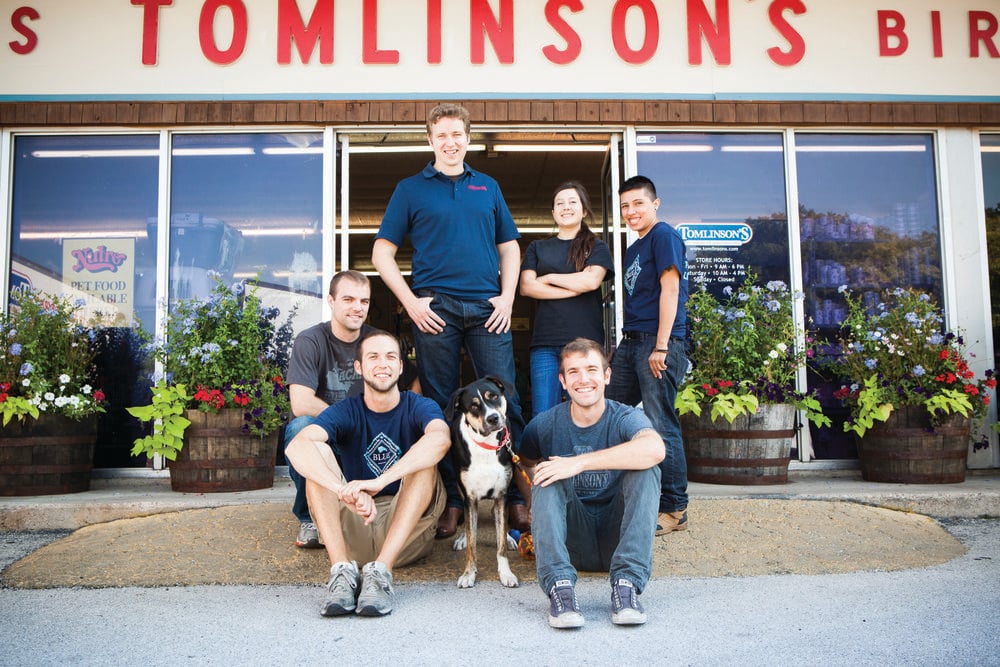
Tomlinson’s Feed is a local store for natural, healthy pet products in Austin and the Central Texas region. Opened in 1946, Tomlinson’s Feed offers healthy, natural pet products with team members trained in animal nutrition and world-class customer service.
Tomlinson’s Feed has been using the YOOBIC platform to empower (or emPAWer??) their store teams through training, employee communication and task management since April 2020.

You probably remember your old VHS collection and walkman fondly (if you’re old enough).

Frontline employees are the people who deliver a company’s products and services directly, usually face to face with customers and away from a desk. They’re the staff you meet in person when you shop, travel, or get something fixed, rather than the colleagues working from an office.
Around the world, 2.7 billion frontline employees make up as much as 80% of the global workforce, yet most still work without the digital tools their desk-based colleagues take for granted. So who are frontline employees, and what counts as a frontline worker? In short, they run the stores, warehouses, roads, and sites where your business meets its customers.
A frontline employee hands you your morning latte.
A frontline employee comes to do your gas safety inspection every year.
And it’s a frontline employee who boxes up your packages for delivery when all the stores are closed.
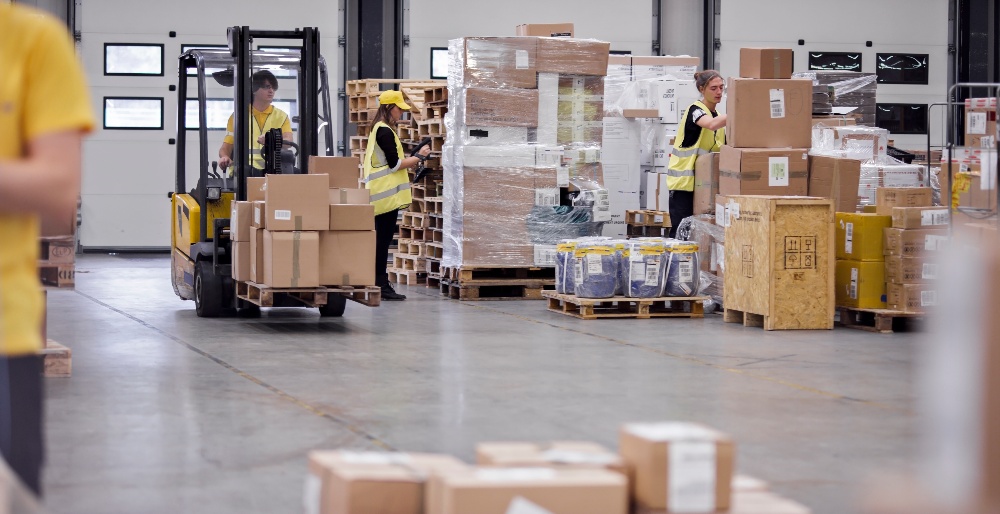
Frontline employees do just about everything, so the term covers a lot of ground. They differ from remote workers, who are still desk-based, and from essential workers, a label about operating in a crisis rather than where the work happens.
Most share three connected challenges: they feel disconnected, their training doesn’t fit their day, and manual processes slow them down. A digital workplace closes that gap by giving the frontline the same tools their office peers already rely on. This guide explains who they are, how their needs differ from desk-based peers, and why they need that digital workplace to do their best work.
A frontline employee is someone who delivers a company’s products or services directly, usually face to face with customers and away from a desk, working on shop floors, in warehouses, on the road, or on site rather than behind one.
A frontline employee is someone who delivers a company’s products or services directly, usually face to face with customers and away from a desk. Frontline employees work on shop floors, in warehouses, on the road or on site, and they’re often the first point of contact a customer has with a brand. Store associates, cashiers, nurses, delivery drivers and warehouse pickers are all frontline employees.
Picture a stock associate mid-aisle on a Saturday afternoon, restocking shelves and answering questions between deliveries. She has never logged into a company laptop, and she probably doesn’t have a work email. That’s the frontline.
You’ll also hear frontline employees called by other names:
Most don’t have access to a company computer like their office-based peers, and most don’t even have a company email address.
Frontline workers vs frontline employees: what’s the difference?
“Frontline workers” is the broader label, often stretched across essential sectors like healthcare, utilities, and public services. “Frontline employees” is the customer-facing slice this guide centers on, the people serving shoppers and running stores. In practice both describe the same deskless, customer-facing workforce, so we use them interchangeably here.
Both are correct, but they’re used differently. “Frontline” is usually an adjective, as in frontline employees or frontline teams. “Front line” is a noun, as in “the people on the front line of your business.” When you’re describing roles or teams, “frontline” is the standard choice.
Remote workers spend some or all of their time away from the office, but most are still desk-based. They usually have a company computer, an email address, and a dedicated workspace, whether that’s at home or somewhere else. They use the same tools as office-based employees.
Frontline employees spend most of their day on their feet or traveling between sites. They rarely carry a company computer, and they don’t have a dedicated workspace with the same tools office teams use.
Essential is a different kind of label. It describes whether a role has to keep operating during a crisis. Frontline describes where the work happens, away from a desk. A worker can be one, both, or neither.
If you manage store teams, you’ve probably seen all three labels applied to the same person in a single week. Here’s how they compare:
| Dimension | Remote worker | Frontline employee | Essential worker |
|---|---|---|---|
| Workspace | Dedicated space, at home or elsewhere | No fixed space; on the floor or on the road | Varies by role |
| Computer access | Company laptop | Rarely; shared or personal mobile | Depends on the job |
| Company email | Yes | Usually not | Depends on the job |
| Defining trait | Works away from the office, still desk-based | Works away from a desk | Must keep operating in a crisis |
What does frontline staff mean in retail?
In retail, frontline staff are the people who run the store in person: store associates, store managers, area and district managers, and visual merchandising teams. That’s a narrower, more concrete group than the generic or public-sector definitions you’ll find elsewhere. When retail leaders talk about their frontline workforce, these store-facing roles are exactly who they mean.
Frontline employees work anywhere the job can’t be done from a desk. Here are some of the most common places you’ll find them:
In the industries we work with most closely, retail, grocery, convenience, pharmacy, fashion, restaurants, and gym and fitness, the frontline has a familiar cast: store associates, store managers, area and district managers, and visual merchandising teams.
Take a district manager between store visits. She spends her week in the car and on shop floors, checking displays, coaching managers, and chasing updates by phone, rarely at a desk long enough to open a laptop. Her job is frontline, even though she leads other frontline teams.
Retail is one of the biggest homes for frontline teams. We support more than 3 million associates across 350+ global retail brands, including Michaels, Boots, Vans, Halfords, Mattress Firm, Pret a Manger and Watches of Switzerland.
Frontline employees work in almost every industry. These are the most common roles in the largest ones:
Frontline employees make, move, and sell nearly everything your customers touch, so their experience shapes revenue and growth directly.
They manufacture and deliver the products we use every day. They build and maintain the infrastructure of cities and roads. They keep stores and restaurants stocked and running. Those are a few examples out of hundreds.
Think about the associate who notices a popular size selling out, flags it, and gets it restocked before the after-work rush. That small catch protects a sale HQ would never have seen slipping away. Whatever the industry, frontline teams are essential to the organizations that employ them.
Yet many frontline industries carry some of the highest turnover and lowest engagement anywhere. The World Economic Forum reports that frontline turnover reached 81% in retail in 2025, with 87% in quick-service restaurants and 73% in logistics and warehousing.
Voluntary turnover costs US businesses roughly $1 trillion a year, much of it driven by gaps you can actually close.

When you focus on the frontline experience, you start to genuinely value everyone who isn’t at a desk from nine to five. And given the work they do, that focus feeds straight into profitability and growth.
Frontline employees face three connected challenges. They feel disconnected from the rest of the company, their training doesn’t fit how they actually work, and manual processes slow them down. Every one of these traces back to the same root: no digital workplace.
Desk-based employees have a physical space to connect and collaborate with peers. They also have a stack of digital tools that boost engagement, sharpen training, and make daily work more efficient.
Frontline employees have neither. They lack that shared physical space, and they’ve long been underserved by the tech industry, so most were never given the same digital tools as their office-based peers. Most of the challenges below stem from that gap. Here are three of them.
Office workers who see each other daily have far more communication and engagement tools than most frontline teams. The result: frontline employees feel out of the loop, cut off from company news and decisions. That gap shows up in their work, because engaged employees consistently do better. Closing the gap starts with better frontline team communication.
Gallup found that highly engaged teams outperform disengaged ones by 23% in profitability and 18% in productivity.
Consider a weekend associate who hears about a new promotion from a customer before anyone at work mentions it. That’s the disconnect you’re up against.
This is where YOOBIC Communications comes in, our retail-first frontline communications hub. It gives every team a company newsfeed, critical update broadcasts with read receipts, and two-way feedback. Here’s what that lets you do:
Organizations spend heavily on training every year, yet much of it still assumes a classroom and a desk. That format doesn’t fit frontline employees.
Picture a new hire on day two, learning the returns process from her phone between customers, not in a back-office classroom she’ll never sit in. Some associates are your customers’ first point of contact with your brand. Others hold specialized, technical knowledge that keeps factories, warehouses, and construction sites running safely. Standard onboarding built for a classroom can’t stretch across that range of responsibilities.
Frontline employees are rarely sitting at a desk, and their training has to keep up. That’s why we built YOOBIC Learning, a mobile-first platform embedded in daily store workflows, with adaptive learning and gamification that fit training around the job. Here’s what strong frontline training looks like:
Training frontline workers effectively means meeting them where they already are. Keep it on the floor, on mobile, and in short bursts between customers, not in long classroom sessions.
Build learning into daily tasks with YOOBIC Learning, and the time cost drops fast. Boots cut time spent on SOP training by 65% after moving frontline learning onto the platform.
The payoff is real:
150% increase in learning program participation after Michaels moved frontline training onto YOOBIC Learning.
For frontline teams in manufacturing, transportation, retail, and hospitality, speed and accuracy are the whole game. Products have to be made and delivered fast and right. Customers expect better, quicker service every day.
Picture a store manager starting the shift with a paper checklist on a clipboard, then keying results into a spreadsheet after close, hours after the problems mattered. While desk-based workers got tools to manage time, run projects, and digitize paperwork, those tools mostly never reached the frontline. Giving teams the right mobile tech changes that.
Manual, paper-based work slows people down, invites errors, and quietly tells frontline workers the company undervalues their contribution. That’s a problem for keeping and attracting a committed team. Here’s how you fix it:
The digital gap isn’t the only pressure frontline employees face. Their roles also come with day-to-day demands that desk-based roles rarely share:
These pressures are a big part of why frontline turnover runs high. Better tools won’t remove them, but they can take away the extra load. Clear priorities, fewer manual tasks and faster answers from head office give store teams more control over their day.
You engage frontline employees by giving them a voice, acting on what they say, and bringing training and updates into the flow of their work. Empowerment follows when they see their input change something.
Here’s why it matters: people leave frontline jobs for reasons you can influence, including recognition, flexibility, a real voice, and room to develop, according to the World Economic Forum. Four practical moves make the difference:
YOOBIC Communications is built for this side of the work: two-way feedback loops, polls and surveys, and engagement analytics dashboards that show whether messages land and how teams feel.
Here’s what that looks like on the floor. An associate reports a chest freezer running warm through the feedback channel one morning. Her manager sees it, logs a fix, and gives her a shout-out on the newsfeed that afternoon. She flagged a problem and watched it get solved, so next time she’ll speak up faster.
Let’s go back to the digital workplace we keep mentioning, because not having one is the root of the roadblocks frontline workers hit every day.
A digital workplace is the set of connected tools that lets people do their jobs well without a fixed desk. It’s the digital equivalent of the physical office, built to support collaboration, productivity, and steady improvement.
For the frontline, a digital workplace isn’t a bundle of separate apps you stitch together. It unites task management, communications, and learning as one system, so what a team needs to do, know, and hear all live in the same place. That’s the difference between tools that fight each other and a workplace that works for you.
Invest in your frontline’s digital workplace and you give store teams a place to connect, collaborate, and close the disconnect so many feel. It also tackles the three challenges head-on: low engagement, training that misses, and outdated processes.
Do it well and you accomplish three things that matter:
Picture a store team that used to wait days for answers from HQ and now gets them the same morning on a shared newsfeed. That shift changes how the whole store runs.
A better frontline experience isn’t about buying a few new platforms and moving on. It takes a real change in mindset and a willingness to listen to every employee, wherever they work. There’s no better time to start.
We bring task management, communications, and learning together in one platform for frontline teams, so processes run smoothly, communication stays clear, and learning never stops. Ready to see it in your stores? Book a demo.
Once a digital workplace is in front of your frontline teams, you can measure the return on investment (ROI). Track the key performance indicators (KPIs) that connect daily execution to business outcomes: task completion and on-time execution, training completion and participation, communication reach and read rates, engagement, and turnover.
Here’s how those metrics map to outcomes:
| KPI to track | What it tells you |
|---|---|
| Task completion and on-time execution | Consistent standards and fewer costly misses across stores |
| Training completion and participation | Faster onboarding and associates ready to sell and serve |
| Communication reach and read rates | Confidence that critical updates actually reach the floor |
| Engagement scores | Early warning on morale before it hits performance |
| Turnover rate | Retained expertise and lower rehiring and retraining costs |
Turnover is where the cost of doing nothing shows up fastest. Gallup reports that replacing a frontline employee runs about 40% of their annual salary, and that 42% of turnover is preventable.
Picture a store manager who opens Monday not with a guess but with last week’s completion data. She can see which tasks slipped, which associates need a hand, and where to spend her coaching time, so the week runs on facts instead of hunches.
The frontline workplace is changing fast, and a few shifts are already underway. Here’s where it’s heading.
Artificial intelligence (AI) is moving past reporting what happened toward telling teams what to do next. Instead of reading a dashboard, a store manager gets the day’s top three priorities surfaced automatically, ranked by impact, before the doors open. That’s exactly what YOOBIC AI does: it turns store data into prioritized actions.
The pile of point tools is consolidating. Task management, communications, and learning are converging into a single system, because switching between disconnected apps is exactly what slows the frontline down.
Leaders are starting to treat the frontline as a driver of revenue, not a line of cost. When you give store teams the tools to execute well, their impact shows up in sales, not just in savings. None of this is far off. The pieces are here now, and the retailers who connect them first will set the pace.
That latte handed across the counter, the annual gas inspection, the packages boxed up overnight: every one of them runs on a frontline employee. They’re most of the workforce, and for years they’ve worked without the tools their desk-based colleagues rely on.
Closing that gap comes down to one thing: a digital workplace that unites task management, communications, and learning, built around how the frontline actually works. Get that right and you don’t just fix disconnected tools. You change how valued your people feel and how well your stores run.
If your frontline still runs on paper and guesswork, that’s worth a conversation. Book a demo and we’ll show you what it looks like in your stores.
Avoid wasted hours, blind spots
and lost revenue with YOOBIC
A frontline worker is anyone whose job happens away from a desk and out in the field, on a shop floor, behind a counter, in a warehouse, or on the road. They rarely use a company computer or email to do their core work. If the job can’t be done from an office chair, it’s a frontline job.

What if there was a way to train your workforce so they quickly master and apply knowledge, wherever they are and whatever their role?