The day-to-day life of a retail operations director has never been easy. With so many different plates to keep spinning and the responsibility of an entire store network resting on your shoulders, it can be difficult to keep things running smoothly.

 YOOBIC
The day-to-day life of a retail operations director has never been easy. With so many different plates to keep spinning and the responsibility of an entire store network resting on your shoulders, it can be difficult to keep things running smoothly.

Grocery retail has faced a unique set of problems throughout the COVID-19 pandemic. Supermarkets have had to remain open for the duration of the crisis, which means that, unlike a lot of other retailers, they’re doing pretty well financially right now.

Last week we were honored to host a webinar with Kevin Cooper, Director of Leadership and Development at BurgerFi. Kevin chatted to our Senior Client Director, Jenna Goldstein, about the challenges of communication and training during the pandemic, why it’s important to empower your frontline staff, and how they use YOOBIC to achieve their learning and development goals. Read on for an overview of the key takeaways you might have missed.

With travel considerably limited and people being encouraged to work from home wherever possible, the COVID-19 pandemic has forced all workplaces to adapt. And for area managers, the usual routine of constantly hopping between retail site visits just isn’t an option right now.

So you’ve implemented mobile learning. Huzzah!

Remember when you thought 2021 might mean seeing your colleagues in-person again?

After over a year the pandemic, 22% of consumers have seen their disposable income decrease and 14% are struggling financially.

Remember the good old days when you could just walk into any store whenever you wanted to?

As stores and restaurants continue to reopen all over the world, extraordinary in-person customer experiences are still at a premium.

What mobile learning is, why it works for frontline retail teams, and how to roll it out.
Most of the people who represent your brand never sit at a desk.BCG estimates that deskless workers make up roughly 70-80% of the global workforce, about 2.7 billion people. Most of them lack easy access to corporate communication channels and digital tools.
Your store associates are in that group. They’re on the floor, between customers, rarely in front of a computer. So how do you train them consistently across hundreds of locations?
Mobile learning (m-learning) is the practical answer, and it works because it meets frontline retail teams where they already are. Today, Pew Research Center finds that 91% of U.S. adults own a smartphone.

What if you could make the most of workplace training using the device almost everyone already carries? That’s the shift this approach makes possible for store teams. It turns dead time between tasks into short, useful learning, and keeps training close to the moment an associate needs it.
This guide covers what mobile learning is, why it works for the frontline, and how to roll it out.
Here’s what you’ll take away before you scroll any further.
Mobile learning (m-learning) is training that’s accessed, completed, and formatted for mobile devices like smartphones and tablets. It’s available whenever and wherever a learner needs it. That single quality, on-demand access, is what separates it from training tied to a room or a computer.
Mobile learning is about far more than making your training content mobile-friendly. Rather, it’s a “personal, unobtrusive, spontaneous, ‘anytime, anywhere’ way to learn and to access educational tools and material that enlarges access to education for all”, as one widely cited definition in the International Review of Research in Open and Distributed Learning puts it.
For a store associate, this is concrete. You don’t pull them off the floor for an hour. They finish a short lesson between customers, on the same phone they check their schedule on, and get straight back to selling.
Good mobile learning shares four traits. It’s accessed at the point of need, built mobile-first rather than just mobile-friendly, interactive, and delivered in short chunks. Get those right and adoption follows.
Use these four traits to audit your current program, then look for the capabilities that deliver them in practice:
Picture a new hire on day two. A returns policy changes, and instead of waiting for the next scheduled session, they learn it in five minutes between customers on their phone. That’s the difference between mobile-first design and a class you have to schedule.
YOOBIC Learning is built around exactly these capabilities for store teams.

Mobile learning helps store teams learn faster and perform better. It meets them where they already are, on their phones and in the flow of work.
The overarching benefit is that it helps associates learn faster and perform better. Here’s why that holds up.
It’s rarely practical to gather every associate in one room for training. When done right, mobile learning connects your team and promotes collaboration between people who may never meet inperson. If you’re managing multiple stores, this is how you keep everyone connected without pulling them off the floor.
Phones are near-universal. Training that lives on them meets people on familiar ground. Globally, the International Telecommunication Union reports that 87% of males and 78% of females aged 10 and older own a mobile phone.
For a deskless frontline, the phone is the one device you can count on being in every pocket.
Inconsistent training across teams, regions, and countries is where standards quietly slip. Courses and learning paths are easy to create, publish, and replicate on mobile.
So you can give every store the same content on the same day. Consistency stops being the hard part.
Mobile platforms tend to use formats people absorb quickly, like short videos, infographics, and audio. Think about your own phone: you’re more likely to tap a 30-second clip than read a wall of text. These are the formats your associates will actually finish between customers, not skip.
M-learning supports the same mechanics that keep people coming back to their favorite apps, like push notifications, polls, and personalization. That’s how your team returns to training on their own, without chasing reminders.
Think of an associate who finishes a two-minute refresher on a new promo during a quiet stretch. They earn a badge and are back on the floor before the next customer walks in. That small win is what keeps them opening the app again.
In-person sessions and offsites can feel like the default, but they get expensive fast once you add instructor fees, printing, travel, and hotels. With mobile training, you push new content to thousands of associates at once, quickly and at a fraction of the cost.
The amount we retain drops off sharply with each passing day, according to the forgetting curve described by Hermann Ebbinghaus more than a century ago. You can slow that dip with real-life application, spaced repetition, and short, bite-sized sessions, all of which mobile learning supports.
An m-learning experience is also a place to ask questions and get support from peers. That sense of belonging matters, and it gives associates a say in how they want to learn. Your associates gain answers from people who do the same job, right when they need them.
Mobile learning is the delivery layer for microlearning, gamification, social learning, and more. Social learning, personalized learning, microlearning, gamification, and building a knowledge-sharing culture all ride on it. If you’re building any of these programs, mobile is what makes them usable on the floor.
Mobile learning has real limitations worth naming. Phones invite distraction and screen fatigue, device access can be uneven across a team, and training risks becoming one more disconnected app competing for attention. Ignore these and adoption stalls.
The fix is delivery. When learning lives in the flow of work, it sits inside the same daily tasks and communications your associates already use. So it stops being a separate errand and starts being part of the shift.
Designed as one system rather than modules bolted together, it competes with distraction instead of adding to it. Consider an associate who never opens a standalone training app, yet finishes a two-minute lesson because it surfaced right next to their shift tasks. Same person, different result, because the delivery met them where they were.
They overlap, but they’re not the same. E-learning is any learning done online; mobile learning is learning built specifically for the realities of the mobile learner.
E-learning happens online, whether on a company laptop or a phone. It may be mobile-friendly, but it’s typically not created only for mobile, even when you can open it there.
Mobile learning is technically online too, yet it’s designed around the mobile learner from the start. The content is mobile-first and gives you an engaging, standardized experience wherever you are.
No. They sound similar, but they answer different questions. Mobile learning is where training is delivered; microlearning is how the content itself is built.
Mobile learning is training completed on a tablet or smartphone, whenever and wherever it suits the learner, optimized for whatever device they’re using. Microlearning is about the content, its objective and structure, presented in short chunks, each one standalone and immediately applicable.
Think of the mobile channel as the delivery mechanism and microlearning as what’s inside. It’s the how, and microlearning is the why. When you plan a rollout, you’ll usually want both.
Mobile learning is far more than mobile-friendly training content. If you’re comparing formats, use these three tests before you call something mobile learning:
The contrast below shows what separates true mobile learning from training that merely happens to open on a phone.
| Mobile learning | Not mobile learning |
|---|---|
| Completing a quiz in your company’s mobile learning app. Your score shows afterward, along with a custom badge you’ve earned. | Logging into the company learning management system (LMS) through a URL on your phone to complete a quiz. |
| Opening your mobile learning app for a 15-minute new-product-launch briefing, broken into five-minute videos with a quiz at the end. | Watching a single 15-minute video about the new product on a shared back-office tablet. |
Choose the platform your store teams will actually use every day, not the one with the longest feature list. That means mobile-first, easy to author, and measurable against store performance. Use the criteria below to compare options.
| What to evaluate | What good looks like |
|---|---|
| Ease of use | Associates learn it in minutes, with no manual required |
| Content authoring | An AI course creator and a drag-and-drop, no-code builder so you publish fast |
| Multi-language translation | Fast translation so global stores launch the same content together |
| Analytics | Dashboards, completion tracking, feedback collection, and skill-gap analysis |
| Integration | Connects to the tools store teams already use, including their tasks and communications |
| Personalization by role | Automated enrollment and suggested courses by role, event, or trigger, so specific groups get the training they need |
| Engagement | Gamification, microlearning, and offline access to content |
| Devices and access | Works on personal or company devices, with load times fast enough that associates don’t abandon it |
That last point matters more than it looks. If an app is slow to load, associates give up on it fast, so test speed on real devices before you commit. YOOBIC Learning brings these criteria together in one platform built for the frontline, so you’re not stitching separate tools around it.
Related:
A rollout is a management practice, not a software install. Work through these three steps in order, and keep your store teams in the loop at each one.
Start with the business goal behind the move to mobile learning. Then think about your learners.
What’s the typical age range? Are they desk-based, deskless, or a mix? Any groups who may be less comfortable with new tech?
It only works if associates want to use it, so design with them in mind. Pro tip: ask your teams for feedback on your current training, its format, and its frequency.
Mobile learning delivers engaging, interactive training, but delivery alone isn’t enough. You still shape the content.
Two strong options stand out. Microlearning formats content in short standalone chunks around one applicable topic. Gamification adds points, challenges, and leaderboards to keep associates coming back.
Delivering learning through an app is far more natural than a mobile-optimized LMS, because associates already live in apps. One retailer rolling out to a largely Gen Z workforce did exactly this, then watched which formats landed and adjusted based on associate feedback. Pick the experience your people reach for without being told.

Keep the design simple, and your associates will keep showing up. A few practices carry most of the weight:
Mobile learning is measurable because every lesson, quiz, and completion is tracked. That lets you tie training to store performance instead of guessing at its return on investment (ROI). For learning and development (L&D) leaders, that’s the difference between a hunch and a case.
Track a small set of metrics in two families. On the people side, watch training participation, completion rate, and time-to-productivity for new hires. On the operational side, watch time to compliance and time spent on standard operating procedure (SOP) training.
Picture a regional manager who used to guess whether training landed. Now they open a dashboard that shows completion by store before the Monday call, and the conversation starts from facts.
Here’s what that looks like across YOOBIC Learning customers:
| Result | What it measured | Client |
|---|---|---|
| 150% increase | in learning program participation | Michaels |
| 137% increase | in training completion | Sportscene |
| 65% decrease | in time spent on SOP training | Boots |
The category is moving in a clear direction, and you can plan around it. Three shifts stand out.
First, AI is moving into course creation, personalization, and translation, cutting the time it takes to produce and deploy content across global teams. You can already see this in practice, like the way one luxury brand uses AI to scale training across its global stores. Second, learning is converging with daily execution rather than living in a separate LMS, so a lesson shows up next to the task it supports. Third, there’s a growing expectation that training ties directly to store performance key performance indicators (KPIs), not just completion for its own sake.
The deskless majority is pushing all of this toward mobile-first, in-the-flow delivery. Realistically, an associate’s next “training” won’t be scheduled weeks out.
It will be a two-minute lesson triggered by a task, right when a new display goes up or a policy changes. Increasingly, AI handles course creation, personalization, and translation, so content reaches every store faster.
Mobile learning wins because it gives store associates control over when, where, and how they learn. So they actually complete the training and apply it on the floor. That’s the concrete payoff: consistent execution across every location, not training that sits unopened.
YOOBIC unites tasks, communications, and learning in one platform, so a brief at headquarters becomes a completed lesson and a confident associate in the aisle. If you want to see how that works for your stores, book a demo and we’ll walk through it together.
Kate Knecht, Brand Director, Tomlinson's Feed
Avoid wasted hours, blind spots
and lost revenue with YOOBIC
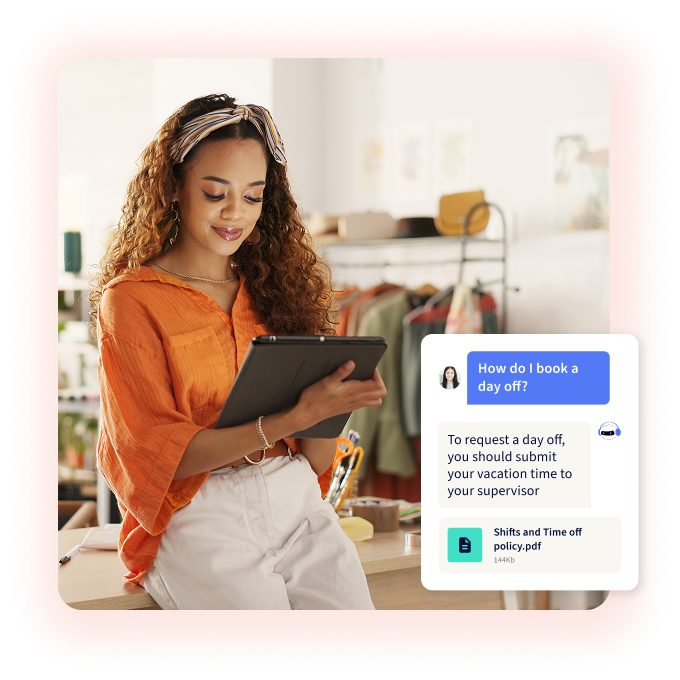
M-learning is training built for and delivered on mobile devices like smartphones and tablets. It works by breaking content into short, interactive lessons a learner can complete on their own device, wherever they are. Because the phone is always on hand, your teams learn in small moments between customer interactions rather than in a scheduled block.