AI in retail has moved past the pilot stage. It is on the floor now, changing how stores run, how teams work and how customers shop.
The retailers acting early will set the pace rather than follow it. So here are the five retail AI trends shaping physical stores in 2026, and what store leaders should expect from each over the next six months.
DEFINITION:
Retail AI
Retail AI covers machine learning, computer vision and generative models applied across store operations, merchandising, service and supply chain. In store operations it means using operational data to decide what store teams work on. It also means tracking whether that work changed the result.
1. AI-planned store layouts and merchandising
Store design used to be part science, part instinct. In 2026, though, it is becoming a data-led discipline.
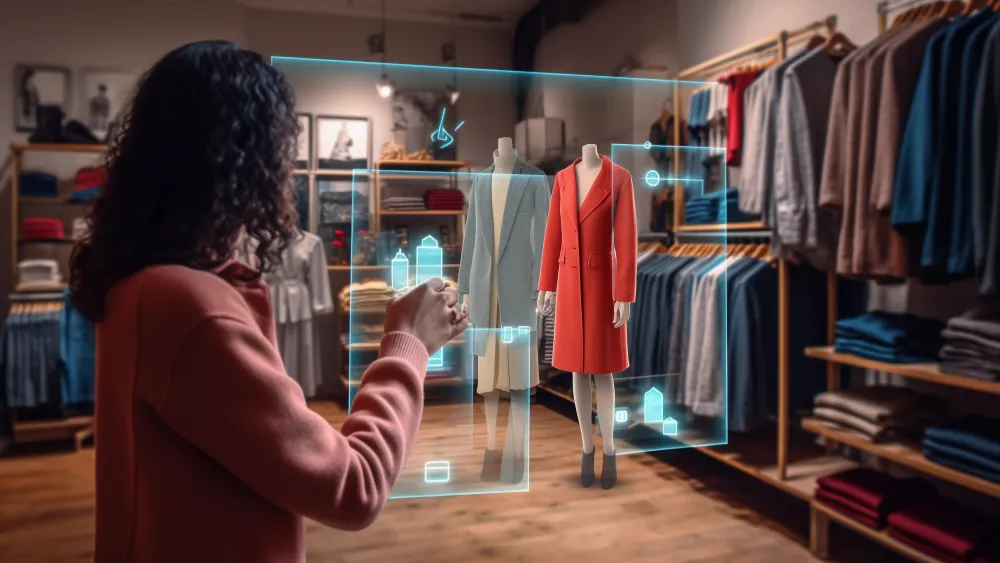
Retailers now combine shopper movement data, foot-traffic patterns and seasonal trends. That lets them plan placements before a single fixture moves. Some run digital twins, meaning virtual replicas of the store, to test layouts against live inventory. Lowe’s built one with NVIDIA Omniverse. Planners get 3D heatmaps and augmented reality stock checks. Shelf cameras then check stock levels, flagging gaps against the planogram.
The commercial case here is stronger than most retailers assume. Chintagunta, Chu and Cebollada studied promotional execution across 5,000 stores. They found 29% of planned displays were never placed at all. Those that made it ran for only 62% of the intended campaign. Getting a display onto the floor during a campaign week lifted sales by 9.6%.
29%
Share of planned promotional displays never placed on the sales floor, across a study of 5,000 stores.
Chintagunta, Chu and Cebollada, Manufacturing and Service Operations Management.
So smarter layouts matter. Verifying that the plan reached the shelf matters just as much. VM Copilot handles the second half. It checks AI-powered visual merchandising against brand standards from a photograph. Feedback gets resolved on the floor before it reaches HQ. Canada Goose used this to close the feedback loop from two weeks down to the same morning. Longchamp then rolled new visual merchandising guidelines across 350 stores globally in six days.
2. Agentic AI moves into store operations
The next phase of store operations runs on agentic AI. These are systems that decide and act rather than wait to be prompted.
In practice an agent might trigger a restock or adjust a digital shelf price. It might draft a staff schedule from predicted footfall. Because they run in the background, managers and associates stay customer-facing.
Adoption is also moving fast. MIT Sloan Management Review and Boston Consulting Group surveyed 2,102 executives across 116 countries. They found 35% of organizations had already adopted AI agents. Another 44% plan to deploy soon. Agentic AI reached that level in about two years. Neither generative nor traditional AI moved that fast.
Still, most retailers are moving carefully, and they are right to. The hard part is not the models. It is data governance, legacy integration and running cost. So teams start with narrow use cases that prove clear gains before scaling.
YOOBIC’s AI Teammates sit in this category. Role-specific agents support audits and daily routines behind the scenes. We covered how that pipeline works in from insight to action.
3. Personalized service on the sales floor
For years personalization was an online advantage. Now, however, AI is bringing it onto the shop floor.
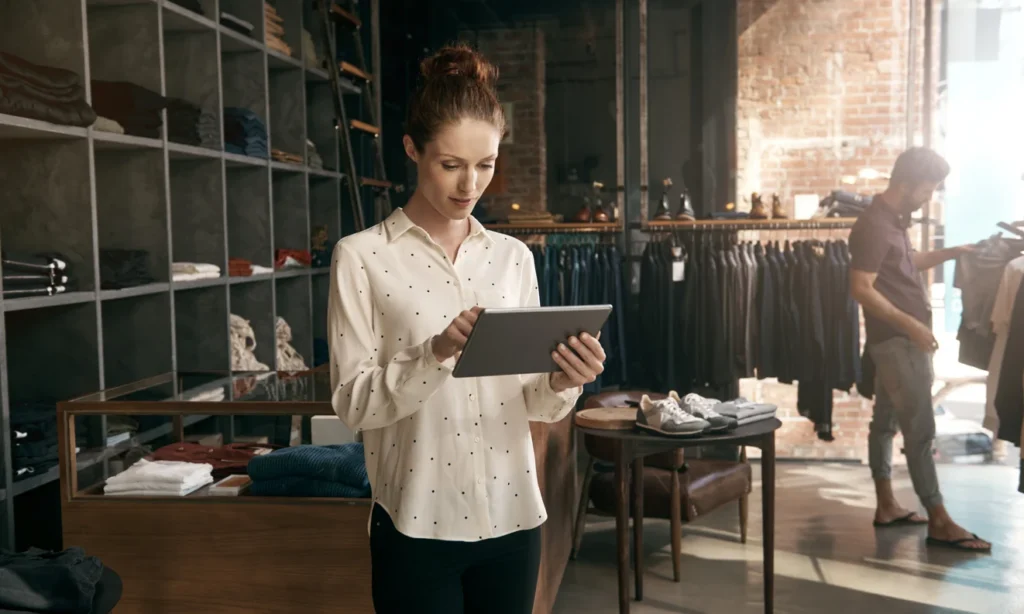
Loyalty data, purchase history and recommendations now reach handheld devices. Associates can greet returning customers with tailored suggestions in seconds. On-floor screens act as guided discovery tools, reading plain language about budget, size and style.
For example, UNTUCKit built its clienteling model this way. Text-based clienteling grew from 5% to 9% of total company sales in year one of its certification program. Store visits shifted from checklist reviews to focused coaching on customer conversations.
The same principle therefore applies to your own teams. Local opportunities surface on an associate’s device during the shift. They no longer wait for a head-office report the following week.
4. AI that makes store teams more effective
AI in retail is not about replacing people. It is about making them more effective, and this is where the floor-level impact is clearest.
Associates can now get short training on demand, plus instant answers to product questions. They also get step-by-step guidance through unfamiliar tasks. That speed matters most during seasonal peaks and product launches.
Meanwhile frontline adoption has genuinely shifted. BCG’s 2026 AI at Work survey found 74% of frontline workers now use AI daily or several times a week. That is up 23 percentage points on the previous year. Among regular frontline users, 42% report saving around eight hours a week.
There is a catch, though. BCG also found most organizations have not worked out how to convert that time into value. Deploying tools is not enough on its own. The saving only reaches the P&L if workflows and training change with it.
INSIGHT
Time saved is not the same as value created. Reclaimed hours only reach the P&L when someone decides what those hours get used for. That might be peak-hour floor coverage, coaching or fulfillment.
YOOBIC’s AI Assistant answers everyday questions from a retailer’s own documentation, with a source link on every answer. That cuts the support tickets reaching HQ. AI Course Creator turns existing material into ready-to-launch training. GameStop replaced an e-learning setup built on flat PDFs and quizzes.
Hugo Boss put AI recommendations straight into store teams’ hands using Store Manager Copilot. That saved 25% of store manager admin time and lifted incremental revenue by 3.2%.
3.2%
Incremental revenue lift from store-level adoption of AI-recommended priority actions, alongside 25% of store manager admin time reclaimed.
YOOBIC customer story, Hugo Boss.
5. Targeted friction removal, not checkout-free stores
The most visible AI trend is also the one being rethought. Fully checkout-free stores, built on ceilings full of cameras, have cooled quickly. The hardware costs too much and the returns arrive too slowly.
Instead, retailers are targeting specific friction points. Automated exit gates, mobile scan-and-go, and computer-vision portals that verify a basket on exit. Sam’s Club uses AI image capture at its exit doors, confirming purchases against a digital receipt. Members walk out without a manual check.
That caution is warranted, because the record is mixed. S&P Global found the share of enterprises abandoning most AI initiatives rose from 17% in 2024 to 42% in 2025. Costs outran returns. Gartner separately projected at least 30% of generative AI projects would be abandoned after proof of concept.
Consequently the lesson is to reduce real friction without redesigning the whole floor. Often the fastest wins come from tightening everyday task management, rather than rebuilding the checkout. Availability is therefore a good place to look. Corsten and Gruen put the global out-of-stock rate at 8.3%. That costs around 3.9% to 4.0% of store sales.
What this means for store leaders
The pattern across all five trends is consistent. While the tools change, the retail workforce is not disappearing. It is changing, and treating frontline labor purely as a cost no longer holds.
Meanwhile Boston Consulting Group offers a useful way to think about where the effort goes. Their 10/20/70 guideline gives 10% of effort to algorithms and 20% to technology and data. The remaining 70% goes to people and processes, because that is where change either sticks or does not.
Therefore the retailers who get value from AI in 2026 will do three things. First, they will prioritize AI that lifts productivity on the floor rather than in head office. Second, they will use AI to strengthen human service instead of substituting for it. Third, they will move quickly from pilot to chain-wide rollout. A pilot that never scales is a cost rather than an advantage.
So AI is not a back-office tool anymore. It is a frontline advantage, and the retailers moving first will set the standard. You can see how they are doing it in our customer stories.
“Taking the hours spent on manual processes out of stores pays for the platform alone.”
AI has changed retail most visibly in personalization and demand forecasting, and most recently in how physical stores are run day to day. In store operations it now decides which performance gaps are worth acting on, generates and routes the resulting work to specific people, verifies execution from photographs, and answers frontline questions from a retailer’s own documentation. The effect on roles is a shift rather than a reduction: store managers spend less time compiling reports and more time on the floor, while associates get guidance in the moment instead of after the fact. Results are uneven, though, with S&P Global finding the share of enterprises abandoning most AI initiatives rose from 17% in 2024 to 42% in 2025.
What are the risks and best practices for deploying AI in retail?
The main risks are poor data readiness, weak integration with existing systems, unpredictable running costs, and low frontline adoption. Best practice starts narrow: pick one operational problem that already costs money, prove the gain in a defined group of stores against a comparable control group, then scale. Budget for the work that is not on the invoice, since Boston Consulting Group’s 10/20/70 guideline puts 70% of the effort into people and processes rather than algorithms or technology. Insist on traceability for anything customer-facing or compliance-related, meaning closed-corpus systems with a source link on every answer. And treat a pilot that never scales as a cost rather than a learning exercise, because Gartner projected at least 30% of generative AI projects would be abandoned after proof of concept.
How are retailers using AI to improve store operations?
Retailers use AI in store operations to prioritize work, verify execution and answer frontline questions. Prioritization means comparing each store against genuinely comparable stores to surface the highest-impact opportunities, then turning those into assigned actions rather than reports. Verification means checking merchandising and compliance from photographs, so feedback reaches the store the same day instead of weeks later. Frontline enablement means answering operational questions from company documentation in the flow of work, which reduces both the questions reaching store managers and the tickets reaching HQ. In practice the levers that pay back fastest are manager time, promotional and merchandising compliance, on-shelf availability and employee retention.
AI merchandising uses artificial intelligence and machine learning to forecast demand, set prices, plan assortments and keep shelves on plan, so every store and channel sells what its shoppers want.
Online, it ranks products and personalizes what each shopper sees. In stores, it turns the plan into shelves that match it. That second part is where most retailers are still waiting for results.
Merchandising used to run on instinct: a buyer’s feel for a trend, a regional manager’s read of a store, a planner’s best guess at next season’s demand. That instinct still matters. But it now sits on top of something it never had before: real data, in real time, across every store and channel.
So the intelligence is real. The question you’re probably asking, like most retailers, is why it hasn’t shown up in the results yet.
Key takeaways
Here’s what this guide covers, before you scroll.
The intelligence is real; the gap that stalls most programs is execution
AI merchandising works differently online and in stores, and the store side is where most returns are still unclaimed
AI moves the numbers in forecasting, assortment, and shelf or planogram compliance
Results come from connecting insight to frontline action through tasks, communications, and learning
Named retailers, from Lidl to Michaels, already prove the returns
The near-term shift is toward agentic merchandising, where AI executes within set goals
What is AI merchandising?
AI merchandising is the use of artificial intelligence and machine learning to automate, analyze and optimize merchandising decisions in real time, from demand forecasting and pricing to assortment planning and shelf execution. It replaces instinct-led calls with data-backed ones across both physical and digital stores, and turns insights into tasks store teams can act on the same day.
What are the core uses of AI merchandising?
Demand forecasting and inventory: predicts demand store by store to prevent stockouts and cut overstock.
Pricing and promotions: adjusts prices and discounts based on demand, inventory levels and competitor activity.
Assortment and space planning: builds localized product mixes and planograms from each store’s sales performance.
Personalized product discovery: tailors online search results and recommendations to each shopper.
Store execution and compliance: checks shelf photos against the planogram and turns gaps into same-day fixes, as VM Copilot does.
Agentic merchandising: AI agents take routine actions within goals the team sets, so merchants focus on strategy and curation.
Done well, AI merchandising is human-centric, explainable, and safe. Store teams can see why each action is recommended and act on it with confidence.
If you’re weighing where AI fits in your stores, start with the category itself, not a single feature. The definition holds whether you sell online, on the floor, or across both.
How does AI merchandising work online and in stores?
AI merchandising does the same job in every channel: put the right product in front of the right shopper. What changes is who acts on the decision.
Online, the algorithm acts on the page
On a website or app, AI changes the page directly. It ranks search results and category pages by what each shopper is most likely to buy, recommends related products, personalizes sorting by segment, and adjusts prices or promotions as demand and stock levels change.
Merchandisers set the rules, such as which lines to push, which to protect and which margins matter, and the system applies them on every visit. A recommendation takes effect the moment it’s made, because nobody has to act on it.
In stores, a person carries out every decision
In a physical store, the same intelligence produces a forecast, an assortment, a planogram or a promotion. None of it reaches the shopper until someone builds the display, moves the stock or resets the shelf, in every location.
That’s why in-store AI merchandising needs two layers. Planning AI decides what should happen. Execution AI checks that it did, using photo checks against the planogram, store-level tasks and daily priorities. Together they close the loop a website gets for free.
Store-level forecasts, local assortments, planograms, promotions
Who acts on it
The system itself
Store associates and managers, in every location
How fast it lands
Instantly
As fast as the team can execute it
How you know it worked
Click-through, conversion, revenue per visit
Planogram compliance, task completion, sell-through, sales per store
Most guides to AI merchandising stop at the online layer. For retailers with stores, the shelf is where most of the value is still at stake, and where most programs stall.
Why haven’t most AI merchandising tools paid off yet?
Most tools fail at execution, not analysis. The model’s recommendation is right, but it never reaches the associate on the floor as a clear task.
Here is the uncomfortable part. McKinsey found in 2025 that about 71% of merchants say retail AI tools have had limited to no effect on their business so far.
That is not a failure of the models. It is a failure of execution.
The pattern is consistent. Headquarters (HQ) builds a smart assortment or a clean planogram. The insight is sound.
Then it has to reach a store associate on a Tuesday morning, get turned into a task, and get done correctly across hundreds of locations. That last step is where the value leaks out.
Intelligence tells you what should happen. It does not make it happen on the floor. The retailers seeing real returns are the ones who closed that gap, not the ones who bought the most advanced model.
Where does AI improve assortment and inventory?
AI forecasts demand one store at a time, drawing on historical sales, live point-of-sale (POS) data, seasonal patterns, and local factors. It then matches each assortment to what that location actually sells. This is where AI in retail has the clearest, most measurable impact today.
Instead of relying on trailing sales averages, it combines those signals into a store-level forecast. It then adjusts the assortment to match real demand, not a regional average. Your best-selling store and your slowest one stop getting the same plan.
The result is fewer of the two problems that quietly drain margin. Overstock ties up cash in product that won’t move. Stockouts send customers home empty-handed.
AI forecasting reduces lost sales from stockouts by up to 65%, McKinsey estimates. That is revenue you recover without a single extra store visit.
For merchandisers, this changes the job in a practical way. Time spent reconciling spreadsheets and chasing data gets handed back.
That time can go into the work only people can do well. Think building assortments that balance brand identity with local taste, and setting pricing and promotions that match real demand.
Live performance insights
Forecasting sets the plan. Live data tells you how it’s actually playing out. AI tracks the numbers that matter, like conversion rate, units per transaction, and basket size, in real time rather than in a weekly report.
That changes the pace of the work. Instead of waiting until Friday to learn a display underperformed, teams can see it the same day.
Then they act: adjust the display, move a promotion, or shift stock to where it’s selling. The decision happens while it still affects the result, not after the week is already lost.
How does AI keep shelf execution on plan?
A perfect assortment means nothing if the shelf doesn’t match the plan. AI checks the shelf against the planogram and turns gaps into same-day fixes, before they cost a sale.
And the shelf is where most merchandising programs quietly break down. Average planogram compliance across physical retail sits at just 60%, according to the ISI Sharegroup.
Worse, it slips further out of line every week without intervention, as stock turns, restocking errors, and misplaced product pull the shelf away from the plan. The cost is direct: every gap between the plan and the shelf is a product a shopper came in for and couldn’t find.
The flip side is just as clear. Maintaining planogram compliance lifts retail profits by 8.1%, according to NARMS benchmark research.
So the shelf is not a housekeeping detail. It is a profit lever sitting in plain sight.
AI changes how you keep that shelf right. Visual Merchandising (VM) Copilot, YOOBIC’s automated shelf check, reviews every store photo the moment it’s uploaded.
It checks the real layout against the approved planogram and flags missing or misplaced product on the spot. The store team gets an alert and a task, so they fix the issue the same day instead of finding it in next week’s report.
VM Copilot doesn’t replace your visual merchandising team; it removes the manual photo review so they can focus on performance.
On the back end, automated compliance checks cut manual audit labor by 15%-20%. That frees regional managers from walking every aisle with a clipboard.
Picture a Saturday afternoon. An associate uploads a photo of the new denim wall and, within seconds, sees that two facings are wrong. They reset them before the evening rush, and the fix is logged before a manager would ever have caught it on a monthly visit.
DFS Group reached 97% task compliance after unifying execution across four brands.
These are not pilots. They are named retailers running real stores (more in the examples below).
How do you turn merchandising intelligence into execution?
Intelligence only pays off when it reaches the people who act on it. If you want returns, connect real-time data to frontline action through tasks, communications, and learning.
The retailers in that list have one thing in common. They didn’t just buy better data. They connected it to the people who act on it.
That connection is what AI merchandising is missing in most of the businesses where it has stalled. Frontline teams often can’t get the real-time data they need to act.
The intelligence exists somewhere in the building. It just never reaches the associate who could use it.
YOOBIC closes that loop. Real-time store data, including sales, traffic, inventory, and feedback, feeds the YOOBIC platform.
Store Manager Copilot surfaces the day’s priorities for each store. Then every person, from associate to HQ, gets a clear way to act on it through tasks, communications, and learning. A campaign brief at HQ becomes a completed task with photo verification on the floor.
Training is part of the same system, because execution depends on teams knowing how to do the work, not just what to do. YOOBIC’s Learning workflow builds training in minutes and adapts to each employee’s progress. New collections and procedures then land consistently across every store.
GameStop generates lessons and quizzes that are 95% ready to deploy, and saw an 80% faster response rate from HQ on store issues.
UNTUCKit drove a 15% lift in units per transaction by tying role-based training directly to execution tasks.
Michaels saved more than 223,000 hours a year across 1,350 stores, improved task completion by 30%, and generated $1.8M in incremental revenue.
How Longchamp rolls out visual merchandising in six days
Longchamp shows what this looks like end to end. The French fashion brand runs YOOBIC across more than 4,000 users in 350 stores. It uses the platform to get visual merchandising right in every one of them.
The old way of launching a global campaign meant slow validation and uneven execution across a spread-out workforce. Now the steps connect. The central team shares the campaign and its priorities with stores.
Store teams get AI-built learning modules tied to the update, generated in minutes with YOOBIC’s AI Course Creator. Tasks are assigned to set up the display and upload a photo for validation. The central team watches execution in real time and gives feedback on the spot.
The result is speed without losing control. It now rolls out new VM guidelines globally in six days. Its central education team saves 10 hours a week on training content, time that goes back into coaching.
Training is fully paperless, with more than 47,000 courses completed and an average rating of 4.7 out of 5. A dedicated visual merchandising community inside the platform keeps store teams sharing ideas, with a 100% active user rate.
Picture that same pace across your own store network, from campaign brief to validated display in every location.
“For a fashion brand like Longchamp, execution is everything.”
Julien Lannette, Longchamp's Global Education Director
Content creation that keeps pace
Execution also depends on the materials behind it. Campaign briefs, product information, and training all have to be prepared, kept on-brand, and adapted for local markets, and that work has traditionally been slow. Your team feels that lag every time a launch date slips while copy is still in the queue.
AI cuts that time sharply. It drafts product descriptions, promotional copy, and training modules in minutes, aligned with brand guidelines.
A seasonal launch or a procedure update is ready to go out in days rather than weeks. For retailers running thousands of stock keeping units (SKUs) across multiple markets, that speed is what lets the plan reach every store while it still matters.
It is the same lever behind GameStop’s near-instant lesson creation: less time preparing materials, more time executing on them.
This is what separates intelligence from results. The data is only useful when it turns into the right action, done well, in every store.
How is the merchandiser’s role changing with AI?
AI doesn’t replace merchandisers. It takes over the repetitive data work so people can focus on the judgment calls machines can’t make.
Think about a planner who used to spend every Monday morning stitching together POS exports from a dozen regions into one report. Now that report builds itself overnight.
They spend the morning in two flagship stores instead. There they decide which local lines to deepen and which to pull, the calls that actually move their numbers. If your team spends more time compiling than deciding, that’s the balance AI shifts.
That’s the human-centric position behind good AI merchandising: augment the people doing the work. Keep the system explainable and safe, and let frontline teams act as revenue drivers rather than data clerks.
The creative judgment, which local styles to back, how to price a promotion, when to break from the template, stays with people. AI gives them the speed and visibility to act on it.
What ROI can retailers expect from AI merchandising?
The return on AI merchandising shows up in the key performance indicators (KPIs) the system moves, measured store by store. You track it in sales, inventory, and operational-execution metrics, not in a single headline number.
KPI family
Metrics to watch
How AI merchandising moves them
Sales
Conversion rate, average transaction value, units per transaction
Forecasts and daily priorities point teams at the highest-impact selling actions
Inventory
Sell-through, stock-to-sales ratio, stockout rate
Store-level forecasting matches supply to real local demand, cutting overstock and stockouts
That’s the pattern to expect: the return depends on the system that turns data into action. So you measure it where the action lands, one store at a time, then across the network.
What are some examples of AI merchandising?
These are named retailers using AI merchandising in their stores today, grouped by the job it does for them.
Content 95% ready to deploy; 80% faster HQ response to store issues
The pattern across all of them is the same. The gains came when the insight reached the floor as a clear, trackable task, not when the forecast got smarter.
Where is AI-driven merchandising heading next?
AI merchandising is moving from recommending actions to taking them. The next wave is agentic: systems that execute within the goals you set, not just dashboards that advise.
The pressure to get this right is growing fast. According to Adobe Digital Insights, traffic to US retail sites from generative AI sources grew 4,700% year over year in July 2025. Customers increasingly start their shopping with an AI assistant rather than a search bar.
That shift raises the stakes for physical stores. They become the place where the brand experience and fulfillment happen, which only works if the floor is executed well, every day.
The retailers who win won’t be the ones with the smartest model on a slide. They’ll be the ones whose stores consistently match the plan.
This is where agentic merchandising comes in. Instead of surfacing a recommendation and waiting, AI teammates act within the goals you set.
VM Copilot reviews visual merchandising photos and coaches on the spot, and Store Manager Copilot turns each store’s data into a prioritized brief. District Manager Copilot, coming soon, will flag where each territory should focus.
For a store manager, that already looks less like reading dashboards. It looks more like opening Store Manager Copilot to a short, ranked brief: the three things worth doing before lunch, built overnight from last night’s numbers.
What should you look for in AI merchandising tools?
AI merchandising tools fall into three groups. Most retailers end up using more than one, so the real question is how well they connect.
Type
What it does
Who uses it
Questions to ask
Planning and forecasting
Demand forecasting, assortment planning, allocation, pricing and markdowns
Merchandise planners, buyers
Does it forecast at store and SKU level? How does it handle new products with no sales history? Can planners see why it made a call, and override it?
Can merchandisers boost, bury and pin products? How quickly does it learn from new behavior? Does it plug into your commerce platform and catalog?
Store execution
Planogram and photo compliance, campaign rollout, store tasks, frontline training
Retail operations, visual merchandising, field teams
Does it check every store photo, or only a sample? Does a gap become an assigned task automatically? Can HQ see completion across the network in real time?
Five questions to ask any AI merchandising vendor
Can your team see why it recommends something? Explainable recommendations get acted on. Black-box ones get ignored.
Does it reach the person who acts? A recommendation that stops at a dashboard rarely changes a shelf.
What data does it need? Ask what has to be clean and connected (POS, inventory, planograms, store photos) before it works.
How will you measure the return? Agree the KPIs up front, and make sure the tool reports them store by store.
How does it connect to the rest of your stack? Planning, online and store tools should share data, not sit in separate silos.
YOOBIC sits in the third group. It takes the plan from your planning tools and makes sure it lands in every store: VM Copilot checks every display photo against the standard, and Store Manager Copilot turns each store’s data into the day’s priorities.
How do you get started with AI merchandising?
You don’t need a full platform overhaul to make progress. Five steps get most retailers moving, in order.
Start with a focused pilot in a high-impact area, like planogram compliance or campaign execution, where results are easy to measure.
Build a clean, connected data foundation so the AI works from reliable inputs.
Equip store teams to act in real time, with clear tasks and training in the flow of work.
Set the KPIs you’ll measure against before you scale.
Review what the pilot proves, then expand to the next area or region.
The goal is simple. Get the intelligence out of HQ and onto the floor, where it turns into sales.
The bottom line on AI merchandising
The intelligence in AI merchandising is already real. Forecasts are sharper, shelves can be checked in seconds, and the data arrives while there’s still time to act on it.
What separates the retailers who see returns from the ones still waiting isn’t a better model. It’s getting that intelligence onto the floor as consistent execution, through tasks, communications, and learning that work as one system.
That’s the throughline from a signal in the data to a completed, verified action in every store. If you want to see how that works across your own network, book a demo and we’ll walk through it with your team.
Book a demo and find out how
Avoid wasted hours, blind spots
and lost revenue with YOOBIC
AI merchandising uses real-time data and machine learning to forecast demand, optimize assortments, check planogram compliance, and guide store execution. It replaces manual, instinct-led decisions with data-backed ones, and it works across stores, online, and marketplaces. Think of it as the layer that turns your store data into the next right action.
How does AI improve planogram compliance?
AI uses photo recognition to compare real shelf layouts against the approved planogram, then flags missing or misplaced product instantly. Store teams get an alert and a task, so they fix issues the same day. You catch the drift the day it happens, not in next week’s numbers.
What is the difference between AI merchandising and digital merchandising?
Digital merchandising refers to managing product presentation across digital channels. AI merchandising is broader: it applies machine learning to forecasting, assortment, compliance, and execution across both physical and digital stores, and acts on data in real time. Put simply, one lives online while the other follows your product everywhere you sell.
Why do many AI merchandising tools fail to deliver results?
Usually because the insight stops at a dashboard. No one owns the follow-through, so a strong recommendation never becomes an assigned, trackable task for a specific store and person. Tools that pay off route each recommendation to the associate who can act, then confirm it was done.
What is agentic merchandising?
Agentic merchandising is AI that takes action within set goals, not just recommendations. It can trigger a reorder, adjust a layout, or assign a fix as a task instead of only flagging a problem. The goals and guardrails stay with your team, while the routine execution runs on its own.
Can AI merchandising work for brick-and-mortar stores?
Yes, and in-store is where it has the strongest impact. It applies to physical shelves, foot traffic, in-store replenishment, and daily execution, checking the shelf against the planogram and turning gaps into same-day fixes. The same forecasting and compliance models that run online work store by store on the floor, which is where the returns show up first.
Every retail CIO is facing the same question, and it is not whether to invest in AI. It is where to place the first bet.
The candidates are familiar. Personalization, dynamic pricing, demand forecasting. All of them matter. All of them are also slow to prove and hard to attribute. Store execution is the quieter option, and it is the one that pays back first.
So here is what retail automation actually does to store execution. The evidence follows, along with why it is the sensible place to start.
DEFINITION:
Retail automation
Retail automation is the use of software to generate, route, verify and track store work without manual coordination. In store operations it means tasks created from live sales, inventory and traffic data. Those tasks go to specific people, and completion is confirmed with evidence rather than a tick box.
The execution gap is bigger than head office thinks
Start with the size of the problem, because it explains the return.
First, DeHoratius and Raman examined 370,000 inventory records across 37 stores. They found 65% did not match what was physically on the floor. IHL Group puts the global cost of that distortion at around $1.73 trillion a year, split between lost sales from empty shelves and margin lost to overstocks.
However, the cause is the important part. Corsten and Gruen surveyed 71,000 consumers across 600 stores in 29 countries. They found 72% of stockouts came from in-store execution, not upstream supply. Delayed restocking, incorrect local ordering, merchandise sitting in the backroom.
Meanwhile labor allocation compounds it. Mani, Kesavan and Swaminathan found stores systematically understaff during peak hours. Correcting that alignment reduced lost sales by 6.15% and improved store profitability by 5.74%.
72%
hare of retail stockouts caused by in-store execution rather than upstream supply, across 600 stores in 29 countries.
S Corsten and Gruen, Harvard Business Review.
So the gap is not a planning problem. Head office knows what should happen. The failure sits between the plan and the shelf, which is exactly where automation operates. We looked at how that distance opens up in the retail execution gap.
Why a CIO should start here
Three reasons, and they are all about risk rather than ambition.
First, measurability. Store execution has a baseline that already exists in POS, workforce and audit data. You can run a matched group of stores against a control group and show what changed. Most AI use cases cannot be proven that cleanly.
Second, payback. Retail investment committees expect enterprise platforms to pay back within twelve to twenty-four months. Point applications get less. Operations automation clears that bar more reliably than personalization or pricing. The labor saving is immediate, and the compliance gain shows up in the same quarter.
Third, adoption, which is where most AI programs quietly fail. Gartner surveyed infrastructure and operations leaders who delivered at least one successful AI use case. Of those, 77% credited integrating AI into existing workflows and securing business executive support. Store operations automation runs inside tools teams already open every shift, and connects through existing integrations. It does not depend on anyone adopting a new habit.
What retail automation actually does
So the case for starting here is straightforward. The next question is what the software actually does. In practice, four mechanics carry most of the work. Each removes a manual step that currently leaks time or accuracy.
It generates and routes the work. Tasks come from live sales, stock and traffic data rather than a weekly cascade. The system sends them to the specific store and person responsible, through the task list teams already use. Nothing depends on a manager reading a document and delegating correctly.
It verifies rather than asks. Photo capture and image recognition confirm that a display went up or a check was completed. VM Copilot checks AI-powered visual merchandising against brand standards from a photograph. Execution is then evidenced rather than self-reported.
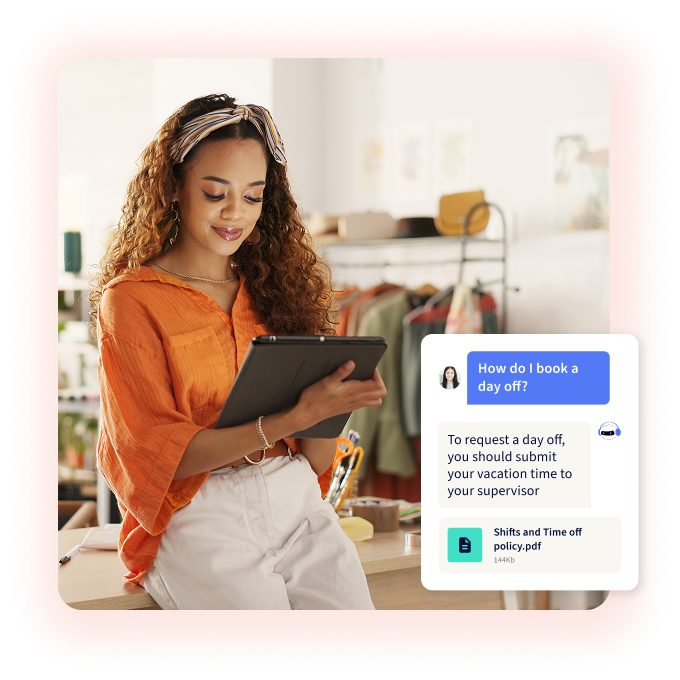
It answers questions in the flow of work. An associate who cannot find a policy either interrupts a manager or guesses. AI Assistant answers from the retailer’s own documentation, with a source link on every answer. That cuts the questions reaching store managers and the tickets reaching HQ.
It decides what matters.Store Manager Copilot benchmarks each store against genuinely comparable stores rather than a chain average. It then surfaces the highest-impact opportunities as a daily briefing with pre-built action plans.
INSIGHT
The first three mechanics make execution faster and more reliable. The fourth decides what is worth executing. A system doing only the first three moves work around efficiently, without changing which work gets done.
Where the time comes from
Automation pays back first in manager time, since that is where the manual load concentrates.
McKinsey research on frontline managers found they spend 30% to 60% of their hours on admin and meetings. Only 10% to 30% goes to supervising the floor. Coaching often compresses to as little as ten minutes a day.
Therefore it matters commercially, not just culturally. Decarolis and colleagues, in NBER working paper 31192, studied store-level data. Individual managers explain 25% to 35% of the variance in store productivity. Fisher and Raman went further. Redirecting manager attention toward floor execution produced profit improvement equal to 4.2% of store sales.
Fisher, Krishnan and Netessine then put a sharper number on it. In understaffed stores, every additional dollar of associate payroll directed at floor execution generated between four and twenty-eight dollars in incremental sales.
Pret A Manger reclaimed 76 hours per store manager per year. Across 525 shops that is 154,000 hours, worth around $3.5 million. PureGym saved 43 hours per club per year on operational walkarounds. Across the network that is more than 26,000 hours, valued at over £333,000. Regional manager email traffic fell 58%.
What it does to execution rates
Time saved is not the point on its own, though. The point is what happens to compliance and completion.
Michaels lifted task completion by 30% and reached 98% compliance on daily customer readiness walks. It reclaimed 223,000 labor hours a year across 1,350 stores. Reinvesting that time into customer-facing zones produced $1.8 million in incremental revenue in year one.
Lidl France raised company-wide operational compliance by 11%. Meanwhile Sandro moved visual merchandising compliance from 65% to 95%, a 30-point increase across its European estate.
65% to 95%
Visual merchandising compliance at Sandro after moving from manual checks to photo-verified execution, a 30-point increase.
YOOBIC customer story, Sandro.
What to plan for
Two things consistently get underestimated, so build them into the plan rather than discovering them later.
Data readiness comes first, since nothing works without it. Task generation depends on sales, stock and traffic feeds arriving reliably and in usable shape. That work usually absorbs more of the project than the software does.
Adoption comes second, although it is where most of the effort actually goes. Budget for workflow redesign and training as a line item rather than an afterthought, because a tool nobody opens returns nothing.
The evidence for caution is solid. RAND Corporation research found more than 80% of enterprise AI projects fail to deliver on their original objectives, roughly twice the failure rate of non-AI IT projects. MIT’s Project NANDA reviewed over 300 public initiatives and found 95% produced no measurable return at P&L level. So start narrow, prove the gain against a control group, then scale.
Automation supports teams, it does not replace them
Fear of job loss is understandable, so it is worth addressing directly. In store operations, automation takes the routine coordination, not the customer work.
Therefore the business case follows the same logic. Gallup links high employee engagement to 23% higher profitability and 18% higher productivity in sales. Retention matters too, because replacement is not free. Boushey and Glynn reviewed 30 studies and put the cost at 16.1% of annual pay for roles under $30,000. That is around $5,700 per associate.
For example, Michaels shows what that looks like. After moving admin time back onto the sales floor, voluntary turnover fell 24%. That is worth more than $8 million a year in P&L savings.
$8M+ a year
Annual P&L saving from a 24% reduction in voluntary frontline turnover, after admin time moved back to the sales floor.
YOOBIC customer story, Michaels.
Start on the floor
The AI race rewards focus rather than speed. Start where the returns are clearest and easiest to prove, which is store execution.
So pick one operational problem that already costs money. Automate the routing, the verification and the decision about what matters. Then measure it against a comparable control group. Then scale what worked.
Connect the technology to the store floor and the strategy starts paying back where it counts. You can see how other retailers did it in our customer stories.
“We've removed those paper processes. We've removed the manual work that was required from those teams to sort of assign that out. This is sped up, simplified, and taking time out for our management teams.”
Gordon Macpherson, Group Productivity Director, Morrisons
Retail automation improves execution by generating work from live operational data, routing it to a named person, verifying completion with evidence, and deciding which work matters most. Instead of a weekly cascade that depends on a manager reading a document and delegating correctly, tasks are created from sales, stock and traffic signals and sent directly to the store and person responsible. Completion is confirmed through photo capture or image recognition rather than self-reporting, so head office sees what actually happened on the shelf. This matters because most execution failure is local rather than upstream: Corsten and Gruen found 72% of retail stockouts were caused by in-store execution rather than supply chain problems.
What is retail automation?
Retail automation is the use of software to generate, route, verify and track store work without manual coordination. It covers task management, compliance checks, store visits and audits, communications and training, and increasingly the AI layer that decides which work is worth doing. It is distinct from retail robotics or automated checkout, which automate physical processes rather than the coordination of work. In practice, most of the measurable value in multi-site retail comes from the coordination layer, because that is where the gap between a head-office plan and shelf reality opens up.
What is the ROI of retail automation?
The return on retail automation comes from four measurable levers: reclaimed labor hours, higher execution and compliance rates, better on-shelf availability, and lower employee turnover. Reclaimed hours should be valued at fully loaded labor rates and split between cashable savings that clear payroll and capacity that needs a redeployment plan. Published customer results give a sense of scale: Michaels reclaimed 223,000 labor hours a year across 1,350 stores and generated $1.8 million in incremental revenue in year one, while PureGym saved more than 26,000 hours annually, valued at over £333,000. The reliable way to prove any of it is a matched-store comparison against a control group rather than a before-and-after view.
How is AI used in retail store operations?
AI in store operations is used to prioritize work, verify execution and answer frontline questions. Prioritization means comparing each store against genuinely comparable stores to identify the highest-impact opportunities, then converting those into assigned actions with tracked outcomes. Verification means checking merchandising and compliance from photographs so feedback reaches the store the same day. Frontline enablement means answering operational questions from the retailer’s own documentation in the flow of work, which reduces both the questions reaching store managers and the tickets reaching HQ. The common factor is that AI decides and routes rather than simply reporting, which is what separates it from a dashboard.
Frontline teams lose time every shift looking for answers the business already has. An AI assistant closes that gap. It answers operational questions in natural language, from your own approved documentation, at the moment the question comes up.
The distance between a useful assistant and a liability is narrower than most buying conversations suggest. Three things decide it: the source of the answers, the permissions around them, and your visibility into what went unanswered.
Store teams can’t find the answers they already have
Most retailers don’t have a knowledge problem. They have a retrieval problem.
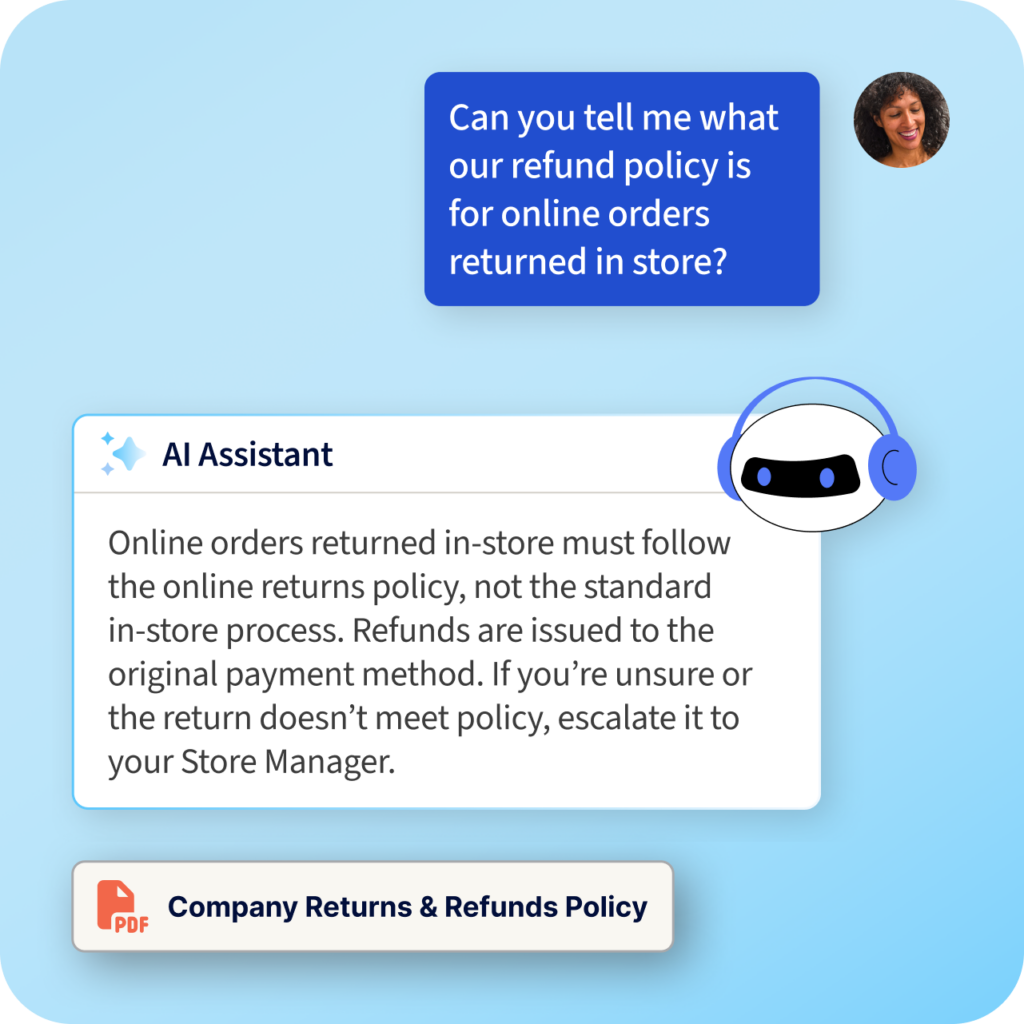
The policy exists. The planogram exists. The returns process exists. But they sit in a document library, a training module, or an email sent three weeks ago. None of that helps an associate standing in front of a customer. The customer wants to know whether an online order can be refunded in store.
So the question travels up the chain. The associate asks a colleague, the colleague asks the store manager, and the manager either knows or calls head office. While that happens, the customer waits and the manager works as a help desk instead of running the floor.
That cost shows up in three places.
Sales. Every question that interrupts a customer interaction is a conversion risk.
Consistency. When teams can’t find the procedure, they interpret it. Ten stores then run ten versions of the same standard.
Visibility. Head office never learns which questions teams struggle with, so documentation and training stay guesswork.
It lands hardest on the people with the least context. Seasonal hires, part-time staff, and new starters don’t yet know which document holds the answer. They often don’t know who to ask either. So they ask a manager, or they guess. The same pattern shows up at the other end of the chain. Support centers answer the same handful of questions across a whole network, week after week.
The third one compounds the other two. Until you can see what teams are asking, every change you make to your documentation is a guess. The volume of information an associate carries keeps rising too. That’s why frontline work now looks a lot like knowledge work.
What is an AI assistant for frontline workers?
DEFINITION:
AI assistant for frontline workers
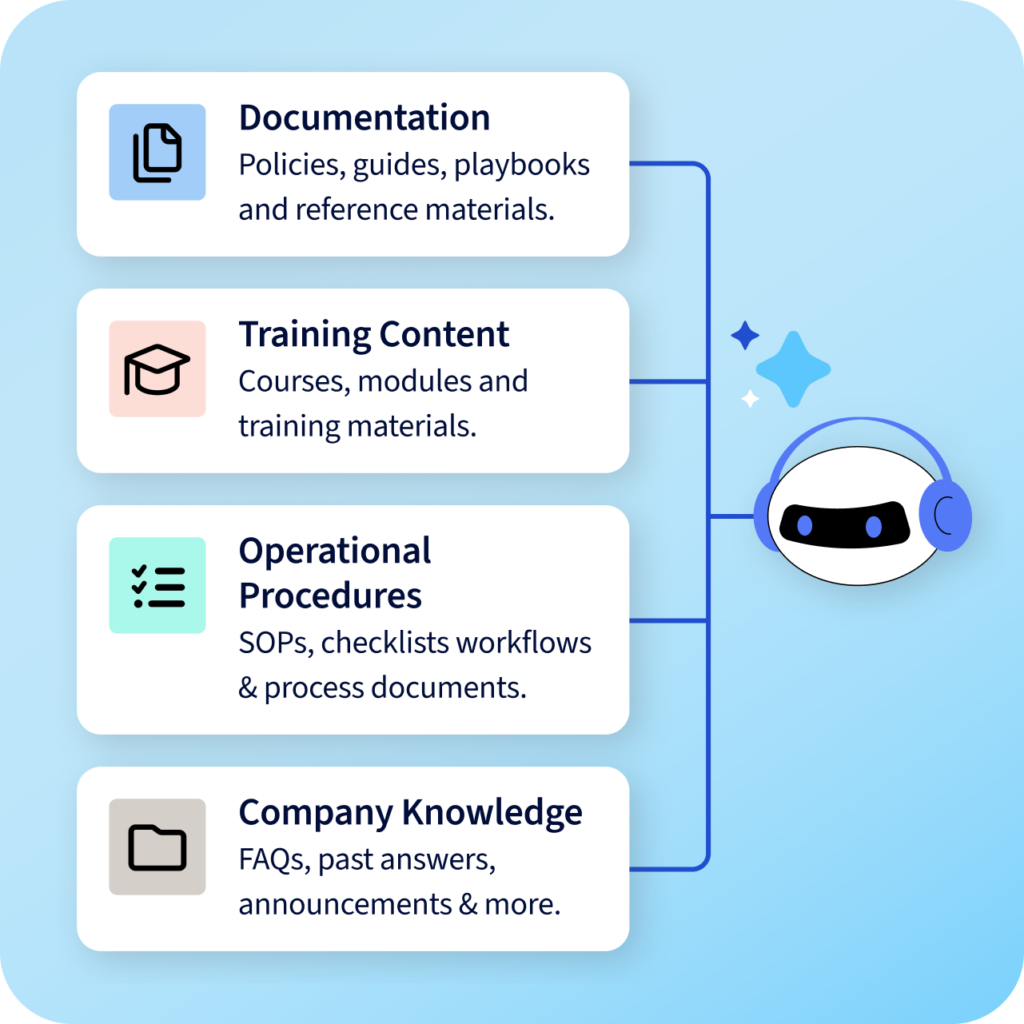
A conversational tool that answers employee questions in natural language, drawing on the organization’s own approved documentation rather than the open internet.
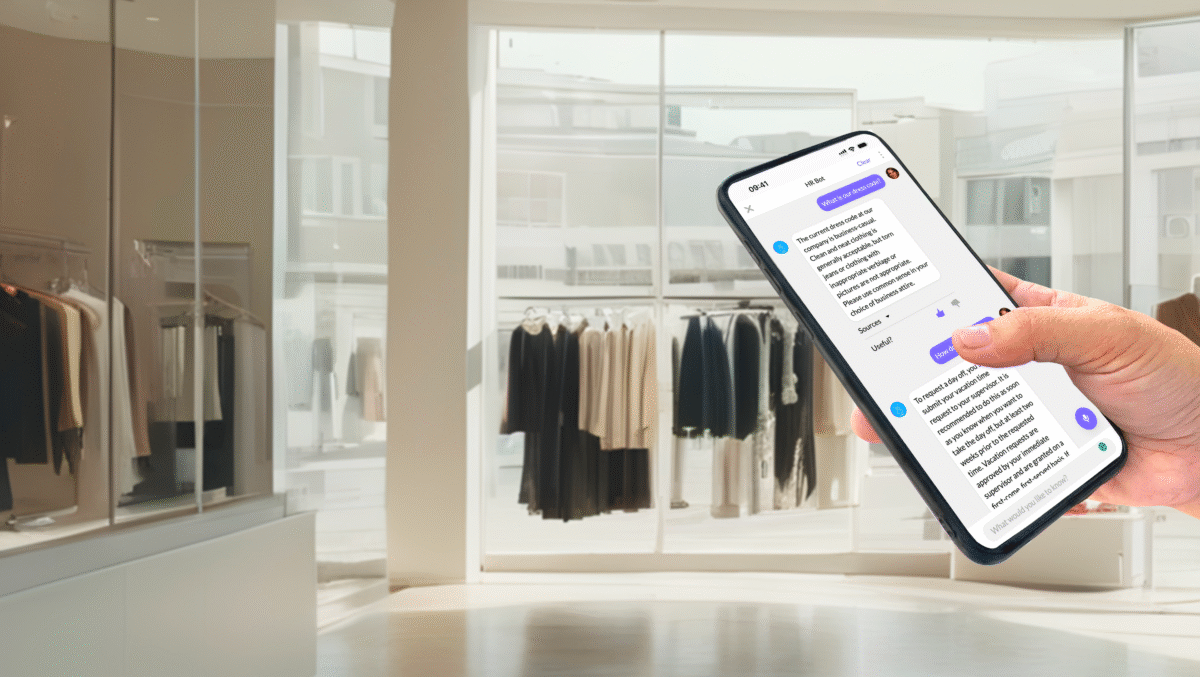
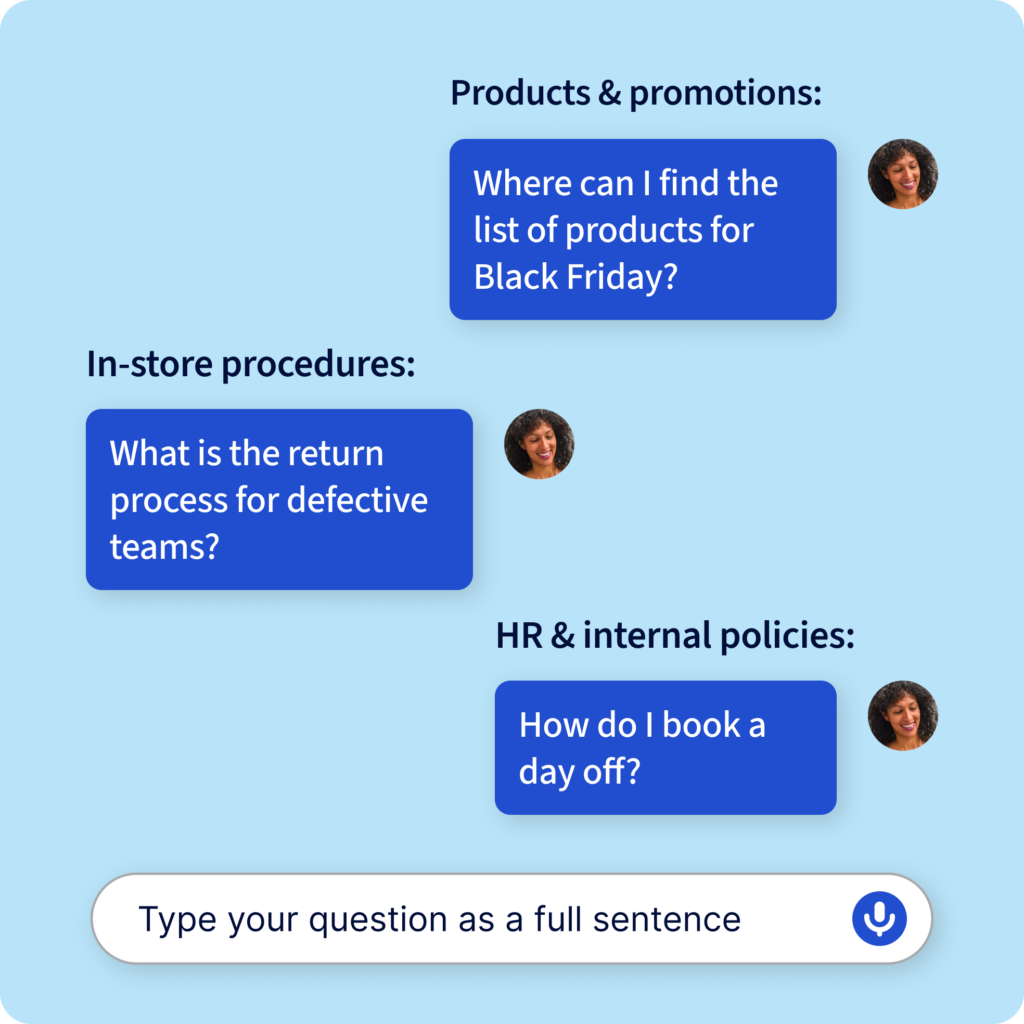
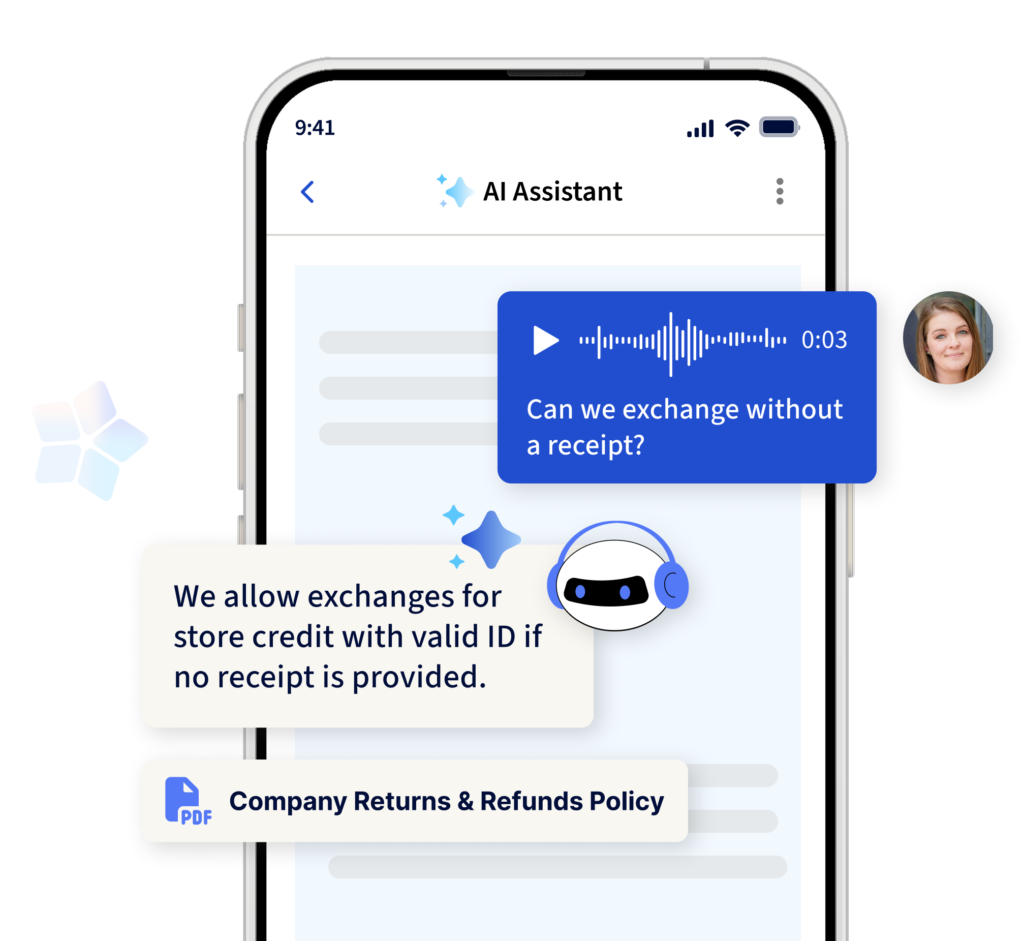
You’ll also see these called generative AI assistants. The name describes the mechanism. A scripted chatbot works from a fixed decision tree. A generative assistant builds each answer from the source material at the moment of asking. An associate types “what’s the return process for a defective item”. The answer comes back in seconds, with a link to the document it came from.
The important word is “own”. A general-purpose assistant trained on the internet will produce a plausible answer about returns policy. It won’t produce yours. That distinction matters most where being roughly right is the same as being wrong. Think refunds, age-restricted sales, allergen information, and anything covered by a compliance standard.
How is an AI assistant different from a general-purpose chatbot?
Three approaches look similar from the outside and behave very differently in a store.
A traditional support line puts a person between the question and the answer. It’s accurate when you reach the right person, but it runs on business hours and takes minutes or hours. It also leaves no record of what was asked.
A general-purpose AI chatbot answers in seconds from public internet data. It has no access to your policies, planograms, or campaign information. So it returns a plausible answer rather than your answer. It can’t show you where that answer came from.
An AI assistant grounded in your own knowledge also answers in seconds, but only from documentation you’ve approved. Every answer carries a source link, and permissions follow role and location. Every question asked also becomes data you can act on.
INSIGHT
Verifiability is the deciding factor. An assistant that can’t show where an answer came from is asking store teams to trust it blindly. There’s no good reason to do that.
Six things an AI assistant should do for frontline teams
Six capabilities separate a working rollout from a pilot that quietly stalls. Use them as your evaluation checklist.
1. Answer only from your approved content
The assistant should draw on the documentation you’ve authorized and nothing else. That means policies, procedures, playbooks, training material, and campaign information, with no public web sources mixed in. This is what removes the hallucination risk that makes general-purpose tools unusable for compliance-sensitive work.
2. Link every answer to its source
Teams need to be able to check. A source link turns a generated answer into something an associate can verify in one tap. It also gives a manager somewhere to go when an answer looks wrong. Without it, every answer is a matter of faith.
3. Sit inside the tools teams already use
An assistant in a separate app is an assistant nobody opens. It should be native to the platform where tasks, communications, and learning already live. Asking a question then becomes part of the shift rather than a detour from it.
4. Respect role and location permissions
Not everyone should see everything. Answers should be generated only from documentation the individual is authorized to access, scoped by role and by store. That’s what keeps regional pricing, commercial terms, and HR material from surfacing to the wrong person.
5. Work in every language your teams speak
Associates should be able to ask and get answers in their own language. That shouldn’t require translating your entire documentation library first. For multi-market retailers, this is the difference between rolling out in one country and rolling out everywhere.
6. Show you what teams couldn’t get answered
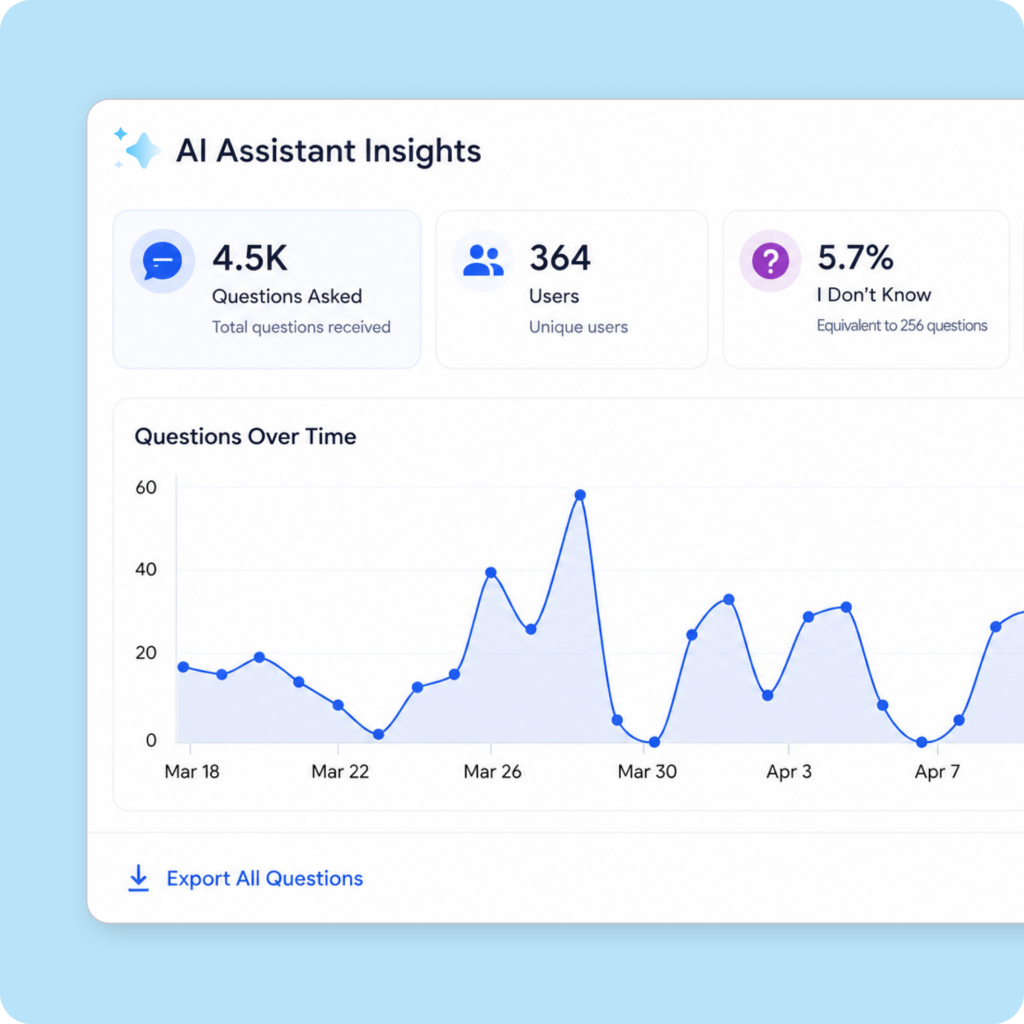
The unanswered questions are the most valuable output. They’re a live map of where your documentation has holes. Answer ratings do the same job from the other direction, showing you where the content exists but isn’t landing. An assistant that reports what it couldn’t answer turns frontline confusion into a prioritized content backlog. That’s the point of running an AI knowledge centre rather than a search box.
How do you measure whether it’s working?
Adoption on its own proves nothing. Four measures tell you whether anything has actually changed.
Questions asked per user, per week. Rising usage means teams trust it. Flat usage after week four usually means they tried it once and went back to asking their manager.
Escalations to head office. This is the clearest commercial signal. If routine questions still reach HQ, the assistant isn’t covering the content teams actually need.
Unanswered rate. The share of questions the assistant couldn’t answer from your knowledge base. Treat this as a documentation metric rather than a product one.
Manager time recovered. Ask store managers how much of the day still goes on repeat questions, then compare it with where you started.
Read together, these four tell you whether the assistant is changing behavior or simply sitting in the app. They also tell you where to look first when it isn’t. That’s almost always the content rather than the technology. A culture of shared knowledge is built on documentation people can find, not on documentation that exists.
What this looks like in practice
YOOBIC’s AI Assistant answers frontline questions from your approved company knowledge, inside YOOBIC. Every answer carries a link to the document it came from.
Store teams get answers on the floor in seconds instead of interrupting a manager or waiting on a support line. Managers get back the time they were spending as a help desk. HQ sees every question asked, including the ones that came back empty, so documentation gets fixed where it actually breaks.
PureGym runs it across hundreds of sites in a 24/7 operating model. The assistant answers from more than 2,000 internal documents. They cover HR policies, health and safety, and site operating procedures. Teams asked close to 2,000 questions in the first month alone.
2,000 questions
Asked by PureGym teams in the first month of using YOOBIC’s AI Assistant, answered from a library of more than 2,000 internal documents.
PureGym case study
“Adaptability and agility are essential for a 24/7 international business like ours. With YOOBIC’s AI assistant, team members can access information instantly, freeing them up to focus on higher-value, impact-driven work across the business.”
Callum Bonthrone, Central Operations Manager, PureGym
That volume is the part worth sitting with. Those questions were always being asked. They were just being asked of managers, inboxes, and colleagues who had to stop what they were doing to answer. Now they’re answered in seconds, and the ones that come back empty tell HQ exactly which document to write next.
An AI assistant for frontline workers is a conversational tool that answers employee questions in natural language using your own approved documentation rather than public internet sources. Associates ask in plain language and get an answer in seconds. Each answer links to the source document, so they can check it. It’s built for people working on a shop floor or a site, where the question needs answering in the moment.
How is an AI assistant different from ChatGPT?
A general-purpose chatbot answers from public internet data and has no access to your policies, procedures, or campaign information, so it returns a plausible answer rather than your answer. An AI assistant built for frontline work answers only from documentation you’ve approved. It shows the source of every answer, so teams can verify it. It also applies your permission rules, so people see only what their role and location allow.
Will an AI assistant give teams the wrong answer?
A well-built assistant tells teams when it doesn’t have an answer instead of generating something plausible. It draws only on the documentation you’ve connected and approved, so it can’t invent a policy that doesn’t exist. Those unanswered questions are then visible to head office as documentation gaps to close. That makes them useful rather than simply frustrating.
Can we control who sees what?
Yes. Answers are generated only from documentation you’ve authorized, and role-based permissions restrict what each employee can access. Commercially sensitive material, regional pricing, and HR content stay with the people meant to see them. General operating procedures stay open to everyone.
How do we keep an AI assistant current when policies change?
You upload the new or updated document, and the assistant answers from your live knowledge base from that point on. There’s no retraining cycle and no waiting for a scheduled refresh. A policy change reaches every store as soon as the new version is connected. Retiring the old document is just as important, because the assistant will keep answering from anything you leave in place.
What does an AI assistant reduce?
The two measures to watch are escalations to head office and the time managers spend answering repeat questions. Both come from the same place, which is store teams who can’t find an answer they’re entitled to have. When the assistant covers the content teams ask about most, those questions stop traveling up the chain. Managers get that time back on the floor.
How do we know which questions teams are struggling with?
Every question asked becomes data. The assistant reports what was asked, how often, and what share of questions it couldn’t answer from your knowledge base. That gives head office a ranked view of where documentation is missing or unclear. No document library or training platform tells you that on its own.