Accountability has a PR problem in retail. Too often it shows up as blame, confrontation, or the dreaded ‘uh-oh’ talk when performance slips.

 YOOBIC
Accountability has a PR problem in retail. Too often it shows up as blame, confrontation, or the dreaded ‘uh-oh’ talk when performance slips.
Walk into any store today and you feel it. There’s less staff, less time, and less margin for error. Head office wants better reporting, customers want faster service, and the people running the floor are holding it together across disconnected systems and manual tasks.
That pressure is why AI in store operations has become a frontline question, not a back-office one. NVIDIA’s 2026 State of AI in Retail and CPG survey put active AI deployment at 58%, up from 42% in 2024. Read that as a direction of travel, not a census, since the survey comes from an AI-infrastructure vendor whose sample skews toward invested firms.
Store managers aren’t just running stores anymore. They’re running operations engines. Every task they re-prioritize, every delay they catch, every decision they make in the moment lands on revenue, labor cost, and customer experience.
This is where AI changes the job. Not the version in a lab or a keynote, but the version already on the floor:
Here’s the honest part most guides skip. The technology is the easy bit. The hard bit is making it work in a low-margin, human environment where every minute counts.
Most retail AI investment has gone to the back office, so supply chain, pricing, and ecommerce got there first. But the store floor decides whether any of it pays off, and that is the layer retailers have funded least.
This guide covers where AI is genuinely working in store operations in 2026, why most deployments still stall, and what separates the ones that scale. For a use-case-by-use-case breakdown, see our guide to AI in retail operations.

Here’s the short version before you dig into the detail:
AI in store operations is the application of machine learning and data intelligence to how store work actually gets done. That spans replenishment, scheduling, shrink prevention, and floor execution.
It isn’t about replacing people. It’s about helping them do more, with less friction.
That sits inside the wider discipline of retail operations, which is the enterprise-wide framework of policies and resources behind every store. It also works alongside retail automation, which handles the repetitive steps in that work without a person driving each one.
AI has powered ecommerce and logistics for years. What’s different now is that it drives day-to-day decisions inside the four walls of the store.
You’ve probably felt the gap it exposes: a smart recommendation that never makes it past the back-office screen. The distinction that matters isn’t which AI you buy. It’s whether the intelligence reaches the person doing the work.

A recommendation that stops at a dashboard hasn’t changed anything on the floor.
AI reads real-time sales, seasonality, local events, and external signals to forecast demand at stock-keeping unit (SKU) level. So teams restock before they run out, and stop over-ordering stock that sits and ages. In short, it moves inventory from gut feel to data-driven precision.
The size of the prize is hard to overstate. IHL Group puts the annual cost of inventory distortion at $1.77 trillion.
That figure combines overstocks and out-of-stocks. Out-of-stocks account for roughly $1.2 trillion, while overstocks make up around $572 billion.
The upside is just as concrete. McKinsey’s Supply Chain 4.0 research finds that machine-learning demand planning can cut forecasting errors by 30% to 50% against legacy statistical models.
But a forecast only matters if someone acts on it. You’ve seen the opposite plenty of times: a bestseller sits in the stockroom while the shelf reads empty.

Morrisons runs 400 to 600 AI cameras per store to spot empty shelves. Those alerts then trigger replenishment tasks automatically for the 70,000 colleagues on the floor.
So the camera spots the problem and the workflow drives the fix. That is the difference between knowing a shelf is empty and actually filling it.
AI forecasts foot traffic by hour, by store, and by event, then aligns staffing to it. This isn’t about cutting hours. It puts the right people on the floor at the right time, so teams aren’t stretched thin at peak or standing idle when it’s quiet.
The bigger prize is management time. According to McKinsey, frontline managers spend 30% to 60% of their hours on admin, reporting, and meetings. Time off admin is time back with the team, and that matters more than it sounds.
Picture a store manager who used to spend the first hour of every shift in the back office, stitching numbers together from three systems. Now they start on the floor, because the day’s priorities are already waiting on their phone. That hour didn’t vanish; it moved to where the customers are.
If your managers are still compiling reports before they can coach, that’s the burden to cut first. YOOBIC customer data shows what reclaimed time looks like in practice.
Putting AI recommendations directly in store teams’ hands saved 25% of their administrative time. It also came with a 3% lift in incremental revenue, driven by AI-recommended actions adopted at store level.

AI uses computer vision and smart sensors to flag mis-scans, concealment, and checkout anomalies in real time. Modern systems don’t just record footage for later. They read behavior as it happens, so teams can act before losses escalate.
Shrink is one of retail’s biggest operational drains, and you feel it at the lane most of all. The NRF National Retail Security Survey put total US retail shrink at $112.1 billion in fiscal year 2022.
That is 1.6% of total retail sales, up from 1.4% the year before. The survey runs with the Loss Prevention Research Council and is calibrated against US Census retail trade data.
The breakdown is where it gets useful for store teams. External theft accounts for 36% of shrink, and employee theft accounts for another 29%.
Process and operational errors make up 27%, or $30.27 billion, which covers pricing mistakes, miscounts, damaged goods, and unrecorded markdowns. Taken together, internal causes drive 56% of total shrink.
That internal slice is the one store execution can actually close. Unlike theft, process error responds directly to better controls, not more cameras.
Image recognition can check that displays and campaigns are set correctly from a single photo. So the execution gaps that quietly cost margin get flagged before they ever reach the profit and loss (P&L) statement.
Checkout is where a lot of the rest leaks. Professor Adrian Beck led independent research for the ECR Retail Loss Group covering more than 140 million transactions.
Staffed lanes ran loss rates of 0.2% to 0.4% of sales. Fixed self-checkout ran 3.5% to 4.0%, while mobile scan-and-go ran higher still.
Basket size compounds the problem, because a 50-item transaction carries a 60% chance of at least one scanning error.

Associates use mobile AI assistants in three ways. First, they pull stock levels, product details, and loyalty history without leaving the customer. Second, they verify a display from a single photo.
Third, they learn in the flow of the shift. In short, AI puts back-office intelligence directly in the associate’s hand.
Think about what associates do when they don’t have an answer: they leave the customer to go find one. That’s the gap these assistants close.
Boots saw what that frees up once it moved its daily store checks onto mobile.
daily compliance checks after digitizing store audits
Boots
The pattern shows up across formats. PureGym teams asked and resolved nearly 2,000 questions through an AI assistant in the first month alone.
Those answers came on the spot, rather than routed through managers or central inboxes. Longchamp rolls new visual merchandising guidelines out globally in six days.
Julien Lannette, Global Education Director, Longchamp
The technology is rarely the reason AI fails in retail. People, process, and data quality are. And the independent evidence on this is now substantial.
Here’s where it gets sobering if you’re planning a rollout. RAND Corporation reports that, by some estimates, more than 80% of enterprise AI projects miss their intended business value. That is roughly double the failure rate of conventional IT rollouts.
MIT’s Project NANDA study went further, finding 95% of enterprise generative AI pilots return nothing measurable to the income statement. Meanwhile S&P Global reported that 42% of organizations abandoned most of their AI initiatives in 2025, up from 17% the year before.
Gartner projects that 40% of agentic AI deployments will be canceled by 2027. Retail store operations tell the same story.
Deloitte finds that fewer than 6% of initiatives reach positive return on investment (ROI) within twelve months. Most take two to four years instead.
Three patterns account for most of the stalls. Each one shows up on the floor before it shows up in a report.
Most store infrastructure runs on legacy point-of-sale (POS), inventory, and enterprise resource planning (ERP) systems built for batch updates. Feed overnight data into a real-time model, and it recommends action for conditions that no longer exist.
Phantom inventory makes it worse. When the system shows stock the shelf doesn’t have, the model reads zero sales as falling demand. It suppresses the reorder, and the SKU locks into an invisible out-of-stock.
Fix the daily feeds before you buy the intelligence.
Uncalibrated systems push a constant stream of notifications to handheld devices. So associates build workarounds to survive the shift.
Devices get docked in the backroom at peak. Tasks get marked complete without physical verification. Shelf photos get submitted just to clear the queue.
Those workarounds then corrupt the data feeding the model, performance degrades, and leadership pulls the pilot. That’s why well-designed digital checklists and store walks matter more than the model behind them.
Boston Consulting Group calls this the silicon ceiling. Regular AI adoption among managers and leaders now exceeds 75%. Among frontline and deskless workers, by comparison, it has stalled at 51%.
The reason is structural. For managers, AI delivers immediate administrative relief. For associates, mobile apps often add friction without matching benefit.
They interrupt a customer interaction to photograph a planogram or log a task step. So on slow, shared handheld hardware, floor staff revert to manual shortcuts. A tool that feels like surveillance rather than help doesn’t get used.
Keep it human-centric, explainable, and safe. Store AI earns trust when it enhances a person’s decision, shows why each action is recommended, and keeps customer data private and secure.
Picture an associate who gets a prompt to move a slow-selling line to the front table. Instead of a flat instruction, it shows the reason: units sold, stock on hand, and the display converting in nearby stores.
So they act on it, rather than docking the device in the backroom. Trust comes from the explanation, not the mandate.
That’s the difference between augmented and autonomous. The copilot surfaces an explainable recommendation with its reasoning, and the person on the floor applies judgment and makes the call.
HQ keeps governance through configuration, rollout controls, and full visibility into what was done. If data privacy is where your security team pushes back, that’s fair, and it’s the first question to settle.
You can see how we handle security and data protection in our Trust Center.
Scaling AI in store operations is rarely about the model. It’s the sequence you follow to get there.
“We need an AI strategy” produces expensive pilots that never scale. Naming the gap does the opposite: more than a third of our displays are executed incorrectly or not at all points straight at a metric you can move. Find the gap, tie it to a key performance indicator (KPI), then pick the tool that closes it.
Connect POS, inventory, human resources information system (HRIS), and task history through APIs or scheduled transfers, refreshed at least daily, before you commit to a platform. Stale or siloed data produces confident, wrong recommendations. Clean inputs aren’t glamorous, but they decide everything downstream.
Choose one, not five. Measure it against a named KPI in a bounded set of stores, so the business case rests on results rather than projections. A daily task that every store runs gives you signal fast, and evidence that travels beats a deck full of promises.
Consolidate alerts, keep the interface fast, and make sure every prompt delivers something useful to the person receiving it. If an associate has to interrupt a customer to log a step, the design has already failed. The test is simple: does this make the next five minutes easier?
If store managers have no time to coach, associates get no support, and the adoption gap widens rather than closes. Hand managers back the hour they spend compiling reports, and they’ll spend it on the floor with their teams. Relief at the top makes adoption possible everywhere else.
Budget for training and process redesign, not just licensing. The retailers who stall treat go-live as the finish line, while the ones who scale treat it as the start. They coach teams until the new way of working feels normal, because capability compounds and a license doesn’t.
Adoption is the difference between a pilot and a platform. Vitalia reached a 100% adoption rate across its store network, and cut time spent on product recalls by 50%.
That was down from a three-day manual process, with HQ chasing every store one by one. The smartest system in the world changes nothing if nobody on the floor opens it.
The retailers who get there treat AI as an operating change, not a purchase. The order of the work matters more than the technology behind it.
Measure AI on execution and people metrics, not sales alone. Sales move for a dozen reasons, so they’re a noisy signal for whether the AI changed how stores actually run.
A good framework keeps each metric in its own family, so a workforce gain never gets mistaken for an operational one. Here’s a starting point you can adapt to your own KPIs.
| KPI family | Example metrics to track |
|---|---|
| Operational execution | Compliance rate, time to execution, task completion rate |
| Sales and revenue | Conversion rate, average transaction value (ATV), units per transaction (UPT) |
| People and workforce | Manager time on the floor, time-to-productivity |
Numbers only tell you what moved. To judge the tool itself, put it through four questions before you sign:
That last question is where most tools go quiet. We built YOOBIC to close the loop from data to decision to action on the floor. The number that flags a task is the same one you check once it’s done.
Pret a Manger saved 154,000 hours a year on checks and processes doing exactly that. That’s time handed back to store teams for customers, coaching, and the work that actually needs a person.
The next chapter for AI in store operations is already visible in the stores furthest ahead. Dashboards that report what happened are giving way to systems that recommend an action and verify it the same day. The lag between a signal and a fix is collapsing from a weekly report to a single shift.
Copilots and AI agents are moving out of pilots and into the daily operating layer on the floor. The question is shifting from which model to who actually uses it.
That’s the real divide ahead. The retailers who pull away won’t have the most sophisticated model; they’ll have frontline teams who open the app every shift. Model sophistication is becoming table stakes, and adoption is becoming the differentiator.
Picture an associate three years from now who never thinks about “the AI.” They open their shift, see the three things that matter in their section, and get on with it. The technology disappears into the work, and that’s what maturity looks like.
Governance is turning from a nice-to-have into a buying requirement. Boards now ask how an action was recommended, who approved it, and what data it touched, before they ask what it costs.
If you’re planning budget for next year, weight it toward adoption and governance, not just model access. That’s where the next round of winners will separate from the rest.
AI in retail store operations is no longer a future concept. From inventory precision to staffing to real-time loss prevention, it already shapes how stores run.
Nor is it a threat to store teams. It takes the weight off admin, sharpens decisions, and frees people to focus on customers. We covered that shift from reporting to acting in From Insight to Action.
But the store floor decides the payoff. A perfect forecast fails if the product stays in the stockroom, and a flawless promotion fails if associates never hear about it. An AI-generated planogram fails if nobody verifies the set.
AI’s promise meets retail’s reality at the frontline, and that is the layer most retailers have underfunded. So if you’re deciding where to start, start where the work happens.
YOOBIC brings task management, communications, and frontline learning into one mobile-first platform built for store teams. Book a demo.
Avoid wasted hours, blind spots
and lost revenue with YOOBIC
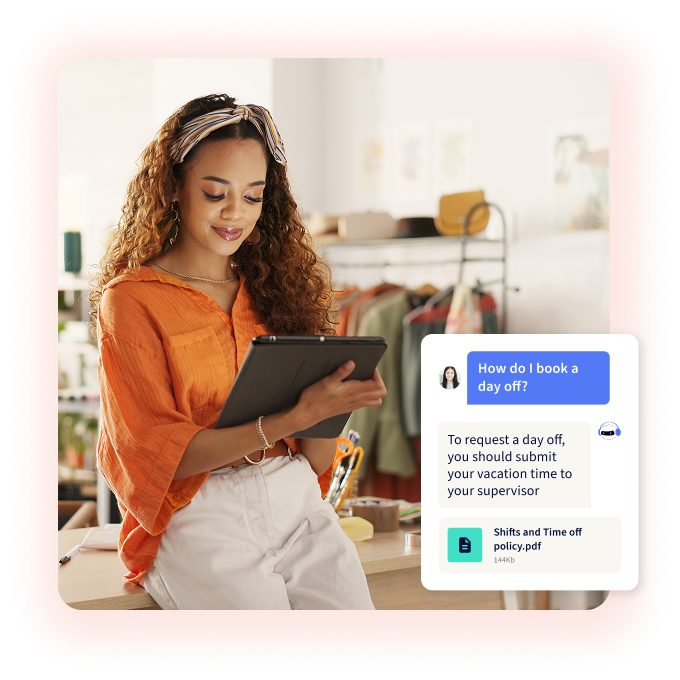
Retail execution is the shelf-edge step where a plan becomes physical reality in the store. That means displays built, planograms followed, promotions live, price tags correct, and stock on the shelf. Teams measure it through planogram compliance, on-shelf availability, and promotional execution rates, usually verified by photo audit.

AI in retail has moved past the pilot stage. It is on the floor now, changing how stores run, how teams work and how customers shop.
The retailers acting early will set the pace rather than follow it. So here are the five retail AI trends shaping physical stores in 2026, and what store leaders should expect from each over the next six months.
DEFINITION:
Retail AI covers machine learning, computer vision and generative models applied across store operations, merchandising, service and supply chain. In store operations it means using operational data to decide what store teams work on. It also means tracking whether that work changed the result.
Store design used to be part science, part instinct. In 2026, though, it is becoming a data-led discipline.
Retailers now combine shopper movement data, foot-traffic patterns and seasonal trends. That lets them plan placements before a single fixture moves. Some run digital twins, meaning virtual replicas of the store, to test layouts against live inventory. Lowe’s built one with NVIDIA Omniverse. Planners get 3D heatmaps and augmented reality stock checks. Shelf cameras then check stock levels, flagging gaps against the planogram.
The commercial case here is stronger than most retailers assume. Chintagunta, Chu and Cebollada studied promotional execution across 5,000 stores. They found 29% of planned displays were never placed at all. Those that made it ran for only 62% of the intended campaign. Getting a display onto the floor during a campaign week lifted sales by 9.6%.
Share of planned promotional displays never placed on the sales floor, across a study of 5,000 stores.
Chintagunta, Chu and Cebollada, Manufacturing and Service Operations Management.
So smarter layouts matter. Verifying that the plan reached the shelf matters just as much. VM Copilot handles the second half. It checks AI-powered visual merchandising against brand standards from a photograph. Feedback gets resolved on the floor before it reaches HQ. Canada Goose used this to close the feedback loop from two weeks down to the same morning. Longchamp then rolled new visual merchandising guidelines across 350 stores globally in six days.
The next phase of store operations runs on agentic AI. These are systems that decide and act rather than wait to be prompted.
In practice an agent might trigger a restock or adjust a digital shelf price. It might draft a staff schedule from predicted footfall. Because they run in the background, managers and associates stay customer-facing.
Adoption is also moving fast. MIT Sloan Management Review and Boston Consulting Group surveyed 2,102 executives across 116 countries. They found 35% of organizations had already adopted AI agents. Another 44% plan to deploy soon. Agentic AI reached that level in about two years. Neither generative nor traditional AI moved that fast.
Still, most retailers are moving carefully, and they are right to. The hard part is not the models. It is data governance, legacy integration and running cost. So teams start with narrow use cases that prove clear gains before scaling.
YOOBIC’s AI Teammates sit in this category. Role-specific agents support audits and daily routines behind the scenes. We covered how that pipeline works in from insight to action.
For years personalization was an online advantage. Now, however, AI is bringing it onto the shop floor.
Loyalty data, purchase history and recommendations now reach handheld devices. Associates can greet returning customers with tailored suggestions in seconds. On-floor screens act as guided discovery tools, reading plain language about budget, size and style.
For example, UNTUCKit built its clienteling model this way. Text-based clienteling grew from 5% to 9% of total company sales in year one of its certification program. Store visits shifted from checklist reviews to focused coaching on customer conversations.
The same principle therefore applies to your own teams. Local opportunities surface on an associate’s device during the shift. They no longer wait for a head-office report the following week.
AI in retail is not about replacing people. It is about making them more effective, and this is where the floor-level impact is clearest.
Associates can now get short training on demand, plus instant answers to product questions. They also get step-by-step guidance through unfamiliar tasks. That speed matters most during seasonal peaks and product launches.
Meanwhile frontline adoption has genuinely shifted. BCG’s 2026 AI at Work survey found 74% of frontline workers now use AI daily or several times a week. That is up 23 percentage points on the previous year. Among regular frontline users, 42% report saving around eight hours a week.
There is a catch, though. BCG also found most organizations have not worked out how to convert that time into value. Deploying tools is not enough on its own. The saving only reaches the P&L if workflows and training change with it.
INSIGHT
Time saved is not the same as value created. Reclaimed hours only reach the P&L when someone decides what those hours get used for. That might be peak-hour floor coverage, coaching or fulfillment.
YOOBIC’s AI Assistant answers everyday questions from a retailer’s own documentation, with a source link on every answer. That cuts the support tickets reaching HQ. AI Course Creator turns existing material into ready-to-launch training. GameStop replaced an e-learning setup built on flat PDFs and quizzes.
Hugo Boss put AI recommendations straight into store teams’ hands using Store Manager Copilot. That saved 25% of store manager admin time and lifted incremental revenue by 3.2%.
Incremental revenue lift from store-level adoption of AI-recommended priority actions, alongside 25% of store manager admin time reclaimed.
YOOBIC customer story, Hugo Boss.
The most visible AI trend is also the one being rethought. Fully checkout-free stores, built on ceilings full of cameras, have cooled quickly. The hardware costs too much and the returns arrive too slowly.
Instead, retailers are targeting specific friction points. Automated exit gates, mobile scan-and-go, and computer-vision portals that verify a basket on exit. Sam’s Club uses AI image capture at its exit doors, confirming purchases against a digital receipt. Members walk out without a manual check.
That caution is warranted, because the record is mixed. S&P Global found the share of enterprises abandoning most AI initiatives rose from 17% in 2024 to 42% in 2025. Costs outran returns. Gartner separately projected at least 30% of generative AI projects would be abandoned after proof of concept.
Consequently the lesson is to reduce real friction without redesigning the whole floor. Often the fastest wins come from tightening everyday task management, rather than rebuilding the checkout. Availability is therefore a good place to look. Corsten and Gruen put the global out-of-stock rate at 8.3%. That costs around 3.9% to 4.0% of store sales.

The pattern across all five trends is consistent. While the tools change, the retail workforce is not disappearing. It is changing, and treating frontline labor purely as a cost no longer holds.
Meanwhile Boston Consulting Group offers a useful way to think about where the effort goes. Their 10/20/70 guideline gives 10% of effort to algorithms and 20% to technology and data. The remaining 70% goes to people and processes, because that is where change either sticks or does not.
Therefore the retailers who get value from AI in 2026 will do three things. First, they will prioritize AI that lifts productivity on the floor rather than in head office. Second, they will use AI to strengthen human service instead of substituting for it. Third, they will move quickly from pilot to chain-wide rollout. A pilot that never scales is a cost rather than an advantage.
So AI is not a back-office tool anymore. It is a frontline advantage, and the retailers moving first will set the standard. You can see how they are doing it in our customer stories.
Steve Zawlocki, Vice President IT, Mattress Firm.
AI has changed retail most visibly in personalization and demand forecasting, and most recently in how physical stores are run day to day. In store operations it now decides which performance gaps are worth acting on, generates and routes the resulting work to specific people, verifies execution from photographs, and answers frontline questions from a retailer’s own documentation. The effect on roles is a shift rather than a reduction: store managers spend less time compiling reports and more time on the floor, while associates get guidance in the moment instead of after the fact. Results are uneven, though, with S&P Global finding the share of enterprises abandoning most AI initiatives rose from 17% in 2024 to 42% in 2025.

What if the biggest factor in your store’s success wasn’t location, product assortment, or even foot traffic, but the person running it?
Research from the Becker Friedman Institute at the University of Chicago analyzed two major retail chains. It found that individual store managers account for 25-35% of productivity differences between locations. That’s why the right retail managers can double store productivity when you upgrade a weak seat.
Store manager productivity is what a store produces because of its leader, separate from traffic, assortment, and store conditions. To measure that effect directly, the study tracked manager transfers across stores.
The findings make one thing clear: a great manager can turn a store around, while a weak one quietly drains its potential.
Here’s what the research shows about retail productivity, where placement goes wrong, and how you turn manager impact into daily practice.

Keep these four study-backed points close when you review how managers shape store productivity.
According to the Becker Friedman Institute research, swapping a low-performing manager (bottom 10%) for a high-performing one (top 10%) increases store productivity by 50-100%.
That same research frames the lift as roughly equivalent to adding a fifth employee to a team of four, without hiring anyone.
Picture a district leader comparing two peer stores with similar traffic. In one, the manager’s team converts open callbacks and recovers a missing end-cap SKU before the weekend rush.
In the other, the same issues only surface in Monday’s pack, so store rollups hide that gap until you measure leaders, not just locations. In your own network, that hidden gap is often the difference between a store that compounds gains and one that quietly stalls.
Despite the size of the lift, many networks still judge leaders only through broad store totals. Those totals mix traffic, local demand, and leadership into one number. You never see how much of the result sits with the person in charge.
When impact stays unmeasured, a few patterns show up fast:
To see managerial impact clearly, shift from gut feel to performance-based development.
Retail productivity is the relationship between output and the hours worked to produce it. At the industry level, labor productivity is commonly tracked as output compared with hours worked. That’s the frame the U.S. Bureau of Labor Statistics uses when it reports wholesale and retail productivity.
You still need store-level signals managers can own day to day.
| Metric | What it shows | Why manager quality moves it |
|---|---|---|
| Conversion rate | Share of traffic that buys | Coaching, staffing the floor, and fixing friction at the moment of sale |
| Average transaction value (ATV) | Typical basket size in currency | Attachment habits, guided selling, and in-shift priorities |
| Units per transaction (UPT) | Items per basket | Assortment readiness and how clearly the team sells related products |
| Execution and engagement signals | Task completion, standards, team follow-through | Whether the plan reaches the floor the same way every shift |
Think about a store manager trying to work out why Friday underperformed. Conversion sits in one system, traffic in another, and inventory in a third, so piecing the story together eats the morning before the floor fills. The gap is interpretation and time, not access to the data.
You can’t improve a KPI you can’t isolate at manager and store level. Store Manager Copilot turns fragmented sales, inventory, and traffic data into daily and weekly action plans focused on conversion, ATV, and UPT. Those levers stay visible when the plan is clear.
Every quarter, a district manager watches the same thing happen. Manual follow-up and cross-system number chasing swallow hours that should go to coaching and customers. Give that time back and you’ll see it in the store’s week, not just a quarterly report.
That’s the return on improving store manager productivity, and you can measure it. PureGym, which runs gyms across many locations, reset how its frontline teams execute, and the payoff landed in hours handed back to the floor.
| What comes back | Figure |
|---|---|
| Frontline hours saved and reinvested each year | 26,000+ |
| Reduction in internal email traffic | 58% |
Those hours are the real dividend. They’re time a manager reinvests in coaching, recovery work, and the floor, where the research says leadership moves the numbers most.
One of the study’s most surprising insights: high-performing managers often land in struggling stores. That instinct looks right when you want a turnaround. The same research finds a larger company-wide upside, 2-6% in sales, when top managers are placed in already-successful stores instead.
You’ve seen the tradeoff: a star manager moves to stabilize a red store and stops the bleeding. Meanwhile a green store with weaker leadership slowly loses conversion on a playbook the network already proved elsewhere. The turnaround feels urgent, but the miss on the strong site rarely makes the weekly agenda.
Stabilizing weak locations matters. Doing only that keeps your best leaders in damage control and caps what they can compound in stores that already work.
When placement data is thin, the network drifts toward:
Rethink how you deploy your best talent if you want the company-wide gain, not only local recovery.
Manager quality does more than lift sales. The University of Chicago research shows stronger leaders also improve labor efficiency and hold performance when conditions break.
During a supply-shock week, one manager who already runs tight huddles and clear task ownership keeps labor hours productive and recovers standards faster. A peer who only manages to the sales line spends the same week firefighting while standards slip. You feel that gap in payroll and the customer experience long before the monthly sales pack explains it.
For example, high-performing managers in the study:
When your reviews track only sales, efficiency, morale, and crisis readiness fall off the page. Development then stalls in predictable ways:
Prioritize manager development and empowerment if you want resilient teams, not only stronger weeks.
Track manager impact, place talent with data, and give every store leader a daily system for priorities, execution, and coaching. That’s how the research becomes a daily routine for store manager productivity instead of a slide in a quarterly review.
A strong morning looks simple on the floor. The store manager opens with three prioritized actions instead of rebuilding the plan from five dashboards. Recovery work gets assigned before first customers, not after the afternoon scramble.
Use this playbook to make that normal across the network:
When daily checks stop eating the shift, managers get time back for coaching and recovery work. Boots, which moved its daily store checks into retail task management, is one example of that shift in practice:
in time spent on daily checks.
Boots
Recognition and community habits help managers keep teams engaged once the operating system is clear. The point is not more software noise. It is one path from priority to done.
Store productivity work is moving off the spreadsheet and into the shift. For years, spotting what a store needed meant pulling reports after the fact and hoping the follow-up landed. That’s changing, and if you still lean on after-the-fact reports, it changes what your strongest managers can do with their day.
On a Tuesday morning, a store associate opens the day to find the top three priorities already there, ranked for that store. A two-minute lesson sits on the one task the team hasn’t done before.
No one had to email a PDF or hope the huddle covered it. Picture what your managers gain when the plan arrives that clearly.
That’s the direction retail productivity is heading. Instead of scattered dashboards and manual follow-up, AI now reads real-time store data. It benchmarks each location against similar peers rather than broad averages, and surfaces the highest-impact priorities every day.
The manager-quality gap the research measured gets smaller when every store gets the same clear read on what to do next.
The other shift is structural. Tasks, communications, and learning are converging into one connected system instead of the separate tools store teams have juggled for years. If your teams still copy a priority from one app into another, you already know where the time goes.
When a priority, the message about it, and the training to do it well live in the same place, execution stops leaking between apps. For a store manager, that means less time stitching tools together and more time on the floor, where their impact shows up.
The person running the store is not a soft variable. Manager quality explains a large share of productivity gaps. It can roughly double output when you upgrade a weak seat, and it compounds when you place talent where strength multiplies strength.
YOOBIC unites tasks, communications, and learning so those practices hold across every location. AI-powered performance guidance steps in when managers need the next best action in the shift. In an early rollout, Hugo Boss saw a 3.2% sales uplift with Store Manager Copilot.
To pressure-test the operating system against your own network, book a 20-minute interactive live demo. Walk a real store scenario with our team.
Avoid wasted hours, blind spots
and lost revenue with YOOBIC
Start by measuring each manager’s impact with execution, engagement, and productivity data, not store totals alone. Place people with that evidence, then give them a short daily priority set they can run in the shift. Store Manager Copilot helps when sales, inventory, and traffic still live in separate views and the manager needs one action plan.

Ask a retail ops leader what percentage of stores executed a promotion correctly this week. The answer is usually 80-85%. YOOBIC’s analysis of the retail execution gap finds that when retailers implement structured measurement, the real number is often closer to 55-65% compliance. That gap sits at the center of retail store operations today: fewer people on the floor, higher shopper expectations, and processes stretched thin. You’ve felt the perfect storm when Monday priorities shift before lunch and the floor still has to look right by open.
When challenges stack up, poor store execution drains performance long before the sales report catches it. This guide covers the five recurring problems, what solid ops require day to day, and how teams fix them.
Use this short list as your working map before you dig into the diagnosis.
An associate starting a shift does not need yesterday’s email chain. They need today’s priorities, the checklist that matches the floor, and a clear path to flag what is missing.
Retail store operations are the daily activities that turn HQ plans into floor action. They cover tasks and checklists, store visits and audits, communications, learning in the flow of work, and performance visibility. Associates and managers know what to do, and leaders can see it happen.
In practice, the work clusters into a few process types you already run:
When those pieces stay scattered, you spend the day stitching them together instead of serving customers.
Store teams feel the visibility gap before HQ does. When standards change and the floor cannot see the update, associates guess, managers chase, and the brand experience drifts store by store.
You’ve watched a Monday priority change three times before lunch. The associate still needs a single source of truth for what “done” looks like. Slow feedback loops make the pain worse. By the time someone flags a problem, the damage is already on the floor.
A store manager only learns a missing end-cap piece when a shopper asks for it by name. That is not a merchandising miss alone. It is a visibility miss: no one could see the gap in time to fix it.
When you cannot see updated standards, get help fast, or confirm work matched the brief, brand and experience turn inconsistent. Reputation takes the hit next. HQ still needs line of sight for compliance and planning, but that oversight only works after the frontline can see and act.
You cannot improve a KPI you cannot see. Keep execution metrics in their own family, separate from people scores:
| Metric | What it tells you | When it goes wrong |
|---|---|---|
| Compliance rate | Whether standards landed as designed | You discover misses after the promo week ends |
| Time to execution | How fast priorities reach the floor | Tasks sit unread while the floor stays busy |
| Time to compliance | How long fixes take after a miss | Issues linger across multiple shifts |
| Task completion rate | Whether assigned work actually finished | Open loops pile up and coaching stays vague |
Disconnected teams slow execution and make it harder to keep people engaged at the same time. People cannot do their best work when updates arrive late and the wider impact of the job stays invisible.
According to Gallup’s State of the Global Workplace, the world’s employee engagement has dropped to 20% from its peak in 2022 of 23%. In a store where guidelines shift often, that weak attachment shows up as overwhelm: you’re asked to perform without the context that makes the work make sense.
When frontline people stay out of the loop on news and decisions, they also lose sight of why the role matters. Purpose is part of how you hire and keep talent when the job market stays competitive. If the job feels like a stream of last-minute asks with no throughline, recruiting gets harder and customer experience softens next.
Manual admin pulls associates into the back office when shoppers need them on the floor. Paper forms and repetitive checks burn hours that should go to service and selling.
Picture an associate finishing a paper close checklist in the back while a queue builds at the till. That is the trade you make every time admin stays offline. Error rates climb, handoffs stall, and the day fills with rewrite loops.
That load usually sits in a few repeating buckets that pull people off the floor:
| Repetitive admin | Time that should go to customers |
|---|---|
| Open and close checklists on paper | Greeting, recovery, and floor presence at peak |
| Stock counts rewritten across sheets | Helping shoppers find sizes and alternatives |
| Daily store reports built by hand | Coaching a new hire beside a live task |
When employees stay tied to admin, they get less time for rewarding customer work. Fulfillment drops, the shift feels heavier, and the shopper feels the gap long before a dashboard shows it.
Retailers that move daily checks onto mobile execution cut that drag fast. In YOOBIC’s guide to retail task management, Boots cut time spent on daily checks by 78% after moving store audits onto YOOBIC Task Management:
in time spent on daily checks after moving store audits onto YOOBIC Task Management.
Boots

Regional support weakens when field leaders cover more stores with less visit time. Coaching thins out, consistency slips, and the customer feels the variance store to store.
You’ve inherited two extra stores on the same visit cadence. The calendar does not grow with the territory. In-person audits and coaching used to carry standards into every location. With leaner regional teams and heavier workloads, many networks simply cannot keep the old rhythm.
A district manager chooses which store to skip this week because the calendar only fits half the territory. Visit prep, coaching, and follow-up still matter. They arrive less often, with less depth, when capacity is stretched. YOOBIC’s complete guide to retail store visits and audits covers how networks keep measurement and coaching useful when visit time is tight.
Stores visited less often get less feedback and fewer chances to improve. That strain is a direct obstacle to multi-store consistency. The cost shows up in the customer experience when one location nails the standard and the next one improvises.
Late or thin knowledge costs conversions because associates cannot advise with confidence when training arrives too rarely. Shoppers walk in informed. The floor has to meet them there.
An associate freezes mid-aisle when a shopper cites a spec they have not seen in training. That pause is a conversion risk you can feel in the moment.
In JLL’s Experience Matters 2024 survey, as reported in JLL’s October 2025 insight on human connection in retail, 67% of shoppers across 10 countries said they prefer shopping in person to shopping online. Those visits raise the bar on floor knowledge: traditional classroom sessions still do not fit a packed shift, and late briefs leave associates without answers when it counts.
Knowledge has to show up in the flow of the task, not as a once-a-year event. When it does not, you lose the advisory edge that turns a browse into a basket.
Retailers improve retail store operations with on-floor management practices you can repeat every week, not with a whitepaper alone. Fix the five failure points with habits the store can run without extra headcount.
Before doors open, a manager assigns a photo-verified task so the team can prove the end cap matches the brief. That small habit turns a standard into evidence you can coach.
When those practices run through structured execution, results show up in completion, not just intent. YOOBIC’s retail execution guide reports that Sportscene lifted store execution on visual merchandising and promotions by 60% with YOOBIC:
in store execution on visual merchandising and promotions with YOOBIC.
Sportscene
You do not need a bigger team to start. You need fewer handoffs and a tighter path from plan to proof on the floor.
Technology changes retail store operations when it collapses tasks, communications, and learning into one system of work. Another login that sits beside email only adds noise.
A manager ignores a sixth dashboard and works from three clear priorities instead. That is the shift you want: less hunting, more acting.
| Disconnected tools | What breaks | Connected execution habit |
|---|---|---|
| Email for tasks, chat for news, LMS for training | Priorities conflict and completion stays invisible | One workflow from brief to done with proof |
| Spreadsheets for audits | Scores lag and coaching arrives late | Mobile visits with scoring in the moment |
| Static reports for sales and traffic | Managers interpret alone after the shift | Daily priorities tied to actions on the floor |
AI-powered task management keeps work assignable and visible. Communications keep the workforce aligned without side channels. Mobile learning delivers knowledge beside the task. AI guidance only matters when a priority becomes an action someone can finish today.
When fragmented sales, traffic, and inventory data become daily priorities, store managers stop compiling and start coaching. In a proof of concept with Hugo Boss, store teams saw a 3.2% sales uplift from Store Manager Copilot. That gain was driven solely by AI-recommended actions adopted at store level:
in sales from a Store Manager Copilot proof of concept.
Hugo Boss
Skip the extra dashboard. Connect the work so the floor can move.
The metrics that show whether retail store operations are working live in separate families: operational execution, sales, and people. Mix them and you coach the wrong problem.
You pick one metric to coach this week, then hold the conversation on that signal alone. That focus beats a wall of charts no one uses.
| Family | Example metrics | What good looks like |
|---|---|---|
| Operational execution | Compliance rate, time to execution, time to compliance, task completion rate | Standards finish on time with proof you can review the same day |
| Sales | Conversion, average transaction value (ATV), units per transaction (UPT) | Floor presence and product knowledge show up in the basket |
| People | Employee turnover, time-to-productivity | New hires ramp faster and fewer people leave from admin overload |
Poor execution has a real cost in missed compliance windows, slow recovery, and soft conversion. Track the execution family first when you want to turn around underperforming stores. Sales and people metrics still matter. They answer different questions than “did the work land.”
Retail store operations are moving toward real-time visibility, connected frontline teams, and AI that prioritizes actions instead of adding reports. The bar is rising on how fast a standard can reach every store.
You will be asked to prove completion the same day a campaign launches, not in next week’s pack. Connected teams will expect one place for tasks, messages, and learning. AI that only decorates a dashboard will lose ground to guidance that becomes an assignable next step.
The operators who win will keep the focus on execution quality: clear priorities, fast follow-up, and measurable completion across the network. More reporting without more action will not clear that bar.
Fixing retail store operations takes clear priorities on the floor, faster follow-up when work misses the brief, and completion you can measure across every store. The five problems in this guide are the diagnostic. Practices, connected workflows, and the right metric families are how you close the gaps.
YOOBIC unites tasks, communications, and learning so a plan at HQ becomes finished work with proof on the floor. You get clarity for associates, faster coaching for managers, and a network view leaders can trust.
Download Rethinking Retail Operations: 5 Strategies for Better Store Performance for practical plays and retailer examples you can take into your next ops review.

Book a demo to see how your stores can run priorities, communications, and learning in one platform.
Avoid wasted hours, blind spots
and lost revenue with YOOBIC
Retail store operations are the day-to-day activities that turn company plans into consistent action in each location. That includes tasks and checklists, visits and audits, store communications, learning beside the work, and the visibility leaders need to confirm it happened. If your floor cannot see the priority, operations are incomplete.

Operational excellence isn’t won in head office. It’s won on the shop floor, by the people serving customers every day. Get the most out of your frontline teams and the rest follows: cleaner execution, better compliance, and a customer experience that holds up store after store.
This is a practical companion to our complete guide to retail operational excellence. Below are five examples of what it actually looks like for frontline teams, with results from brands already doing it.
DEFINITION:
Operational excellence
getting strong, consistent results from your stores while spending less time, money, and effort to get there. For frontline teams, it comes down to clear goals, the right tools, and real visibility from head office to the floor.

Frontline employees can’t strive for excellence if they don’t know what excellence looks like. Your teams want to do a great job, but they’re busy with the small tasks that add up to a safe, pleasant customer experience. They shouldn’t have to guess at their targets on top of that.
Set clear, consistent goals for every store, and make them easy to see. When SMCP standardized task instructions and expectations across Sandro, Maje, and Claudie Pierlot, it improved on-time task completion by 40% and saved 1.5 hours on every store visit. Clear goals only work if you can measure progress against them, so pair every target with a simple way to track it.
Paper checklists and manual reports hide information and slow teams down. Digitizing them breaks down silos and lets head office see what’s happening as it happens. Bouygues Telecom cut visit reports from three hours to 30 minutes and reached a 98% store visit rate after moving checklists and audits onto one platform. Start by learning why retailers should digitize store visit procedures, then build a consistent retail audit routine.
Most people learn better by being shown than by being told. Pair every task with a clear visual: a photo, a short video, or a step-by-step guide. Canada Goose replaced static PDF guidelines with same-day visual feedback in the platform and lifted visual merchandising execution compliance by 25%. TERACT took the same approach to learning, running 180 short courses that reached a 88% satisfaction rate. It’s the foundation of practical frontline training and strong visual merchandising.
Frontline employees don’t sit at a desk, so it’s easy for them to feel cut off from the wider team. A dedicated space to connect builds a knowledge-sharing culture, where associates trade tips and best practices that raise standards everywhere. GameStop used this to rebuild how its teams communicate, and recognition kept morale high. Get the basics right with internal communications that reach the frontline and the wider benefits of connected frontline employees.
Matthew Goodfriend, Senior Manager, Learning and Development, GameStop
The bigger your network, the harder it is to know what’s really happening in each store. Without visibility, the same questions get asked across different channels, and problems surface too late. Lidl gained real-time visibility across its supermarkets, cut printed paper to zero, and raised company-wide compliance by 11%. Visibility is the thread that ties the other four together, and closing the gap between the plan and the floor is the heart of the retail execution gap.
Average annual US retail turnover, with every departure costing at least $10,000
US Bureau of Labor Statistics, 2026
That’s why empowering frontline teams pays twice. They execute better, and they stay longer.
You don’t need to do all five at once. Pick the example that solves your biggest problem, prove it in a few stores, then build from there. For the full framework behind these examples, from the barriers to the metrics that matter, see our complete guide to retail operational excellence.
YOOBIC’s platform helps frontline teams hit clear goals, digitize checks, learn on the job, stay connected, and give head office full visibility, all in one place.
Avoid wasted hours, blind spots
and lost revenue with YOOBIC
It’s getting strong, consistent results from your stores, in sales, compliance, and customer experience, while spending less time and effort to get there. Our complete guide covers the full framework.

Choosing the best digital learning platform for frontline employees is an operations decision, not only a learning and development (L&D) one. A digital learning platform for frontline workers has to reach people who never sit at a desk. Many never open a laptop for training, and plenty don’t even have a company email address.
Yet L&D leaders and retail operations teams at multi-location businesses face a tall order. They must deliver consistent, effective training across hundreds of stores, often to thousands of deskless employees at once.
Only 24% of frontline workers feel adequately trained, and 40% are unsure of job expectations, according to ATD’s TD magazine coverage of Schoox’s Frontline Worker Skills Growth and the L&D Disconnect research with Lighthouse Research & Advisory.
For retail and hospitality businesses with customer-facing teams, the interaction customers have with associates can shape the whole experience. Development has to keep pace with that reality.
Choice on the market is still overwhelming. This guide covers what a frontline-built platform actually looks like. You’ll see the capabilities that matter on the floor, and how to choose one your teams will use.
Use these points to frame your evaluation before you compare vendors feature by feature.
A digital learning platform for frontline workers is mobile-first training software that serves people who work on their feet, not at a desk. It delivers short, role-specific modules to a phone, with no company email or classroom block required.
That focus sets the best frontline platforms apart from a corporate learning management system (LMS). A traditional LMS assumes workers have email accounts, desk time, and 45 minutes to complete a module. Frontline workers have none of those.
A digital learning platform designed for frontline employees is different by design. It is mobile-first, so workers access everything from a smartphone, not a desktop. Training arrives in microlearning formats: short, focused modules of five to ten minutes that fit a break or a pre-shift huddle.
The platform supports multilingual content so global teams can learn in their preferred language. And it connects to the operational systems workers already use, from scheduling to task management, so training ties to on-floor execution.
That link between learning and doing is what separates a purpose-built frontline training platform from a generic LMS. When training sits inside daily workflows rather than a separate silo, completion rises and knowledge reaches the store floor. If you run multi-store operations, that difference shows up in whether new standards ever leave the LMS catalog.

Frontline digital training matters because deskless teams carry the customer experience, and most still lack role-fit development after onboarding. They’re also the majority. Around 80% of the global workforce are deskless workers, according to ATD’s TD magazine reporting on Skedulo’s State of Deskless Work Report.
Without a path that reaches every location the same way, product knowledge, brand standards, and service habits stay uneven from store to store.
Picture a seasonal hire on day one. There is no company email yet, and the only training PC sits in a back office shared by three shifts. They wait for a free slot while the floor already needs them on a register.
That delay is not a motivation problem. It is an access problem.
When you fix access and format for how the shift actually runs, you get concrete gains:

Those outcomes set up the return on investment (ROI) conversation later. First you need a platform your associates can open without friction.
Frontline platforms must be mobile-first because associates work on their feet without desk time or reliable email. Access has to work on a smartphone, with QR, ID, or phone login, and offline options where signal fails. If your teams spend the day on the floor, plan for that from day one.
Workers can sign in with a QR code, an employee ID, or a phone number, with no email address required. That matters in retail where seasonal and part-time staff need training on day one.
Tablets, smartphones, or a bring-your-own-device policy put short courses in associates’ pockets. An associate can finish a module between customers instead of waiting for a classroom block. Push reminders help them complete courses when a spare five minutes appears.
Offline access is another capability to require. In stores with weak Wi-Fi or back-of-house dead zones, workers should download modules, complete them offline, and sync progress when connectivity returns. Retailers such as Mazda, Petit Bateau, and Sisley have used these mobile learning best practices to reach deskless teams effectively.
A frontline digital learning platform scales in two directions at once. Each associate gets role-right content on the floor. Meanwhile HQ can deploy one course to hundreds of stores, with targeting by role, region, or location.
Unlike classroom-only programs, a mobile learning approach reaches distributed teams at once without flying trainers store to store. Scalability is more than sending the same course to everyone.
A single product launch can reach every location on the same day through automated enrollment and role-based targeting. Meanwhile, market-specific compliance stays scoped to the teams that need it.
Auto-translation supports global workforces. AI-assisted translation takes a course created in English and delivers it in Spanish, French, Mandarin, or other languages your teams speak.
L&D doesn’t have to rebuild every version by hand. That keeps standards consistent across markets.
Role-based targeting keeps load sensible. A store associate gets customer-facing modules, and a shift lead gets coordination and daily operations content. Precision cuts overload and keeps your people focused on what their role needs.
Engagement comes from brief, varied, visual modules and social or peer mechanics that fit a shift, not from long slide decks.
Frontline workers juggle priorities all day. Capturing attention means training that is short, visual, and interactive: photos, videos, infographics, quick demos, and scenario modules. These hold focus the way a 45-minute deck never will.
Microlearning formats are the base of that design. The difference shows when you train thousands of workers across many locations.
During a slow midweek afternoon, an associate opened a two-minute refresher on a new skincare line between customers. When the next shopper asked which serum to layer under moisturizer, they answered it on the spot, no binder, no “let me check.” That’s what a well-timed module does: it turns a quiet ten minutes into an answer that lands at the counter.
The format earns that habit. Microlearning courses average completion rates of around 80%. Studies also show it improves knowledge retention by 25%-60% compared with other methods, according to eLearning Industry.
For teams building content at scale, production speed matters as much as format. An AI course creator, a drag-and-drop no-code course builder, and fast multi-language translation let a small team ship role-specific modules without waiting on an agency. YOOBIC Learning brings those tools together, so course creation keeps up with how often your store standards change.
Social mechanics help too. When the platform lets associates connect with colleagues, training feels like part of the team, not a detached corporate feed.
Gamification pushes engagement further when you treat it as practice design, not a slogan. Leaderboards, badges, and team competitions tap store competitiveness and turn completion into a shared goal. When associates see how their store ranks in the region, participation climbs.
Peer recognition lets colleagues celebrate progress. For deeper practice examples, see how gamification supports training retention in frontline programs.
Platforms should move past completion vanity metrics to compliance and certification tracking, skill-gap views, and correlation with store outcomes such as sales, task accuracy, and review scores.
Quiz scores, course completion, and engagement still matter. They show what lands and what needs a rewrite. Stronger platforms also surface performance signals, including sales movement and public review scores where you can connect them cleanly.
Basic completion tracking is only the start. Compliance and certification tracking keeps mandatory training current with automated expiry reminders and audit-ready reporting. Skill gap analysis shows where knowledge is weakest so you put effort where it changes results.
The real value is linking learning data to business outcomes. When you can relate course completion to sales performance, Net Promoter Score (NPS), or operational measures like task accuracy, training stops reading as a pure cost line. Analytics becomes the bridge between L&D and store operations. For a practical list of measures, use these seven mobile learning metrics every L&D professional should be tracking.
Microlearning, spaced repetition, and blended on-floor validation work best for frontline teams because they match how shifts run and how product knowledge has to stick.
Bite-sized modules under ten minutes fit a break, a pre-open window, or the gap between tasks. Microlearning works because it matches how busy associates actually learn: one skill at a time, practiced soon after, not a long dump that fades by the next shift.
Spaced repetition reinforces that edge. Instead of dumping all content in one sitting, strong platforms resurface key ideas at increasing intervals. Knowledge moves from short-term memory into longer recall, which matters when associates need product details or safety steps weeks later.
Blended learning completes the loop. Digital modules build the base. On-floor coaching confirms the skill. A manager can assign a short course on a new product line, then walk the floor and verify the associate can explain it to a shopper. A short, focused skills assessment makes that check fast.
Build role paths that way: structured sequences by job, then floor validation of product knowledge. Fit methods to the shift you actually run, not the classroom calendar you wish you had.
The gap is structural. It is about who the system assumes will learn, not how many features sit on a checklist.
Generic corporate LMS products (Cornerstone-class systems and similar) often start from desk workers with email and longer sessions. Frontline-oriented platforms (including category options such as Axonify, EdApp, WorkJam, and Connecteam) start from mobile, shift-based work. Use the comparison below as evaluation criteria, not a vendor ranking.
| Capability | Generic corporate LMS | Frontline digital learning platform |
|---|---|---|
| Access / login | Email and desktop sessions are common defaults | QR, ID, or phone login; smartphone-first |
| Content format | Longer modules and course catalogs | Microlearning of five to ten minutes |
| Language | Localization often manual or slow | Auto-translation built for multi-market rollout |
| Workflow embedding | Learning often sits apart from daily ops tools | Ties to tasks, scheduling, and communications |
| Analytics depth | Completion and course activity dominate | Skill gaps, compliance, and store outcome links |
| Who it is built for | Office and hybrid knowledge workers | Deskless associates and multi-store networks |
If your workforce is mostly on the floor, score vendors on this structure first. Feature counts alone hide the mismatch.
To turn that table into a shortlist, score each candidate against the criteria that decide frontline fit, then keep only the ones that clear them. Weight three tests the heaviest:
Frontline-oriented options such as Axonify, EdApp, WorkJam, and Connecteam each answer those tests differently, so run them through the criteria rather than a star rating. The point is a decision aid, not a leaderboard.
There’s also the question of what you’re replacing. If you’re weighing a switch away from a standalone training tool, the deeper decision isn’t which learning app wins. It’s whether learning should stand alone at all.
We built YOOBIC to unite task management, communications, and learning as one system. A new procedure arrives as a message, becomes an assigned task, and carries the training that explains it, all in the same flow. Evaluate a unified execution platform against a standalone learning tool, not just one course catalog against another.
A structured evaluation beats a long feature checklist. Run five management-practice checks before you buy, and treat each as a pass or fail for your frontline reality.
One operations lead ran their shortlist straight through these checks on a Monday morning. Two vendors were out of the running by midday. Both failed the first test.
Neither could get a seasonal hire into a course without a company email, so neither would reach the part-time staff starting that week. The checks aren’t busywork. They’re how you stop paying for a catalog your teams can’t open.
If login requires a company email, you lose a large share of the workforce before the first course. You should require QR code, employee ID, or phone number sign-in so seasonal and part-time hires train on day one.
If you run multi-location teams with diverse languages, manual translation isn’t sustainable. AI-powered auto-translation keeps your content consistent across markets and cuts the rebuild work L&D would otherwise repeat for every language.
If your modules run five to ten minutes, they fit frontline schedules. Longer blocks compete with customers and operations, and completion falls.
Completion alone is not enough. You should be able to relate learning data to sales, compliance scores, and operational key performance indicators (KPIs) you already run the business on.
If your training lives only in a separate system, it gets forgotten. A frontline LMS that connects with task management, scheduling, and communications keeps learning next to your daily work.
List price is the wrong anchor. Budget the platform against the store outcomes it moves, then ask the vendor to show results that look like the ones you’re chasing.
In its case study, Sportscene reported a 137% increase in training completion. Boots cut time spent on standard operating procedure (SOP) training by 65% after moving learning onto YOOBIC. Costs vary by team size, languages, and integrations, so weigh the quote against the movement you expect in completion, compliance, and sales.
Before you sign, check rollout readiness too. Look for automated enrollment by role or event, and learning that appears beside the work, not only in a separate catalog. Those practices decide whether the platform sticks after launch.
If you want a step-by-step build, see our guide to building a retail training program.
ROI shows up when learning metrics connect to store performance, not when completion sits alone on a dashboard.
Build a simple framework you can defend in an ops review:
When network-wide learning data is visible in one place, you can finally see whether programs change behavior. That shared view is what YOOBIC Learning is built to give L&D and operations across stores. The Michaels case study puts a number on it:
in learning program participation after mobile microlearning reached associates on the floor.
Stat source: Michaels
You decide which instruments matter for your network. Start with the few metrics your district leaders already trust, then add learning signals that explain movement in those numbers.
BurgerFi chose a platform its frontline could actually reach: mobile-first, available on day one, and able to keep training moving through fast expansion. The fast-casual burger chain needed to support frontline employees as it grew.
The BurgerFi case study shows how the team landed on YOOBIC when in-person training options tightened and mobile access became non-negotiable. It’s the same question you face when your store count climbs faster than your training can follow.
Kevin Cooper, Director of Leadership and Development at BurgerFi, described the priority on people development when the brand partnered with YOOBIC:
Kevin Cooper, Director of Leadership and Development at BurgerFi
Frontline digital learning is moving toward continuous, workflow-embedded development: faster content creation, learning beside daily tasks, and analytics that tie skill gaps to store KPIs.
L&D teams still lose weeks rebuilding the same SOP deck for every market. Category direction points to AI-assisted course creation and translation that keep role paths current without a full rewrite each time a standard changes. If you manage several markets, that shift can cut the rebuild work fast.
Standalone catalogs lose to training that appears next to the work. You should expect more programs where a new procedure arrives with the task or message that makes it real on the floor.
Completion will stay necessary. Leaders will keep pushing for views that show which gaps still show up in execution, service, and sales. Continuous upskilling after onboarding becomes the default, not a one-time event.
If you plan the next three years of frontline L&D, design for those shifts now. Waiting for a perfect roadmap is how networks stay stuck on classroom defaults.
A digital learning platform for frontline workers earns its place when it matches deskless reality: mobile and email-free access, microlearning, multilingual scale, outcome-linked analytics, and ties into tasks, communications, and learning as one system of work. Run the five practice checks before you buy. Measure what hits the floor, not only what finishes in a catalog.
YOOBIC Learning is a mobile-first training platform built for frontline retail teams. We unite tasks, communications, and learning with microlearning, gamification, AI-powered course creation, and analytics, so L&D leaders can train consistently across every location and see impact on store performance. Book a demo to see how it works, or download our guide to choosing a mobile learning platform for a deeper comparison framework.
Avoid wasted hours, blind spots
and lost revenue with YOOBIC
A digital learning platform is software that delivers training content electronically, shaped for a specific audience. If you’re choosing for frontline workers, that means mobile-first access, microlearning modules, and sign-in methods that do not require a company email.

Digitizing store visit procedures means replacing paper-based audit workflows with mobile-first platforms that capture store performance data at the point of observation, convert it into assigned actions, and verify completion in real time — covering everything from guided checklists and photo evidence to automated escalation and network-wide reporting.
For large retail organizations, the cost of not doing this is measurable. Poor store execution costs between $10 million and $40 million per year for every thousand locations, according to YOOBIC research. Most of that cost is not a single failure. It is the accumulated result of manual processes that are too slow to catch problems and too disconnected to fix them.
lost per year, per thousand location
The cost of poor store execution — YOOBIC research

Digitizing a store visit is not the same as converting a paper checklist into a PDF. That is digitizing a document. It does not change how work flows, how issues are resolved, or how execution improves.
True digitization redesigns the process itself.
It replaces static data capture with a dynamic workflow where observations made during a visit immediately trigger actions, assign ownership, and create visibility across the network. The visit does not end with a report. It continues as a tracked, verified sequence of steps until every identified issue is resolved.
A fully digitized store visit includes guided mobile checklists that standardize what gets observed, photo verification that validates what is actually happening in-store, real-time task assignment with named owners and deadlines, automated escalation when those deadlines are missed, remote follow-up and verification between visits, and live network-wide reporting that surfaces patterns at scale.
What it does not include: spreadsheets filed after the visit, email-based follow-up with no audit trail, or any workflow where headquarters must wait for a report to know what is happening in stores.
For a structured breakdown of how store visits and audits should operate end-to-end, see The complete guide to retail store visits & audits.

Manual store visits generate data that is out of date before anyone acts on it.
Before digitizing, Peugeot area managers spent up to 90 minutes writing up each audit after leaving the site — time spent entirely outside the store, producing no operational change while it was being spent. During that window, stores continued operating, promotions continued running, and execution gaps continued widening.
By the time a manual report reaches headquarters, it describes what was happening — not what is happening. Decisions made on that data are already operating one cycle behind reality.
Manual reporting does not support store visits. For most area managers, it is the store visit.
Paper checklists, Excel summaries, and email-based reporting systems transform store visits into documentation exercises. The structural consequence is predictable: the more time spent producing reports, the less time remains to act on them — and the more opportunity there is for the errors that manual data entry consistently introduces.
of spreadsheet-based reports contain errors, even when prepared by experienced users
Sontai
This is not a skills problem. It is a design problem. Manual tools were never built to manage distributed, real-time retail operations at scale.
Manual store visit processes create visibility without follow-through.
Without a digital audit trail, there is no reliable mechanism to confirm that issues identified during a visit have been resolved before the next one. Follow-up depends on phone calls, return visits, or emails — none of which scale across a large estate, and none of which create a verifiable record.
Jorge Valdes, SVP of Operations, Pilot Company
When accountability depends on manual effort, it collapses at exactly the points where it matters most: across the stores hardest to reach, the issues most likely to be deprioritized, and the managers already running at capacity.
Manual processes do not fail because they are old. They fail because they cannot operate at the speed, scale, or complexity that modern retail requires.
Poor retail execution costs between $10 million and $40 million per year per thousand locations, according to YOOBIC research. This is the cumulative cost of missed promotions, unresolved compliance failures, and inconsistent store standards — compounding quietly across every location, every quarter.

The efficiency argument for digitization is often framed as time saved. The more precise framing is time redirected.
Peugeot reduced audit report generation from 90 minutes to 20 minutes per visit across 400 dealerships and 120 area managers — a 77% reduction in administrative overhead, according to YOOBIC’s Peugeot case study. An area manager who previously spent 90 minutes in a car park writing up a report now spends those 70 minutes on the floor: observing, coaching, and resolving issues before they compound.
That distinction matters commercially. An area manager who documents stores is producing reports. An area manager who develops stores is improving performance. Digitization creates the conditions for the second role to exist.
Pilot Company moved from zero visibility to 90–95% task completion across 900+ locations after digitizing frontline workflows.
Michaels reached 98% compliance across daily customer readiness walks and improved task completion rates by 30% across 1,350 stores, according to YOOBIC’s Michaels case study. The shift is from promise to proof — completion is verified, not assumed.
annually across 1,350 stores after Michaels digitized store operations — 2.5 hrs per store per week. Task completion improved 30%. $1.8M in incremental revenue was generated.
YOOBIC case study, Michaels
In a manual environment, headquarters sees the store as it was. Digitized visits replace that periodic snapshot with a live view of the entire estate — audit scores, open actions, and compliance rates visible without waiting for a report to be filed.
Peugeot headquarters gained an immediate understanding of how brand standards were applied across its full network through a centralized, real-time photo library. When a compliance issue surfaces across multiple stores in the same region on the same day, headquarters can act that day — not after the next round of scheduled visits.

Most retailers who describe themselves as digitized have only digitized the document. A paper checklist becomes a PDF or a survey link — but the underlying workflow remains unchanged. Data is captured in isolation, tasks are assigned by email or verbal instruction, and follow-up depends on whoever remembers to chase it.
True digitization connects data capture, action assignment, and resolution verification in a single system. A visit completed on a mobile device that automatically generates a task, assigns it with a deadline, and tracks resolution to completion is a fundamentally different operational event from a PDF checklist sent to a shared inbox.
The standard response to inconsistent store performance is a more detailed audit. The evidence points in the opposite direction.
When area managers face a checklist of hundreds of questions, the objective shifts from improving the store to completing the audit. High-impact issues are buried alongside low-priority checks. The data volume increases, but the signal quality drops.
The most effective store visits are surgical, not comprehensive. They target the execution points that most directly affect commercial performance and preserve space for the managerial judgment that no checklist can replicate.
A platform that satisfies reporting requirements at headquarters while adding friction for store teams will be quietly deprioritized. Adoption is the constraint — capability is not.
Michaels’ rollout of MIK Check succeeded because the platform was designed to feel intuitive and familiar to store associates — closer to a social feed than a legacy ERP system, according to YOOBIC’s Michaels case study. That design decision drove adoption. Adoption drove visibility. Visibility drove performance improvement.

The steps below reflect how high-performing retailers structure their store visit process — from pre-visit preparation through to network-wide performance analysis. Each step is designed to connect observation to action, and action to verified outcome.
For the operational detail behind steps 2 and 4, the store visit checklist and brand standards compliance guide cover both in full.

In the context of the execution gap that poor store performance creates — between $10 million and $40 million annually per thousand locations — that figure is not an operational footnote. It is the gap between what headquarters plans and what customers actually experience.
The pressures compounding that gap are structural and simultaneous. Stores are now expected to fulfill online orders, deliver brand experiences, and maintain service standards across formats that change faster than manual audit cycles can track. Complexity in the store has accelerated. The audit process in most organizations has not.
Area manager burnout is a documented retention risk, and administrative drag is a primary cause. When experienced area managers leave because the role is unsustainable, the organization loses institutional knowledge, audit consistency, and the coaching continuity that store performance depends on. Digitization changes the operational weight of the role — replacing low-value reporting with high-value floor time.
Manual store visits are not just inefficient — they are the mechanism by which strategy fails to reach the shelf. The execution gap is not a planning problem. It is a visibility problem, an accountability problem, and a speed problem — all created and sustained by processes that were never designed to operate at the pace and scale of modern retail.
The financial consequence is not abstract. Retailers absorbing between $10 million and $40 million in annual execution losses per thousand locations are not losing that margin in single, identifiable failures. They are losing it across thousands of small misses, each invisible in isolation, each compounding across every visit cycle.
Pilot Company, Michaels, and Peugeot each made this shift. The results — 95% task completion at scale, 223,000 hours recovered, audit time cut by 77% — are not the output of more effort. They are the output of a different system.
Give frontline teams the tools, visibility, and guidance
to execute consistently across every location.

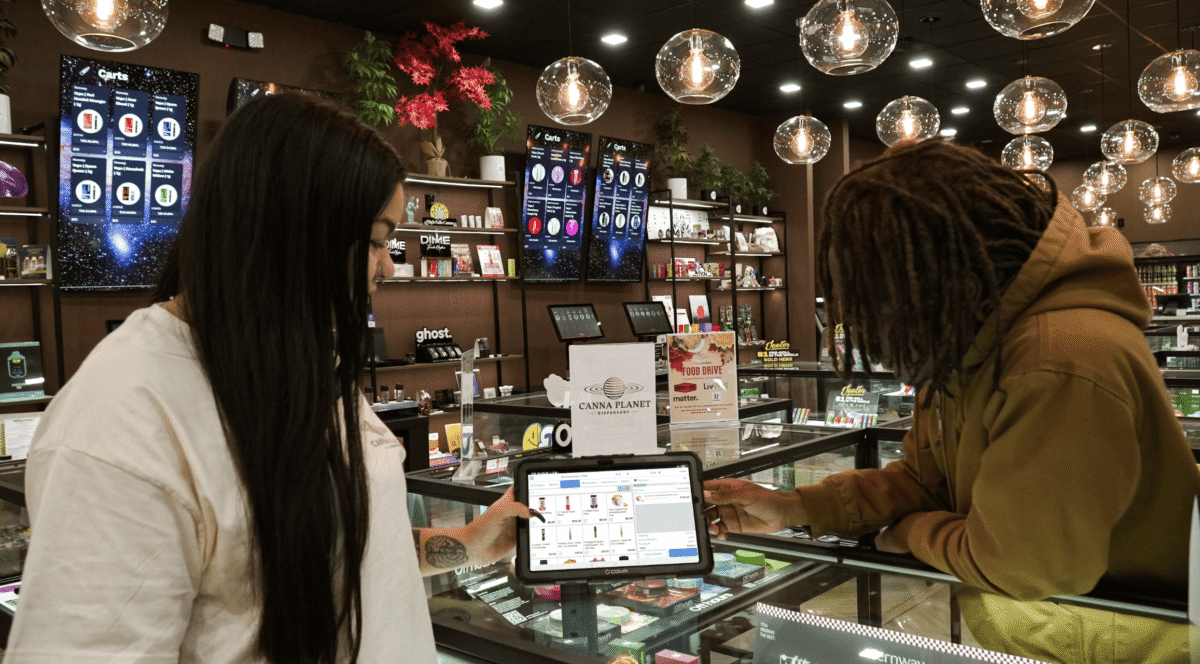
Retail store visit problems are the systemic failures in how area managers plan, execute, and follow up on store visits. These failures prevent individual visits from translating into consistent execution improvements across the network. When store visits are poorly structured, inconsistently applied, or focused on documentation rather than performance, the result is an execution gap between what headquarters plans and what actually happens in stores. For large retailers, that gap costs between $10 million and $40 million annually.
That gap is not theoretical. It shows up in missed promotions, empty shelves, and stores that score well on paper while consistently underdelivering in practice.
Most retail leaders believe their store networks are executing at a high standard. In reality, actual promotional compliance typically falls in the 55–65% range, despite leadership teams estimating it at 80–85%.
Area managers sit at the center of this gap. They are responsible for more stores, across wider geographies, with leaner teams and higher visit frequency expectations. The store visit is their primary lever — yet most programs are structurally constrained from the moment they are designed. Issues are documented, but not consistently resolved. The same problems reappear from visit to visit, creating activity without improvement.
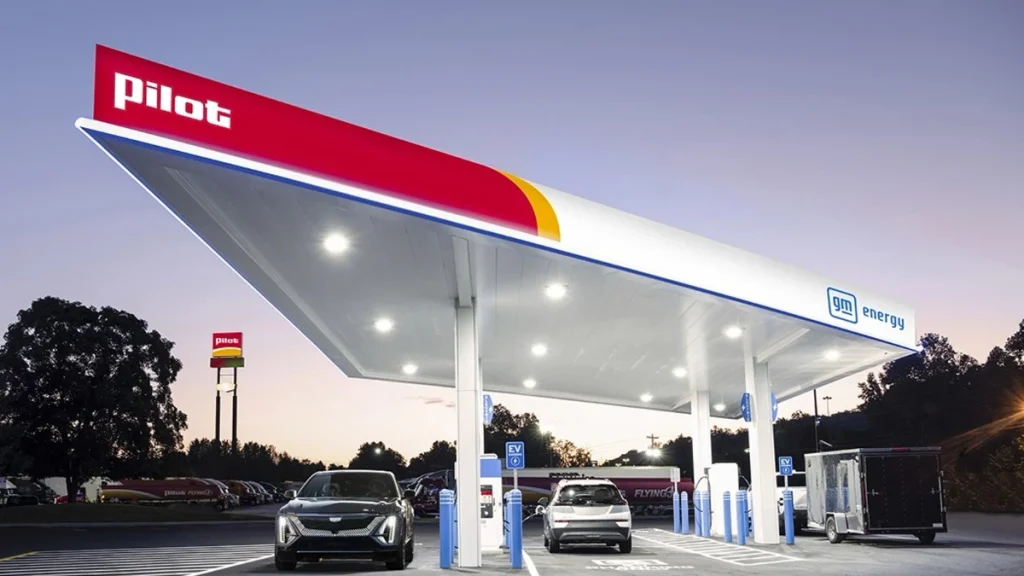
Pilot Company moved from limited visibility under manual processes to 90–95% task completion across more than 900 locations by linking store visits directly to structured follow-up and accountability across 30,000 employees./
This post breaks down the five most common structural failures in retail store visit programs, analyzes each at the root-cause level, and pairs each with what leading retailers are doing differently.
Retail store visit problems are structural failures in how visits are planned, executed, and followed up — failures that prevent area managers from translating observations into consistent improvements. The most common problems include inconsistent visit frameworks, excessive administrative burden, insufficient coaching time, poor follow-up discipline, and a lack of standardized measurement. Individually, each problem reduces visit productivity. Collectively, they create the retail execution gap: the disconnect between headquarters strategy and store-floor reality.
Most store visit programs fail for a simple reason. They are designed to produce documentation, not operational improvement. Area managers are not underperforming. They are operating within systems that prioritize reporting over results.
When visits are structured around compliance checks and administrative outputs, they produce visibility. But they do not build capability. And without capability at store level, execution does not improve.

Most visit procedures were not designed. They evolved. Ownership of the store visit program is rarely a formal, accountable role — standards shift as people change and are rarely enforced consistently. Without digital infrastructure, standardization has no enforcement mechanism. Every manager runs the visit they have always run.
When visit data reflects the manager as much as the store, headquarters cannot distinguish a genuine performance problem from an inconsistent evaluation.
Louise O'Keeffe, Head of Retail Support at Halfords

Administrative burden is not a side effect of store visits. It is built into how most programs operate. Report compilation happens after the visit — operationally invisible but cumulatively significant. An area manager responsible for 20 stores spends roughly 30 hours per month on reporting and follow-up alone. Nearly four working days. The stores get inspected. They do not get better.
annually across 1,350 stores after Michaels digitized store operations — 2.5 hrs per store per week. Task completion improved 30%. $1.8M in incremental revenue was generated.
YOOBIC case study, Michaels
Peugeot reduced audit and reporting time from 90 minutes to 20 minutes per visit after digitizing, according to YOOBIC’s case study on Peugeot. Zone managers redirected that reclaimed time to store performance and team development.
How to fix it

Most visit frameworks define success as everything completed and recorded — not whether the store team leaves the visit better equipped to perform. Coaching is rarely designed into the process. Many programs assume it will happen naturally, but without explicit space and guidance, it does not happen at all.
Store teams that experience visits as policing become defensive. Defensive teams share less, surface fewer real issues, and focus on passing the visit rather than improving performance. Over time, the quality of information gathered during visits declines, making each subsequent visit less effective than the last.
higher profitability in organizations with highly engaged employees — making the coaching component of store visits commercially significant, not just operationally useful
Gallup research, cited in YOOBIC’s retail execution work
The 20% profitability differential Gallup identifies is the gap between a store team that is coached, engaged, and improving, and one that is audited, defensive, and static. At network scale, that gap compounds into measurable revenue.
Most visit programs assume consistency in execution requires consistency in approach. Without access to previous visit reports and performance data before arrival, area managers have no mechanism to differentiate their focus. Every visit starts from zero, regardless of what happened in the last one. The easiest option is to default to a standard checklist and apply it everywhere.
Pilot Company moved from limited visibility under a paper-based system to 90–95% task completion rates across more than 900 locations by replacing periodic manual processes with connected, mobile-first workflows, according to YOOBIC’s case study on Pilot Company. Without that visibility, visit time is distributed evenly across the network regardless of need. The stores that most need focused intervention are the ones least likely to get it. That is how effort scales without impact.
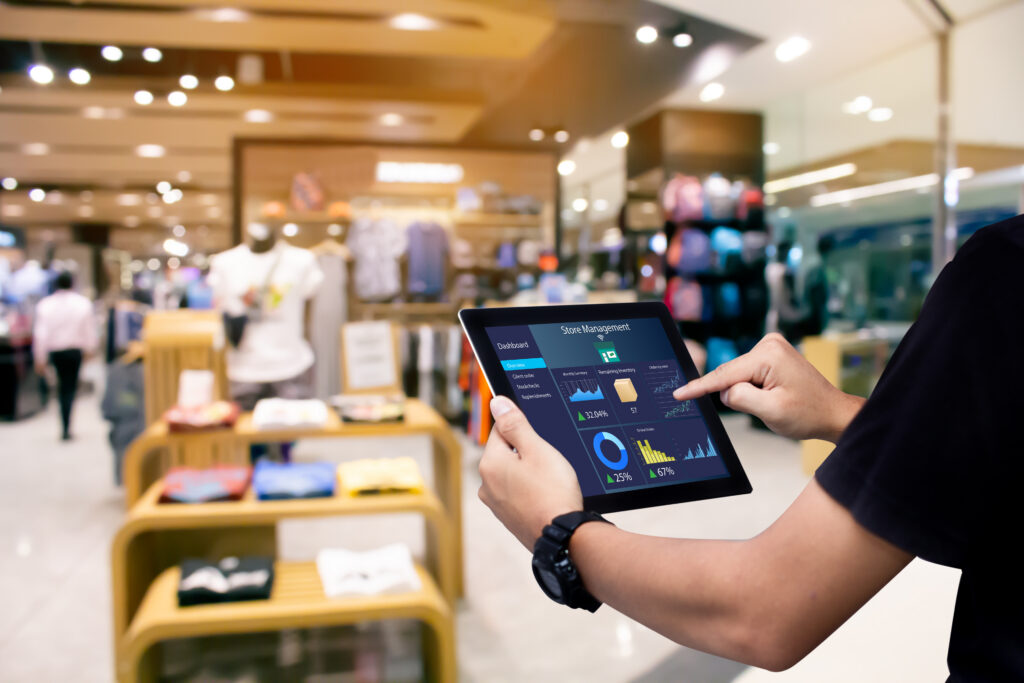
Most store visit processes end at reporting. Visit reports are produced and distributed, but they are not connected to a structured action management system. The output is a document, not a workflow. Store teams receive feedback through email, messaging apps, or verbal instructions — channels that create visibility, but not accountability.
A missed promotional display identified during a visit but never corrected becomes a recurring cost. At network scale, unresolved issues from visit one consume time in visit two. The visit cycle generates activity without resolution, and the execution gap widens with every cycle.
Most retailers still treat store visits as a compliance mechanism rather than a performance management tool. That distinction is not semantic. It determines what data gets collected, how feedback is delivered, and whether the visit produces measurable improvement or just documentation.
A compliance-driven visit asks, “Was this done correctly?” A performance-driven visit asks, “What needs to change for this store to perform better next week?” Those are fundamentally different questions, and they produce fundamentally different outcomes.
The structural response to poor execution is often to increase visit frequency. More stores are added to an area manager’s territory while expectations remain unchanged. In practice, visits become shorter, more procedural, and less capable of driving change. The visit becomes an event to complete, not a mechanism to improve.
Retailers optimize for consistency of process rather than consistency of outcome. They measure whether visits happened, not whether stores improved as a result. They track completion, not resolution. And in doing so, they reinforce the very systems that create the execution gap they are trying to close.

1. Standardize the visit framework
Create a core visit template that applies consistently across all stores, with optional modules for visit type, store format, and performance tier. Consistency is what makes benchmarking possible and ensures that visit data reflects store performance, not individual manager judgment.
2. Build pre-visit preparation into the process
Require area managers to review previous visit scores, open actions, and relevant KPIs before arriving on-site. When managers arrive knowing which issues are open and what the last visit identified, they spend less time discovering problems and more time resolving them.
3. Balance compliance checking with coaching time
Allocate a defined, protected block of time within every visit for one-on-one coaching. This should be non-negotiable and built into the visit structure. Coaching is the mechanism through which visits improve store performance.
4. Convert every observation into an assigned action
No issue should leave the visit without a named owner, a clear resolution step, and a deadline. Documentation without accountability is the primary driver of the resolution gap and the reason issues persist across multiple visits.
5. Track resolution rates alongside compliance scores
Measure visit effectiveness not just by what was identified, but by what was resolved. A visit that identifies more problems than it resolves is not a high-performing visit, regardless of how comprehensive the checklist appears.
Conclusion: the cost of getting store visits wrong
Retail store visits are the most direct mechanism retailers have for closing the gap between headquarters strategy and store-floor execution. When that mechanism breaks down, the execution gap widens — and the cost is measurable across missed promotions, inconsistent standards, and underperforming stores.
Each of the five problems in this article is structural. They are not the result of individual manager performance or intent. They are the result of how store visit programs are designed. That also means they are fixable. Standardizing frameworks, reducing administrative burden, building in coaching time, enabling data-driven preparation, and enforcing resolution tracking are process changes, not cultural overhauls.
The retailers closing the execution gap are not conducting more visits. They are conducting better ones. Their visits follow standardized frameworks, use performance data to focus attention where it is needed most, and enforce resolution rather than just recording findings. The result is data that reflects store performance rather than manager judgment, actions that are completed rather than acknowledged, and improvements that compound visit after visit.
Avoid wasted hours, blind spots
and lost revenue with YOOBIC