
Categories
Uncategorized

Retail operational efficiency: what it is, how to measure it, and how to improve it

A store manager arrives before opening and heads straight to the back office. The first two hours go to reading headquarters (HQ) emails and printing the day’s task list. Then they chase down who handled yesterday’s price change, and whether anyone finished it.

Not a single customer has been helped yet. That gap between effort and selling is where retail operational efficiency starts, and it’s a gap most reports never show.

You probably check sales and margin every day. The effort behind each sale is much harder to see. The U.S. Bureau of Labor Statistics (BLS) tracks that effort as output per hour worked.

According to BLS productivity data for 2025, published May 28, 2026, that figure grew 2.9 percent in retail trade. Output grew 2.5 percent and hours worked decreased 0.4 percent. In plain terms, stores produced more while using less time.

Time is the scarcest resource in any store. When staffed hours shrink, each one has to earn its place on the sales floor. If you run stores, you already know how fast a lost morning spreads into a wasted day.

A smiling female store owner in a plaid shirt holds a tablet on the shop floor — store manager, ownership, apparel.

This guide explains the term, names the biggest drains, lists the metrics to track, and sets out six steps.

Key takeaways

If you only have a minute, start with these four points.

  • Efficiency compares what your stores produce with the hours, stock, and money they consume

  • The biggest drains are task overload, scattered tools, unverified execution, and staff churn

  • Key performance indicators (KPIs) work best grouped by family and backed by proof instead of self-reports

  • Saved time only pays off once you redeploy it to the sales floor

What is retail operational efficiency?

Retail operational efficiency is how much useful output a retailer gets from the time, labor, stock, and money it puts in. Output covers sales, completed tasks, served customers, and compliant stores.

Put simply, it’s output divided by input. Sales per labor hour is the everyday example: weekly revenue divided by the staffed hours used to earn it. You can have strong sales and weak efficiency at the same time.

Two neighboring terms often get mixed up with it. Operational excellence is when consistent results become the default in every location. Our retail operational excellence guide covers that goal in depth.

Retail operations is the system itself: the people, processes, and tools that run your stores. For the structure behind that system, read about how retail operations works. Efficiency measures how well that whole system converts effort into results.

Picture two stores that take in the same sales in a week. At the first, the team builds Monday’s promo set correctly and moves on to customers.
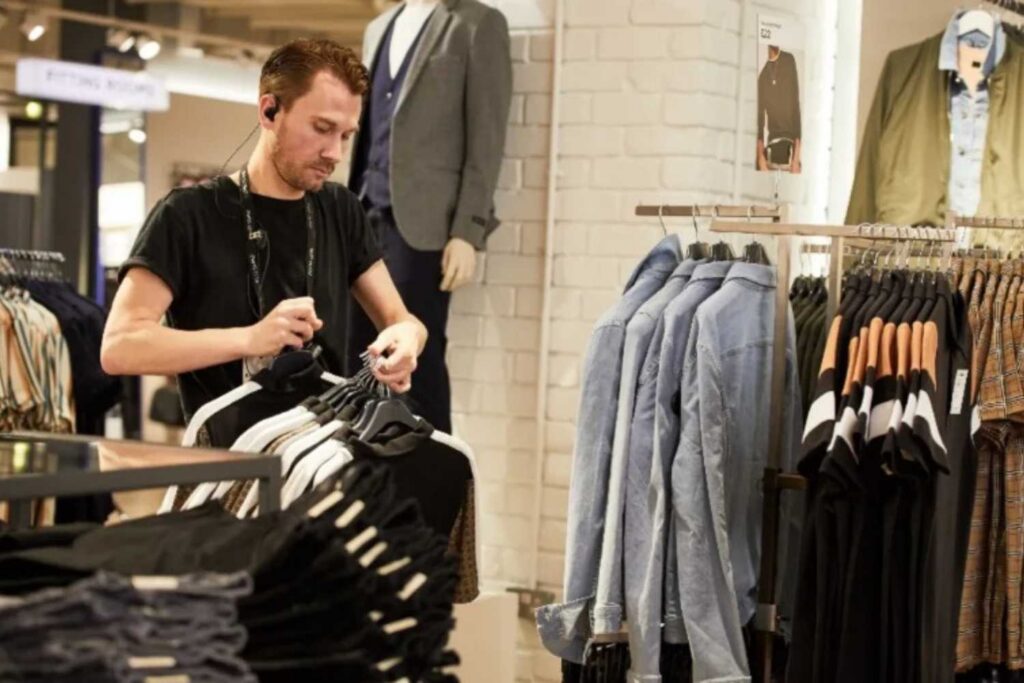
A male employee organizes folded garments and denim in a menswear store — merchandising, restocking, shop floor.

At the second, the set goes up wrong on Monday. On Tuesday afternoon, two associates tear it down and rebuild it while shoppers wait at the register. By Sunday, that second location has used 40 more labor hours to reach the same number.

The weekly sales report shows two identical stores. Their efficiency tells a different story, and it shows up in hours long before it reaches the profit and loss statement.

Why does retail operational efficiency matter right now?

Teams keep turning over, and inventory errors remain expensive. Together, those pressures make every wasted hour hurt more than it used to.

A new hire is working their second shift on a Thursday. Markdown instructions went out that morning, but only in an email to the manager. Nobody showed the new hire where the list lives, so the old prices stay up until close.

Shoppers pay full price, and a few of them complain at the register. If you manage a store, you’ve likely lived some version of that shift.

Churn makes consistent execution harder

The Job Openings and Labor Turnover Survey (JOLTS) tracks how often workers leave their jobs. The monthly JOLTS quits data shows a retail trade rate of 2.4% in August 2025. By August 2026, the preliminary figure had climbed to 3.0%, or about three in every 100 workers each month.

That rate counts quits during a single month as a share of employment, seasonally adjusted. It isn’t an annual turnover figure. Still, it means your processes have to work for someone who started this week.

Inventory errors still carry a heavy cost

Stock accuracy adds a second pressure. According to IHL Group’s 2026 inventory distortion study, “Global inventory distortion has improved for five straight years, falling from 10.4% of retail sales in 2021 to 6.2% in 2026. That progress still leaves a $1.7 trillion annual problem.”

That figure covers retailers worldwide. On your floor, it looks like a skipped stock count or a replenishment task nobody picked up.

What drains operational efficiency in retail stores?

Four drains show up in almost every store network: task overload, scattered tools and channels, unverified execution, and lost know-how. Each one costs you hours before it hurts your sales.

An associate is setting an endcap and can’t find the planogram. They ask the manager once before lunch, again mid-afternoon, and a third time near close. Each question pulls the manager off the floor, and the display still looks half-built at 6:00 pm.

Small searches like that add up across every shift and every location.

DrainWhat it looks like on the floorWhat it costs you
Task overloadDozens of head office tasks land at once, and managers sort them by handManager hours spent sorting instead of coaching
Scattered tools and channelsInstructions split across email, group chats, paper, and shared drivesTime lost searching, plus missed or duplicated work
Unverified executionTasks marked done with no proof they were done rightRework, failed promotions, and compliance risk
Lost know-howExperienced staff quit, and the steps they knew go with themSlower onboarding and repeated mistakes

Unverified execution tends to hide the longest. Read about the retail execution gap to see why plans and store reality drift apart.

Task overload is usually the easiest drain to spot. At Morrisons, head office distributed between 80 and 100 operational tasks to stores every week.

Managers had to interpret each one and cascade it to their teams. The retailer then changed how that work reached stores.

If your managers act as a relay between head office and the floor, start there. Prioritizing means subtracting work first.

Which KPIs measure retail operational efficiency?

No single number captures it. You track a small set of KPIs across families and read them together, so one strong figure can’t hide a weak one.

FamilyKPIsWhat it tells you
Operational executionTask completion rate, compliance rate, time to executionWhether plans turn into finished work, and how fast
InventoryOn-shelf availability, sell-through, inventory turnoverWhether the right stock sits on the shelf and keeps moving
Sales and customerConversion rate, sales per square footHow well traffic and space turn into revenue
People and workforceSales per labor hour, employee turnover, time-to-productivityHow well staffed hours are used, and how soon new hires can work alone

Verified compliance beats self-reported compliance

A district manager reviews two stores that both report full promo compliance. On the next visit, they walk into the second location and find one endcap still bare.

The report said done. The shelf showed otherwise.

A checkbox records that someone said the work was done. A timestamped photo shows it. Our guide to verifying compliance during store visits explains how to build that proof into every check.

As a starting cadence, review store-level KPIs weekly and network trends monthly. You’ll catch slipping locations early without drowning your managers in reports.

How do you improve retail operational efficiency, step by step?

Start with a baseline, remove work, then verify and train. Finish by redeploying the hours you win back, or the gains quietly disappear.

Six practices that reclaim store hours

1. Measure where store hours go today

Ask each role to log its time for one week. Split the log into selling time, admin, rework, and searching for information. A paper grid or a shared sheet works fine.

Pay close attention to searching and rework, since those hours rarely appear in any report. You need this baseline before you change a single tool.

2. Cut task volume and route every task to its owner

Remove tasks before you add anything new. Target each remaining task by role, store format, and region, so people only see what applies to them. Nobody should have to read an instruction and re-delegate it.

For a practical setup, read about routing tasks by role with retail task management. Fewer, better-aimed tasks get done faster and more accurately.

3. Replace paper, email, and group chats with one mobile workflow

When one job lives in three places, your team spends time stitching it together. Put the task, the instruction, and the proof in a single mobile workflow.

Michaels replaced paper checklists, store walks, and scattered comms with structured digital tasks on mobile. The result was a 67% decrease in time spent on store admin.

4. Verify execution with photo proof, not checkmarks

Ask for photo evidence on high-value work such as promotions, safety checks, and recalls. Score each photo against a clear standard. Then review exceptions only, so field leaders spend their time where locations fell short.

You don’t need a picture for every task. Save proof for the work that costs you most when it goes wrong.

5. Train in the flow of work

Tie short lessons to the task in front of the associate. A quick guide on building an endcap works best when it opens next to that display task.

That way, a new hire can learn and act in the same moment. You cut rework, and experienced colleagues stop answering the same question every shift.

6. Redeploy the time you save

Decide in advance where reclaimed hours go: peak-hour floor coverage, coaching, or fitting rooms. One store manager moves two freed-up hours a week into Saturday-afternoon floor coverage.

By the next weekend, they watch the fitting-room queue shrink. Without a named destination, saved time fades into the rest of your day.

Where does AI fit in retail operational efficiency?

AI helps most when it narrows your day to a few priorities and routes each one to the right person. Another dashboard rarely helps a busy store manager.

A store manager used to open four reports before 9:00 am. Sales, stock, traffic, and staffing each lived in a different system. Now they start the day with three ranked actions.

They pick the one tied to a slow-selling category and assign it before the doors open. The gain is fewer decisions, made faster, by the person closest to the shelf.

Retail AI budgets are still small

The National Retail Federation (NRF) surveyed 56 AI leaders at US retailers in summer 2025. In NRF’s survey of retail AI leaders, 77% of retailers allocate 5% or less of their technology budget to AI. Supply chain operations, cited by 59%, is an emerging priority.

That means your AI spend has to prove itself on everyday work.

Saved time needs a plan

Boston Consulting Group (BCG) surveyed 11,749 workers for a June 2026 report. In BCG’s 2026 AI at Work survey, 42% of regular frontline users report saving at least a full workday through AI per week. Meanwhile, 66% report limited or no guidance on what to do with that time.

BCG defines frontline here as individual employees without managerial responsibilities, so this isn’t a study of store associates. The lesson still applies to your stores: freed-up time leaks away unless someone directs it.

Comparable-store benchmarking turns data into daily actions

At YOOBIC, we built Store Manager Copilot around that problem. It benchmarks each store against genuinely comparable locations in your own network. Then it turns the gaps into a short, prioritized list of daily actions.

Those actions appear inside the task list your team already uses. AI stays augmented, never autonomous: the manager makes the call.

How do you measure the return on investment of operational efficiency?

Separate cashable savings from capacity. Cashable savings are hours removed from the schedule, while capacity is time you get back and redeploy. Then tie that capacity to a selling or service activity to show its financial return.

An operations lead brings finance a business case built on minutes saved per store. The finance partner rejects it, because minutes on a slide never show up in payroll.

The lead comes back with a new version. It names the Saturday shift those hours now cover and the conversion rate they’ll watch there. That version gets approved, because finance can see where the time went.

Use this four-part framework to build your own case:

  1. Record baseline hours per role for admin, rework, and searching

  2. Count the hours reclaimed after each change

  3. Name where those hours went, by shift and activity

  4. Track what moved, such as conversion, task completion, and turnover

PureGym shows what happens when reclaimed time has a clear destination.

Your finance team will ask where the hours went. Have that answer ready before the meeting starts.

Where is retail operational efficiency heading?

The category is moving toward fewer, clearer actions, verified work, and connected tools. Three shifts stand out.

A regional manager used to follow a fixed visit rota, the same route every month. Now they plan Monday’s visits from the stores that slipped last week. Locations that held steady get a call instead of a drive, and the visits follow need.

From dashboards to prioritized actions

Store managers already have plenty of data. The bottleneck is interpretation: working out which gap matters today and what to do about it. Expect your tools to deliver a short, ranked list instead of another report.

From self-reported to verified execution

Photo evidence and exception review are becoming the default audit trail. You’ll spend less effort asking whether work happened and more on why it didn’t.

From separate tools to one connected workflow

Tasks, messages, and lessons will travel together. An instruction arrives with the training needed to carry it out, so your associates never hunt for context.

The bottom line on retail operational efficiency

Return to that store manager in the back office. Picture the same morning with a few routed, verified tasks waiting on their phone. Those first two hours now go to coaching the team and helping customers.

The three moves are simple: subtract work, verify what matters, and redeploy the hours you win back. You can start the first one this week with a time log.

YOOBIC brings tasks, communications, and learning together in one platform built for frontline teams. Our task management for store teams puts priorities, instructions, and photo proof in one mobile workspace. Communications keeps every location aligned, and learning delivers short lessons right where the work happens.

We also fit into the systems you already run, with 200+ integrations. See how that morning could look across your network. Book a demo.

Book a demo and find out how

Avoid wasted hours, blind spots
and lost revenue with YOOBIC

Frontline worker hero image

Frequently asked questions

How do you calculate operational efficiency in retail?

Divide output by input, most often as sales per labor hour. Say, as a hypothetical example, a store takes $12,000 in a week across 400 labor hours.


What is an example of operational efficiency in retail?

How often should retailers measure operational efficiency?

Can retailers standardize operations and still give stores local flexibility?

Categories
Uncategorized

Is enterprise retail AI software secure and scalable?

A store associate crouches by an end-cap, trying to photograph a planogram. The handheld takes eight seconds to load every screen, and the customer they were helping drifts toward the exit. That small moment is where the promise of retail technology either holds up or quietly falls apart.

Enterprise retail AI software can be both secure and scalable, but only on two conditions. Enterprise retail AI is software that connects to store systems and turns operational data into governed, role-specific actions for frontline teams.

The two conditions are simple to state and hard to do. Security, governance, and clean data foundations have to be built in from day one, and the platform has to earn adoption on the floor. Get one without the other, and you have a pilot that stalls in production. YOOBIC meets both: it holds SOC 2 Type 2 and ISO 27001 certifications, published in the YOOBIC Trust Center, and reached 100% adoption across Vitalia’s store network.

If you’re weighing vendors, keep your eye on that second condition. IHL Group research finds that the global retail industry continues to hemorrhage $1.73 trillion annually due to inventory distortion, the cost of out-of-stocks and overstocks.

Whether AI can close gaps like that depends less on model size. What matters is whether the intelligence reaches the person on the floor safely, reliably, and at scale.

Two colleagues smile over a tablet in a clothing workroom — collaboration, communication, in-store tech.

Key takeaways

Here’s what you need to hold onto before you buy or expand an AI deployment.

  • Controls designed in, not bolted on: secure retail AI enforces least-privilege access, encryption, and human oversight from the start

  • The big risks are known and mitigable: prompt injection, data leakage, and excessive agency all have established controls

  • Adoption is the real scalability test: a system nobody opens on the floor never truly scales, whatever the infrastructure does

  • No rip-and-replace: the practical bar is integrating with your point of sale (POS) and enterprise resource planning (ERP) systems through application programming interfaces (APIs), not migrating off them

  • Proof lives in production: results measured across live stores matter more than a polished proof of concept

What makes enterprise retail AI different from consumer AI tools?

The difference is the operating environment, not the model. Enterprise retail AI has to work inside legacy systems, role-based permissions, regulatory constraints, and wildly unpredictable store workloads. A consumer chatbot never faces any of that.

Picture the difference between two people. A headquarters (HQ) analyst can sit with a dashboard for an hour and tease out a trend, while an associate three hours into a shift needs one clear next step on the hardware in their apron pocket. The harder job is the second one.

Five concerns separate enterprise-grade retail AI from a weekend demo:

  • Legacy integration with systems built years before AI existed

  • Role-based permissions so each person sees only what they should

  • Compliance with data and privacy regulation across regions

  • Fragmented data spread across POS, ERP, customer relationship management (CRM), and inventory systems

  • Variable load that spikes on peak trading days

If you’re evaluating a vendor, the difference that matters isn’t how large the model is. It’s whether the output lands as something the frontline can act on in seconds.

How does enterprise retail AI keep your data secure?

Secure retail AI does five things at once. The principle is simple: the AI should only ever hold the access a given task requires.

  • Enforces least-privilege access

  • Encrypts data in transit and at rest

  • Isolates each tenant’s data

  • Validates inputs and outputs

  • Keeps a human in the loop for high-impact actions

Associates feel this before information technology (IT) does. Ask a good store team about any recommendation and the first thing they want to know is “where does our data go?” You want an honest, specific answer before you trust the system with a reorder or a customer record.

The AI-specific threats are well documented. The OWASP GenAI Security Project catalogs them in its OWASP Top 10 for LLM Applications 2025.

The list names prompt injection (LLM01), sensitive information disclosure (LLM02), excessive agency (LLM06), and vector and embedding weaknesses in retrieval-augmented generation (RAG) (LLM08). Each threat pairs with a control you can check for.

ThreatWhat it isHow secure retail AI mitigates it
Prompt injectionHidden instructions buried in content trick the model into ignoring its own rulesInput validation, strict system prompts, and least-privilege scoping so the model can’t act beyond its task
Sensitive information disclosureThe AI leaks confidential company or customer data in a responsePer-tenant data isolation, encryption in transit and at rest, and output filtering before anything reaches a screen
Excessive agencyThe AI is allowed to take actions well beyond what the task actually needsTightly scoped permissions plus a human in the loop for any high-impact decision
Vector and embedding weaknesses (RAG)Poisoned or exposed knowledge sources corrupt the answers the system retrievesAccess-controlled, governed sources and validation of everything the system pulls back

None of this is exotic. It’s the standard we hold ourselves to with AI built for the frontline that stays human-centric, explainable, and safe, keeping customer data private throughout.

What data foundation does reliable retail AI need?

Reliable retail AI depends on governed, current data far more than on which model sits underneath. Stale POS or inventory data produces confident, wrong answers, and a confident wrong answer on the floor is worse than no answer at all.

Here’s how that goes sideways. A recommendation built on last night’s batch tells a manager to reorder a SKU that has actually been selling out since mid-morning.

The shelf overstocks, and trust erodes one bad call at a time. The model wasn’t wrong; the data it read was already a day behind reality.

Grounding fixes this. It means the AI answers from your authoritative, up-to-date sources instead of guessing from general training.

That’s why YOOBIC grounds its AI Assistant for retail teams in your own procedures and product data, so an associate gets a trusted, source-backed answer in seconds.

A male associate checks stock on a tablet beside clothing rails — inventory, stock checks, store operations.

Governance of that data comes before scaling, not after. Deloitte’s Chief Data Officer survey found data governance was the top priority for the year ahead at 51%, a continued focus on establishing strong data foundations.

You need clear answers on who owns the data, how fresh it is, and who can access it. Without them, you aren’t ready to scale AI on top.

What governance does secure retail AI require?

Technical controls are only half the job. Governance answers the human questions that security settings can’t.

  • Who owns the AI

  • Which models are allowed

  • What data can leave the building

  • How long prompts are retained

  • Which decisions stay with a person

Without those answers, security controls protect a deployment nobody is accountable for.

Consider a district leader who gets an AI suggestion to cut staffing hours at one store next Saturday. They override it, because they know a local festival will pack the high street that the data never captured.

Good governance makes that override easy, logged, and expected. The AI recommends and explains, and the person decides.

That balance matters because trust in raw AI output is shakier than most leaders assume. A University of Melbourne and KPMG study found many people rely on AI output without evaluating its accuracy (66%), and many make mistakes in their work because of AI (56%).

Human-in-the-loop review and audit trails exist to close that gap. If you’re rolling AI out across hundreds of stores, that’s the safety net you design in early.

A smiling female store owner in a plaid shirt holds a tablet on the shop floor — store manager, ownership, apparel.

Treated well, governance enables scale rather than slowing it. Explainable AI shows why it recommended an action and lets a person override it. That’s what makes you comfortable rolling it out to hundreds of stores instead of a cautious handful.

How does enterprise retail AI scale for peak demand and cost?

Scalable retail AI leans on a few architectural patterns so it absorbs peak spikes without runaway cost. When a model fails, it degrades gracefully to rules or a human rather than falling over.

  • Cloud-native horizontal scaling

  • Asynchronous processing for work that isn’t time-critical

  • Caching for repeated queries

  • Request routing by complexity

Black Friday is the real exam. At 8:00 am, hundreds of stores hit the system at once, every associate opening the app in the same 10 minutes. Infrastructure that handles a quiet Tuesday but buckles at open isn’t scalable in any way that counts for retail.

Cost discipline sits alongside that. CloudZero’s State of AI Costs reports that average monthly AI budgets are set to rise by 36% in 2025, and that only 51% of organizations can confidently evaluate AI return on investment (ROI).

You want a vendor who can show cost per workflow, not just a bill that climbs without explanation.

Then there’s the ceiling nobody puts in the architecture diagram. Infrastructure scale is necessary, but adoption is the real limit.

A system that floods associates with alerts gets ignored, and an ignored system doesn’t scale however many servers stand behind it. Across the retailers we work with, the platforms that scale are the ones associates open every shift.

How does AI integrate with retail POS, ERP, and legacy systems?

Enterprise retail AI integrates through APIs and event-driven connections into POS, ERP, CRM, and inventory systems. It reads and writes data without bypassing your existing security controls, and ideally without a rip-and-replace migration you’ll be paying for in 18 months.

The plumbing choice matters. Event-driven integration reacts the moment something changes, a sale rings or stock moves, so the AI works from current reality.

Polling checks on a schedule and always trails behind. For anything a customer is standing in front of, event-driven wins.

Think about a complex return. It needs purchase history from CRM, live stock from ERP, and a refund posted in finance, all stitched into one flow the associate never has to think about.

That’s integration doing its job: many systems, one clean action, security intact end to end. YOOBIC connects with over 200 tools plus a documented API, so execution data flows through the stack you already run.

Why do most retail AI pilots fail to reach production?

Most pilots don’t fail because the model is weak. They fail on data readiness, thin governance, cost surprises, and poor floor adoption, the wide gap between a demo and a production system. You can watch it happen in slow motion.

A pilot looks great in the boardroom in March. The slides are clean, the sample store loves it, everyone nods.

By month five it’s quietly dead. It hit real store conditions: patchy data, busy associates, and no one whose job it was to make it stick.

The numbers back this up. An S&P Global Market Intelligence survey found the share of companies abandoning most of their AI initiatives before production has surged from 17% to 42% year over year. The same survey reports that 46% of projects are scrapped between proof of concept and broad adoption.

The risk grows with autonomy. Gartner predicts that over 40% of agentic AI projects will be canceled by the end of 2027, due to escalating costs, unclear business value, or inadequate risk controls.

The fix is an operations problem, which is our home turf. Start with a number, fix the data path, pick one high-frequency workflow, and design for the floor. We’ve written more on why retail AI deployments stall and what separates the ones that scale.

How should you evaluate enterprise retail AI for security and scale?

Use this as a working checklist. Each step is a practice you run, not a feature you buy, and together they surface the gaps a slick demo hides.

Start with a number, not a strategy

Tie the AI to a measurable execution gap before you evaluate any vendor. Name the metric it should move, whether that’s promo compliance, recall time, or shrink. When the business case rests on a real result instead of a projection, you can tell within a quarter whether it’s working.

Pressure-test security and access

Ask where data is stored and processed, what the AI is allowed to do, and how least-privilege and audit trails work in practice. Confirm which decisions keep a human in the loop. If a vendor can’t answer plainly, that’s your answer.

Fix the data foundation first

Connect POS, inventory, and task history, refreshed at least daily, before you commit to a rollout. Stale data produces confident, wrong answers that erode trust fast. It’s unglamorous work, but it’s the single change that most reliably decides whether the intelligence downstream is worth acting on.

Design for the floor, not the dashboard

Confirm the intelligence reaches the associate as one clear next step, fast, on the hardware they actually use. Picture a store manager opening the day with three ranked priorities instead of 10 dashboards to decode. The right platform makes that the default, not a nice-to-have.

Treat rollout as capability building

Budget for training and process redesign, not just licensing. Adoption, not the model, decides whether the system scales, and adoption is something you build with people. Plan the change management the way you’d plan a new store opening.

What does secure, scalable retail AI actually deliver?

It delivers measurable execution and adoption gains, tracked with AI-specific metrics that go beyond uptime. Watch grounding accuracy, answer relevance, task completion, cost per workflow, and, above all, adoption rate. Adoption is the headline scalability metric, because a system the floor uses every shift is the only kind that compounds.

Consider what that looks like in a live network. At Vitalia, product recalls used to mean three days of HQ chasing every store to confirm the item was off the shelf.

Results like that come from the loop closing. YOOBIC’s Store Manager Copilot turns fragmented store data into a few prioritized, revenue-tied actions a manager can run that day.

Those actions are tracked through to completion with AI-powered task management, so you can see whether the work happened and whether it moved the number. That’s the return: not intelligence on a screen, but execution you can verify across every location.

Where enterprise retail AI is heading

The category is moving in a clear direction, worth watching if you’re planning a multi-year investment. Agentic AI is starting to handle background store operations that used to eat manager time. Imagine an agent quietly drafting a shift schedule from predicted footfall overnight, so the team stays customer-facing instead of buried in a spreadsheet.

Alongside that, AI teammates are emerging for specific roles. They support the associate, the store manager, and the district leader, each in the language of their job.

The decisive shift underneath is toward human-centric, explainable, secure AI running at scale on the frontline, not locked away in an HQ analytics team. The next phase is measured by how many people on the floor it actually reaches.

The bottom line on secure, scalable retail AI

Secure and scalable is achievable, and it’s fast becoming the baseline rather than the differentiator. Build the controls, governance, and data foundations in from the start, and those questions largely take care of themselves. The harder, more decisive test is whether the platform earns adoption on the floor and proves itself in production, not just in a pilot.

That’s why we built YOOBIC to unite tasks, communications, and learning in one platform, not separate modules bolted together. A signal in the data becomes a completed, verified action on the floor, which is where value actually lives.

Remember that associate stuck photographing a planogram on a slow handheld. When the platform is fast, safe, and genuinely adopted, that moment becomes a two-second task. They finish it before the customer even turns around.

Book a demo

Book a demo and find out how

Avoid wasted hours, blind spots
and lost revenue with YOOBIC

Frontline worker hero image

Frequently asked questions

Can enterprise retail AI run in hybrid or on-premises environments?

Yes. If you operate across regulated markets, you may need a hybrid setup from day one for data sovereignty, compliance, and intellectual property (IP) protection. Some workloads stay on-premises while others run in the cloud, split by how sensitive the data is. The right architecture depends on your regulatory footprint, so raise it early with any vendor.

What questions should IT leaders ask an AI vendor about security?

How long does moving retail AI from pilot to production usually take?

Does enterprise retail AI replace frontline staff?

Categories
Uncategorized

Deploying AI in retail: risks and best practices

A store manager opens Monday to a new AI insights dashboard nobody on the floor asked for. It flags a dozen “opportunities,” none tied to an action anyone can take before the doors open. They close the tab and get back to the shift.

If you are deploying AI in retail, that scene is the failure mode to avoid. The real risks are concrete: data privacy gaps, weak governance, bias, lost customer trust, shaky data, disappointing returns, and pushback from store teams. The best practices that reduce those risks are simple to name. Sequence the rollout, keep humans in the loop, and get AI into the hands of the people on the floor.

Deploying AI in retail means moving it out of the pilot phase. It becomes part of everyday store and ecommerce operations, shaping real decisions and actions. The pressure to get this right is everywhere. In a 2026 retail AI survey from NVIDIA, 91% of respondents said their companies are either actively using or assessing AI.

Key takeaways

Here is the short version before you read on.

  • AI adoption in retail is close to universal, but measurable returns and customer trust still lag behind

  • The real risks cluster in four areas: data, governance, bias and trust, and team adoption

  • The most reliable fix is sequencing, human oversight, and getting AI all the way to the store floor

  • The safest path is to prove one measurable key performance indicator (KPI) before you scale to more stores

What does it mean to deploy AI in retail?

Deployment is the moment AI stops being an experiment and starts changing what people do. A pilot proves something works in a controlled setting. Deployment puts it into daily operations across many locations.

Two broad families of use exist. Customer-facing AI powers product recommendations, chatbots, dynamic pricing, and visual search across retail and ecommerce. You have probably used three of these as a shopper this week.

Operational and frontline AI works behind the scenes on demand forecasting, task prioritization, and on-floor answers for store teams. This is the layer that shapes day-to-day retail operations across every location.

Value only shows up when the output changes what someone does in a store. A forecast nobody acts on is trivia. Our AI Assistant gives associates source-backed answers on the floor. A question at the shelf becomes a confident answer for the shopper.

What are the biggest risks of deploying AI in retail?

The biggest risks fall into six buckets.

  • Data privacy and compliance exposure when systems touch customer information

  • Weak, siloed, or low-quality data feeding the model

  • Governance gaps between policy on paper and practice in the field

  • Bias in outputs and the loss of customer trust that follows

  • Unclear returns that never justify the spend

  • Resistance from the people expected to use it every day

A shopper came to the counter with a return. The store’s new chatbot had already told them the policy was 30 days. The real policy was 14.

The associate had to walk it back at the register while the line grew. The shopper left sure the brand had tried to trick them. One wrong answer, delivered confidently, is how trust quietly leaks out of a store.

Governance on paper is not governance in practice. In an EY survey of senior AI leaders, 98% report having formal AI governance policies in place. Yet 47% say their organization has previously skipped that governance process for urgent deployments. In the same survey, about a third (36%) have experienced an AI incident or failure that caused a materially negative impact, including data loss, financial damage, operational disruption, and brand damage.

Customers can feel the gap too. Alchemer’s 2026 retail research found that only 35.4% of shoppers trust AI shopping recommendations completely or mostly. When you deploy AI that touches customers, you are spending trust you may not have.

The rules are tightening, so treat compliance as a design input, not an afterthought. You now have to account for the EU AI Act and a growing patchwork of US state laws, such as those in Colorado and Utah. Long-standing privacy laws like the General Data Protection Regulation (GDPR) and the California Consumer Privacy Act (CCPA) also govern how you collect and use customer data.

Two supermarket colleagues in aprons check shelves with a tablet and scanner — inventory, on-shelf availability, compliance.

The risk that gets missed is quieter: AI that never reaches the floor. A model can be accurate, compliant, and completely ignored, and you will still have spent the budget.

Why are data and integrations a problem for retail AI?

AI is only as good as the data and the plumbing behind it. Point-of-sale, inventory, foot traffic, and workforce systems usually live in separate silos, each with its own format and quality problems. Feed a model messy or partial data and it will produce confident nonsense.

You do not have to rip out and replace those systems to fix this. We connect AI to the systems you already use through YOOBIC Integrations, with 200+ pre-built connectors, so execution data flows without a migration project.

Why do so many retail AI projects fail to deliver ROI?

Adoption is nearly universal, but measurable returns are rare. Value depends on changing behavior, not buying a model. That gap shows up in McKinsey’s 2026 State of AI survey. It found that the share of AI high performers has stayed flat at about 6% of all respondents. Meanwhile, 37% attribute at least some earnings before interest and taxes (EBIT) impact to AI use.

Most projects stall between a promising pilot and daily use. The technology works in the demo, then dies in the handoff to busy store teams who already have a full shift. You bought a capability when what you needed was a habit.

Prioritization means subtraction. If your AI adds a hundred alerts to a manager’s day, you have made the job harder, not smarter. The return comes from cutting the list down to the two or three actions that will actually move a number.

How do you keep AI accountable and on-brand in your stores?

Build governance in from the start and keep a human in the loop. The goal is augmented, not autonomous: the system recommends, and a person decides.

A useful recommendation carries its reasoning with it. It shows the benchmark it compared the store against, the expected impact, and why it is suggesting this action now.

A person then applies judgment about staffing, stock, or a local event. Headquarters (HQ) keeps control through configuration and full visibility. We built YOOBIC AI, our AI-powered performance suite, so explainability follows from the architecture, not from a policy bolted on afterward.

If you want a shared vocabulary for this, the National Institute of Standards and Technology (NIST) AI Risk Management Framework organizes the work into four functions: Govern, Map, Measure, and Manage. It gives your legal, security, and operations teams one language for who owns what. That transparency also protects customer trust. When you can explain why the system suggested a price, you can defend it to a regulator and to the shopper in front of you.

How do you get store teams to actually adopt AI?

Adoption fails on skills and trust, not on technology. The model can be excellent and still gather dust if the people expected to use it were never trained or consulted. That pattern shows up in the World Economic Forum’s Future of Jobs research. It found the skills gap to be the most significant obstacle to business transformation, cited by 63% of employers as a main barrier.

An associate who used to spend the first hour of every shift counting stock and copying numbers into a spreadsheet now gets that hour back. The count still happens, but the system does the tallying, and they spend the time on the floor helping customers. That is what good adoption feels like from the inside: less clipboard, more selling.

So involve store teams early, train them in the flow of work, and show them plainly what the tool removes from their day. When people see AI taking tedious work out of their day, they start to trust it quickly.

“AI elevates frontline work, and it can improve employee retention. When low-value tasks disappear, teams spend more time on high-impact moments like service, selling, and problem solving, and the work becomes more meaningful.”

Fabrice Haiat, Co-Founder & CEO, YOOBIC

What are the best practices for deploying AI in retail?

Here is a sequence you can follow, whatever your first use case turns out to be.

Start with a business problem, not a model

Pick one specific, measurable problem before you shop for technology. Shrink, promotional compliance, or conversion in a weak store are good candidates. When the problem is concrete, you can tell whether the AI actually helped.

Audit your data and integrations

Check two things: whether your data is clean enough to trust, and whether your systems can talk to each other. Fix the plumbing first. A pilot built on disconnected data fails for reasons that have nothing to do with the model.

Run a scoped pilot with one clear KPI

Keep the first deployment small and time-boxed. Choose a handful of stores, one primary KPI, and a clear before-and-after measure defined up front. A tight scope makes the result readable, so you learn something real.

Put governance and human oversight in place

Decide who reviews AI output, how decisions get logged, and where a person signs off before anything reaches a customer. Write it down before launch, not after an incident. Governance you define early is far cheaper than the kind you retrofit under pressure.

Bring store teams in early

Involve the people who will use the tool while you are still shaping it. Train them in the flow of work, and be honest about what the system does and does not do. Teams that help build the rollout defend it later.

Measure, then scale what works

Prove the KPI moved in your pilot stores before you extend to the rest. Then scale deliberately, one use case or region at a time. Scaling a result you have verified is growth; scaling a hunch is a bigger bet.

How do you measure the return on retail AI?

You cannot manage what you refuse to measure, so decide up front which numbers prove the return. Group them by family so you compare like with like, and keep workforce metrics separate from operational ones.

KPI familyWhat it tells youExample metric
Operational executionWhether plans actually happen on the floorTask completion rate, time to compliance
Sales and revenueWhether AI guidance moves the top lineConversion rate, units per transaction
InventoryWhether stock is working hard enoughSell-through, stock turnover
People and workforceWhether the change is sustainable for teamsEmployee turnover, time-to-productivity, employee Net Promoter Score

A metric only matters if it changes behavior, so measure execution, not just insight. The return lives in whether a recommendation becomes an assigned task with photo proof that someone completes.

This is the case for starting where the return is easy to see. YOOBIC Store Manager Copilot turns fragmented sales, stock, and traffic data into a short list of prioritized actions. Each action carries its benchmark and the reason behind it, ready for a manager to run that day.

Picture a store manager who used to open the week facing a task list so long that the important items got buried. Now they start with a short set of targeted actions, routed to the right department colleague instead of piling up on one desk. Morrisons cut store-manager weekly task volume from 80-100 items down to roughly 10 targeted actions with the Copilot. You can read how the grocer refocused store teams in the full case study.

Where is retail AI heading next?

If you are planning ahead, this is the operating model to prepare your stores for. The direction of travel is clear, even if the timeline is not.

Picture an associate a couple of years from now, mid-shift. A personal assistant on their handheld flags the next best action: restock a fast-selling size before the afternoon rush. No dashboard, no digging, just the one move that matters.

A few shifts are already underway. The industry is moving from scattered pilots to real scaling. Agentic AI and physical AI are spreading through the supply chain and the store, handling routine work end to end.

AI is also migrating from HQ dashboards down to the frontline, where the decisions actually get made. Meanwhile, the bar on transparency and governance keeps rising, as regulators and shoppers ask harder questions.

The retailers who win will not be the ones with the most models. They will be the ones who connect data to a decision to an action on the floor, every day. Get that loop right, and the technology stops being a science project.

A woman uses a tablet on the shop floor of a menswear store — store execution, task management, associate with technology.

The bottom line on deploying AI in retail

The risks of deploying AI in retail are real, but every one of them is manageable. Privacy, governance, bias, data quality, returns, and adoption all yield to the same discipline. Sequence the rollout, keep a human in the loop, and get AI all the way to the people on the floor.

Remember that store manager staring at a dashboard nobody asked for? The fix is not a better dashboard. It is a system that hands the team three clear priorities and the tools to act on them before the doors open.

That is what we built. YOOBIC brings tasks, communications, and learning together in one AI-powered platform, so a signal in your data becomes a completed action in your stores. We connect intelligence to execution across every location, and give every person, from HQ to store associate, a purpose-built way to act.

Ready to see it on your own store data? Book a demo.

Book a demo and find out how

Avoid wasted hours, blind spots
and lost revenue with YOOBIC

Frontline worker hero image

FAQs

What is the 30% rule for AI?

The 30% rule is an informal idea: AI should support human decisions, not replace them. In practice, it means keeping meaningful human oversight over any automated process rather than letting the system run unchecked. It is a rule of thumb, not a legal standard, so use it as a prompt to keep a person in the loop for decisions that affect your customers.

What should retailers do before deploying AI?

What regulations apply to AI use in retail?

How does algorithmic bias affect retail AI?

Will AI replace retail store staff?

Categories
Uncategorized

Can AI replace legacy or in-house retail operations tools?

Artificial intelligence (AI) can replace parts of legacy and in-house retail operations tools, but rarely the whole stack at once. It takes over the manual work first, such as photo review, data reconciliation and routine reporting, and connects to the systems you keep. Morrisons did this with YOOBIC, replacing paper packs, PDFs and spreadsheets across 500 stores and cutting store manager task load by roughly 90%.

Picture a store manager on a Tuesday morning, coffee going cold. They export yesterday’s sales into a spreadsheet, then walk the floor with a printed checklist to reconcile the two by hand. That routine runs on legacy and in-house retail operations tools, and it leaks money every week.

AI more often modernizes and augments these tools than replaces them outright.

Two factors decide whether it works: the quality of your data and whether your teams actually adopt it. What matters most is what your store teams can do on the floor, not what a back-office dashboard shows.

The scale of what these tools leave unsolved is easy to underestimate. IHL Group’s 2026 inventory distortion study puts the global cost at $1.7 trillion a year.

That is down from 10.4% of retail sales in 2021 to 6.2% in 2026, but still huge. That gap is the reason the AI question keeps landing on your desk.

A smiling female store owner in a plaid shirt holds a tablet on the shop floor — store manager, ownership, apparel.

Key takeaways

Here is the short version before you scroll.

  • AI takes over the manual, repetitive work first, from photo review to data reconciliation and routine reporting

  • Wholesale rip-and-replace is rare, slow, and risky for most retailers

  • The real win is consolidating scattered tools and closing the loop from data to action

  • Data readiness and team adoption decide whether an AI project succeeds or stalls

  • Humans keep the judgment; AI clears the manual work that surrounds it

What counts as a legacy or in-house retail operations tool?

These are the aging or custom-built systems your teams still rely on to plan, track, and run stores. Some were bought years ago. Others were coded internally to fill a gap no vendor covered at the time.

Think about the forecasting spreadsheet that one analyst has maintained for six years. It has tabs no one else fully understands and formulas held together by memory. When that person takes vacation in July, the store rollout slows to a crawl and no one is quite sure why.

A legacy tool is an older system built for office users, not store teams: email threads, shared spreadsheets, paper checklists, and on-premise planning software. An in-house tool is internal software your own team designed and coded to solve a specific problem the market did not address at the time.

Retailers accumulate these tools because each one solved a real problem on the day it launched. They persist for a few reasons. Each still works well enough.

Replacing it feels risky, and the knowledge to run it lives in a few people’s heads. That last point is exactly what makes them so hard to modernize.

A woman uses a tablet on the shop floor of a menswear store — store execution, task management, associate with technology.

Why are legacy and in-house retail tools reaching their limits?

They reach their limits because they can’t give you a real-time, connected view of what’s happening in stores right now. The data sits in silos, the reports arrive weekly, and the people who need to act can’t see the problem in time to fix it.

A regional manager once found out a hero display was set up wrong only when a customer asked for the item by name. The unit had been wrong in one in five stores for three weeks. No dashboard showed the floor, and the weekly report had already moved on, so by the time it surfaced the campaign was almost over.

That is the cost of the retail execution gap: plans made at headquarters (HQ) that never fully land on the floor, invisible until sales soften. Older tools widen that gap in a few predictable ways.

  • Siloed data that lives in separate systems and never lines up in one view

  • Weekly or overnight reporting that surfaces problems after the window to fix them has closed

  • No mobile access for deskless store teams who never sit at a desk

  • Rising maintenance and integration costs as older systems age and their specialists retire

  • No line of sight from an HQ plan to a completed, verified action on the floor

None of these are technology problems in isolation. Together, they mean your best plans depend on luck to reach the shelf.

What can AI actually replace, and what does it only augment?

AI reliably replaces narrow, repetitive tasks. It augments the judgment-heavy work. The line between the two is whether a task needs context and accountability, or just speed and consistency.

A visual merchandising reviewer at one retailer used to open thousands of store photos a week, one by one, checking each against the planogram. By Thursday they were behind, and the misses they caught were already days old. Now the system flags the exceptions, and they spend the morning coaching the five stores that actually need it.

That is what YOOBIC Visual Copilot does. It removes the manual photo review without replacing the visual merchandising team, so people focus on performance instead of scanning.

The same pattern holds for daily prioritization. YOOBIC Store Manager Copilot turns fragmented sales, stock, and traffic data into a short list of prioritized daily actions. Then a manager decides what to run.

TaskDoes AI replace or augment itWhy
Manual photo and audit reviewReplacesAI checks every store photo instantly, so teams review exceptions instead of scanning thousands by hand
Data reconciliation across systemsReplacesAI merges sales, stock, and traffic feeds automatically, cutting hours of manual export work
First-draft reporting and summariesReplacesAI drafts the briefing; a person edits it and owns the call
Routine replenishment triggersReplacesRules-based reordering runs on its own, without someone watching a screen
Demand planning and forecastingAugmentsAI narrows the range, but buyers weigh local events, weather, and judgment
Pricing and markdown decisionsAugmentsAI proposes options; merchants own the margin trade-offs
Coaching and people developmentAugmentsAI surfaces who needs support; managers do the actual coaching
Assortment and range strategyAugmentsAI reveals the patterns; category teams set the direction

Notice the pattern in that last column. AI takes the manual scanning and reconciling off your teams’ plates. It does not make the decision, because that call needs someone accountable for the outcome.

Should you replace your in-house build with AI?

Sometimes, but less often than a polished demo suggests. Build when the system is a genuine competitive advantage no vendor can match. Buy when it is a standard operations function, because someone else already maintains it for a living.

You have sat through the demo where a working prototype appears in an afternoon. It looks easy.

What that demo hides is the next three years. Think edge cases, security reviews, integrations that break every time a connected system updates, and the engineer who built it moving on.

New AI coding tools have made building look cheaper than ever. In McKinsey’s 2026 State of AI survey, nearly one-third of organizations (32%) decided against purchasing at least one software product or feature.

They could build it in-house with agentic coding tools instead. That is a real shift, and it cuts across industries, not just retail.

Two young store owners review a tablet together in their boutique — small business, teamwork, retail tech.

The catch is that the purchase price was never the expensive part. Lifetime cost is dominated by maintenance, integration, and your engineers patching an ops tool instead of building something only you can.

If you are weighing that trade-off, we break down the real factors behind build versus buy in retail. That includes the ones that surface years after launch.

How does AI modernize legacy or in-house retail operations tools?

Most retailers don’t replace their systems. They layer AI on top, connecting data across point of sale (POS), inventory, and workforce tools. Then they consolidate the scattered execution tools into one place, instead of adding another silo.

The simplest path is to link your current systems and give teams one place to work. That is why YOOBIC Integrations exists, to connect to the tools you already run, from Microsoft 365 to your business intelligence (BI) stack. It fits your stack rather than forcing a migration, so your stores don’t relearn everything at once.

Consider a grocer that had been running store operations on paper packs, PDFs, and spreadsheets. Morrisons cut store-manager task load by roughly 90% after replacing those, connecting 500 stores with real-time visibility.

Head office previously sent 80-100 tasks a week to every manager. Much of it piled onto one desk, with no way to see what got done.

The win wasn’t a shiny new system to log into. It was fewer systems, with the right work routed to the person responsible and the execution finally visible in one view. That is what modernization looks like in practice: less scatter, more clarity, no full system rebuild.

What does AI replace in day-to-day store execution?

On the floor, AI replaces the manual lookups, the static checklists, and the after-the-fact audits. It turns a signal in the data into a prioritized action the team can complete and verify the same shift.

A new associate used to radio a manager to ask whether a worn item could be returned. Then they waited, while the customer waited too.

Now they type the question into the app and get a source-backed answer in seconds. The manager stays on the floor, and the customer gets an answer instead of a shrug.

Multiply that across a shift and the shape of the change becomes clear. Image recognition replaces manual merchandising audits. AI knowledge assistants replace binder and manager lookups.

AI-prioritized task lists replace static, one-size-fits-all checklists. Store visits generate action plans instead of notes that die in a notebook.

These are not hypotheticals. We have mapped the AI use cases across store operations, from merchandising checks to training, that retailers run today.

The common thread is the execution layer underneath. YOOBIC Task Management replaces the email, spreadsheets, and paper that daily store work used to run on. A priority becomes a task with photo verification, not another message to chase.

Will AI replace your retail operations team?

No. AI removes work from your team; it doesn’t replace the people doing it. The manual reporting, photo review, and data reconciliation shrink, and the judgment-heavy roles become more valuable, not less.

A district manager used to spend the first two hours of every Monday reading reports to work out which store needed them most. Now that ranking arrives before they open the laptop.

Last week that meant driving straight to the store with a slipping conversion rate. They coached the manager through it, instead of deducing where to go.

The work that disappears is the part no one enjoyed anyway: compiling weekly decks, exporting data between systems, and scanning photos for exceptions. The work that grows is human.

Coaching a struggling manager, managing the exceptions AI flags, and building supplier relationships no model can negotiate all become the job rather than the afterthought.

So the honest answer for your team is reassuring. AI is a teammate that clears the busywork, and someone still has to decide what to do with the time it gives back.

How to move from legacy tools to AI, step by step

There is a sequence that separates the pilots that scale from the ones that stall. Resist the urge to digitize everything at once, because that is how you end up with 10 half-adopted tools and no clear win.

What is the five-step migration sequence?

Here is a sequence you can follow without overwhelming your stores.

1. Audit and unify your store data

Start with the data, because everything downstream depends on it. Map where your sales, inventory, and traffic data lives, how clean it is, and how often it refreshes.

Gartner predicted that through 2026, organizations will abandon 60% of AI projects unsupported by AI-ready data. That is the trap to clear before you go further.

2. Pick one high-frequency workflow with a measurable outcome

Choose one workflow your teams touch daily, like store audits or promotional setup, with an outcome you can measure. High frequency means fast feedback, so you learn quickly. A measurable outcome means you will know within weeks whether it worked, not quarters, and you can defend the next round of investment with evidence.

3. Pilot in a small group of stores against a named metric

Run the pilot in a small group of stores, not the whole estate. Tie it to one key performance indicator (KPI) you agreed up front.

Pick a representative mix of formats and performance levels. That way the result reflects reality rather than your strongest locations flattering the numbers.

4. Verify adoption before you scale

Check adoption before you check results. A recommendation no one acts on is not a technology problem, it is a trust and workflow problem. Watch completion rates, listen to the store teams, and fix the friction before you add a single store to the rollout.

5. Scale what the pilot proves, and retire the tool it replaces

Scale what the pilot proved, and turn off the tool it replaced. This last step is the one teams skip. Skipping it means paying for two systems at once and confusing your stores about which one is the real source of truth.

How do you measure the return on investment (ROI) of replacing legacy tools with AI?

Measuring retail operational excellence means tracking three families of metrics. The common mistake is tracking only forecast accuracy while ignoring whether the work actually got done in stores.

  • Operational execution: time-to-execution, task completion rate, and compliance across stores

  • Sales and margin: sell-through, forecast accuracy, and markdown effectiveness

  • People: hours returned to the floor and the reduction in manual reporting

On the sales and margin side, the ranges are well documented. IHL Group reports that AI-powered demand forecasting reduces forecast error by 20%-40%. AI-driven markdown optimization improves sell-through by 10%-20% while preserving 2-4 points of margin.

The people side is where the returns compound. PureGym moved its fragmented tools onto one platform, and its floor teams got hours back to spend with members instead of on admin.

Put the three families together and the picture is complete. Faster execution, sharper forecasting, and time your teams give back to customers add up to a return that a single accuracy metric would never capture.

Why do so many AI replacements stall?

They stall for reasons that have nothing to do with the model. The usual culprits are dirty data, teams that don’t trust the output, and integration that quietly breaks in the background.

One retailer spent a year building a demand model that was genuinely good. It sat unused.

The planners had been burned by a bad forecast years earlier. No one explained how the new recommendations were reached, so they kept working from their own spreadsheet. The model was right and irrelevant at the same time.

If your teams can’t see why a recommendation was made, expect them to ignore it too.

This is not a retail-only problem. Per S&P Global Market Intelligence, the proportion of companies abandoning most of their AI initiatives has increased from 17% to 42%. In retail specifically, fewer than 30% of retail AI projects move past the pilot stage, according to IHL Group research.

For you, the fix is a sequence, not a bigger model. Fix the data first, because messy inputs produce confident nonsense. Earn trust second, by making every recommendation explainable and letting people override it.

Plan the integration third, because the connection to legacy systems is where timelines quietly slip.

Where is AI in retail operations heading?

The direction of travel is clear, even if the timelines are not. AI is moving off the back-office dashboard and onto the sales floor, into the hands of the people who serve customers.

Picture the start of a shift a couple of years out. The associate clocks in, and the day’s priorities are already ranked, already assigned, and already explained. No one spent the morning deciding what mattered, because the system did that overnight, and the team pours its energy into execution and customers instead.

Agentic AI moves into store and supply-chain workflows

AI is shifting from answering questions to taking specific actions within set limits. For you, that means it can trigger a replenishment order or draft a store visit plan, while your team still approves and owns the outcome. The routine steps run on their own.

Foundation models lower the barrier for smaller retailers

Capabilities that once demanded a large data science team now arrive prepackaged. That puts serious forecasting and knowledge tools within reach for you even if you run a regional chain, not just the biggest enterprises.

Real-time sensing through computer vision and radio-frequency identification (RFID)

Shelves, cameras, and tags are starting to report their own state. For you, that means the floor describes itself in real time, instead of a manager counting and typing it in after the fact.

AI teammates in the flow of work

The most useful AI will not sit in a separate portal. It will live inside the tasks, messages, and training your teams already open each shift, surfacing the next best action where the work happens.

The bottom line on AI and your retail tech stack

Come back to that store manager on Tuesday morning, coffee going cold, reconciling a spreadsheet against a paper walk. The version of that morning worth building toward isn’t one with the spreadsheet deleted and a robot in charge.

It’s one where the priorities arrive already ranked. The right work routes to the person responsible, and the manager spends the hour coaching instead of compiling.

The payoff isn’t a smaller team or more dashboards. It’s plans that reach the shelf and more time back on the floor. A strong network runs the same way on a Tuesday as it does on a Saturday.

Your next step is the boring, decisive one: audit your data, pick one workflow, and prove it in a handful of stores.

That is what we built YOOBIC to do. We’re the Frontline Intelligence and Execution Platform for enterprise retail.

We unite three core workflows in one AI-powered platform: tasks, communications, and learning. They work as one system, so consistent execution, a connected workforce, and on-the-floor training reinforce each other.

We connect to the systems you already run, so a signal in the data becomes a completed, verified action on the floor. No rip-and-replace required.

See what that looks like across your stores. Book a demo.

Book a demo and find out how

Avoid wasted hours, blind spots
and lost revenue with YOOBIC

Frontline worker hero image

Frequently asked questions

Do I have to replace my existing systems?

No. Most retailers connect AI to their existing systems rather than replacing them. The real opportunity is consolidating the scattered execution tools, the email, spreadsheets, and paper, into one connected layer.

How does AI work with our existing enterprise resource planning (ERP) system?

Do smaller retailers benefit, or is this only for enterprise?

How long before we see results?

Is it safe to let AI decide on its own?

Categories
Uncategorized

How can AI reduce tool sprawl in retail operations?

A store manager starts the shift by opening five apps. One holds today’s tasks, another the promo photos, a third the team chat, a fourth the training, and a fifth the sales numbers. Several minutes pass before they even know what to fix first.

That’s tool sprawl in retail operations. Artificial intelligence (AI) reduces it by connecting store data, decisions, and execution into one workflow, so your teams act in one place instead of many.

The problem runs deeper than a crowded home screen. When systems don’t talk to each other, the work of stitching them together lands on people.

CMSWire’s 2025 State of Digital Customer Experience report found that 28% of businesses name siloed systems and fragmented data as a top barrier to getting value from AI. That disconnection is where store execution quietly slows down.

In this guide, you’ll see what tool sprawl is, why it drains your stores, how AI actually cuts it, and how to measure the payoff.

Two colleagues smile over a tablet in a clothing workroom — collaboration, communication, in-store tech.

Key takeaways

Here’s the short version before you scroll:

  • Tool sprawl is the pile of overlapping, disconnected apps that store and headquarters (HQ) teams juggle to get one job done

  • Sprawl drains execution and money, showing up as wasted manager time, missed tasks, and inconsistent results, not just software spend

  • AI reduces sprawl by connecting data across systems, consolidating work into one place, and prioritizing so teams do less

  • You can consolidate by connecting the systems you already run, with no rip-and-replace migration required

What is tool sprawl in retail operations?

Tool sprawl in retail operations is the buildup of overlapping, disconnected apps that store and HQ teams juggle to get work done. It grows quietly, one purchase at a time, until no one owns the full picture.

Picture how it accumulates. Merchandising buys an app for planograms. Learning and development picks a separate one for training. Store operations adds a third for checklists.

Each team solves its own problem. The store team inherits the overlap, logging into three places to run a single day. You end up paying for redundancy twice: once in licenses, and again in the time it takes to move between screens.

The license cost alone is steep. The 2025 SaaS Management Index reports that organizations are wasting an average of $21M a year on unused software, a 14.2% increase year-over-year. The waste keeps climbing because buying is easier than consolidating.

So why does sprawl keep happening? Bain & Co. partner Holger Kömm traces it to “too many overlapping experiments without a value thesis.” Without a plan to unite the pieces, every new app leaves the data more fractured.

A woman uses a tablet on the shop floor of a menswear store — store execution, task management, associate with technology.

Why does tool sprawl slow down store teams?

Sprawl turns into wasted manager time, missed tasks, and inconsistent execution across your stores. The cost lands on the floor, not just the IT budget line.

Every switch between systems carries a tax. A task lives in one app, the proof of completion in another, and the sales impact in a third. With no shared view, priorities get lost between the screens.

Consider a regional manager checking whether a promotion went live. The task sat in the operations app. The setup photo sat in a separate merchandising tool.

They couldn’t confirm the display was up without calling the store, so they called six of them. An afternoon disappeared into repeated calls that a connected system would have answered in seconds. That’s the drag of sprawl: it widens the gap between what HQ plans and what happens on the floor.

Retailers already know the fix matters. The Sixth Connected Shoppers Report found that 88% of retailers call unified commerce very important or critical over the next two years, yet only 15% have implemented and measured a unified system.

Two women review something on a tablet together in a bright clothing store — teamwork, in-store tech, merchandising.

What does AI actually do to reduce tool sprawl?

AI reduces sprawl three ways. It connects data across your systems, consolidates the work into one place to act, and prioritizes so teams do less, not more. Each mechanism attacks a different part of the problem.

  • Connect: AI pulls signals from the systems you already run, so sales, stock, and traffic data land in one view

  • Consolidate: AI brings the resulting work into one place to act, instead of five separate apps

  • Prioritize: AI ranks the day’s actions, so a manager sees what matters most rather than a longer list

The last point is the one most people miss. More data usually means more dashboards, and those extra screens create more to read.

Prioritization flips that. It means subtraction, reducing what a manager has to consider each day.

Sprawl todayConsolidated with AI
More dashboards to checkFewer, ranked actions to run
Data scattered across systemsData pulled into one view
Priorities you piece togetherPriorities ranked for you
Every team on its own appTasks, communications, and learning in one workflow

The day looks different for store managers. A manager who used to scan 10 reports to find yesterday’s misses now opens the day with three ranked actions. They spend the reclaimed time on the floor, coaching the team, instead of compiling numbers.

This is the idea behind AI built for frontline execution. We turn store signals into a clear next step, not another feed to monitor. When the goal is action, less noise is the point.

AI helps more when it works across operations instead of sitting on top of them. Accenture reports up to 20% cost reductions in overall supply chain costs, and up to 50% fewer manual interventions when several autonomous capabilities run together.

How does AI consolidate work without ripping out your stack?

Reducing sprawl does not mean a rip-and-replace migration. You don’t have to throw out what already works. The better path is to connect the systems you already use.

Instead of replacing your systems, you connect the tools you already use so their data flows into one place to act. Your point-of-sale, scheduling, storage, and reporting tools keep running. What’s changing is that their signals finally meet in a single workflow.

From there, the three frontline workflows come together as one system: tasks, communications, and learning. A campaign brief becomes a prioritized task, the team gets the context in the same place, and any training sits in the flow of work. That’s the role of YOOBIC Task Management: one place for retail task management that replaces the scattered apps your store teams open each shift.

How can you reduce tool sprawl with AI in retail operations?

You don’t need a two-year rollout to start. This sequence is built around subtraction, so each step removes friction rather than adding another system to manage.

1. Map the tools your store teams open in a week

Start with reality, not the license list. Ask a handful of managers and associates to note every app they open across a normal week. You’ll usually find more than you expected, plus a few tools nobody uses anymore.

2. Find the overlap and the gaps

Look for the places where two tools do one job, and the jobs no tool covers at all. Overlap is wasted spend and confusion about which app to trust. Gaps are where work slips into email, spreadsheets, or someone’s memory.

3. Connect your systems so data lands in one place

Rather than replacing everything, connect the systems worth keeping through integrations. When sales, stock, and traffic data flow into one workflow, your teams stop hunting across screens for the full picture. This is the step that makes consolidation possible without disruption.

4. Let AI rank the day’s actions instead of adding alerts

Once data is connected, put AI to work narrowing the list, not lengthening it. A capability like Store Manager Copilot turns fragmented sales, stock, and traffic data into a few prioritized actions a manager can run that day. The test is simple: does it reduce what your teams have to consider, or add another notification?

5. Retire the redundant tools and standardize the workflow

With work consolidated, switch off the apps that no longer earn their place. Standardize how a task moves from HQ to the floor so every store runs the same play. You cut license spend, and you make excellent execution repeatable across the network.

How do you measure the payoff?

Track execution and labor metrics, not tool counts alone. A shorter app list feels good, but the return shows up in how fast and how consistently your stores execute. Watch these four:

  • Time to execution, from HQ brief to completed task on the floor

  • Task completion rate across every store in the network

  • Compliance rate on audits, promotions, and brand standards

  • Admin hours returned to the floor for selling and coaching

The clearest proof comes from a retailer that lived this problem. Michaels relied on paper lists and fragmented tools, with no single mobile hub for store teams. See how Michaels consolidated its frontline tools into one place where associates and managers finally worked from the same source.

Numbers like these tie straight back to consolidation. When the work lives in one place, managers spend less time on admin and more on the floor. You can prove the shift with the metrics above.

What’s next for AI and tool consolidation in retail?

AI in retail has moved from pilot to standard practice. The State of AI in Retail and consumer packaged goods (CPG) survey found that 91% of respondents are actively using or assessing AI, with 89% reporting higher annual revenue and 95% reporting lower annual costs. The question now is how to scale it.

The next phase raises the stakes for consolidation. AI agents can act across connected workflows instead of answering one question at a time, but they only work when the underlying data is connected. Agents can’t act on signals trapped in separate apps, so sprawl gets more expensive as AI matures.

The potential value is significant. McKinsey puts European retail AI at a €240 billion to €320 billion opportunity.

That value depends on scaling AI across connected workflows, not isolated pilots. If you’re planning for that future, connected execution is the foundation you build on first.

The bottom line on cutting tool sprawl

Tool sprawl is an execution problem, not just a software bill. AI fixes it by connecting data across your systems, consolidating the work into one place, and prioritizing so teams do less. You don’t need to rip out your stack to get there, only keep what already works and retire the redundancy.

That’s the shape of the YOOBIC platform. We unite tasks, communications, and learning in one AI-powered platform, and connect to the 200+ systems you already run. Store signals become the prioritized actions your teams act on that day.

The manager who once opened five apps to start the shift opens one, and the day’s priorities are already ranked and waiting.

Book a demo

Book a demo and find out how

Avoid wasted hours, blind spots
and lost revenue with YOOBIC

Frontline worker hero image

FAQs

What is tool sprawl in retail?

Tool sprawl in retail is the buildup of too many overlapping subscriptions and single-purpose apps across HQ and stores. If your stores log into several apps to finish one task, you’re dealing with tool sprawl. It happens when each team buys its own software without a plan to connect the pieces, which leaves you with redundant licenses and wasted time.

Does adding AI just create another tool to manage?

How is AI different from a dashboard for reducing sprawl?

Do we have to replace our existing retail systems?

Which retail metrics show tool sprawl is improving?

Categories
Uncategorized

What is shrink in retail? Causes, types and the real cost

Retail shrink is the gap between the inventory your records say you hold and the stock actually on your shelves. It’s usually expressed as a percentage of sales, and it covers everything from theft to mispriced markdowns to produce that spoils before it sells. In 2022 it cost US retailers $112.1 billion, about 1.6 percent of total sales (NRF). This guide explains what shrink is, what causes it, the main types, and why it matters more to your margin than the headline number suggests.

DEFINITION:

Retail shrinkage

the difference between the stock a retailer’s system records show and the physical inventory actually present, measured as a percentage of sales. It spans external theft, internal theft, process and administrative error, supplier error, and waste.

How retail shrink is defined, and why definitions differ

Most retailers use one working definition: shrink is book inventory minus physical inventory, shown as a percentage of sales. But the trade bodies don’t fully agree on scope, and the difference is worth knowing.

The National Retail Federation frames shrink through inventory value discrepancy, and its baseline leans toward security-related loss like shoplifting, employee theft and organized retail crime. The ECR Retail Loss Group, led by Professor Adrian Beck, argues that view is too narrow. Its Total Retail Loss model separates a cost you chose to spend from a loss you didn’t, and it tracks loss across stores, e-commerce and the supply chain, not just the annual stock count. Academic work treats shrink as one component of inventory record inaccuracy, the silent mismatch between the system and the shelf.

For day-to-day operations, the practical takeaway is simple. The number on your P&L is the sales-based shrink rate, but that single figure hides very different causes underneath it.

store manager counting retail store inventory

The types of retail shrinkage

Retail shrink falls into five main types. Most loss-prevention programs are built around the first two. Most of the recoverable loss sits in the other three.

External theft. Shoplifting, organized retail crime, burglary and non-employee fraud. This is the most visible type and the one security budgets target first.

Internal theft. Employee theft, cash and refund fraud, and collusion with vendors. It’s less visible than shoplifting and often larger.

Process and administrative error. Cashier scanning mistakes, pricing file errors, unrecorded damage and bookkeeping slips. These are operational failures, not crimes, and they’re the most controllable at store level.

Supplier and vendor error. Short-shipments, substitutions and delivery mistakes that enter the system as stock the store never received.

Waste and spoilage. Damaged, expired or out-of-date product written off, which matters most in grocery and any store handling perishables.

What causes shrink, and the single biggest cause

INSIGHT

Where shrink comes from depends on the sector. In general retail, theft drives close to two-thirds of loss. In grocery, nearly two-thirds is operational. Budgeting for one when you actually have the other is why so much shrink spend misses the mark.

The biggest cause of retail shrink depends on the sector, and the two answers point in opposite directions.

In general retail, external theft leads. The NRF’s FY2022 National Retail Security Survey attributes 36 percent of shrink to external theft, 29 percent to internal theft, 27 percent to process and administrative error, 6 percent to unknown loss and 1 percent to other causes. Combined, theft accounts for close to two-thirds of general-retail shrink.

In grocery, the picture flips. Data from the Food Marketing Institute and The Retail Control Group shows that 64 percent of supermarket shrink is driven by breakdowns in store operating practices, while theft and fraud account for just 36 percent. Perishable departments alone, the meat, produce, deli and bakery counters, generate around 65 percent of total store loss.

The gap comes down to method. The NRF surveys loss-prevention and asset-protection executives, whose remit is security and crime, so their reporting leans that way. The grocery studies audit physical waste streams and department-level logs, which surface the operational losses a security survey never sees.

“The primary sources include external theft, internal theft, administrative errors, and supplier fraud. Each of these areas contributes differently across various retail environments, but collectively, they can significantly erode profits.”

Adrian Beck, Emeritus Professor, University of Leicester

The real cost of retail shrink

Retail shrink cost US retailers $112.1 billion in 2022, about 1.6 percent of total sales and a 19.4 percent jump on the year before (NRF). That’s the headline. The real cost is what that loss does to net profit.

The 1.6 percent average also hides wide sector variation. Grocery and supermarkets run around 2.7 percent, pharmacy and mass merchandise above 2 percent, specialty apparel near 1.9 percent, while jewelry, furniture and footwear sit below 1.5 percent. Grocery is the sharpest case: at a 2.7 percent shrink rate against average net margins of about 1.7 percent, a supermarket routinely loses more inventory to shrink than it makes in net profit.

That’s the leverage most cost conversations miss. A dollar saved on shrink is a dollar of pure net profit, because it carries no marketing, labor or cost-of-goods behind it. At a 4.5 percent net margin, recovering $100 of shrink delivers the same bottom-line profit as $2,222 in new sales. In grocery, at a 1.7 percent margin, the same $100 is worth $5,882 in sales.

Scaled up, shrink is equivalent to roughly a quarter of annual US retail profit, and closer to 60 percent in Europe where grocery margins are thinner (ECR Retail Loss). ECR’s work also shows the upside: halving retail shrink would raise average retail profit by 29 percent. Treated as a margin problem rather than a security line item, shrink is one of the highest-return things a retailer can work on.

Why shrink is really an execution problem

Underneath the categories, most shrink is a data and execution problem. Around 60 percent of inventory records are inaccurate at any given moment, and the seminal DeHoratius and Raman study found 65 percent of records wrong at the point of physical audit. When the system is wrong, the shrink number is contaminated: you can see that stock is missing, but not why.

That’s also why security-first spending so often fails to move the number. The loss a store team can actually control starts with ordinary work, receiving, counting, pricing and rotation, not with a thief. The practical response is operational, and it’s covered in detail in our guide to reducing retail shrinkage and in the discipline of consistent store visits and audits.

Getting visibility into where shrink starts

Shrink is hard to fix because it’s usually invisible until the annual count, months after the loss happened. Closing that gap means catching the operational causes as they occur. That’s what YOOBIC gives store teams: carton-level receiving with proof of delivery, scheduled cycle counts with exception alerts, and price and markdown verification through VM Copilot, which recognizes price tags with 88 to 92 percent accuracy. Every check carries a photo, a timestamp and a location, so a completed task is evidence rather than a claim.

Above the store, predictive analytics read historical audit trends and task completion rates to flag which locations are drifting before the loss shows up in a count. That turns shrink from a year-end surprise into something a field team can see and act on week to week.

“Before YOOBIC, it was difficult for us to understand the situation of our supermarkets across the country. Now we are able to monitor compliance in real time and understand our strengths and areas for improvement.”

Thibaut Lièvre, Head of Sales Organisation, Lidl France

Shrink is a number you can move

Shrink isn’t a fixed cost of running stores. It’s a measure of how well the plan survives contact with the floor. Understand where it comes from, measure it honestly, and most of it turns out to be recoverable, at a return that few other retail investments can match.

Categories
Uncategorized

AI for store operations leaders: closing the compliance gap across every store

You set the standard at head office. The estate doesn’t always meet it. A planogram goes out to 400 stores, and some run it correctly on day one while others keep the old layout for another week. The promotion you signed off on launches late in a third of locations, or never goes up at all. You usually find out when the numbers land, not while there’s still time to fix it. Closing that gap is what store operations management is really about once you’re past a handful of stores.

That distance between the standard you intend and the standard your customers actually see is the compliance gap. It widens with every store you add, and across a large estate it quietly drains margin. The harder problem is that the gap is bigger than most leaders think. When store operations executives are asked, they tend to estimate in-store compliance at 80 to 85 percent. Objective audits using photo verification and digital checks put the real figure closer to 55 to 65 percent. That is a 15 to 25 point gap between what head office believes and what is on the floor.

This piece looks at why the gap is wider than it appears, what it costs across the estate, and how AI is helping operations leaders close it without adding headcount or another round of store visits.

AI data intelligence overlaid on a retail store floor, showing product and performance signals in real time.

What does store operations management include?

Store operations management is the set of processes that keep every location running to the same standard: task execution, visual merchandising, audits and compliance checks, frontline communication, and performance reporting. For a multi-site retailer, the job is less about any single store and more about consistency across the whole estate.

FFor a VP or Head of Store Operations, the work of store operations management is really about visibility and consistency at scale. You’re accountable for what happens in hundreds of stores you can’t physically stand in. Each of those areas, from task execution to visual merchandising to store audits, has usually lived in its own tool or on paper. The standard is only as good as your ability to see whether it’s being met and to act before a gap turns into lost sales. That is exactly where most operating models struggle, because the checks were built for a handful of stores, not an estate.

Why the compliance gap is wider than head office thinks

The gap starts with how directives reach the floor. Most head offices still push operational instructions through broadcast email. Average open rates from head office to frontline teams sit at 20 to 30 percent, so the majority of associates never see the visual merchandising or display priority you sent. The standard was communicated. It just wasn’t received.

From there, execution drifts. NielsenIQ data shows that up to 40 percent of custom in-store promotional displays are set up incorrectly or skipped entirely. The Promotion Optimization Institute reports that 70 percent of consumer goods companies struggle with basic store-level execution on retailer-aligned promotions. These aren’t edge cases. They’re the normal state of a large estate running on manual checks, and the reasons stores struggle with compliance tend to be structural rather than a question of effort.

DEFINITION:

The perception gap

Operations leaders estimate promotional compliance at 80 to 85 percent. Audits put it at 55 to 65 percent. More than a third of stores execute promotions incorrectly or not at all.

The last problem is time. In manual systems, store-walk reports are often reviewed three or more days after the visit. By the time a regional manager sees a promotional execution failure, the promotion may already be past the window where fixing it would matter. Worse, paper checks invite pencil-whipping. A form exists, so head office assumes the work happened. Often it didn’t. One operations leader described finding ship-readiness walks that were signed off but never actually done, only visible when someone physically picked up the clipboard in store.

Manual checklists were never built to hold a large estate to standard. An academic study of 370,000 inventory records across 37 stores found 65 percent of item records were highly inaccurate, a stark gap between what the system said and what was on the shelf. When the data itself drifts, no amount of paper auditing keeps the estate compliant.

What the compliance gap costs across the estate

Execution drift is not a soft problem. It shows up directly in margin. According to Coresight Research’s 2025 State of In-Store Retailing Study, retailers lose an average of 5.5 percent of gross sales to in-store inefficiencies, up from 4.5 percent a year earlier. Across US grocery, mass merchandise, DIY, and drugstore retail, that adds up to roughly 162.7 billion dollars in lost revenue.

The promotion economics are just as stark. CPG brands pour money into trade promotions, yet fewer than half of those promotions deliver a positive return, according to Salesforce’s 2025 Consumer Goods Industry Insights Report. The most common reason is execution at the shelf, not the promotion itself. When the display isn’t built or the planogram isn’t followed, the spend is wasted before a customer ever sees it.

Customers respond immediately. When a product is out of stock or misplaced, around 21 percent of shoppers abandon the planned purchase outright, and poor shelf compliance can pull active store sales down by up to 20 percent. The National Retail Federation puts US retail shrink at 112.1 billion dollars, or 1.6% of sales. Process error, internal theft and supplier error make up around 60% of it, and all three respond to better execution. Preventable loss is, by definition, an execution and compliance problem.

Stack these together across a 500-store estate where execution breaks down in even 30 percent of locations, and the compounded annual exposure runs into the millions in missed promotional sales, lost vendor co-op funding, and avoidable safety and pricing penalties. None of it reaches the P&L as a single line. That’s what makes it easy to miss and expensive to ignore.

How can retailers monitor shelf and planogram compliance across multiple stores?

The reliable way to monitor compliance across many stores is to make execution visible in real time. That means digital checklists for daily routines, photo validation for merchandising and compliance, and dashboards that show head office which stores are on standard now, not three days later.

Three capabilities do most of the work here. First, digital checklists and task management replace paper logs and scattered spreadsheets with mobile tasks sent straight to the floor, so expectations are clear and completion is tracked. Second, store audits move from self-reported sign-off to photo validation. Staff submit photos of finished displays in the app, and head office or regional teams run virtual store visits, leaving annotations and corrective actions directly on the images. Third, real-time dashboards pull it all into one view, so leadership can spot an underperforming store and act the same day.

The shift this enables is the important part. You move from reactive, bi-weekly physical audits to continuous visibility. Reporting lag compresses from three or more days to real-time. That’s the difference between catching a missed promotion while it can still be fixed and reading about it after the window has closed. For a deeper walk-through, see our guide to improving retail compliance with task management.

Worker checks stock on a tablet as AI overlays show real-time inventory and efficiency data across warehouse shelving.

Where AI closes the compliance gap

Real-time visibility tells you where the gaps are. AI is what lets a lean operations team act on every one of them across hundreds of stores at once. This is where modern retail operations software earns its place, by handling the volume of checks and decisions that no regional team could cover by hand. YOOBIC builds this into a set of AI teammates that sit inside the daily workflow.

Store Manager Copilot

Store Manager Copilot is an AI teammate that reads live store data and turns it into prioritized action. It ranks opportunities by revenue impact and gives the store manager a clear menu for success, so they know which commercial gap to close first instead of guessing. It puts the manager’s attention where it pays back the most.

VM Copilot

VM Copilot uses AI image recognition to check that displays and campaigns are set correctly against brand standards. It flags execution gaps at the moment of execution and resolves around 50 percent of floor feedback instantly, before the photo ever reaches the head office review queue. That matters because YOOBIC’s own research found half of all HQ feedback to stores was about basic standards: tags showing, garments folded wrong, boxes out of place. Catching those on the floor clears the bottleneck that used to take days.

AI Assistant

YOOBIC’s AI Assistant is a conversational tool where associates ask plain-language questions about store procedures, policies, or product details and get an immediate, validated answer on their mobile device. It removes the wait for a manager or a buried document, which is often the reason a task gets done wrong or skipped.

The wider industry is proving the same direction works. BJ’s Wholesale Club deployed autonomous shelf-scanning vision across its network and cut out-of-stocks by 60 percent and pricing and promotional execution errors by 90 percent. Appriss Retail’s agentic tool now distills return and audit patterns that used to take 45 minutes of manual work into a plain-language briefing in under five. McKinsey found that retailers running regular visual merchandising audits see up to a 25 percent lift in promotional compliance. The pattern is consistent, and it’s already underway: AI is changing retail execution at the point where the work happens. If you’re early in this, our guide to AI in retail for store operations is a good place to start.

What this looks like across the estate

The proof shows up in compliance and audit numbers across real multi-site estates. The figures below come from YOOBIC customer stories, with each brand running these capabilities at scale.

Michaels98% compliance in daily customer readiness walks223,000 hours saved across 1,350 stores$1.8M in incremental revenue, year one
Lidl11% increase in company-wide compliance98% cold chain maintenance over the past year
CELINE100% of stores audited within 6 months98% of audited stores compliant
Canada Goose25% increase in VM executionTwo-week feedback loop cut to hours+2pt conversion rate lift
Van Cleef & Arpels100% validation across stores6-day VM validation reactivity

“Within seconds in the boardroom I can pull up the platform and validate execution across the entire chain.”

Chris Freeman, SVP of Store Operations, Michaels

“Before YOOBIC, it was difficult for us to understand the situation of our supermarkets across the country. Now we are able to monitor compliance in realtime and understand our strengths and areas for improvement.”

Thibaut Lievre, Head of Sales Organisation, Lidl

How to close the gap efficiently

Operational efficiency in retail is not about working the estate harder. It’s about removing the manual load that hides the gap in the first place. Five moves do most of the work.

  1. Replace broadcast email with mobile-first tasks. Send role-based, prioritized tasks straight to associates’ devices so the standard actually reaches the floor, instead of sitting unread in an inbox.
  2. Require photo proof of execution. Make task completion depend on a photo, not a tick box. This sets a reality gate that stops a display being marked done while it’s still unbuilt.
  3. Give managers their floor time back. Store managers lose a large share of their week to admin, and district managers coach as little as ten minutes a day. Automating the checks and reporting moves that time back to in-aisle coaching and audits, the work that actually holds standards. It’s one of the clearest challenges a retail operations leader can fix.
  4. Move to continuous shelf visibility. Shift from periodic physical audits to AI and photo validation that compare the shelf against the planogram in real time, then push prioritized fixes to the floor before the customer sees the gap.
  5. Unify the data. Bring task completion, audits, and performance into one connected view so leadership sees the whole estate at once and can tell, today, which stores are on standard and which are drifting.

What changes when you do this

Audit reporting moves from three-plus days to real-time. Area manager admin drops from ten-plus hours a week to under two. Compliance consistency moves from the typical 40 to 60 percent range toward 70 percent and above.

Close the gap across your estate

The compliance gap is an execution problem, and execution problems are fixable. See how YOOBIC helps retailers run a consistent estate, with real-time visibility, photo-verified audits, and AI teammates built for the floor.

Book a demo and find out how

Avoid wasted hours, blind spots
and lost revenue with YOOBIC

Frontline worker hero image

Frequently asked questions

How can AI be used in retail?

AI is used in retail to forecast demand, align staffing to real foot traffic, flag shrink at checkout, and verify in-store execution. It also powers mobile assistants that hand associates stock levels, product details, and answers on the floor. The biggest gains sit inside the store, where AI turns data into the next task a team should act on.

What is the 30% rule in AI?

Which AI tool is best for retail business?

Is AI going to replace retail jobs?

Is AI replacing cashiers?

What are the 4 types of AI?

Categories
Uncategorized

12 retail employee recognition ideas that boost morale

Most retail recognition advice falls apart at scale. This piece focuses on ideas that hold up across multi-location retail: small awards for many rather than large awards for few, visible across the network rather than buried in a back office, and frequent, specific, and simple enough that a busy store manager can actually do them on a Tuesday afternoon.

If you take one thing from what follows, take this: the retailers winning on retention aren’t running bigger recognition programs. They’re running more frequent ones.

Four retail staff members in a store gathered for a team meeting

Why retail recognition breaks down in most stores

Most retail recognition runs hot at the top and cold on the shop floor. Heineken’s traditional program reached less than 2% of its 2,400 employees each year. The pattern is common, and the cost is measurable. Employees who feel unseen or undervalued are 60% more likely to disengage or leave.

The upside is just as clear. Frequent, specific recognition has a 0.455 correlation with employee engagement, and well-recognized employees are 45% less likely to have turned over two years later.

Recognition isn’t a perk. It’s the daily signal that tells your store teams whether their work matters.

12 retail recognition ideas built for scale

1. Make recognition daily, not annual

Annual awards reach a handful of associates. Daily recognition reaches everyone. Build a regular cadence into how store managers run the day: a 90-second shoutout in the morning huddle, a short message at the end of a shift, one specific moment named every day. It costs nothing, needs no extra platform, and lifts engagement faster than almost any other change you can make.

2. Recognize non-sales achievements during peak season

During peak, sales numbers get all the attention. But the associate who covered a colleague’s shift, calmed a frustrated customer, or kept the stockroom clean while five new hires onboarded is doing work that holds the store together. Name the behaviors you want repeated, not just the outcomes you want hit. That’s how culture spreads at scale.

3. Build peer-to-peer recognition into your daily comms tool

Manager-led recognition can’t reach every associate. Peer-led recognition can. Give store teams a simple way to recognize each other inside the daily communications tool they already use. Mattress Firm uses in-app shoutouts this way to keep peak-season teams motivated.

4. Borrow the BREWards model: small, frequent, brand-aligned

Heineken rebranded its recognition program as BREWards, with names like IPAs (Inspiring People Awards) and Cheers! instant awards worth $65 each. By shifting from large awards for few to small awards for many, the company lifted peer-to-peer recognition by 50%. The lesson isn’t to copy the names. It’s to make recognition feel like part of your brand.

5. Recognize the behaviors you want repeated, not just the outcomes

“Great month on sales” tells an associate nothing about what to keep doing. “You spent ten minutes with a customer who was clearly overwhelmed, and you closed a $400 sale by listening first” tells them exactly what to repeat. Specific recognition works as on-the-job coaching. Generic recognition works as background noise.

6. Make recognition visible across the wider store network

A great moment locked inside one store stays inside one store. The same moment shared across your network becomes a cultural signal. Other stores see what good looks like, and new hires absorb the standard without needing a training session. This is why a connected platform for culture and community matters more than a standalone recognition program.

7. Tie recognition to your store values, not just sales targets

If every recognition moment names a sales number, you’re telling store teams the till is the only thing that matters. That works for a quarter, but it doesn’t build a culture. Tie recognition to the values your brand stands for: customer service, teamwork, product knowledge, inclusion. The associate who lives those values is the one who keeps your standards intact when no one from HQ is watching.

8. Equip area managers with recognition rituals, not just review forms

Area managers are the connective tissue between HQ and the store floor. Most carry review templates and KPI dashboards. Very few carry a recognition ritual. Give them a structured one: a single named recognition per store visit, captured in the app and shared across the region. It takes five minutes per visit, and it compounds across a quarter.

9. Recognize new hires in their first week, not after 90 days

Most new hires who quit decide to leave in the first two weeks, often before anyone has formally recognized them for anything. Build a recognition moment into the first week, tied to their first completed task or their first good customer interaction. Recognized early in onboarding, new hires are far more likely to reach the 90-day mark.

10. Give store managers a recognition budget, not just permission

Permission to recognize is theoretical. A budget makes it operational. Even a small monthly amount per store, set aside for recognition, changes how a manager behaves. A $50 monthly budget per store, used to fund five $10 moments, lifts morale further than a single $500 quarterly award.

11. Use cross-store leaderboards to drive friendly competition

Frontline retail roles are social by nature. Healthy competition between stores lifts engagement and execution at the same time, as long as it’s framed around shared goals rather than individual exposure. Build leaderboards that recognize the top three stores on a specific behavior each week: mystery shopper scores, promo execution, or customer compliments captured.

12. Close the loop: tell employees when their recognition reached HQ

Recognition that stops at the store level is good. Recognition that visibly reaches HQ is better. Give store managers a structured way to escalate standout moments upward, and give HQ a way to acknowledge them back. A monthly executive shoutout video, a regional roundup, or a direct message from a VP all work. Recognition that travels in both directions tells the store team they’re part of something larger.

Store worker serving a customer

The compound effect of consistent recognition

These ideas aren’t meant to be run once. High-quality recognition has a 0.455 correlation with employee engagement, established in joint Gallup and Workhuman research, and that’s one of the strongest workforce correlations on record. Well-recognized employees are 45% less likely to have turned over two years later. Run twelve of these habits consistently and the effect isn’t additive. It builds on itself over time.

If you want to track that link, start by measuring engagement on a regular cadence, so you can see recognition show up in the numbers.

What this looks like in practice

BurgerFi: recognition built into network scaling

As BurgerFi scaled its network quickly, recognition became part of how new locations got up to speed, not a separate program bolted on afterward. See how BurgerFi improved its frontline employee experience with YOOBIC.

Or read the full BurgerFi case study

GANT: recognition that travels across a global community

When GANT built a global community of store associates, recognition stopped being a single-store practice and became a network signal. Store teams across continents see what good looks like in real time. Peer recognition, manager recognition, and HQ recognition travel between each other in one connected feed, which is what makes recognition work across hundreds of locations.

retail staff and store manager having a conversation

Five recognition habits to start this week

  • One named recognition per store per day, captured in your daily comms tool.
  • A small monthly recognition budget for every store manager, even $50.
  • A recognition ritual on every area manager store visit: one named moment, shared across the region.
  • A recognition moment built into every new hire’s first week, not their 90-day review.
  • At least one piece of recognition per store made visible across the entire network, every week.

See how leading retailers run recognition at scale

YOOBIC helps brands like BurgerFi, GANT, PureGym, and UNTUCKit make recognition visible across thousands of store associates, daily, peer-to-peer, and connected to the work that drives store performance. Book a 20-minute walkthrough to see how it would work in your store network.

Want more on building a connected frontline experience? Explore the YOOBIC Communications platform, browse our customer stories, or see how UNTUCKit links training directly to conversion and units per transaction.

Book a demo and find out how

Avoid wasted hours, blind spots
and lost revenue with YOOBIC

Frontline worker hero image

Frequently asked questions

What is retail employee recognition?

Retail employee recognition is the practice of acknowledging the performance, behaviors, and contributions of frontline store associates and store leaders. Effective recognition is frequent, specific, timely, and visible. Done well, it has a 0.455 correlation with employee engagement and reduces two-year turnover by 45%. Done poorly, it reaches less than 2% of employees and has no measurable effect.

What’s the difference between recognition and appreciation?

How often should retail employees be recognized?

How do you scale recognition across multiple store locations?

Does peer-to-peer recognition actually work in retail?

Categories
Uncategorized

Top 20 AI solutions for retail (2027)

Artificial intelligence is reshaping every layer of the retail industry, from the supply chain to the shop floor, from pricing strategy to the checkout line. NVIDIA’s 2026 State of AI in Retail and CPG survey found that 91% of retail and CPG companies are actively using or assessing AI, and McKinsey estimates that generative AI could unlock $240 billion to $390 billion in economic value for retailers.

But “AI for retail” isn’t a single technology or a single use case. It’s a landscape of specialized tools spanning demand forecasting, dynamic pricing, loss prevention, personalization, in-store analytics, marketing automation, and frontline operations. Some of these solutions work behind the scenes, optimizing algorithms that customers and store teams never see. Others put AI directly into the hands of the people running the stores.

The best AI solutions for retail each solve one clear problem. YOOBIC leads for frontline teams, uniting tasks, communications, and learning with AI that sets each store’s daily priorities. Blue Yonder and RELEX lead demand forecasting. Focal Systems covers shelf availability, Competera handles pricing, and Everseen tackles loss at checkout. Pick by the number you need to move. This guide groups 20 solutions that way. Start with your role, from store operations to supply chain to marketing.

AI for frontline operations, training, and store execution

YOOBIC logo terracotta

1. YOOBIC: best AI platform for frontline retail teams

Every other AI solution on this list optimizes what happens to products, prices, data, or customers. YOOBIC optimizes what happens with the people who actually make retail work: the store managers, associates, and field teams who execute thousands of tasks, absorb constant change, and deliver the customer experience every day.

YOOBIC’s AI-powered platform increases productivity, accelerates learning, and helps every retail employee perform at their best. YOOBIC builds AI into the whole platform rather than bolting it on as a feature. It powers task management, frontline communications, and mobile learning in one mobile platform that already supports millions of workers on every shift.

AI that creates and personalizes learning

YOOBIC’s AI course creator generates interactive training modules from existing SOPs, product specs, and brand guidelines in minutes, cutting content creation time dramatically. AI personalizes learning paths based on role, performance, and behavior, then retests to strengthen retention. Longchamp saves 10 hours per week on content creation. Moschino achieved 98% course completion across 150+ global stores.

AI search that answers questions on the floor

The AI Assistant gives frontline teams instant, accurate answers about store procedures, product details, and policies. It uses existing documentation to resolve queries in seconds and reduces the volume of support requests to HQ.

PureGym shows what that looks like at scale. In the first month alone, teams asked nearly 2,000 questions and resolved them on the spot, without routing through managers or central inboxes. That kept leaders focused on higher-value work and gave central teams a clear read on where knowledge gaps sat.

AI that drives store performance

A store manager starts the shift with a short list of priorities, not a wall of reports. Each one is already a task, added to the store team’s task list. Associates see their daily priorities and guided tasks on the floor. Managers get performance alerts and AI-powered coaching tools, so floor conversations focus on what moves sales. If you run a region, cross-store benchmarks show which stores are slipping before the monthly review.

A retail AI copilot is an assistant that interprets store data and tells your team what to fix first. Store Manager Copilot combines store performance data with operational activity and external signals. It delivers prioritized, actionable recommendations in natural language. Store teams don’t need more dashboards. They need clarity. Copilot delivers it by turning store data into the actions that move the KPIs that matter today. It’s built on technology from YOOBIC’s acquisition of Humanitics, a pioneer in AI-driven retail analytics.

The results show up in sales. At Hugo Boss, Store Manager Copilot surfaces 2.4 opportunities per store per week and has delivered 3.2% incremental revenue. Our guide to how AI copilots turn store data into actions explains how it works.

AI image recognition for visual compliance

VM Copilot uses AI-powered photo verification to assess whether in-store campaign execution meets brand and campaign standards. It removes manual photo reviews, delivers instant corrective feedback to store teams, and gives HQ real-time visibility into execution quality across every store.

YOOBIC was named in six 2025 Gartner® Hype Cycle™ reports. Over 350 global brands use the platform in 21+ languages, including H&M, Boots, Lidl, Lacoste, Michaels, GameStop, and Morrisons.

Best for: Retailers looking for AI that empowers the people running the stores, not just the systems behind them.

Product tour

See how store data becomes today’s priorities

Take a self-guided tour of how YOOBIC turns store signals into ranked recommendations and tasks your teams can act on.

Task from HQ

Restock promo end cap

Due today · Photo proof

✓ Completed with photo

AI for supply chain and demand forecasting

2. Blue Yonder

Blue Yonder is the enterprise standard for AI-powered supply chain planning. The platform uses machine learning, causal factor analysis, and agentic AI to model demand, optimize replenishment, and manage inventory across complex multi-warehouse operations. Blue Yonder processes 25 billion AI and machine learning predictions per day and was named a Leader in the 2025 Gartner Magic Quadrant for Supply Chain Planning Solutions for the 12th time in a row. Customers include DHL, Sainsbury’s, and Walgreens.

3. RELEX Solutions

RELEX specializes in AI-driven demand forecasting and automated replenishment for retail and grocery. The platform connects merchandising decisions with space planning, so what’s forecasted actually fits the shelf. That distinction matters in fresh and perishable categories, where waste reduction is a direct margin lever. The platform incorporates promotional calendars, seasonal patterns, and external signals like weather into SKU-level forecasts.

4. o9 Solutions

o9 is the cloud-native disruptor in supply chain planning. Its “Digital Brain” platform integrates demand, supply, and inventory planning with real-time scenario simulation, letting teams instantly recalculate across the entire chain when conditions change. It was recognized as a Customers’ Choice in the 2025 Gartner Peer Insights Voice of the Customer for Supply Chain Planning Solutions. At AB InBev, inventory fell 20%, forecast accuracy rose more than 11 points to 87%, and US out-of-stocks dropped below 0.5%.

AI for shelf intelligence and availability

5. Focal Systems

Focal Systems puts AI-powered cameras on the shelf edge to give retailers real-time visibility into product availability. The cameras scan shelves continuously, detect gaps and out-of-stocks as they happen, and turn that data into specific actions for store teams rather than relying on manual checks. Focal won In-Store Technology of the Year at the 2026 Retail Systems Awards.

What makes shelf-level AI like this most useful is what happens to the data next. On its own, a camera tells you a shelf is empty. Paired with a task management platform like YOOBIC, that signal becomes a task routed to the right person, so teams act on exceptions as they happen instead of walking the floor on a fixed routine. The camera spots the problem, and the workflow drives the fix. It’s a practical example of why connected tools tend to outperform standalone ones, and of how the right pairing can lift availability, productivity, and the performance metrics that follow.

Best for: Grocery and high-volume retailers who want shelf-level AI that routes problems to the people who can act on them.

See it in practice: how a shelf gap becomes a task with an owner and photo proof.

Take the product tour →

AI for personalization and customer experience

6. Dynamic Yield (Mastercard)

Dynamic Yield is an AI personalization and experimentation platform for enterprise-scale brands, backed by Mastercard’s transaction data for predictive personalization. The platform delivers real-time product recommendations, content personalization, A/B testing, and multivariate experimentation across web and app. It was named a Leader in the 2026 Gartner Magic Quadrant for Personalization Engines for the eighth consecutive time.

7. Bloomreach

Bloomreach powers autonomous search, conversational shopping, and personalized marketing for 1,400+ brands including Williams-Sonoma, Bosch, Puma, and Marks & Spencer. Its native customer data platform removes the need for separate CDP tools, unifying real-time customer and product data across every channel. A Forrester Total Economic Impact study commissioned by Bloomreach found a 251% ROI for Bloomreach Engagement. Bloomreach is positioned as an agentic platform where AI autonomously personalizes the entire customer journey from search to purchase.

8. Algolia

Algolia provides AI-powered search and discovery infrastructure used across retail, media, and SaaS. The developer-friendly, API-first platform helps retailers deliver fast, relevant product search results that adapt in real time based on user behavior.

9. Constructor

Constructor is purpose-built for large-catalog ecommerce, optimizing search and browse results specifically for revenue and conversion rather than text relevance alone. The platform uses behavioral signals and business KPIs to rank products, which sets it apart from search tools that optimize for clicks or relevance only. It’s built for enterprise retailers with large catalogs.

AI for pricing optimization

10. Competera

Competera uses contextual AI that reads 20+ demand factors to recommend prices across an entire retail assortment. The platform balances sell-through, traffic, and margin at the portfolio level. Competera says typical users see a 4 to 8% gross margin improvement in their first year. Pricing teams can test changes with what-if simulations and live A/B tests before they roll out, which matters for enterprise retailers.

11. Revionics

Revionics combines 20+ years of retail pricing expertise with predictive AI, conversational AI, and agentic AI. The platform optimizes base pricing, promotions, and markdowns using demand elasticity modeling and competitor intelligence. Its multi-agent pricing system, built on Google Cloud, is now generally available: separate AI agents spot competitive gaps, model the financial impact, and apply business rules, while pricing teams work in plain language. It’s strong in grocery and apparel, where pricing complexity and seasonal dynamics make manual optimization impractical at scale.

AI for loss prevention and computer vision

12. Everseen

Everseen is a Vision AI leader trusted by 11 of the top 20 global retailers. The platform monitors over 140,000 checkouts, captures 15 million customer interactions daily, and processes 6 petabytes of video per day. Its AI detects unscanned items, scanning errors, and loss-related behaviors in real time at both self-checkout and staffed kiosks. At NRF 2026, Everseen unveiled Everact, an agentic AI prototype that adds a conversational intelligence layer, letting store managers query video data in natural language. Kroger uses Everseen to cut errors at self-checkout.

13. Veesion

Veesion uses AI gesture recognition on a store’s existing cameras to spot concealment behavior, then sends staff a short video alert on their phone in real time. It uses no facial recognition and needs no new hardware, so stores can add it without replacing their camera setup. Veesion is installed in more than 6,000 stores worldwide.

14. Trigo

Trigo powers autonomous shopping for major European grocery retailers including Tesco, Aldi, and REWE. The platform uses ceiling-mounted cameras and shelf sensors to identify products as shoppers pick them up, enabling grab-and-go experiences without requiring customers to scan. Trigo’s technology is designed for full-format supermarkets, not just small convenience stores, a technical distinction that sets it apart in the autonomous retail space.

AI for in-store analytics and location intelligence

15. RetailNext

RetailNext is an in-store traffic analytics platform used by 600+ retailers in more than 100 countries. Its Aurora sensor uses AI computer vision to count shoppers with 95 to 99% accuracy and leaves staff out of the count, so metrics reflect customers. It also supports path analysis, heatmaps, and dwell time measurement. The platform integrates traffic data with POS and staffing systems, helping retailers optimize conversion rates, labor scheduling, and store layouts based on actual shopper behavior rather than intuition.

16. Placer.ai

Placer.ai provides AI-powered foot traffic and location intelligence using anonymized mobile data. The platform gives retailers, restaurants, and commercial real estate teams real-time visibility into foot traffic trends, trade area demographics, competitive benchmarking, and customer cross-shopping behavior. It’s widely used for site selection, market analysis, and measuring the impact of marketing campaigns on physical store visits.

17. Sensormatic Solutions (Johnson Controls)

Sensormatic Solutions, the retail portfolio of Johnson Controls, marks 60 years of retail innovation in 2026. It combines EAS anti-theft hardware with AI-enabled analytics for traffic, loss prevention, and RFID-based inventory intelligence. The TrueVUE platform provides a unified view of inventory across stores and warehouses. Its Orbit AI and Video AI tools use re-identification technology to show how shoppers move through stores, helping retailers optimize layouts, staff placement, and merchandising.

AI for retail marketing and customer engagement

18. Klaviyo

Klaviyo is a leading AI-powered marketing automation platform for DTC and retail ecommerce, powering email, SMS, and push notifications for more than 205,000 customers. AI-driven segmentation, predictive analytics (predicted lifetime value, churn risk, next purchase timing), and automated campaign flows make it the standard for data-driven retail marketing. It has strong native Shopify integration. Klaviyo has been listed on the New York Stock Exchange since 2023.

19. Insider One

Insider One is a cross-channel customer engagement platform orchestrating personalized campaigns across web, mobile app, email, SMS, and WhatsApp. It was named a Leader in the 2026 Gartner Magic Quadrant for Personalization Engines for the fifth consecutive time. It’s particularly strong in mobile engagement and lifecycle marketing for retailers with global, multi-channel customer bases.

AI for fulfillment and location planning

20. Ocado Technology

Ocado’s AI-powered automated fulfillment platform represents some of the most advanced robotics in retail. Thousands of robots coordinate on a grid-based system, using AI route optimization and machine learning to pick and pack grocery orders in minutes. The technology is licensed by major retailers worldwide including Kroger (US), Coles (Australia), Aeon (Japan), and Lotte (South Korea). Ocado’s AI handles everything from demand prediction to robotic choreography, a genuine showcase of what AI-driven automation looks like at scale.

Which AI tools help retail teams prioritize daily tasks?

YOOBIC’s Store Manager Copilot helps retail teams prioritize daily tasks by interpreting each store’s operational and performance data and ranking the actions most likely to move today’s numbers. A manager reviews each recommendation and accepts it in one tap, which builds an editable action plan that goes straight into the store team’s task list.

Most other tools on this list create priorities indirectly. Focal Systems flags empty shelves, Everseen flags checkout losses, and RetailNext shows when traffic peaks. Each signal is useful, but it only becomes work when it reaches the store team as a task with an owner and a deadline. That’s why retailers connect these signals to a task management platform rather than adding another dashboard.

Which AI tools help regional managers spot underperforming stores?

Regional and district managers spot underperforming stores fastest with tools that compare stores on execution and sales in one view. In YOOBIC, cross-store benchmarks show task completion, audit scores, and Store Manager Copilot recommendations by store. Regional and HQ teams can see which stores accept and act on recommendations, and which turn them into sales uplift.

Traffic and location tools add the outside view. RetailNext compares footfall and conversion by store, and Placer.ai benchmarks visits against nearby competitors. Used together, they help a regional manager decide which store needs a visit this week and what to look at when they get there.

What is the best AI software for grocery store operations?

The best AI software for grocery store operations depends on which part of the store you need to fix, and most grocers use more than one tool. YOOBIC runs the in-store layer: opening checks, fresh and food safety tasks, promotion and planogram compliance with photo proof, and daily Store Manager Copilot priorities. Lidl and Morrisons are among the grocers using YOOBIC.

Grocery problemAI tool from this listWhat it does
Forecasting fresh and perishable demandRELEX SolutionsSKU-level forecasts that include promotions, seasonality, and weather
Gaps on the shelfFocal SystemsShelf-edge cameras detect out-of-stocks as they happen
In-store execution and food safety checksYOOBICTasks, photo-verified checks, and daily priorities for store teams
Losses at self-checkoutEverseenVision AI flags unscanned items in real time
Theft on the shop floorVeesionGesture recognition on existing cameras alerts staff
Online order fulfillmentOcado TechnologyRobotic picking and packing for grocery orders

For the store routines these tools support, see our guide to grocery store operations.

What are the leading AI assistants for enterprise retail?

The leading AI assistants for enterprise retail fall into two groups: assistants built into frontline platforms, like YOOBIC’s AI Assistant, and general workplace assistants from Microsoft, Google, and Salesforce that retailers extend into stores. The right choice depends on where store teams already work and what the assistant needs to answer.

YOOBIC’s AI Assistant answers store teams’ questions about procedures, products, and policies from the retailer’s own approved content, inside the same app they use for tasks, communications, and training. In its first month at PureGym, teams asked nearly 2,000 questions and resolved them on the spot.

AssistantBuilt forWhat it does for store teams
YOOBIC AI AssistantFrontline retail teamsAnswers questions from approved SOPs and product content, in the app store teams already use for tasks and training
Microsoft Frontline AgentFrontline workers on Microsoft TeamsLooks up product and policy details, summarizes chats, and drafts shift handovers from SharePoint and Teams content (public preview since February 2026)
Google Gemini Enterprise for Customer ExperienceShopping and customer service teamsCombines a shopping agent with real-time guidance for live service representatives (launched January 2026)
Salesforce Agentforce for RetailCommerce, service, and marketing teamsPre-built skills for order management, guided shopping, appointment scheduling, and loyalty promotions

For store teams, the deciding factor is usually reach. An assistant only helps an associate if it sits in the app they open on every shift and answers from content the retailer has approved. Frontline platforms put the assistant in the same place as tasks and training, while general assistants suit teams that already work in Teams or a CRM.

Ask it like you’d ask a colleague

See how the AI Assistant answers store teams’ questions from your own procedures, inside the app they already use.

How to choose the right AI solutions for retail

The breadth of this list reflects a reality about AI in retail: there is no single “AI solution” that covers everything. Retailers are assembling ecosystems of specialized tools, each solving a distinct problem, from how products get to the store to how they’re priced, protected, promoted, and sold.

Start with the problem, not the technology

AI adoption that starts with “we need an AI strategy” tends to produce expensive pilots that don’t scale. AI adoption that starts with a specific number, like “37% of our promotional displays are executed incorrectly” or “we’re losing 3% of revenue to shrink,” produces measurable ROI. Identify the operational, commercial, or customer experience gap, tie it to the performance metric you want to move, then find the AI tool built to close it.

The most under-invested layer is the frontline

Most retail AI investment to date has flowed into back-office and digital operations: supply chain, ecommerce personalization, pricing algorithms, and marketing automation. These are important, but they all depend on one thing, the people in the stores executing correctly.

A perfectly optimized demand forecast still fails if the product sits in the stockroom instead of the shelf. A flawless promotional plan still fails if associates don’t know about it. An AI-generated planogram still fails if nobody verifies it was set correctly. The store floor is where AI’s promise meets retail’s reality, and it’s the layer where most retailers have invested the least.

Connected platforms outperform point solutions

As this list makes clear, the AI tools available to retailers are increasingly powerful, but they’re also increasingly fragmented. One tool for pricing, another for demand forecasting, another for loss prevention, another for marketing. Each generates data, but that data often lives in silos.

The retailers seeing the strongest results are the ones connecting their AI investments into unified workflows. When shelf data triggers a task, when training data connects to execution data, when performance insights drive prioritized actions, and when the frontline team has a single app instead of a dozen logins, that’s when AI stops being a pilot and starts being operational infrastructure that moves real KPIs.

Why YOOBIC leads this list

“Real life drill: in the boardroom, and I’m being asked about a particular merchandising set. Within seconds I’m able to pull up the platform and take a look at execution across the entire chain, and validate whether we’ve gotten everybody across the finish line or where the gaps are.”

Chris Freeman, SVP Operations, Michaels

The 19 other AI solutions on this list are genuine category leaders, each solving a critical piece of the retail puzzle. But none of them solve the most fundamental challenge in retail: making sure the people on the store floor have the intelligence, the training, and the tools to execute correctly, every day, across every location.

YOOBIC is the AI-powered platform built for that challenge. From AI-generated training content to real-time image analysis for merchandising compliance, from the AI Assistant answering questions on the floor to Store Manager Copilot prioritizing the actions that will move sales today, YOOBIC puts AI directly into the hands of the people who determine whether every other investment on this list actually pays off.

For retailers ready to bring AI to the most important layer of their business, the frontline, YOOBIC is the place to start.

YOOBIC is the leading AI-powered retail operations platform, trusted by 350+ global brands. Book a demo to see how YOOBIC brings AI to your store teams.

Frequently asked questions about AI solutions for retail

What are the best AI tools for retail operations?

The best AI tools for retail operations depend on the number you need to move. YOOBIC leads for store operations, combining tasks, communications, and training with AI that sets each store’s daily priorities. Blue Yonder and RELEX lead demand forecasting, Focal Systems covers shelf availability, Competera handles pricing, and Everseen tackles loss at checkout. Most retailers use several, connected so that signals turn into tasks for store teams.

What is a retail AI copilot?

How do you choose an AI platform for retail operations?

How can an AI assistant help store managers coach their teams?

What AI features most improve retail employee productivity?

Book a demo and find out how

Avoid wasted hours, blind spots and lost revenue with YOOBIC

Frontline worker hero image
Categories
Uncategorized

The evolving role of the district manager: how store visits are changing

The old model was built for a simpler era

The district manager role was defined for decades by a straightforward operating logic: visit stores on a fixed schedule, check standards against a list, and report findings back to headquarters. The DM was, functionally, a compliance auditor with a travel budget.

That model rested on a set of assumptions that no longer hold. It assumed that physical presence was the primary driver of execution quality. It assumed that a scheduled circuit of stores would surface problems in time to fix them. And it assumed that the DM’s judgment, applied consistently across a territory, was sufficient to bridge the gap between what HQ intended and what the store floor delivered.

The data tells a different story. HQ leaders consistently estimated compliance across their store networks at between 80% and 85%. Systematic audits put the actual figure at 55% to 65% (YOOBIC proprietary research). That 20-percentage-point gap was not a performance anomaly. It was a structural failure of the operating model.

KEY STAT:

55-65%

Actual compliance rate across retail store networks vs. 80-85% estimated by HQ

KEY STAT:

$10M-$40M

Annual value lost by large retailers to inconsistent execution

The visits were happening. The gap remained. And the cost of that gap, in lost promotional sales, missed execution windows, and brand inconsistency, ran to between $10 million and $40 million annually for large retailers (YOOBIC proprietary research). More frequent visits to the same model would not have closed it.

Retail store manager with a tablet

Five structural forces that made the old model unsustainable

The shift in the district manager role was not a strategic choice made in an executive offsite. It was a forced response to pressures that converged between 2020 and 2025 and collectively made the legacy operating model untenable.

Chronic labor turnover and the hiring burden

Frontline retail turnover sits at around 60% for many organizations, and the DM has absorbed most of the operational fallout. During peak periods, district managers can spend 40% to 60% of their time on hiring logistics rather than field leadership (Humanly). For a retail chain running 1,800 hires annually, that represents the equivalent of 1.7 full-time DMs absorbed entirely by screening and scheduling (Humanly). The field leadership layer was effectively functioning at half capacity before it reached the store floor.

Expanding spans of control

The average U.S. manager now oversees 12.1 direct reports, nearly 50% more than in 2013 (Gallup). In retail operations, where DMs may carry 15 or more stores, that expansion has a direct structural consequence: it is no longer possible to maintain meaningful engagement with every location on a uniform visit schedule. Geography and time impose hard limits that a calendar-based model cannot accommodate.

Information overload and signal dilution

The volume of operational communications reaching the store floor has grown faster than the capacity to process it. Store managers in 2025 are navigating 200 emails a day and 40-page program manuals (YOOBIC). The effect is signal dilution: 67% of HQ leaders acknowledge that their messages are routinely ignored or deprioritized at store level, not because of disengagement, but because teams have no room to absorb one directive before the next arrives (Zipline). The DM has increasingly been required to act as a communications filter, a role that consumes capacity better spent elsewhere.

Margin pressure and the cost of execution failure

Poor retail execution has always had a financial cost. What has changed is the tolerance for it. Margin compression across grocery, specialty, and fashion retail has made operational waste an existential concern rather than a rounding error. A mid-sized network with inconsistent execution loses over $5 million in preventable costs annually, including $3.9 million in missed promotional sales (YOOBIC). When 30% of stores fail to execute a promotion correctly, the revenue impact is not recoverable post-event (YOOBIC).

The rise of hybrid expectations and remote accountability

Hybrid working expectations have reached the field leadership layer, creating a structural tension. The district manager role requires physical presence to be effective, yet organizations face pressure to reduce travel costs and support more flexible working models. Gallup research indicates that fully remote managers face measurable limits on their effectiveness, particularly in large teams, because the coaching and rapport-building that drive engagement require in-person contact. The DM cannot be replaced by a dashboard. But the model cannot sustain the travel overhead of the pre-2020 approach either.

The operating model is being redesigned, not just optimized

The response to these pressures has not been to do more of the same more efficiently. It has been a redesign of how the district manager role is structured, what it is accountable for, and how it uses time.

The most visible dimension of that redesign is the shift from a fixed visit schedule to a risk-based, data-triggered model. Instead of completing a geographic circuit on a predetermined cadence, high-performing field organizations now allocate DM time according to where execution risk is highest. A store whose average receipt value is declining or whose task completion rate has dropped becomes a priority visit. A store performing consistently against its targets may be monitored remotely and visited less frequently.

The second dimension of redesign is the reallocation of what DMs actually do. In the legacy model, the district manager was an individual contributor who happened to manage people. A significant share of their time was spent on tasks, reporting, and administrative functions that could, in principle, be handled by a system. In the redesigned model, that administrative overhead is being systematically reduced so that the DM’s time is concentrated on the activity that no system can replicate: developing, coaching, and enabling the people responsible for store performance.

The third dimension is the shift from store-level focus to portfolio-level optimization. A DM managing 15 stores cannot treat each location as an independent engagement. The modern operating model requires them to think across the network: which stores are dragging portfolio performance, where is the highest-value intervention, and which problems are systemic rather than site-specific.

 Pre-2020 model2025 model
Primary mandateCompliance and standards policingPerformance enablement and coaching
Visit modelFixed calendar scheduleRisk-based and data-triggered
Time allocationAdmin, reporting, hiring logisticsCoaching and people development
Scope of focusIndividual store executionPortfolio-level performance
Data relationshipLaggard reports (24-72 hour delay)Real-time visibility and prioritization
HQ relationshipTop-down directive deliveryTwo-way execution feedback loop
Retail field leader balancing multiple dashboards

Time is the real constraint, not visit frequency

The most consequential insight from studying high-performing field organizations is that the primary variable is not how many store visits a DM completes. It is how that DM’s time is actually distributed.

Gallup research identifies a clear threshold: when managers spend more than 40% of their time on individual contributor work, their capacity to deliver meaningful feedback, the primary driver of team engagement, is severely compromised. In the legacy model, the typical district manager was spending 40% to 60% of their time on hiring logistics alone during peak periods, before accounting for manual reporting, compliance administration, and travel overhead.

High-performing field organizations have inverted this equation. Leading DMs in 2025 spend 60% or more of their time on coaching and performance development, with hiring, admin, and compliance each accounting for under 15% of their working week. That inversion has not happened because DMs became more disciplined. It has happened because organizations automated the work that was consuming them.

AI-assisted hiring screening reduces the time per hire from approximately two hours to 20 minutes, returning around 2,700 hours of field management capacity per 1,800 hires (Humanly). Real-time dashboards replace manual reporting cycles. Mobile execution tools eliminate the back-office administration that used to follow every store visit. The technology is not replacing the DM. It is returning the DM to the work only they can do.

Leading retailers are increasingly consolidating communication, task management, learning, and execution visibility into a single frontline operating layer.

Retail apparel store interior with organized clothing displays, merchandising tables, and wall-mounted product shelving.

How leading retailers are redesigning field leadership

The retailers demonstrating the strongest execution results have not simply upgraded their tools. They have made deliberate structural decisions about what the district manager role is for and what it is not.

Reducing complexity to restore capacity

Starbucks’ Back to Starbucks strategy, launched in late 2024 under CEO Brian Niccol, offers a clear example of this logic at scale. The company reduced menu complexity by 30% specifically to reduce the operational burden on store teams and free the capacity of field leaders for higher-value work. The strategic intent was explicit: simplify the operating environment so that district managers can act as experience orchestrators rather than operational troubleshooters. The precondition for redesigning the DM role was redesigning what the DM had to manage.

Consolidating execution into a single operating layer

Vans restructured its field execution model before peak season by replacing a fragmented, desktop-bound set of tools with a single mobile execution layer. The effect extended beyond DM efficiency. When execution became visible and simple, task ownership moved organically closer to the store floor. Accountability decentralized without additional process or mandate. The organizational structure followed the tool design. Michaels demonstrated the same principle from a data angle: by shifting to real-time execution visibility, the DM’s role changed from post-event reporter to proactive intervention leader. The smoothest peak season on record was the outcome of a data infrastructure decision, not a visit frequency change.

Treating the DM role as a strategic asset, not a coordination layer

The common thread in these examples is a deliberate decision by senior retail leadership to treat the district manager as a scarce, high-value resource whose time should be protected and directed, rather than a generalist layer that absorbs whatever the organization needs to push to the field. That distinction, between the DM as coordination layer and the DM as strategic asset, is the difference between organizations that are closing the execution gap and those that are not.

retail manager using a tablet

Where the district manager role is heading

The trajectory from the evidence available points toward a role that looks significantly different from the one most retail organizations still have today, even those that have begun the transition.

The most significant shift on the horizon is the embedding of agentic AI into field leadership workflows. AI tools are already being used to surface execution risks by identifying which stores are most likely to miss promotional compliance before it happens, allowing DMs to target their physical presence where it will have the most impact. By 2029, adoption of dynamic performance management, the model that replaces annual reviews with real-time, data-driven intervention, is projected to grow from 6% to 35% of organizations (Profit.co). The DM who spends their visit time reviewing last week’s data will be structurally disadvantaged against one who arrives knowing precisely what the store needs.

Remote visibility tools are reshaping the boundaries of the role. Computer vision and digital monitoring capabilities now give DMs inventory-level and staffing visibility across a store estate without physical presence. This does not replace the in-person visit. Gallup’s research is consistent that physical presence remains essential for the coaching and trust-building that drive genuine engagement. But it redefines when the physical visit is necessary, concentrating DM presence on situations where it will generate the highest return.

The organizational design question sitting under all of this is whether the district manager role will narrow or expand. The evidence from leading retailers suggests it will do both simultaneously. Administrative, coordination, and reporting functions will continue to be automated out of the role. Coaching, judgment, prioritization, and network-level performance ownership will grow. The DM of 2027 will carry a wider span of control than today, supported by better data and fewer administrative obligations, accountable for outcomes rather than activity.

The redesign is already underway

The district manager role is not in the early stages of a gradual evolution. For the retailers taking execution seriously, it is in the middle of a structural redesign that is changing the accountability model, the time allocation, the visit logic, and the organizational expectation of what a field leader is for.

The organizations still running the legacy model, fixed visit schedules, manual compliance reporting, and DMs buried in hiring logistics, are not just operating less efficiently. They are carrying an execution gap that their competitors are actively closing. The window to redesign proactively, before the gap becomes a competitive liability, is narrowing.

Store execution impacts every margin decision

Give frontline teams the tools, visibility, and guidance
to execute consistently across every location.

FAQ: the evolving district manager role

How is the district manager role changing in retail?

The district manager role is shifting from compliance auditor to performance orchestrator. The primary accountability is moving from standards inspection to team development and portfolio-level execution health. This is driven by expanded spans of control, rising execution costs, and the availability of real-time operational data that enables more targeted, higher-impact field interventions.

How are district manager store visits changing?

Why are retailers redesigning how district managers spend their time?

What does the future of the district manager role look like?

What is the retail execution gap and how does it affect district managers?