
Categories
Operations

Retail theft prevention: 10 strategies store teams can run every day

Retail theft prevention works best when it lives in daily routine, not in one-off security projects. The most recent industry data backs that up.

In its Impact of Retail Theft & Violence 2026 report, the National Retail Federation found that shoplifting incidents fell 12.4 percent in 2025 compared with 2024. Merchandise theft incidents fell 8.1 percent over the same period. NRF credits that shift in part to sustained retailer investment in technology, store security, and employee training.

That is real progress, and it points at what actually moved the numbers. Stores got better at the everyday work.

This guide covers ten strategies your store teams can run every day. Each one has an owner, a cadence, and a way to confirm it happened. None of them depend on new hardware.

DEFINITION:

Retail theft prevention

Retail theft prevention is the set of daily store routines, layout standards, and inventory controls that reduce merchandise loss from external theft, employee theft, and process error. It depends on consistent execution by store teams rather than on security equipment alone.

Start with where the loss actually comes from
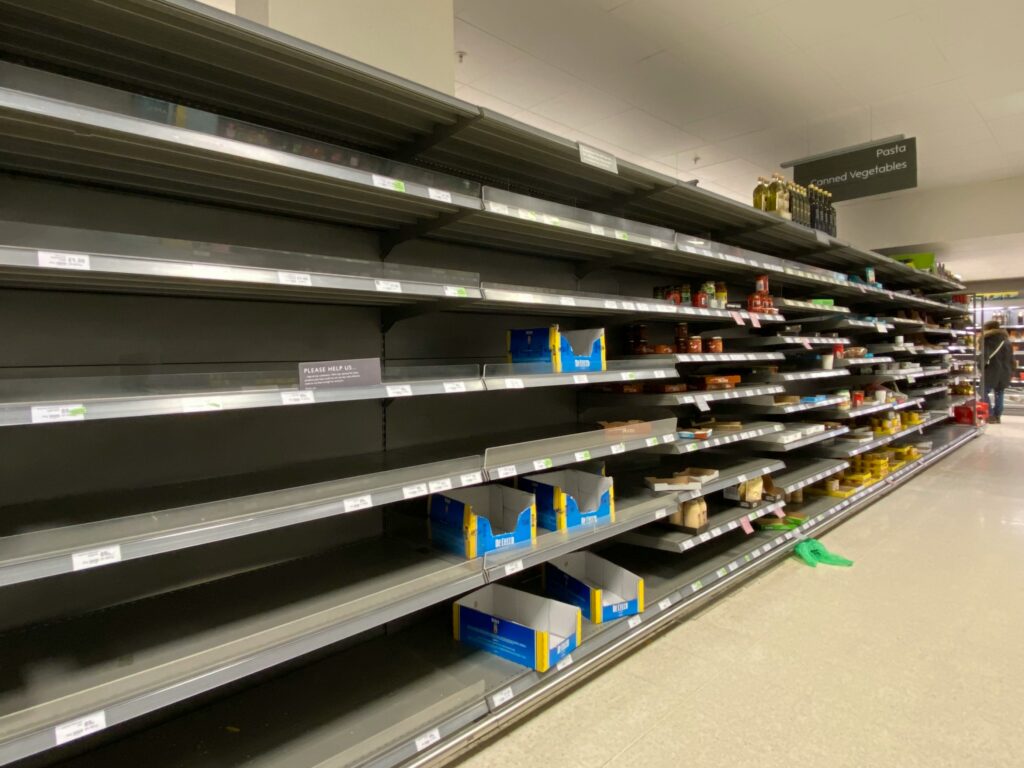
Empty supermarket shelves in a pasta and canned vegetables aisle, with a sign asking customers to limit purchases.

Most theft prevention advice focuses on the shopper walking out of the door. The full picture is wider than that.

The National Retail Federation’s last complete National Retail Security Survey, covering fiscal year 2022, broke total shrink down by cause. External theft accounted for 36 percent. Employee theft accounted for 29 percent. Process failures and administrative error accounted for a further 27 percent.

Add the last two together and you get 56 percent. More than half of retail shrink therefore starts inside the store, in how teams receive stock, count it, price it, and refund it.

One note on that data. NRF stopped publishing a single national shrink percentage in October 2024. One aggregate number no longer captured how loss happens across stores, supply chains, and digital channels. The fiscal year 2022 breakdown remains the most recent full view of shrink by cause. For more on how shrink is measured and what drives it, see our guide to what shrink is in retail.

We cover the wider routines in our guide to cutting shrink through frontline action. The ten strategies below follow the shape of that data. The first four cover the sales floor. The next four cover the process controls behind the larger share of loss. The last two hold everything together.

“Good communication, organizational efficiency, and the use of data are also critical. We've seen that empowering the store team with the right tools and technology can make a huge difference in mitigating loss.”

Adrian Beck, Emeritus Professor, University of Leicester, UK and advisor to ECR Retail Loss

1. Greet every customer who comes within ten feet

A smiling store associate in an apron talking with a customer at a counter beside a card reader and till.

The oldest deterrent in retail is still one of the strongest. Train associates to make eye contact and speak to anyone who enters the store or comes within about ten feet of them. The industry calls this the ten-foot rule.

It works because most theft depends on going unnoticed. Offender interviews by the Loss Prevention Research Council rank active employee engagement among the top reasons shoplifters abandon a target. A greeting removes anonymity. It tells the person that a member of staff has seen them, registered what they look like, and is paying attention.

The same behavior improves service for everyone else, which is why it holds up under pressure. Make it a standard in your onboarding, reinforce it in shift huddles, and check it during store visits.

“Before somebody commits a crime like theft or violence, there's always warning signs. And they're always looking for the softer target, the stores that aren't aware, that maybe don't have the physical security that other stores do.”

Dean Correia, Founder, Correia Security Resources, on Frontline Fridays

Cadence: every shift, every customer.

2. Cover the floor to a set pattern

Presence only deters theft when it is predictable to your team and unpredictable to everyone else. Assign zones at the start of each shift so that no part of the floor goes unwatched for long stretches.

Fixed coverage patterns solve a practical problem. Without one, associates cluster near the till or the stockroom door. The far corners then go quiet for an hour at a time. Those quiet corners are where concealment happens.

Build zone coverage into the shift plan rather than leaving it to judgment. Rotate associates through zones so attention stays fresh. When someone leaves the floor, their zone should pass to a named colleague.

Cadence: assigned at every shift start, reviewed at handover.

3. Protect sightlines during the daily open

Clear sightlines are a merchandising standard before they are a security measure. Keep mid-floor fixtures low, typically no higher than 54 inches, so staff can see across the floor from the till. Keep aisles straight and free of stacked stock.

This draws on crime prevention through environmental design, an approach with published empirical support in criminology. Field research shows that removing blind spots and lowering displays reduces shoplifting incidents without hurting sales.

The reason to make it a daily check rather than a layout project is drift. Deliveries land, promotions go up, and a clear sightline becomes a blocked one within a week. Add a sightline check to the opening routine and photograph the result. Our retail store visit checklist covers how field teams verify this on a visit.

Cadence: daily, as part of the store open.

4. Give high-risk products their own routine

Not all stock carries the same risk. The Loss Prevention Research Council uses the CRAVED framework to explain why. It assesses whether an item is concealable, removable, available, valuable, enjoyable, and disposable. Products that tick every box lose disproportionately.

NRF survey data on frequently targeted items shows the pattern clearly. Designer apparel and outerwear topped the list at 22.2 percent. Laundry detergent followed at 16.7 percent, then razors at 14.8 percent. Over-the-counter pain relievers reached 13.0 percent and infant formula 11.1 percent.

Identify your own high-risk lines, then give them a named routine. Check facings, count units, and confirm security tagging on a set schedule. Because these lines move fast, a weekly check catches problems a quarterly one misses.

Cadence: daily facings check, weekly count.

5. Lock the back door and verify every delivery
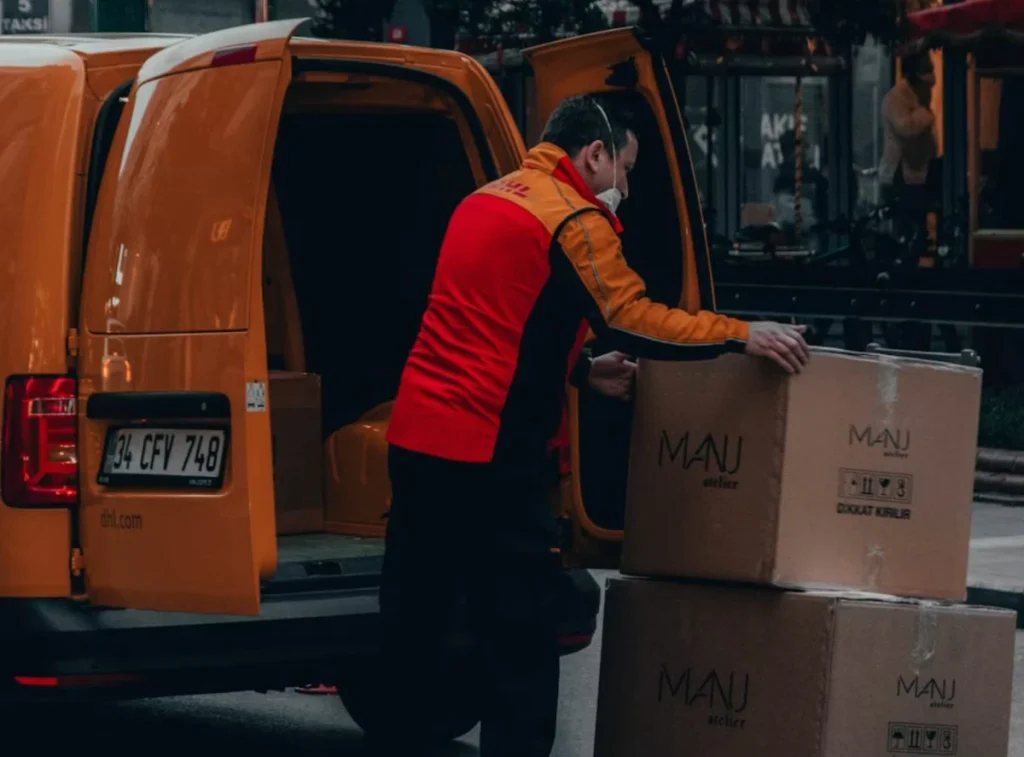
The loading dock is where the largest single losses happen, and it rarely gets the same attention as the shop floor. Two rules cover most of the risk. The delivery door stays closed and locked whenever offloading is not actively happening. The person receiving a shipment is never the person who authorized it.

Beyond that, count what arrives rather than trusting the manifest. Check seal numbers against the paperwork before cutting anything. Log discrepancies immediately, while the driver is still there.

The Perfume Shop identified and tracked 2,500 delivery issues in its first year of digitizing this process. Those are units that would otherwise have shown up months later as unexplained shrink.

Cadence: every delivery, no exceptions.

Stockroom standards do the same job. UNTUCKit standardized how every store labels and organizes its stockroom, so any manager can find any item in any location.

6. Count high-risk stock on a cycle, not once a year

Annual stock counts tell you that something went missing. Cycle counting tells you when.

The principle is straightforward. Sort your stock by risk, then count the riskiest lines most often. High-value and high-shrink lines get counted weekly or daily. Mid-risk lines get counted monthly. Everything else gets counted quarterly.

The value sits in the detection window. Under an annual count, a theft in month one stays hidden for eleven months. Under a weekly count, you can match a discrepancy against a shift rota, a delivery window, and the till log. The detail is still fresh.

Cross-industry benchmarking from APQC puts inventory record accuracy of 95 percent or higher as the standard among top-quartile performers. That is an absolute target, not an improvement rate, and structured cycle counting is how those operators reach it.

Cadence: daily or weekly for high-risk lines, monthly and quarterly below that.

7. Review point of sale exceptions every day

Employee theft accounted for 29 percent of shrink in the last full NRF survey, and most of it runs through the till. The usual patterns are post-voids, price overrides, no-sale drawer openings, and un-receipted returns.

Exception reporting narrows thousands of daily transactions down to a short list of outliers. The routine that matters is what happens next. A manager reviews the flagged transactions daily and checks the timestamps against the footage.

Doing this daily rather than monthly changes behavior on both sides of the counter. When teams know the review happens every day, the perceived chance of detection rises. That is what suppresses the activity.

Cadence: daily, by the duty manager.

8. Put a fixed rule set around refunds and markdowns

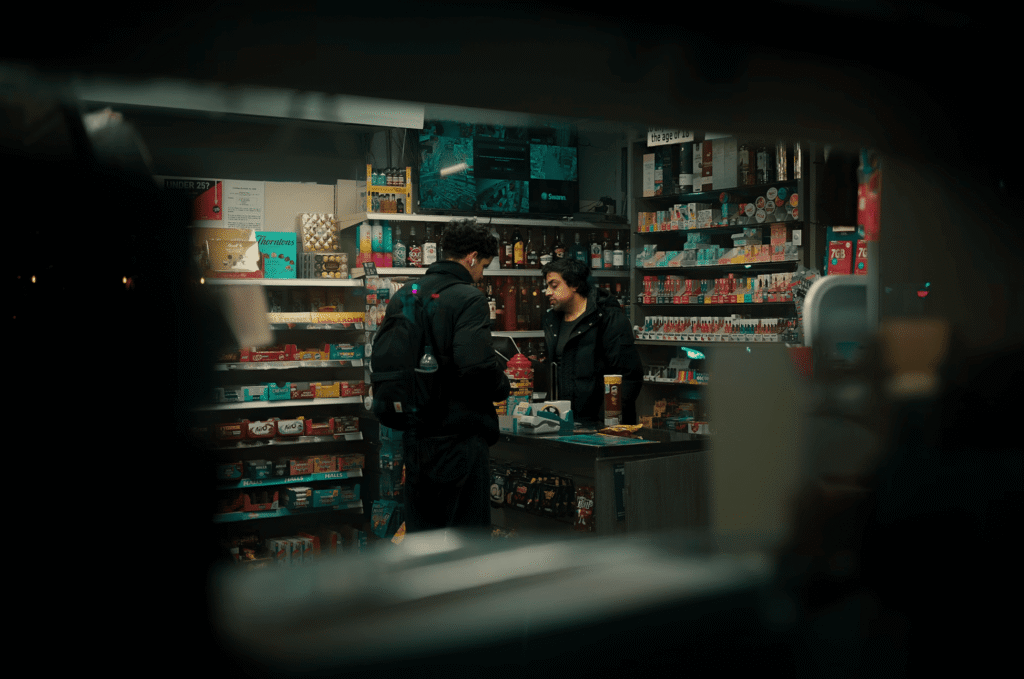
A shopper in silhouette standing in a dimly lit convenience store aisle between drinks shelves.

Refunds and markdowns are where external and internal loss overlap. From outside, the pattern is lifting an item off the shelf and returning it at the service desk for cash. From inside, it is discounting stock without authorization.

A clear rule set closes both. Require identification for un-receipted returns and restrict them to store credit. Set a cash threshold above which a second manager signs off. Audit clearance and damage markdowns against the system log daily.

The Kooples cut defective product sales, and the margin-draining returns that followed, by 50 percent. Tighter product inspection at store level did it.

Cadence: daily markdown audit, per-transaction refund controls.

9. Run the same open and close in every store

Opening and closing are the store’s most exposed moments, and they carry both cash risk and safety risk. Standard practice is dual custody, meaning at least two authorized people present, one of them a keyholder.

The routine covers a perimeter check before entry or after locking. It also covers alarm activation inside a set window, two-person till transfers, and a confirmed check of every outer door.

Consistency is the whole point. When the same sequence runs in every store, a missed step becomes visible rather than becoming local habit. Lidl France maintained 98 percent cold chain compliance by digitizing daily instructions this way. Boots UK cut the time its teams spent on daily checks by 78 percent.

Cadence: twice daily, two people, every store.

10. Train teams on what to do, not just what to watch for

Most theft training stops at recognition. It teaches associates to spot bulky coats and lingering behavior, and then leaves them without a clear instruction for what happens next. That gap is where people get hurt.

Forty-one percent of retailers enforced strict hands-off policies in fiscal year 2022, up from 38 percent the year before. Under those policies, associates do not detain, chase, or block anyone. Your training has to say so plainly, then say what to do instead.

Give teams the specifics. Agree a code word that signals a conversation is escalating, so a colleague knows to watch and call for help. Train associates to hold eye contact and keep their tone level. Tell the customer what you can do rather than what you cannot, then repeat it calmly.

Log every incident using the five Ws: who, what, where, when, and how. Record it while the detail is fresh, and never guess at anything you did not see.

Small incidents matter here more than people expect. Each report joins a database, and that database is what justifies spending on staffing, security, and technology later. A store with no incident history has no case to make.

Dean Correia’s people and asset protection one-pager sets out the eight habits store teams can adopt, and it works well as a huddle handout.

Deliver it in short bursts through shift huddles and handheld devices rather than in an annual video. Frontline turnover is high, so training that only happens at onboarding reaches a shrinking share of your team.

Cadence: continuous, in short modules, reinforced at huddles.

INSIGHT

Loss prevention routines rarely fail because they were designed badly. They fail because a manager under time pressure signs off a checklist without walking the store. The industry calls it pencil whipping, and it leaves head office confident about a control that stopped running weeks ago.

Give store teams a reason to care

Every routine in this guide depends on associates choosing to run it when nobody is watching. That choice gets easier when the link between loss and their own working week is clear.

The connection is direct. Theft and error reduce recorded sales. Store managers then schedule against forecast sales. Lower forecasts mean fewer hours on the rota, which means less money for the people on the floor.

Say that out loud in huddles. Ask whether anyone felt unsafe in the past week, and treat the answer as operational data rather than a welfare check. Teams who understand why a control exists run it far more consistently than teams handed a checklist.

“An engaged store is a safer store, less shrink, less turnover, less call outs for sick, all that stuff. So because they feel cared for and they feel that they have a pulse on what it is, and we all know the cost of shrink.”

Dean Correia, Founder, Correia Security Resources, on Frontline Fridays

Why these routines break down

Knowing the ten strategies is the easy part. Sustaining them is where most programs come apart, and the failure modes are consistent across retailers.

The first is checklist falsification. Under staffing pressure, managers complete back door checks and cycle counts without performing them. Head office sees compliance while the control has quietly stopped.

The second is compliance fatigue. Two-person routines get bypassed to save time, especially during understaffed shifts. High turnover compounds it, because new starters miss the training that explains why the routine exists.

The third is alert fatigue. When exception systems and door alarms produce too many false positives, teams start ignoring them, and eventually disabling them.

The fourth is data latency. When inventory records update in batches, discrepancies surface weeks after the event. By then a manager cannot match the loss to a shift, a delivery, or a transaction, so the review achieves nothing.

Each of these is an execution problem rather than a policy problem. Fixing them means making the routine easy to run, visible when it is skipped, and fast enough to act on.

How YOOBIC supports daily theft prevention

Theft prevention holds up when the routine is simple to complete and visible when it is not. YOOBIC gives store teams checklists, photo verification, and guided tasks on the devices they already carry. Opening checks, high-risk counts, and back door verification then run the same way in every store.

Completion is logged with photo evidence and a timestamp. Area managers can therefore see which controls actually ran, not just which ones were marked complete. That closes the gap between a signed-off checklist and a walked store. YOOBIC’s store visits and audits tools let field teams verify sightlines, tagging, and stockroom standards on the same platform.

Store Manager Copilot works as an AI-powered teammate for store managers, surfacing what needs attention across their tasks and reporting. AI Assistant gives associates a direct way to find the right procedure mid-shift. That matters when someone needs the escalation steps immediately. Short training modules reach teams through the same app, so awareness training stays continuous rather than annual. 

For more on building safety into daily store rhythm, hear Dean Correia on Frontline Fridays.

Theft prevention is store execution. Retailers that run these ten routines consistently, in every store, are the ones seeing their numbers move.

Start retailing smarter

Team data presentation

Frequently asked questions

What is the best way to prevent theft in a retail store?

The most effective approach combines active customer engagement, clear sightlines, and tight process controls on receiving, counting, and refunds. Engagement works because most theft depends on going unnoticed, so greeting every customer removes the anonymity offenders rely on. Clear sightlines increase the chance of being seen, which raises perceived risk without adding friction for genuine shoppers. Process controls matter because employee theft and administrative error together accounted for 56 percent of US retail shrink in fiscal year 2022. External theft accounted for 36 percent, according to the National Retail Federation. Security hardware supports these routines but does not replace them. The retailers reporting real reductions run the daily disciplines consistently in every store.


What are 5 methods of loss prevention in retail?

Why can’t stores stop shoplifters?

What is the most stolen item in retail?

Do stores actually keep track of shoplifters?

Categories
Grocery Operations

How to reduce shrink in a grocery store, starting with the bakery

Bakery loses more of its sales to shrink than almost any other department in the store. In FMI’s 2019 industry benchmark, based on 2018 results, in-store bakery shrink averaged 8.5% of sales, compared with 3.1% store-wide. Source: FMI benchmark reported by Produce Business

That gap matters because grocery operates on exceptionally thin margins. FMI’s 2025 industry report put food-retail profit margins at just 1.7%. Source: FMI

Most plans to fix bakery shrink start with better ordering. That instinct is sound. Ordering matters. But forecasting alone cannot fix what happens to a product once it reaches the department.

A faster lever sits in the daily routine: when teams identify short-dated stock, what action they take, and whether that action is recorded.

Family choosing bread together in a supermarket bakery section.

What causes bakery shrink in a grocery store?

Bakery shrink comes from a familiar mix: overproduction, forecasting misses, spoilage, date removal, poor rotation, handling damage and markdowns that happen too late.

The exact mix varies by retailer and store format, so there is no credible universal percentage split between those causes.

But we do know that spoilage and date management matter. In a 2015 retail survey by Sealed Air Food Care, respondents estimated that 81% of bakery shrink came from the combined category of food spoilage and date removal. That’s an important distinction: it does not mean 81% of bakery waste is preventable, but it does show why date control deserves attention. Source: Sealed Air Food Care retail food-waste survey

INSIGHT

Rotation discipline and markdown timing are two areas stores can influence through daily execution without waiting for a forecasting transformation.

The routine cannot change yesterday’s production decision. It can change what happens to the product after it reaches the shelf.

Markdown timing changes the economics of waste

The earlier a store identifies short-dated stock, the more options it has.

Teams can keep the item at full price, apply a markdown while meaningful selling time remains, adjust the price again later, or take another corrective action before the product becomes a write-off.

Research using transaction, perishability and cost data from a grocery chain’s artisanal bread category shows why timing matters. In modeled scenarios, moving from optimized static pricing to optimized dynamic pricing reduced planned waste by 20.82% and increased category gross profit by 2.88%. Source: Marketing Science study on grocery dynamic pricing

Those figures are modeled outcomes, not a guaranteed result for every bakery. But the operational lesson is useful: the value of a markdown depends partly on how much selling opportunity remains when the decision is made.

The takeaway is simple: find the product while there is still time to act.

Rotation, and the shopper who reaches to the back

Date-driven waste is not only a labeling problem. Rotation is a big part of it.

When fresh stock is placed ahead of shorter-dated products, the older stock can remain stranded at the back of the display until there is little or no selling time left.

First-expired-first-out (FEFO) means putting the product with the earliest expiry date at the front of the display, regardless of when it arrived.

That differs from first-in-first-out, which rotates stock according to delivery order. In fresh departments where batches can have different remaining shelf lives, FEFO gives teams a better way to manage date-driven waste.

Getting FEFO right depends on knowing what dates are actually on the shelf, which is why expiration date tracking matters.

Rotation and markdown timing are therefore closely connected: rotation helps teams find the risk; markdowns give them an opportunity to recover value from it.

Customer at a deli counter being served cheese by a shop assistant.

The loss your reports never see

There is another problem: even when teams find waste, the reason behind it does not always make it cleanly into the data.

A global ECR Retail Loss study covered grocery retailers representing more than $727 billion in annual sales across more than 45,000 stores. Source: ECR Retail Loss global food-surplus study

The study found significant differences in the way retailers identify, classify and manage food surplus. Reason-code systems alone ranged from 2 to 14 codes, with a median of 6. Source: ECR reason-code findings

Why does that matter?

Imagine an associate removes an expired bakery item. The physical destination might be a disposal bin, but the business reason for the loss is expiry. If the system records only “damaged” or “disposed,” the buyer never sees the actual cause.

The store loses the product – and then loses the information explaining why.

Without clean waste data, next week’s ordering decision is based on an incomplete picture. The same overproduction or rotation problem can then happen again.

That’s the loop worth breaking.

What does a daily bakery date-check routine look like?

You do not need to redesign the entire forecasting stack to get started.

You need a repeatable routine that runs at the right time, produces evidence and escalates when action is missed.

A workable bakery routine has five parts:

  • A scheduled check. Someone walks the department at a defined time, early enough to leave a meaningful selling window for products requiring action.
  • A decision, not just an inspection. For each short-dated line, the associate decides whether to leave it, mark it down, move it or remove it according to store policy.
  • Proof the action happened. Photo verification and a digital timestamp give managers stronger evidence that an action was completed when and where it was supposed to happen.
  • A clean waste record at the point of action. Waste and markdown information is captured where the product is, with the root cause separated from the final disposal route.
  • Escalation when the check is missed. A missed or failed check creates a corrective action with a named owner and deadline instead of remaining invisible until the next audit.

And the routine does not need to become a 20-minute checklist.

In one retailer time-and-motion study, checking a standard block of products on a shelf or in a cabinet took an average of approximately 1.9 minutes. Source: ECR Retail Loss study

That is why the workflow should stay short, targeted and role-specific – the same principle behind effective retail task management.

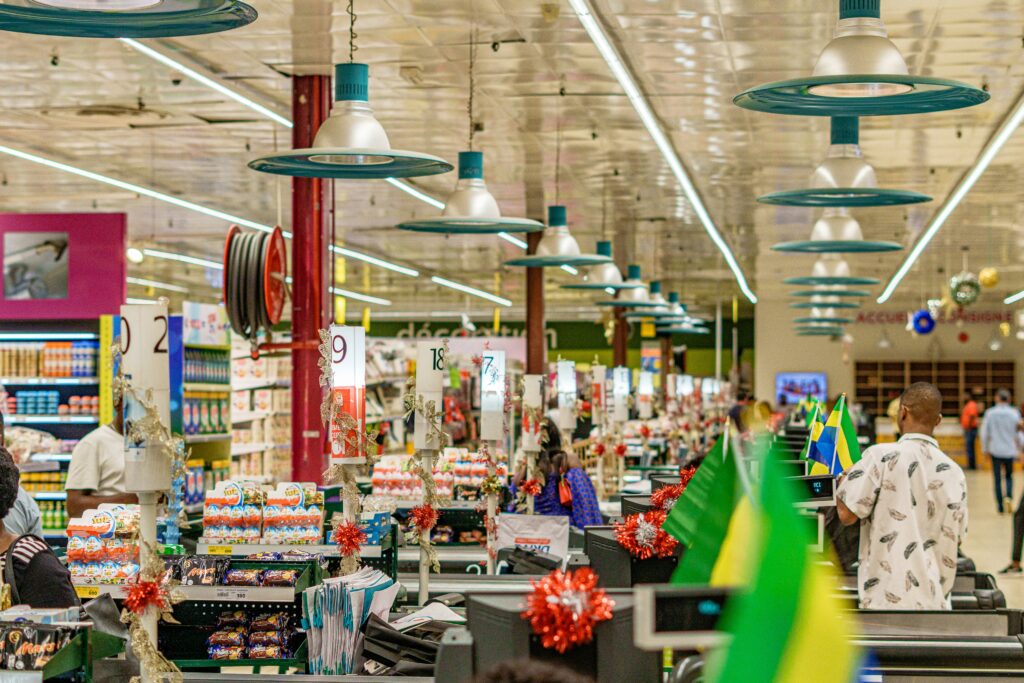
Supermarket checkouts with numbered lane signs, tinsel and confectionery displays.

The hidden cost of unsold food goes beyond the product

Shrink is not the only cost created when food does not sell at full price.

Someone has to find the product, check it, mark it down, record it, move it and eventually redistribute or dispose of it.

Research led by the University of Portsmouth for ECR Retail Loss estimates that these hidden costs of managing unsold food can reach 1.8% of sales revenue. The figure includes staff time, markdowns, redistribution, disposal and unexplained losses. Source: University of Portsmouth / ECR Retail Loss research

That is particularly significant in an industry operating at around a 1.7% net profit margin. Source: FMI

The same ECR research estimates that, if retailers could halve those hidden unsold-food costs, most could increase profits by more than 20%. That is a modeled business impact across the cost base – not the result of markdowns alone – but it shows why waste execution deserves attention at P&L level. Source: ECR Retail Loss / University of Portsmouth

Proof that better execution can work at scale

The principle extends beyond bakery.

A randomized field experiment involving 28 Gap stores over nine months tested more consistent and predictable store scheduling. Productivity increased 5.1%, driven by a 3.3% increase in sales and a 1.8% decrease in labor. Source: Management Science randomized field experiment

That research did not test bakery shrink directly. What it demonstrates is the broader value of structured store execution.

And grocery-specific YOOBIC customer results show what that structure can look like in practice.

At Morrisons, head office previously sent 80 to 100 operational tasks per week to stores. After redesigning task routing with YOOBIC, that fell to approximately 10 prioritized actions per manager – a 90% reduction in weekly manager task load. The deployment connects more than 70,000 frontline colleagues.

At Lidl France, YOOBIC reports an 11% increase in company-wide compliance, 98% cold-chain maintenance over the previous year and 86% weekly active users.

These are customer-reported YOOBIC outcomes, rather than independent academic benchmarks. But they demonstrate the operational principle: when the right action reaches the right person and completion becomes visible, execution becomes easier to manage at scale.

Artisan bakery display wall holding baguettes, boules and pastries in labelled trays.

What records do food safety teams need?

There is a compliance benefit to the same routine.

Digital date checks, temperature records and corrective actions create a timestamped trail of what happened in the department instead of relying on a paper record reconstructed later.

In the UK, a use-by date relates to food safety, and government guidance states that selling food after its use-by date is a criminal offence. Source: UK government food-labelling guidance

Best-before dates are different: they generally relate to quality rather than safety.

In the US, FDA Food Code section 3-501.17 provides date-marking requirements for certain ready-to-eat time/temperature-control-for-safety foods held for more than 24 hours. When stored at 41°F / 5°C or below, the maximum period is 7 days, subject to applicable adoption and enforcement requirements. Source: FDA Food Code date-marking guidance

Not every bakery item falls into those rules. But the operational principle is the same: when a check matters for safety or compliance, teams need evidence that it happened.

A routine designed to protect margin can create that evidence at the same time.

Start where the loss is concentrated

Bakery is a useful place to start because the department combines high historical shrink with short shelf lives and daily decisions around production, rotation, markdowns and waste.

Walk the department while there is still time to act.

Put the earliest dates where customers will find them.

Make the markdown decision while there is still selling opportunity.

Record what went to waste – and why.

Then use that information to improve the next order.

The same operating model can transfer to deli, produce and prepared foods. The products and timing change, but the execution loop stays familiar:

find the risk -> decide -> act -> verify -> learn.

For the wider view, see our guide to grocery store operations.

Start retailing smarter

Team data presentation

Frequently asked questions

How can grocery stores reduce food waste?

Start by identifying short-dated inventory earlier. Then enforce FEFO rotation, make markdown decisions while meaningful selling time remains and capture an accurate reason for every write-off. There is evidence that pricing strategy can make a meaningful difference: grocery artisanal-bread research modeled a 20.82% reduction in planned waste and 2.88% increase in gross profit under optimized dynamic pricing versus optimized static pricing. Source: Marketing Science The objective is not simply to discount more. It is to intervene while the retailer still has options.

Why do grocery stores waste food?

How much food do grocery stores waste?

How do you control shrink in a grocery store?

Categories
Operations

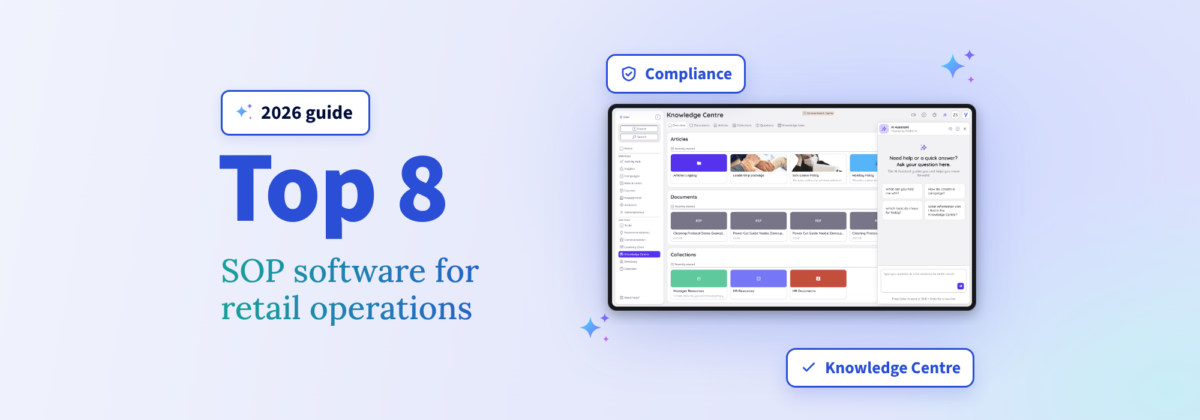
Top 8 SOP software for retail operations (2026)

Every retailer has standard operating procedures. The problem is getting them followed the same way in every store. Procedures get written at head office, then lost in binders, email chains, and portals store teams can’t reach mid-shift. What’s written and what’s done drift apart, store by store.
That drift is measurable, and expensive. Retail leaders tend to assume compliance across their network runs at 80% to 85%. Photo-validated audits tell a different story, with actual execution closer to 55% to 65%. Boston Consulting Group’s store-execution research confirms a gap of 15 to 25 points between what HQ assumes and what happens on the floor, and puts the value of closing it at $10M to $40M a year for large retailers. In a 500-store chain, a gap that size means around 100 locations are running daily procedures wrong at any moment. It shows up as lost sales, failed audits, safety risk, and shrink.

Part of the cause is how much gets in a store manager’s way. McKinsey’s retail research shows frontline managers lose 30% to 60% of their hours to admin and meetings, and more still to manual tasks like registers and cleaning. Every procedure a team can’t find fast becomes another interruption, and attention doesn’t snap back quickly. Research by Gloria Mark at UC Irvine put the cost of a single interruption at around 23 minutes to refocus. SOP software exists to close that gap, turning static procedures into checklists teams follow and managers can track.

The category splits in two, and the difference matters. SOP documentation tools help you write procedures down, standardize them, and onboard new hires. Retail execution platforms take those procedures onto the floor as daily tasks, with photo proof and real-time visibility. Most retailers need the second to get value from the first. We evaluated the leading options on retail fit, mobile-first design, execution and compliance depth, and how well they work for multi-location store teams.

YOOBIC logo terracotta

1. YOOBIC: best overall for retail SOP execution

YOOBIC is the best SOP software for retail operations because it turns written procedures into daily tasks store teams complete and verify on their phones. Standards don’t sit in a binder. They arrive as the checklist for today’s shift, with photo proof and training attached, so HQ can see exactly what got done in every store.

YOOBIC is a Leader in the G2 Fall 2026 Grid Reports for Retail Execution and Retail Task Management, with 300+ five-star reviews from frontline teams. More than 350 global brands run the platform in 21+ languages, including Boots, Michaels and Morrisons.

Turn written SOPs into daily checklists

YOOBIC pushes procedures to store teams as prioritized daily checklists, with photos, videos, and clear steps built in. Associates see what to do today, not a document to search for. Boots reached 95% completion on its SOPs and cut time spent on them by 65%. Pret saved 154,000 hours a year on checks and processes, worth $3.5M.

Prove execution with photo verification

A tick box tells you a task was marked done. YOOBIC requires geotagged photo proof, so HQ sees the standard was actually met. When something’s off, the platform triggers a corrective action and tracks it to resolution. SPARC’s teams complete 4,000 checklists a day and cut compliance incidents by 95%. CELINE audited 100% of stores within six months and reached 98% compliance with brand standards.

Attach training so teams know the standard

A procedure works better when the training sits next to it. YOOBIC delivers short mobile lessons in the same app as the task, so a new process comes with the knowledge to run it. New hires reach productivity faster through structured onboarding, and standards hold as teams change.

Answer questions without stopping the shift

Store teams shouldn’t have to hunt for an answer or wait on HQ. The AI Assistant lets an associate ask a question in the app and get a response in seconds, drawn from the procedures, policies, and training already in the platform. Whether it’s a step in a course they’ve completed or a question about how a process runs, the answer comes back on the spot. That means fewer interruptions for managers, fewer calls to head office, and more tasks done right the first time.

See compliance across every store in real time

Completed tasks flow straight to HQ, giving regional managers live visibility into store execution by store, district, and region. Lidl used that visibility to lift company-wide compliance by 11% and reach 98% on critical processes.

“Before YOOBIC, it was difficult for us to understand the situation of our supermarkets across the country. Now we are able to monitor compliance in real time and understand our strengths and areas for improvement.”

Thibaut Lievre, Head of Sales Organisation, Lidl

Catch merchandising errors while the campaign is still live

Photo proof only helps if someone reviews it in time to act. A 200-store network running regular campaign changes can generate up to 400,000 audit photos a year, far more than any HQ team can check store by store. VM Copilot, YOOBIC’s AI layer for visual merchandising, reviews each photo against brand standards as it arrives rather than queuing it for a person. Store teams get specific feedback in seconds and can fix a display before the campaign moves on.

Read the full Michaels story for how that played out across the network.

Best for: Multi-location retailers that want written procedures executed and verified on the floor, not just stored in a document library.

2. WorkJam

WorkJam is a frontline orchestration platform that ties scheduling, tasks, communication, and learning together. Store managers assign checklists to specific shifts, and teams verify work with geotagged photos.

Its differentiator is shift-fencing. Tasks, messages, and training lock to on-clock hours, which helps manage wage-and-hour risk, and completed training can open up shift eligibility in an open shift marketplace.

Considerations: The breadth brings complexity. Reviewers often note heavy manual setup, a steep change-management learning curve for admin teams, and occasional sync errors when clocking in and out. Retailers who want SOP execution without a full workforce-management layer may find it heavier than they need.

3. SafetyCulture

SafetyCulture, known for its iAuditor inspection app, is a workplace operations, compliance, and safety platform built around a drag-and-drop checklist builder. Teams complete mobile audits, upload photo evidence, and assign corrective actions, with reliable offline capture. Its customer base is mostly industrial and field-service, with retailers using it selectively for facilities and safety audits.

Its differentiator is physical sensor integration. SafetyCulture connects to IoT devices to monitor things like refrigeration temperatures, backed by a public library of more than 100,000 checklist templates and conditional-logic task routing.

Considerations: It’s built first as an inspection and safety tool. It lacks the document hierarchies and playbooks needed to serve as a full SOP manual, its PDF report layout is rigid, and seat-based pricing climbs across large frontline teams. As a private unicorn valued at around AU$2.5B, it’s preparing for a public listing, so buyers may want to weigh how the roadmap shifts through that transition.

4. Zipline

Zipline, formerly Retail Zipline, is a retail-specific operations platform for HQ-to-store communication, tasks, and compliance. It turns head-office directives into prioritized store checklists, filtered by region, location, or shift, with photo verification and read receipts. Built by retail practitioners, it’s designed to tame the firehose of information that overwhelms store managers. Named customers include Sephora, Rite Aid, The Container Store, and Walmart.

Its differentiator is a dual-stream interface. Strategic updates sit in a corporate reading thread, while a prioritized action list drives store-level execution, which the company links to next-day compliance rates above 90%.

Considerations: Zipline centers on communication and coordination more than deep learning or native scheduling. The interface can feel busy when a high volume of updates arrives at once, and some reviewers report minor glitches in the rich text editor. Retailers who want structured microlearning or a built-in scheduling engine will likely need to add another system.

5. Opterus

Opterus runs OpsCenter, a retail store execution, communication, and compliance portal. HQ sends targeted tasks and directives down the retail hierarchy, from region to district to store, and managers confirm completion with photos. It also stores current SOP reference guides in one place. Its verified customers are exclusively brick-and-mortar retail chains across apparel, grocery, and food service.

Its differentiator is hierarchy-aware communication. Task distribution matches the structure of a real retail network, so regional and district managers can oversee their territories, and flat pricing includes every module.

Considerations: Reviewers describe the admin backend as rigid and dated, with a steeper learning curve during setup and occasional bugs after major updates. Visual SOP creation is limited, and embedding training videos tends to need external hosting rather than in-platform upload. It carries no recent Gartner or Forrester recognition.

6. GoSpotCheck by FORM

GoSpotCheck, now part of FORM, is a mobile auditing and image-recognition platform for distributed field teams. Reps complete geotagged store checks on visual merchandising, pricing, and distribution, with data feeding business intelligence dashboards. Its named customers, including PepsiCo and Anheuser-Busch InBev, are mostly CPG and distributor field-rep teams rather than retailers running their own store staff.

Its differentiator is AI image recognition. A shelf photo returns product positioning, share of shelf, and out-of-stocks in seconds, and offline mode holds up in low-signal stores.

Considerations: GoSpotCheck is built for CPG brands and field reps visiting third-party stores, not for a retailer running its own store teams’ daily procedures. The admin backend is complex for building missions and roll-up reports, and it’s sold as part of the wider FORM MarketX suite rather than as a standalone store-ops tool.

Best for: CPG brands and field teams auditing product execution inside other retailers’ stores.

7. Bindy

Bindy is a cloud audit, task, and communication app for multi-unit retail and franchise networks. Field managers build scored evaluation forms with reference photos, complete visits with voice-to-text, and verify fixes through closed-loop corrective actions. Its verified customers are mostly multi-unit retailers, pharmacies, and hospitality franchises running on-site operations.

Its differentiator is a clean focus on store audits linked directly to corrective-action workflows, with pricing based on audit volume rather than user seats, so networks can add users and sites without rising license fees.

Considerations: Bindy has a small public review footprint, with only a couple of verified reviews and lower market awareness than larger rivals. It doesn’t support Chinese or Russian, and starter tiers cap inspection volume. It carries no recent analyst recognition, which makes independent validation harder.

Best for: Franchise and multi-unit operators who want unlimited-user audits with predictable, volume-based pricing.

8. MangoApps

MangoApps is a unified frontline experience platform combining an intranet, collaboration, and knowledge management. It carries a corporate wiki, targeted bulletins, checklist modules, and an LMS for training and compliance courses. Its base is mixed, serving both desk-based corporate teams and distributed frontline staff across retail and healthcare, with named retail customers including Raley’s.

Its differentiator is customizability. Teams can white-label the interface, toggle features, and connect a wide range of external systems, with AI search across them on a security-certified foundation.

Considerations: The breadth can overwhelm first-time frontline users, and overlapping communication features can confuse teams. Reviewers often cite a steep admin learning curve, and the vendor doesn’t publish pricing.

SOP documentation tools worth knowing

These platforms handle the other half of the job: writing procedures down, standardizing them, and onboarding new hires. They’re mostly web-first and built for small and mid-size businesses, with lighter retail-floor execution. Most have little verified brick-and-mortar retail use, so treat them as documentation partners rather than store execution platforms.

Trainual: turns flat SOPs into role-based onboarding paths with built-in testing, screen recording, and automated training notifications. In 2026 it acquired performance platform Uptick, extending from documentation into reviews and goal-tracking. Limits: rigid layout customization and pricing tiers that don’t scale down well for small teams.

Whale: uses process capture and a conversational AI assistant, Alice, to surface SOP instructions inside Slack and Teams exactly when staff ask for them. Built for small, process-driven teams. Limits: rigid permission controls, limited training analytics, and a customer base concentrated in IT, marketing, and finance rather than retail.

SweetProcess: documents policies, processes, and procedures in a clean visual editor, with automated email reminders to keep tasks moving. Good for straightforward SOP storage. Limits: rigid formatting templates, limited integrations, and a verified footprint in agencies and professional services rather than stores.

Scribe: auto-captures on-screen actions into step-by-step guides in seconds, with screenshots and PII redaction on enterprise plans. Strong for desk and IT processes, with a large review base. Limits: the AI can merge or misidentify steps on long workflows, and it’s a capture tool rather than a training platform, with little use for offline store teams. Named users like Okta and Datadog are corporate, not retail.

Waybook: organizes procedures into structured, book-like playbooks with quizzes and mandatory read sign-offs for onboarding. Fits startups and small teams. Limits: a thin public review footprint, a rigid interface, and no in-workflow guidance inside third-party tools or multi-site execution tracking.

How to choose the right SOP software

The tools above solve two different problems. Start by naming yours, then work through the rest of the criteria.

Decide if you’re documenting or executing

SOP documentation tools help you write procedures down and onboard people. Execution platforms get those procedures done on the floor. If your gap is that standards aren’t written or new hires lack a playbook, a documentation tool fits. If your gap is that written standards aren’t followed store to store, you need an execution platform. Most retailers have both gaps, which is why the execution platforms that also hold procedures tend to win.

Design for mobile, not the back office

Store teams don’t sit at desks. A tool that needs a desktop login or a back-office PC won’t reach them mid-shift, and adoption collapses. McKinsey’s retail research shows frontline managers already lose 30% to 60% of their hours to admin and meetings, so anything that adds friction gets ignored. The right platform puts the procedure in an associate’s hand, on the floor, in the flow of the shift.

Require proof, not self-reported ticks

When the person doing the task is the person reporting it, scores drift upward. Manual audits are slow, reach only a fraction of stores, and tend to catch problems after they’ve cost something. Look for photo and geo-verified completion, so what HQ sees matches what happened on the floor.

INSIGHT

A procedure only counts when it’s done. The tools that move the needle turn a written standard into a task an associate completes and verifies, not another document to find.

Connect SOPs to onboarding

Retail turnover means your SOP platform is also an onboarding machine. Structured onboarding improves time-to-productivity by up to 60% and lifts first-year retention by more than half, according to SHRM and Aberdeen Group research. Tools that pair procedures with short training get new hires to standard faster.

Check it fits multi-site scale and hierarchy

A tool that works across 20 pilot stores can break at 200. Confirm it handles your store count, languages, and reporting lines from region to district to store. Ask for references at your scale, and check how pricing behaves as users grow.

Make compliance visible and measurable

Written procedures are only useful if you can see whether they’re followed. Prioritize real-time dashboards that show completion and compliance by store and region, so leaders act on facts rather than assumptions. That visibility is what closes the gap between the target and the shelf.

Why YOOBIC is the best choice for retail SOPs

Documentation tools help you write a procedure. Execution platforms help you get it done. YOOBIC does both, and that’s what separates a followed standard from a filed one.

The proof sits in the numbers. Boots reached 95% SOP completion and cut SOP time by 65%. Michaels hit 98% compliance on daily readiness walks and saved 223,000 hours a year. Pret saved 154,000 hours on checks and processes. Lidl reached 98% compliance on critical processes. These are execution outcomes, tied to real stores and real savings.

For multi-location retailers who want procedures followed the same way in every store, YOOBIC brings the standard, the task, the proof, and the training into one app store teams use every shift.

YOOBIC is the AI-powered retail operations platform trusted by 350+ global brands. Request a demo to see how YOOBIC turns your SOPs into consistent store execution.

Start retailing smarter

Team data presentation
Categories
AI Operations

AI in retail operations: 10 use cases for store teams

By a store manager’s third hour on shift, they’ve answered a dozen questions, checked two dashboards, and still haven’t touched the promo reset that was due yesterday. You’ve seen this morning. Most retail networks run on it.

AI in retail operations

AI in retail operations is the use of artificial intelligence to prioritize, guide, and verify the daily work that happens in stores: tasks, communications, training, audits, and merchandising. Instead of showing leaders what happened last week, AI tells store teams what to do next, and confirms it got done. It works alongside retail automation, which handles the repetitive steps in that work without a person driving each one.

That definition matters because most retail AI investment has gone to forecasting and pricing at HQ. The store floor, where plans actually succeed or fail, came last. It’s now catching up fast: according to Deloitte’s 2026 Retail Industry Global Outlook, a survey of 330 global retail executives, nearly 68% expect to deploy agentic AI for key operational and enterprise activities within the next 12-24 months. The retailers moving first are already seeing measurable gains.

Here are the 10 use cases where AI is doing real work in retail operations today, with results from live deployments. If you want the groundwork first, start with our guide to AI in retail.

YOOBIC vs Quorso, Zipline and Pazo: AI for store operations compared

These tools all use AI or data to improve store execution, but they solve different parts of the problem. Here’s how they compare:

ToolWhat it coversWho it suitsWhere YOOBIC differs
QuorsoAnalyzes sales, inventory and labor data and turns it into daily priorities for store and field leadersRetailers whose main gap is finding improvement opportunities in store dataYOOBIC also ranks priorities from store data, then sends the fix to the store team as a task, message or training course in the same app, and tracks whether the KPI moved
ZiplineCommunications and task platform focused on getting HQ messages and priorities to storesRetailers whose biggest gap is HQ-to-store communicationYOOBIC adds AI prioritization from store KPIs, AI photo review of displays and integrated learning
PazoChecklists, task tracking and AI photo review for visual merchandising and planogram complianceRetail and facility teams focused on checklist and display complianceYOOBIC also reviews store photos with AI, and adds store-data prioritization, communications and learning in one platform

The pattern to look for is whether insight and action live in the same place. A priority surfaced from a store’s data should turn into the day’s next best action, not just a report.

Quorso can surface insights, but its platform is built for managers and HQ, not the full frontline team, so those insights rarely reach the people who need to act on them. Zipline can distribute tasks and communications, but without the intelligence to know what to execute or why. We close the loop from data to decision to action on the floor.

Four questions help you judge any tool:

  • What does the system compare each store against?
  • Does it check stock before suggesting a sell-through action?
  • Who receives the action, and in which app?
  • How does it show the action moved the number?

The 10 use cases at a glance

The most practical AI use cases for retail frontline teams are the ones that change what happens on a shift: telling managers what to prioritize, checking displays from photos, answering associates’ questions instantly and verifying that work was done. Here are all 10:

  1. Daily prioritization for store managers
  2. Visual merchandising compliance from photos
  3. Instant answers for frontline associates
  4. Task execution with built-in verification
  5. Smarter store visits and audits
  6. Training created and delivered in the flow of work
  7. Targeted frontline communications
  8. Anomaly detection across the store network
  9. Compliance, safety, and recall response
  10. Custom AI workflows for your specific priority

1. Daily prioritization for store managers

INSIGHT

AI analyzes each store’s sales, traffic, and task data overnight and gives every manager a ranked list of the day’s highest-impact actions.

Store managers lose significant time chasing information scattered across disconnected systems, as our retail execution gap research shows. AI changes the shape of that morning. It reads sales, traffic, inventory, and task data overnight, then hands each manager a short list of the actions most likely to move their store’s numbers today.

Dashboards show what happened. Store Manager Copilot tells you what to do next.

Those priorities reach associates too. In YOOBIC, Today’s Activities shows each person the day’s most urgent tasks, messages and training in one view, so everyone on the floor knows which work matters most on that shift.

A woman uses a tablet on the shop floor of a menswear store — store execution, task management, associate with technology.

YOOBIC customer data shows an early Store Manager Copilot rollout delivered a 3.2% sales uplift, built on exactly this model: one prioritized view per store, refreshed daily, tied to that store’s own KPIs.

Picture a store manager opening the shift to a short list of targeted actions instead of a sprawling to-do list. That’s what Morrisons saw: weekly task volume dropped from 80 to 100 items per store manager down to roughly 10 targeted actions, each routed directly to the responsible department colleague instead of cascading through the store manager.

2. Visual merchandising compliance from photos

INSIGHT

Image recognition compares store photos to planograms and flags display errors in real time, while campaigns are still live.

Research from the University of Texas at Austin found that about one-third of promotional displays are never installed at all. The old fix was a district manager driving store to store with a checklist. AI does the first pass instantly: store teams photograph the display, image recognition compares it to the planogram, and issues get flagged while the campaign is still live.

YOOBIC’s VM Copilot catches display errors in real time, while the campaign is still live. If you run seasonal campaigns across 200+ stores, that’s the difference between a promo that lands everywhere and one that only reaches the stores someone happened to visit. More on the mechanics in our guide to visual merchandising software.

3. Instant answers for frontline associates

INSIGHT

AI trained on your product docs and SOPs gives associates sourced answers in seconds, without interrupting a manager.

An associate on the floor with a customer question has three options: interrupt a manager, dig through a binder, or guess. AI trained on your product docs, SOPs, and policies gives them a fourth: ask and get a sourced answer in seconds.

With the AI Assistant, associates self-serve sourced answers without escalating to a manager. That’s not a chatbot novelty. It’s the end of a simple returns policy turning into five different answers across five stores.

4. Task execution with built-in verification

INSIGHT

AI-powered task management attaches proof requirements to every task and scores completion automatically, replacing manual review.

Assigning work was never the hard part. Knowing it got done right is. AI-powered task management attaches context, instructions, and photo or video proof requirements to every task, then scores completion automatically instead of relying on manual review.

When completion requires proof and that proof gets scored automatically, first-time accuracy becomes the norm across categories. YOOBIC Task Management is purpose-built for frontline store execution, with mobile-first workflows for deskless teams, flexible modular audits, real-time compliance analytics, and deep support for retail-specific use cases like visual merchandising and promotions. Our strategic guide to retail task management covers how to structure it for your teams.

5. Smarter store visits and audits

INSIGHT

Digital checklists, weighted scoring, and auto-generated summaries cut audit admin so area managers spend visits coaching, not documenting.

A store visit should be coaching time, not clipboard time. AI streamlines the audit itself through standardized digital checklists, weighted scoring, and auto-generated visit summaries, so area managers spend their hours fixing issues instead of documenting them.

Digitizing store checks and audits gives hours of admin time back to customer-facing work. Multiply the time saved across a network and you’re returning entire workweeks to the floor. For the full framework, see our retail store visit checklist for area managers, and how we approach store visits and audits.

6. Training created and delivered in the flow of work

INSIGHT

AI generates courses from your existing SOPs in minutes and delivers bite-sized mobile learning at the moment the skill is needed.

Frontline turnover makes classroom training a treadmill. AI helps twice: AI Course Creator generates courses from your existing SOPs and documents in minutes, and it delivers bite-sized learning on mobile, at the moment the skill is needed, connected to the task that requires it.

AI generates retail training by reading existing SOPs, product documents, and policies, then converting them into structured courses and short video modules without manual instructional design. Delivery happens on mobile, in the flow of work, so a module arrives attached to the task that requires it rather than in a scheduled classroom session.

Michaels saw a 150% increase in learning program participation with mobile learning in the flow of work. Completion follows relevance. When the module about the new POS flow arrives the week the POS changes, people take it. Longchamp runs the same model across luxury retail training and execution.

A manager coaches an employee in a grocery produce aisle — training, coaching, supermarket operations.

7. Targeted frontline communications

INSIGHT

AI routes each HQ update only to the roles and stores it applies to, and summarizes long briefs into what a shift actually needs to know.

HQ sends everything to everyone. Stores drown, and the one message that mattered gets missed. AI fixes the targeting and the volume: audience rules route each update only to the roles, regions, and stores it applies to, and summarization condenses long briefs into what a closing-shift associate actually needs to know. See how this works in frontline communications.

Here’s the test worth running on your own comms: pick last week’s most important HQ message and ask five associates what it said. The gap you find is the cost of untargeted communication. Our internal communications examples show what good targeting looks like in practice.

8. Anomaly detection across the store network

INSIGHT

AI benchmarks every store against peers and history, surfacing underperformance patterns in hours that analysts would take weeks to find.

Which stores are quietly underperforming, and why? AI benchmarks every location against peers, historical patterns, and network averages, then surfaces the outliers a human analyst would take weeks to find: the region where a task type keeps failing, the store where conversion dropped after a layout change, the promo underperforming in one banner but not another.

For district and area managers, that means one view of which stores need attention this week, and why, before they plan their next visits. District Manager (DM) Copilot is the intelligence layer behind that view: it analyzes operational data across YOOBIC, flags where to focus, surfaces risks and opportunities, and recommends actions, along with first-draft visit agendas and first-draft action plans. If your district managers oversee eight or more stores, that analysis is done before they walk in, so they spend less time on reports and more time coaching store managers.

By the time poor execution shows up in quarterly sales data, the damage is done. Network-level pattern detection moves the catch from weeks to hours. We covered the shift from reporting to acting in From Insight to Action.

Two supermarket colleagues in aprons check shelves with a tablet and scanner — inventory, on-shelf availability, compliance.

9. Compliance, safety, and recall response

INSIGHT

AI-driven workflows push recalls and safety checks to every affected store at once, track acknowledgment live, and escalate automatically.

Compliance is where speed has legal stakes. AI-driven workflows push recall notices and safety checks to every affected store simultaneously, track acknowledgment in real time, and escalate automatically when a location hasn’t acted.

Digitized recall and safety workflows cut compliance time sharply, which gives food, pharmacy, and convenience operators the speed the moment demands. If you run any of these formats, that speed is the whole point. Our guide to compliance audits covers the checklist design behind it.

10. Custom AI workflows for your specific priority

INSIGHT

Modern platforms turn a retailer-specific priority into a working, estate-wide AI workflow in weeks rather than quarters.

The highest-value use case is often the one no vendor predicted: your markdown process, your fitting room conversion problem, your franchise audit model. The test of an AI platform is how fast a business priority becomes a working workflow across every store.

Our AI Custom Solution program takes a retailer’s priority to an estate-wide workflow in four weeks. If a vendor quotes you two quarters for the same thing, that gap is the platform difference. Worth reading alongside our 5 things to keep in mind when choosing a retail execution vendor.

store manager counting retail store inventory

How this looks by retail format

The use cases stay the same across formats. What changes is which one you start with.

Grocery operators usually lead with daily prioritization and compliance, because store counts are high, margins are thin, and food safety checks carry regulatory weight. Convenience chains tend to start with task verification and recall response, since sites are small, staffing is lean, and a single missed check can close a store. Restaurant and QSR groups most often begin with training and communications, because turnover is highest and new menu rollouts fail on execution rather than on planning. Fashion and luxury retailers usually start with visual merchandising, where display standards carry the brand and a late reset costs full-price sell-through.

In every case the sequencing principle holds: one workflow, measured, before you add a second.

What are the best AI tools for retail operations?

No single platform covers everything, and the honest answer depends on which problem you’re solving first. Here’s how the market splits:

ToolStrongest atAI capability focus
YOOBICPairing AI-driven insights with frontline execution: priorities surfaced from store data, actioned through tasks, communications, and learningStore Manager Copilot, AI Assistant, VM Copilot, AI Course Creator
QuorsoSurfacing store-level improvement opportunities from P&L dataInsight generation for managers and HQ
ZiplineOperational communications and task coordinationMessage targeting and readership tracking
AxonifyFrontline learning, communications, tasks and store auditsAI course creation and adaptive training personalization
SafetyCultureInspections and audit checklists across industriesIssue detection and inspection analytics
ConnecteamAll-in-one employee app for smaller deploymentsScheduling and communication automation

Based on each vendor’s public website, reviewed October 2026.

The structural difference to evaluate: insight tools tell you what’s wrong but leave the fix to email, and execution tools distribute work without the intelligence to say which work matters. Quorso surfaces sharp insights, but they land with managers, not the full frontline teams who act on them. Zipline coordinates communications well, but without store-performance intelligence deciding what to send. We designed YOOBIC to close that loop: the AI reads store data, sets priorities, and one platform carries tasks, communications, and learning to the person doing the work.

How to implement AI in retail operations

You don’t need a two-year rollout program. The rollouts that work follow the same sequence:

  1. Connect your store data first: POS sales, traffic, inventory, and task history, via API or SFTP, refreshed at least daily
  2. Pick one high-frequency workflow with a measurable outcome, like daily priorities or VM compliance, not five at once
  3. Pilot in 20-50 stores with a named KPI target, so the business case writes itself
  4. Verify adoption weekly: AI only compounds if store teams actually work inside it
  5. Scale what the pilot proves, and let AI replicate top-store behaviors across the network

Most enterprise retailers go live in a matter of weeks, not a multi-year program. Shoprite Group is rolling out YOOBIC’s AI-powered retail operations platform across more than 3,600 stores, which tells you scale is a rollout question, not a technology limit.

AI data intelligence overlaid on a retail store floor, showing product and performance signals in real time.

What AI won’t fix in retail operations

For all the momentum, adoption in operations is still early. Deloitte’s research found three in 10 retailers currently use AI for supply chain visibility, expected to reach 41% within a year. So it’s worth being clear about where AI fails, because the failure modes are predictable:

Bad data in, bad priorities out. If your POS, inventory, and task data are stale or siloed, AI will confidently prioritize the wrong things. Fix the daily feeds before you buy the intelligence.

Insights without a workflow die in email. An AI that spots a problem but hands it off to a spreadsheet or an inbox changes nothing on the floor. Recommendations need to arrive as assigned, verifiable work in the same system teams already use.

AI can’t overcome low adoption. If associates and managers don’t work inside the platform daily, the loop never closes. Adoption is a question of operating decisions, leadership cadence, and training, not a feature. Our piece on audit procedures shows how quickly unused process turns into risk.

None of these are reasons to wait. They’re reasons to sequence the rollout: data feeds first, one workflow second, adoption discipline throughout.

Turn AI insight into store-floor execution

The retailers winning with AI aren’t the ones with the most dashboards. They’re the ones where a signal in the data becomes a completed action on the floor, in every store, the same day. We built YOOBIC to make that loop the default: tasks, communications, and learning in one AI-powered platform, informed by your store data and proven across 350+ retail brands.

See what Store Manager Copilot would tell your managers tomorrow morning. Book a demo.

Start retailing smarter

Book a Demo

See YOOBIC in 4 minutes

Frequently asked questions

How is AI used in retail stores?

AI is used in retail stores to prioritize, guide, and verify the daily work of store teams. That covers ranking each store’s highest-impact tasks, checking visual merchandising against planograms from photos, answering associate questions from company documents, generating training from existing SOPs, and flagging execution failures across the network while they can still be fixed. This is different from the AI most retailers deployed first, which sat at head office and handled demand forecasting, pricing, and personalization. Store-level AI acts on the floor rather than reporting on it afterward.

What are the benefits of using AI in retail?

The clearest benefits in store operations are time returned to managers, higher first-time execution accuracy, and faster correction of problems. Managers stop compiling information across disconnected tools and get a ranked view of what matters that day. Tasks arrive with instructions and proof requirements, so completion is verified rather than assumed. Issues surface in hours instead of appearing in quarterly sales data once the damage is done. The net effect is more manager time spent with customers and fewer costly execution gaps.

What are some common AI use cases in retail?

The most common store-level use cases are daily prioritization for store managers, visual merchandising compliance checked from photos, instant answers for associates drawn from product documents and SOPs, task execution with built-in verification, digitized store visits and audits, training generated from existing SOPs and delivered on mobile, targeted communications routed by role and region, anomaly detection across the store network, and compliance and recall workflows. Head office use cases such as demand forecasting, pricing, and personalization are more established but operate above the store floor.

How does retail automation improve execution?

Retail automation improves execution by removing the manual steps between a decision at head office and a completed action in store. Tasks generate and route themselves from sales, inventory, or calendar triggers rather than being assigned by hand. Completion evidence is captured and scored without a manager reviewing every submission. Escalations fire automatically when a store misses a deadline. The effect is fewer things lost between systems, and a shorter gap between a plan being made and the work being finished on the floor.

How does AI for retail operations integrate with POS, HRIS and LMS systems?

Retail operations platforms connect to POS, HRIS, LMS, inventory, and workforce management systems through APIs or scheduled SFTP transfers, typically refreshed at least daily. POS and traffic data drive prioritization, HRIS data determines who receives which tasks and communications, and LMS connections link training to the work that requires it. A daily refresh is enough to start. What matters more than frequency is that the feeds are clean and that recommendations arrive as assigned, verifiable work rather than as a report.

What ROI can retailers expect from AI in store operations?

Returns come from three places: administrative time returned to store and area managers, fewer execution failures on promotions and merchandising, and faster resolution of compliance issues. Time savings are the easiest to measure and usually appear first. A focused pilot on one high-frequency workflow, measured against a named KPI in 20 to 50 stores, produces a defensible business case within a quarter. Retailers who deploy several workflows at once without a baseline generally struggle to attribute results to any of them.

What are the risks and best practices for deploying AI in retail?

Three failure modes account for most disappointing deployments. Stale or siloed data produces confident but wrong priorities, so daily feeds should be fixed before any platform is bought. Insights that arrive by email or spreadsheet change nothing on the floor, so recommendations need to land as assigned work in the system teams already use. Low adoption stops the loop closing entirely, which makes adoption a leadership and training question rather than a product feature. Sequencing matters: data feeds first, one workflow second, adoption discipline throughout.

Is AI for retail operations secure, and who stays in control?

Security and control stay with you. The copilot does not make the decision. It surfaces an explainable opportunity with its benchmark and context, and the manager applies judgment. This is augmented, not autonomous. HQ keeps governance through configuration, rollout controls, and full visibility into what was done and its financial impact. YOOBIC connects to 200+ systems via API or SFTP, so you add no new data infrastructure to adopt it.

Is AI going to replace retail store jobs?

No. Our copilots support people, they don’t replace them. VM Copilot removes manual photo review so visual merchandising teams focus on performance, and DM Copilot helps district managers decide faster without taking over the decision. The wider pattern is reshaping, not elimination: according to McKinsey, up to 75% of retail positions are likely to be redefined, not cut. The work changes shape, and people stay central to it.

Book a demo and find out how

Avoid wasted hours, blind spots
and lost revenue with YOOBIC

Frontline worker hero image
Categories
Operations

Retail automation and store execution: 6 tasks worth automating first

Most conversations about retail automation start in the wrong place. They start with robots, kiosks, and self-checkout, because that is what the wider internet means by the word. Inside a store network, the work actually worth automating is far less interesting and far more valuable. It is the reporting, the chasing, the checking, and the paperwork that sits between a task being set and a task being done.

That layer is expensive, and it is getting more expensive. Coresight Research found in June 2026 that in-store operational inefficiency consumed 6.4% of gross retail sales, up from 5.5% in 2025 and 4.5% in 2024. The cost is not rising because store teams are slower. It is rising because the administrative work wrapped around store execution keeps growing.

This is a sequencing guide rather than a list of possibilities. Six store tasks, ordered by how quickly the return arrives against how much work the rollout takes. The first two need no new hardware and no data cleanup. The last one needs both.

What retail execution actually means

DEFINITION:

Retail execution

Retail execution is everything a store network does to turn a head office plan into what the customer sees in store. It covers promotional setup, display standards, pricing accuracy, stock availability, staff readiness, and safety compliance. Most published definitions describe this from a consumer goods brand point of view, meaning how a supplier gets its products presented correctly inside someone else’s store. For a retailer running its own estate, retail execution is the operating discipline of the entire network.

DEFINITION:

Retail automation

Retail automation at store level means using software to handle the recording, routing, verifying, and chasing that surrounds store work. It is separate from automated retail, which describes self-service formats such as kiosks, smart vending, and unattended stores. Automated retail changes how customers buy. Store-level automation changes how work gets assigned, proved, and closed.

That distinction matters because it decides where the money is. Self-service formats change the customer experience. Task-level automation changes your labor model, and it does so without touching a single fixture.

1. Store visit reporting

Start here, because it is pure administration and nobody defends it. A district manager walks a store, takes notes, writes them up hours later, then emails a document that lands after the moment has passed. The visit itself was useful. Everything after it was overhead.

Automate the report, not the visit. As the field leader works through the visit on their phone, the report builds itself and dispatches the moment they finish. Observations become assigned tasks with owners and deadlines rather than paragraphs somebody has to read and interpret.

What still needs a person: the walk itself, the judgment about what matters, and the coaching conversation with the store manager. None of that is automatable, and none of it should be.

Bouygues Telecom cut visit report time from three hours to 30 minutes. Peugeot brought audit and reporting time down from 90 minutes to 20 minutes per visit. Neither required new hardware in store.

“YOOBIC has significantly cut the time spent on admin tasks after store visits, and its action plan tracking is a game changer. Regional managers have only given positive feedback.”

Constance Capo Canellas, Global Retail Ops, CELINE

For the wider picture on how visits should be structured before you automate the reporting, see our complete guide to retail store visits and audits.

2. Message acknowledgement

The second easiest win is knowing whether your stores read what you sent them. Head office issues a promotional change, a recall, or a policy update, and then has no reliable way to confirm it landed. District managers fill that gap by calling stores one at a time.

The problem is getting worse rather than better. Our 2026 UK workforce study with Blink found that 25% of frontline retail workers now describe head office communication as ineffective, up from 14% in 2024.

Automate the confirmation loop. Read receipts record who has opened an update, completion rates show which stores have acted, and escalation rules flag the stores that have not before the deadline passes rather than after.

What still needs a person: opening the message, understanding it, and doing the thing. Automation removes the chasing, not the reading.

Lancome saved 80 hours a week on monitoring store activity and removed more than 500 emails a week between field and head office teams.

3. Task assignment and follow-up

This is where volume becomes the enemy. When every request from every head office function lands in the same place, store managers spend their morning triaging instead of leading. The tasks that matter get the same weight as the ones that do not.

Automate the routing and the follow-up. Work goes straight to the person responsible rather than through the store manager. When a task is missed, the system generates a corrective action plan with a deadline and an owner instead of waiting for someone to notice at the next visit.

Morrisons brought weekly task volume down from between 80 and 100 items to roughly 10 targeted actions per manager, with real-time completion visibility across the estate.

“We’ve removed those paper processes. We’ve removed the manual work that was required from those teams to sort of assign that out. This is sped up, simplified, and taking time out for our management teams.”

Gordon Macpherson, Group Productivity Director, Morrisons

What still needs a person: executing the task on the floor and providing timestamped photo proof to close it.

You can read the full account of how that was built in how Morrisons fixed store execution.

4. Compliance and audit reporting

Audits generate findings. Findings generate spreadsheets. Spreadsheets generate very little change. The automation opportunity sits in everything that happens after the checklist is complete.

Automate the scoring, the exception flagging, and the aggregation into live dashboards. Geofencing and timestamped photos also close off phantom audits, where a check is recorded without anyone visiting the store.

What still needs a person: walking the store and completing the checklist honestly.

Lidl recorded an 11% increase in company-wide compliance alongside a complete removal of printed paper from operations. The Kooples saw a 33% increase in store compliance and 87% in-store campaign completion. PureGym now runs remote audits in 30 minutes rather than manual on-site reviews, saving 26,000 hours a year.

For the practical side of building the standards first, see our guide on how to improve retail store compliance.

5. Shelf and display checks

Now the effort rises. Checking that a display matches the brief has always been a judgment call made by whoever happened to be standing in front of it. Image recognition changes that, but it needs standards defined clearly enough for software to check against.

VM Copilot, part of our AI Teammates range, reviews a photo of a display against brand standards and flags problems back to the associate in the moment. Positioning, missing price tags, and incorrect facings get corrected before head office ever sees the submission, which is the difference between catching an error and reporting one.

What still needs a person: building the display and taking the photo.

Lacoste saves 170 hours a year on visual merchandising campaign analysis and verification, reclaiming around 2.5 hours of admin per campaign for every regional manager.

Larger grocery and wholesale chains have gone further and put the capture on hardware. BJ’s Wholesale Club deployed Simbe Robotics Tally units across its clubs to scan aisles several times a day. Schnuck Markets completed a chainwide rollout of shelf-scanning robots, and Sam’s Club mounted inventory scanning onto robotic floor scrubbers built with Brain Corp and Tennant. That route works, but it is a capital decision rather than a software one.

More on the standards side in consistent retail execution at scale.

6. Inventory counts at store level

This one comes last because it usually requires hardware, and because the payback depends heavily on what you sell.

The prize is large. IHL Group put the global annual cost of store out-of-stocks and overstocks at $1.73 trillion in 2025, roughly 6.5% of total retail sales. Manual barcode cycle counting cannot keep pace with that, because it is slow, needs line of sight, and gets skipped when the store is busy.

Research from the Auburn University RFID Lab with GS1 US shows item-level RFID lifting store SKU accuracy from a baseline around 63% to above 95%, with full store counts compressing from roughly eight staff days a year to half a day. McKinsey research found Decathlon tripled store labor productivity after a full RFID rollout. Walmart, Inditex, Lululemon, Macy’s, and Uniqlo all run item-level counting across their networks.

INSIGHT

The 63% accuracy baseline gets quoted as an industry-wide figure, but it comes from apparel and soft lines environments. Grocery, electronics, and high-velocity FMCG categories generally run higher already because point-of-sale scanning discipline is tighter. Check your own starting accuracy before you build a business case on somebody else’s.

There is a software-only version worth doing first. When your systems detect an anomaly such as an empty facing or a stock discrepancy, a replenishment task can route automatically to the right role rather than waiting for someone to spot it. That gets you part of the benefit without the tagging program.

What still needs a person: pulling stock from the backroom and recounting the shelf to verify what the system flagged.

Store associate using a tablet to check task compliance against shelf stock in a grocery aisle

What automation will not do for you

Two things are worth being straight about, because the marketing around this topic is not.

First, the labor savings are real but smaller than vendors claim. Independent analysis by T-ROC in 2026 found net front-end labor reductions settling between 20% and 30%, against the 60% to 80% that appears in software marketing. Physical work stays physical. Shelves still need stocking, fixtures still need moving, and automation infrastructure needs maintaining.

Second, automation amplifies whatever your data already is. Gartner predicts that through 2026, organizations will abandon 60% of their operational AI projects because the underlying data was not ready. If your store register, fixture map, or stock file is wrong, an automated task engine will confidently generate the wrong tasks at scale, and your store teams will stop trusting it within a month.

INSIGHT

The order in this article is deliberate. Reporting, acknowledgement, and task routing all improve your data quality as a side effect, because they capture what actually happened rather than what someone remembered later. That makes the harder projects further down the list far more likely to work.

Where to start

Take the first two. Store visit reporting and message acknowledgement need no hardware, no tagging program, and no data cleanup, and both remove work that nobody in your business enjoys doing. They also start generating the execution data the later steps depend on.

The compounding effect is the point. Michaels did not save time on one process. It removed administrative drag across the whole store routine.

If you want to see what the task layer looks like in practice, take a look at how we approach retail task management.

Start retailing smarter

Team data presentation

Frequently asked questions

What is the retail execution process?

Retail execution is the process of turning a head office plan into what the customer sees in store. It runs through planning and standards, communication to stores, task assignment, in-store delivery, verification through audits or photo proof, and corrective action where standards are missed. For a retailer running its own stores, it covers promotions, display standards, pricing, availability, staff readiness, and compliance. Consumer goods brands use the same term more narrowly, to describe getting their products presented correctly in a retailer’s store.

What is an automated retail store?

What are the types of retail automation?

How is automation used in retail?

How do automated systems help in retail?

Categories
Careers Operations

7 core responsibilities of a store operations manager

The store operations manager owns the part of retail that stays invisible until it breaks. The store manager carries the sales number. The district manager carries the region. The store operations manager carries the systems that make both possible: how work reaches the floor, how standards get verified, how stock stays accurate, and how labor gets planned against real demand.

It has become a harder job since 2023. Stores now double as fulfillment points, returns land back at the service desk in growing volume, labor supply is tight, and AI has moved from pilots into daily operational use. This guide covers what the role includes, where it sits in the hierarchy, and the seven responsibilities that show up most consistently across enterprise retail, with the evidence behind each one.

DEFINITION:

store operations manager

A store operations manager is accountable for the daily systems and workflows that keep a store running. That covers standard operating procedures, task execution, inventory integrity, labor scheduling, cash controls, safety and compliance. The role reports to the store manager or functionally to district operations in most enterprise retailers, and in some organizations the same title sits at multi-site level, standardizing processes across a group of stores.

Where the role sits, and why the boundaries blur

The store manager holds accountability for total store profit and loss, customer experience and local sales. The store operations manager holds accountability for the workflows that make those numbers achievable. One owns the outcome, the other owns the machinery.

That split creates predictable friction in three places.

  • Labor deployment. The operations manager schedules against a payroll budget. The store manager needs floor coverage to hold conversion. Both are right, and the tension between them is structural rather than personal.
  • Merchandising changes. Local teams adjust fixtures for a promotion or a space constraint. The operations manager is then measured on planogram compliance against a layout that no longer matches the floor.
  • Dual reporting. In matrixed organizations the operations manager answers to the store manager for people matters and to a district operations lead for audits, task completion and shrink. Centralized mandates and local realities pull in different directions.

The role is also distinct from the district or area manager, who coaches a portfolio of stores rather than running the systems inside one. If you want the wider picture of how these tiers connect, our guide to what retail operations is maps the full hierarchy.

INSIGHT

Median base pay for a US store operations manager runs from roughly $65,000 to $98,600, with bonus potential of 10 to 20 percent tied to operational KPIs rather than sales targets. In major metro markets and fulfillment-heavy fleets, base pay frequently passes $110,000. The premium tracks technical scope: around 62 percent of retail operations job descriptions now require experience with real-time inventory systems.

What does store operations management include?

Store operations management is the daily cycle of turning head office plans into completed, verified work in every store. It runs in seven steps that repeat every day and every week. Retailers such as Michaels and The Kooples run these steps in YOOBIC, so each one is tracked store by store:

  1. Plan the work. Turn head office directives, promotions, pricing updates and planogram resets into specific tasks, each with an owner and a deadline. Where YOOBIC fits: task management sends each task only to the stores and roles it applies to.
  2. Set and verify standards. Run opening and closing checklists, safety checks and cash controls, and require photo evidence for the checks that matter. Where YOOBIC fits: store visits and audits use timestamped photos and geofencing, so compliance is verified rather than self-reported.
  3. Keep stock accurate. Check that system records match the shelf, fix gaps before they become phantom stockouts, rotate stock and carry out recalls quickly.
  4. Plan labor against demand. Schedule to traffic, deliveries and promotional peaks, and keep shifts stable so experienced people stay.
  5. Train and coach the team. Get new hires productive quickly and keep product and process knowledge current. Where YOOBIC fits: YOOBIC Learning turns existing procedures into short mobile lessons with AI Course Creator.
  6. Control shrink and loss. Enforce receiving checks, scanning discipline, stock rotation and price integrity, since most shrink comes from inside the operation.
  7. Review results and fix what slipped. Track task completion and audit scores store by store, then act on the gaps. Where YOOBIC fits: completion shows on a live dashboard, and Store Manager Copilot briefs local leaders on the day’s gaps and priorities before the doors open.

How do you improve retail task compliance?

Task compliance improves when tasks are clear, targeted and verified. Four changes make the biggest difference:

  • Send fewer, clearer tasks. Target each task by role, region and store format, so teams only see work that applies to them.
  • Give every task an owner and a deadline. Unowned tasks are the ones that slip.
  • Require proof for the tasks that matter. A photo shows the work was done. A checkbox only says someone claims it was.
  • Follow up automatically. Flag overdue and failed tasks to the right manager, and review completion by store each week.

The Kooples increased store compliance by 33 percent across more than 500 locations by standardizing and verifying checks this way in YOOBIC.

1. Turning head office plans into store-level work

This responsibility appears in roughly 78 percent of enterprise store operations manager job descriptions. The operations manager receives corporate directives, promotional calendars, pricing updates and planogram resets, then converts them into clear tasks for specific people in specific departments, with evidence of completion sent back to the region.

The cost of getting this wrong is measurable and growing. Coresight Research found that in-store operational inefficiencies consumed 4.5 percent of gross sales in 2024, 5.5 percent in 2025 and 6.4 percent in 2026, an aggregate opportunity worth $196.4 billion across the sectors studied. Only a quarter of retail organizations report full real-time visibility across their store functions.

What good looks like is narrow and specific. Tasks target by role, region and store format, so a team only sees work that applies to them. Completion is confirmed rather than assumed. And the follow-up happens through a dashboard instead of a chain of phone calls. When Michaels moved store admin onto a single mobile workflow, admin time fell 67 percent, freeing more than 223,000 hours a year across 1,350 stores. GameStop cut admin time in half.

2. Keeping standards consistent and verifiable

Standard operating procedures and compliance appear in about 92 percent of job descriptions, more than any other responsibility. Opening and closing checklists, health and safety codes, cash handling and daily reconciliation all sit here.

The difficulty is that self-reported compliance and verified compliance are different numbers. The Shop! Association Compliance Initiative Study found that brands and retailers estimated their in-store promotional and merchandising compliance at around 70 percent, while independent physical audits put the actual figure closer to 40 percent. That is a 30 point gap between what head office believes and what the floor delivers.

INSIGHT

A completed checkbox is not evidence. It records that someone said the work was done. Timestamped photos, location verification and weighted scoring turn a checklist into an audit trail, which is what closes the gap between assumed and actual compliance.

This is why store visits and audits matter more than their reputation suggests. They are the feedback loop for every other operational process. The Kooples increased store compliance by 33 percent across more than 500 locations by standardizing checks this way.

3. Protecting inventory accuracy and on-shelf availability

Around 85 percent of job descriptions include inventory integrity, stockroom management and replenishment. The central supply chain gets product to the loading dock. The operations manager owns the last 100 feet from backroom to shelf.

Inventory records are less reliable than most operators assume. Research by DeHoratius and Raman, published in Management Science, examined nearly 370,000 inventory records across 37 stores of a major US retailer and found that 65 percent did not match the physical count. Those errors cause phantom stockouts, where the system shows stock the shelf does not have, so the automated replenishment order never triggers and the gap persists until a person finds it.

Correcting the record pays back quickly. A 2025 quasi-experiment across roughly 24,000 SKUs in 11 grocery stores, covering more than 200,000 transactions, found that reconciling system records against shelf reality produced an 11 percent store-wide sales lift. The entire lift came from SKUs where the system had wrongly shown stock in place.

Recall execution belongs in the same discipline. Vitalia halved the time needed to execute and verify critical product recalls across 94 stores.

4. Planning labor against real demand

Workforce scheduling appears in roughly 88 percent of job descriptions, and labor is typically the largest controllable expense in a store at 15 to 30 percent of revenue. The operations manager balances a payroll budget against traffic patterns, delivery cadences and promotional peaks.

Understaffing is the more expensive error. A study of 41 stores of a large US retail chain, published in Production and Operations Management, found systematic understaffing during peak hours in every store examined. Correcting it produced a 6.15 percent saving in lost sales and a 5.74 percent improvement in store profitability. Overstaffing carried a profitability penalty of around 2 percent, roughly a third of the cost.

Schedule stability matters as much as schedule volume. A randomized controlled trial at Gap Inc, published in Management Science, ran across 28 stores and 2,331 associates over nine months. Stores that adopted stable shift structures, core scheduling and guaranteed minimum hours delivered 3.3 percent higher sales and 5.1 percent higher labor productivity, while working 1.8 percent fewer total labor hours.

Panel research from The Shift Project, covering 1,827 hourly retail and food service workers across 127 large US firms, shows why. Workers given less than a week of schedule notice were 35 percent more likely to leave. Last-minute shift cancellations raised exit probability by 38 percent, and on-call requirements by 21 percent.

Scheduling itself sits in workforce management systems rather than in execution platforms. What execution software changes is how many hours are available to schedule in the first place. Michaels released 2.5 hours per store per week from admin back to the sales floor with YOOBIC.

5. Developing and keeping the team

Hiring, onboarding, coaching and performance management appear in about 72 percent of job descriptions. The operations manager is usually the person who runs the store team day to day, which makes retention an operational metric rather than an HR one.

Turnover costs more than most accounting systems capture. Research from the Center for American Progress, drawing on 30 academic case studies, puts the median cost of replacing an employee earning under $30,000 at 16.1 percent of annual salary, rising to 19.7 percent for roles under $50,000. Those figures exclude the less visible costs: shifts covered by tired colleagues, six to twelve months before a new hire reaches full productivity, and store-specific knowledge that walks out with the leaver.

Engagement also shows up directly in operational loss. Work by Professor Adrian Beck for the ECR Retail Loss Group found that stores in the bottom quartile of employee engagement lost 5.6 percent of sales, against 2.9 percent across the remaining three quartiles. Modeling a lift of the worst quartile to the average of the top three cut out-of-stocks by 19.6 percent, shrink by 12.5 percent, perishable waste by 9.8 percent and cash loss by 9.5 percent.

Well-trained teams rotate stock correctly, spot shelf gaps sooner and follow shrink procedures without being chased. Michaels cut voluntary turnover by 24 percent, worth more than $8 million a year, and raised participation in learning programs by 150 percent with YOOBIC. If retention is the pressure point in your stores, our posts on store manager burnout and why good store managers leave go deeper.

6. Reducing shrink and operational loss

Shrink is where operational discipline shows up on the balance sheet fastest. The final National Retail Security Survey from the NRF, covering FY2022, set the US baseline at 1.6 percent of sales, or $112.1 billion.

The composition of that number is the part worth acting on. External theft accounted for 36 percent. The remaining 64 percent came from inside the operation: employee theft at 29 percent, administrative and process errors at 27 percent, and vendor or supply chain discrepancies making up the rest. In grocery the balance tips further. Research from the Food Marketing Institute and The Retail Control Group attributes 64 percent of supermarket shrink to breakdowns in store operating practice, with perishable departments generating roughly 65 percent of store-level loss.

Because shrink is a direct write-off with no offsetting revenue, its effect on net profit is amplified. The Beck and Peacock model calculates the sales needed to recover a loss as one divided by net margin. At a 4.5 percent net margin, every $100 lost requires $2,222 in new sales to break even. In grocery, at a 1.7 percent margin, the same $100 requires $5,882.

The practical read is that process controls beat security spend for most of the loss. Receiving accuracy, stock rotation, scanning discipline and price integrity are all operations manager territory. The Kooples cut defective product sales, and the margin-draining returns that follow, by 50 percent. For the wider picture, see our guide to what shrink is in retail.

7. Removing friction from the customer experience

Customer service and escalation management take around 10 percent of an operations manager’s time, but the influence is larger than that number suggests. Queue length, product findability and pricing accuracy are all operational outputs, and they shape what the customer actually experiences.

Retail leadership consistently overestimates how well this is going. Bain & Company surveyed 362 companies and found that 80 percent of management teams believed they delivered a superior customer experience, while only 8 percent of their customers agreed. A 2025 study by Amdocs covering 1,000 business leaders and 2,000 consumers across 14 industries found the gap still at 56 points.

The gap closes through operational fixes rather than service initiatives. McKinsey research shows that a 1 percent improvement in on-shelf availability lifts store-wide sales by 20 to 35 basis points, purely by capturing demand that would otherwise have walked out.

Training the floor to a consistent standard produces the same effect. At UNTUCKit, 48 percent of certified stores increased conversion and units per transaction rose from 2.0 to 2.3, a 15 percent lift.

retail staff and store manager having a conversation

How YOOBIC supports store operations managers

Six of the seven responsibilities above depend on the same underlying capability: getting the right work to the right store, confirming it happened, and seeing the pattern across the network.

Task management distributes role-based work by region, format or cluster, so store teams see only what applies to them, and completion shows on a live dashboard rather than in a follow-up email. Store visits and audits use timestamped photo verification and geofencing, which removes the possibility of an audit completed from the parking lot.

Visual merchandising is verified at the moment of execution, with Visual Copilot checking submitted photos for SKU accuracy, shelf position and price tags, and flagging errors to the associate while they can still fix them. Learning turns existing procedures into short mobile lessons through AI Course Creator, so training happens in the flow of work instead of in a back office. Communications carries head office messages and store feedback in one place, with AI Assistant answering routine policy questions that would otherwise reach the operations desk.

At network level, AI-powered performance reads completion and audit trends to show which stores are drifting before the numbers move. Store Manager Copilot works as an AI-powered teammate for local leaders, briefing them on the day’s gaps and priorities before the doors open.

The results are operational rather than theoretical. Michaels freed 223,000 hours a year. Pret A Manger saved 154,000 hours a year on checks and processes across more than 1,000 sites, and cut non-value-added tasks by 11 percent. You can see more in our customer stories.

Where to start

The seven responsibilities are interlocking, so improving them in the wrong order wastes effort. Inventory accuracy comes first, because automated replenishment and demand forecasting both depend on records that match the shelf. Verified execution comes second, because standards you cannot see are standards you cannot manage. Schedule stability comes third, since it protects the experienced people who execute everything else well.

Do those three in sequence and the remaining four get easier. Our guide to retail operational excellence sets out the full improvement path, and the day in the life of a connected store manager shows what the daily rhythm looks like once the systems are in place.

Start retailing smarter

Team data presentation

Frequently asked questions

What is the role of a store operations manager?

The role of a store operations manager is to run the daily systems and workflows that keep a retail store functioning, covering standard operating procedures, task execution, inventory accuracy, labor scheduling, cash controls, safety and compliance. The operations manager converts head office directives into work for specific store teams, verifies that the work was completed to standard, and reports execution back to the region. It differs from a store manager, who carries total store profit and loss and local sales performance, and from a district manager, who coaches a portfolio of stores rather than running the operating systems inside one of them.

What is the difference between a store manager and a store operations manager?

Is operations manager a stressful job?

What does store operations management include?

What skills does a store operations manager need?

How much does a store operations manager earn?

What KPIs is a store operations manager measured on?

Categories
Operations Retail

8 things to look for when choosing retail operations software

Choosing retail operations software is a high-stakes decision, and plenty of teams get it wrong. Gartner found that 49% of retail technology buyers regretted a software purchase within 18 months, usually because store teams never adopted it. Store execution is where strategy succeeds or fails, so the fit matters.

This is a practical guide to what actually matters when you evaluate a platform, the eight things worth checking before you commit. If you already know what you need and just want a shortlist, our roundup of the top retail operations software for frontline teams covers the main options.

DEFINITION:

Retail operations software

Retail operations software is the platform that runs day-to-day work across your stores, from tasks and communications to audits, learning, and reporting, in one place. It’s broader than a single point tool like a standalone checklist app, and that breadth is the point.

Start with the platform question

Retail tech stacks are famously fragmented: a separate tool for tasks, another for communications, another for training. That fragmentation has a cost. McKinsey found 77% of employees say poorly integrated tools reduce their daily productivity. So the first decision is whether you want one platform your teams sign into once, or a stack of point tools they juggle all shift. For most store networks the platform wins, which is worth keeping in mind as you weigh the eight criteria below. For a grounding on the wider category, here’s what retail operations covers.

The 8 things to look for

1. It’s built mobile-first for frontline teams

Your store teams don’t sit at desks. Software built for desktop and squeezed onto a phone slows them down and kills adoption. Look for a platform designed for mobile from the start, with an offline mode for weak-signal corners of the store, so associates work from the floor rather than the back office.

2. It’s one platform, not a stack of point tools

A point tool can be good at one job, but a pile of them creates tool fatigue and integration debt. Look for a platform that brings tasks, communications, audits, learning, and reporting into a single app. Consolidating cuts license costs and simplifies IT. Mattress Firm replaced seven tools with one, and PureGym did the same.

3. Task and workflow management that drives execution

The core job is turning HQ plans into completed work on the floor. Look for task assignment targeted by store, format, and role, plus photo validation so you know work was done right, not just marked done. Michaels cut time spent on store admin by 67%, and GameStop saved 30% of the time its teams spent on store tasks.

4. Real-time visibility and dashboards

Without live data, field managers drive store to store just to check what got done. Look for role-based dashboards that show completion, compliance, and sales KPIs in real time, so store managers see their own priorities and HQ can spot underperforming sites without a visit.

“Real life drill: in the boardroom, and I’m being asked about a particular merchandising set. Within seconds, I’m able to pull up the platform and take a look at execution across the entire chain.”

Chris Freeman, SVP Operations, Michaels

5. Two-way communication

Top-down email leaves store teams disconnected, and gives you no idea what landed. Look for targeted newsfeeds, chat, read receipts, and a real way for the floor to talk back. PureGym cut emails by 58%, and DFS lifted survey responses from 90 to over 500 in a single week by moving feedback into the app.

6. Audits and compliance

Subjective, paper-based audits corrupt your benchmarking and hide real risk. Look for structured digital checklists, photo and timestamp proof to stop phantom audits, and corrective tasks that fire automatically when an item fails. Lidl raised company-wide compliance by 11%, and SMCP added 30 points of visual merchandising compliance.

7. Integrations with your existing systems

A platform that can’t connect to your POS, HR, and scheduling tools just becomes another silo. Half of retail leaders name application integration as a top roadblock, according to the RIS News 31st Annual Retail Technology Study. Look for open, API-first integrations with prebuilt connectors, so operational data can trigger tasks automatically instead of being rekeyed by hand.

8. AI built into the daily workflow

AI only pays off when it drives a clear outcome, not when it’s a bolted-on chatbot. Look for AI that checks compliance from photos, drafts training, and gives managers a prioritized daily plan. YOOBIC’s Store Manager Copilot, an AI-powered teammate, saves managers 25% of their reporting time and drove a 3.2% revenue lift at Hugo Boss.

How to build your shortlist

Once you know which of these eight matter most for your network, weight them and score each option against them honestly. For a starting point on which platforms to compare, see our roundup of the top retail operations software for frontline teams.

INSIGHT

The best-fit platform isn’t the one with the longest feature list. It’s the one your store teams actually open every shift, because software that doesn’t get used doesn’t drive execution.

Want to see how one platform covers all eight? Take a quick demo and watch it run across a live store network.

Start retailing smarter

Team data presentation
Categories
Operations

Retail shrinkage reduction: the frontline routines that cut shrink and stock loss

The shrink a store team can actually control rarely starts with a thief. It starts with ordinary work going wrong in ordinary ways: a delivery nobody checked, a price change that never reaches the shelf edge, a broken item binned without a reason code, stock that expires before anyone spots it. We’ve made the financial case for treating shrink as an execution problem elsewhere, and the data behind it is settled.

This article is about what you actually do next.

Retail shrinkage reduction doesn’t need new headcount or new hardware. It needs four routines, run consistently, with proof that they happened. Your store teams already do most of this work. The difference between a low-shrink store and a high-shrink one is whether anyone can verify it.

DEFINITION:

Retail shrinkage

the gap between the stock your system says you hold and the stock actually on your shelves. It covers external theft, internal theft, supplier error, and the process and administrative failures that happen inside the store every day.

Where operational shrink actually starts

Operational loss isn’t one failure. It’s four, and they compound.

It starts at the back door. When a store accepts a delivery without a physical check, supplier short-shipments and substitutions enter the system as fact. The store books stock it never received. That gap surfaces months later as unexplained loss, long after anyone can trace it or claim it back from the supplier.

It grows in the stock file. Inventory record inaccuracy is the quiet engine behind most operational shrink. Academic work by DeHoratius and Raman, analyzing around 370,000 records across 37 stores, found 65 percent of inventory records were inaccurate at the time of physical audit. ECR Retail Loss data across US and UK grocery networks puts 60 percent of SKU-level records wrong at any given moment, with drift starting the day after a full count ends.

It leaks at the shelf edge. Pricing and markdown execution is a margin problem dressed as an inventory problem. When a team applies a markdown on the product but not in the system, cashiers override manually and nobody records the margin loss. When a shelf tag doesn’t match the active price, the retailer eats the difference on every transaction until someone notices.

It ends in the bin. Damaged and expired goods discarded without a scan and a reason code turn a known write-off into unknown shrink. The loss still happened. The store just gave up the ability to explain it.

INSIGHT

Every one of these failures happens inside a routine your store teams already perform. The loss isn’t caused by the absence of a process. It’s caused by a process nobody can verify.

Why shrink routines fail on the floor

Corporate loss prevention teams write good procedures. They break down in the aisle for reasons that have nothing to do with willingness.

Paper is the first problem. A clipboard has no timestamp, no photo and no proof of execution. A signature at the bottom of a page tells you somebody signed a form, not that anybody counted anything. When the only record of a receiving check is a tick in a box, the check becomes optional in practice even when it’s mandatory on paper.

Volume is the second. Every corporate function adds checks. Operations, marketing, HR, safety and merchandising each push tasks to the same store team, and the list grows until nobody can finish it in a shift. Nobody weights that list by margin impact, so teams rush or skip the routines that actually protect profit in favor of whatever a customer can see.

Visibility is the third, and it’s the one that fools head office. Completion dashboards show green. Stores report tasks done. Meanwhile inventory accuracy keeps sliding and nobody can see the disconnect, because the reporting layer measures whether somebody ticked a box rather than whether the work happened.

This is exactly the gap that digital checklists close. A photo, a timestamp and a location turn a claim into evidence.

store manager counting stock

How do you reduce shrink? Start with four frontline routines

These four routines cover the four leak points above. None of them require investment beyond the phone already in your associate’s pocket.

Receiving checks. Scan inbound cartons physically against the purchase order rather than auto-confirming the packing slip. Isolate damage at the dock. Flag manifest variances immediately, while the claim is still recoverable from the supplier.

Blind cycle counts. Hide the expected quantity from the associate. When a device shows the system number, people confirm it. When it doesn’t, they count. Focused counts on high-velocity and high-shrink categories correct record inaccuracy before it triggers a phantom stockout.

Price and markdown verification. Check shelf-edge tags against the live price file. Verify that markdowns applied on the product are also live in the system. Every mismatch is either a margin giveaway or a manual override waiting to happen.

Damage, waste and date codes. Scan every write-off with a reason code. Enforce first-in, first-out rotation. Pull short-dated stock and discount it while it still has value, rather than binning it at full cost.

Your retail shrink action plan: what to run daily, weekly and monthly

Cadence matters as much as content. A routine performed inconsistently produces worse data than no routine at all, because it creates the impression of control without the substance.

Daily, before trade. Count your highest-risk categories before the doors open. Pull short-dated fresh stock and apply markdown rules while the product still sells.

Daily, after trade. Reconcile waste against the physical bin, with reason codes attached. Extract register exception logs and review voids, overrides and refunds.

Weekly. Run focused blind counts on your fastest-moving SKUs. Audit endcaps and promotional tags against the active price file. Sweep the backroom to keep layouts clear and stock findable.

Monthly. Review category risk profiles and update your list of high-risk products. Reconcile supplier manifests and transfer variances. Verify locked displays, key logs and safety controls.

The rhythm should feel familiar. It’s the same discipline that drives effective store visits and audits. Shrink control isn’t a separate program. It’s a lens on work you already do.

Turning audit findings into corrections that stick

Auditing isn’t paperwork. It’s one of the highest-return activities available to a retail operator, and the evidence is unusually direct.

A large field experiment across more than 200,000 transaction records and 7,400 SKUs found that performing a physical inventory audit produced an average store-wide sales lift of 11 percent. The lift landed entirely on SKUs where the system believed stock existed and the shelf sat empty. The audit didn’t just find loss. It released sales that a wrong number had frozen.

ECR Retail Loss reached the same conclusion through controlled experiments. Correcting inaccurate records through targeted cycle counts lifted store-wide sales by 4 to 11 percent, purely by letting replenishment triggers fire.

The same pattern holds for waste. Prompted markdown systems, which direct associates to the specific items needing action rather than every shelf, cut the volume of manual date checks by 85 percent and reduced absolute food waste by 29 percent.

The lesson is consistent. Precision beats effort. Telling a store team exactly where to look recovers more margin than asking them to look everywhere.

Engaged teams lose less stock

The strongest evidence in retail loss research isn’t about process at all. It’s about people.

The ECR Europe Shrink and On-Shelf Availability Group surveyed 200,000 store associates across major European grocery retailers. The study measured engagement across 18 workplace factors and correlated the results against unknown shrink, perishable waste, register cash loss and out-of-stocks.

Stores in the bottom quartile for employee engagement ran three times the company average for unexplained stock shrink. Perishable waste was twice the average. Out-of-stocks were twice the average. Register cash shortages were seven times the average.

Regression analysis isolated the effect. Employee engagement scores explained 42 percent of the store-to-store variation in out-of-stock rates.

ECR modeled what happens if a retailer lifts its bottom-quartile stores to the company average. The result is a 12.5 percent reduction in store-level shrinkage, a 9.8 percent reduction in perishable waste and a 9.5 percent saving in cash loss. Across European grocery alone, that’s a projected 380 million euros a year.

The engagement factors that drove those reductions are practical, not abstract. Manageable workloads. Strong teamwork. Frontline staff who feel appreciated by their manager. Managers who take process improvement ideas from the floor seriously.

“An engaged store is a safer store, less shrink, less turnover, less call outs for sick, all that stuff. So because they feel cared for and they feel that they have a pulse on what it is, and we all know the cost of shrink.”

Dean Correia, Security Risk Consultant, Correia Security Resources, Frontline Fridays

Correia makes a further point that most loss prevention programs miss entirely. Associates protect margin when they understand what margin does for them. Lower sales mean lower forecasts, which mean fewer scheduled hours and less money in their pockets. Framed that way, shrink stops being a head office metric and starts being personal. That connection is why frontline engagement belongs in a shrink strategy, not in a separate HR workstream.

customers shopping at a busy retail store

The four As: what separates a low-shrink store from a high-shrink one

Professor Adrian Beck, working with the ECR Retail Loss Group, studied why two stores with similar formats, similar product mixes and similar neighborhoods post very different shrink numbers. The answer wasn’t demographics or crime rates. It was management.

Beck’s framework describes four traits shared by low-shrink stores.

  • Accountability. The store manager owns the inventory number personally and treats profit protection as seriously as sales.
  • Attitude. The team cares, and associates understand how inventory accuracy affects their own availability, hours and workload.
  • Action. Teams actually run the procedures. Backrooms stay organized, which signals discipline to staff, vendors and delivery partners alike.
  • Audit. Managers monitor performance continuously, using local data to redirect effort toward the areas of greatest risk.

Coles in Australia applied Beck’s principles at scale, shifting focus away from tags and CCTV toward fixing operational failures, pricing errors and backroom standards. The retailer reported annual savings of 100 million Australian dollars in 2012, with equivalent run-rate savings sustained afterward. It remains one of the clearest demonstrations that loss prevention is won on process, not on hardware.

What retailers recover when frontline execution improves

The theory is well evidenced. So is the practice.

The Kooples cut the rate of defective product sales, and the margin-draining returns that followed, by 50 percent. Store teams identify and route faulty products from the floor in the moment, rather than letting them reach a customer and come back.

Shoprite estimates a 70 percent decrease in fines through higher compliance. David Jones reached over 90 percent risk audit compliance using role-specific checklists built for functions including loss prevention. Mattress Firm lifted audit scores by 700 basis points over two quarters after standardizing a single audit tool for safety and compliance.

Speed of correction matters too. Pret A Manger executes product recalls four times faster. Vitalia cut the time spent on recalls by 50 percent. CELINE recycled a thousand pieces by identifying damaged visual merchandising that would otherwise have gone to write-off.

How YOOBIC supports shrink reduction at store level

Every routine in this article maps to work a store team can complete on a phone, with proof attached.

Receiving: track stock arrivals, capture proof of delivery for suppliers, and submit delivery reports from the floor.

Cycle counts: run scheduled counts, trigger replenishment workflows, and raise exception alerts when discrepancies appear.

Price and markdown verification: push markdown and price change tasks from head office, then verify execution with VM Copilot, which recognizes price tags with 88 to 92 percent accuracy.

Damage and waste: log faulty products with a photo, routed instantly to quality or maintenance.

Date codes: use expiration date tracking so teams check only the stock that’s about to expire, then discount it in time.

Audit findings: report across the network, and let AI read historical audit trends and task completion rates to flag which stores are drifting before the loss shows up.

Grocery retailers using the platform have reduced fresh product waste by up to 42 percent. The mechanism isn’t complicated. It’s retail execution with evidence attached, applied to the routines that decide your margin.

Start where the loss actually is

You won’t solve shrink at the door. You’ll solve it in the aisle, in the stockroom and at the receiving bay, with people who know what to check, when to check it, and why it matters.

Your store teams are already doing this work. Give them the routines, the cadence and the proof, and the number moves.

Categories
Operations

What is retail execution and how do you improve it in stores?

Retail execution is how a retailer turns head office plans, from promotions to merchandising standards, into the same experience in every store. A retail execution strategy is the repeatable system that makes that happen. Get it wrong and the cost is real.

The global retail industry loses $1.73 trillion a year to inventory distortion, out-of-stocks, and overstocks, according to IHL Group. That’s about 6.5% of global retail sales, with personnel and process issues among the leading controllable causes.

Empty shelves alone account for $690.9 billion in losses, and internal retailer inefficiencies for nearly $500 billion, as IHL’s full inventory distortion study breaks down. Those are the controllable people and process gaps you can actually close. If you want to improve retail execution in stores, that’s where to start.

Picture a promotional display that arrived late, sitting half-built near the entrance while customers walk past. It looked perfect in the plan. It never reached the shelf the way headquarters (HQ) intended.

Today’s shoppers expect an engaging, consistent experience every time they visit, and those experiences don’t happen by accident. Retailers build them, then execute them, store by store. This guide walks you through what retail execution means, why it’s hard, and the practical steps you can take to make it repeatable across every location.

A retail associate hands a shopping bag to a smiling customer across a store counter — sales, checkout, customer experience.

Key takeaways

Here’s what this guide covers before you scroll:

  • Retail execution is how a plan becomes a consistent in-store experience across every location
  • Poor execution is costly, driven largely by controllable people and process gaps
  • Success rests on three components: a detailed plan, store-team-friendly communication, and continuous monitoring
  • Retail execution software unites tasks, communications, and learning so plans reach the floor
  • You measure and improve execution with named metrics and a repeatable plan, communicate, and monitor cycle

What does retail execution mean?

Retail execution is the correct, consistent implementation of brand guidelines, promotional campaigns, and everything else needed to deliver the intended customer experience across every store. If you run store operations, this is the standard you’re aiming for in every location, not just your flagship. Sportscene runs retail execution in YOOBIC and lifted store execution on visual merchandising and promotions by 60%.

A big part of this is retail campaign execution. Making sure promotional and seasonal campaigns are rolled out quickly and consistently across every store.

Flawless retail execution is the quick, consistent, and perfect implementation of all these things without putting a massive strain on store teams.

So, it is a set of behaviors, best practices, and technologies that make flawless implementation easy for store teams.

Why is this crucial for retailers?

Get this right and you feel the payoff across every level of your business.

A solid retail execution strategy helps retailers:

  1. Improve the in-store experience by turning vision into reality, faster
  2. Increase in-store conversion rates and boost sales, because customer experience has improved
  3. Become more agile, reactive, and competitive, since it’s easier to trial new concepts

It helps store teams:

  • Sell more by refocusing their time on what matters
  • Improve their performance, because there’s a plan for them to succeed
  • Increase their job satisfaction and engagement, because now they can be certain they’re contributing to increased sales and happier shoppers

It helps consumers:

  • Enjoy shopping more, because the customer experience has improved
  • Find what they’re looking for faster because store teams have more time to help them
  • Engage more deeply with the brands they love, since each in-store experience is consistent

What happens without a retail execution strategy?

Skip this work and the gaps show up fast in your stores:

  • Directives from HQ aren’t implemented properly, if at all
  • Retailers lose the revenue they put into new concepts
  • Customer experience suffers
  • Sales are lost

Why is retail execution a challenge?

Retail execution is hard because a gap opens between what HQ plans and what actually happens on the floor. Now multiply that across hundreds of stores, each with its own priorities, and you can see why consistency is so difficult to hold.

But perfect execution and compliance are even more difficult for retailers. Why?

  • Different stores have different skill sets. With competing priorities and no clear view of what’s going on across locations, sticking to the plan is hard, and that’s not the store teams’ fault
  • Not enough support from HQ. With shopper expectations and cost pressure both rising, HQ’s top priority should be helping stores make the brick-and-mortar experience worth the trip for customers
  • Outdated procedures. What worked 10 years ago rarely works today, and endless emails and calls checking on new window displays pull store teams off the shop floor
  • No visibility into what goes on in-store. You can’t perfect a strategy without seeing how stores operate day to day, from the team’s perspective, not to big-brother them

What are the three components of successful retail execution?

Successful retail execution rests on three components: a detailed plan, a store-team-friendly way to communicate it, and consistent monitoring and measurement. Get all three working together and you close the gap between HQ’s intent and what a shopper actually sees.

Component 1: A detailed plan for stores to execute

Every retailer wants an exceptional customer experience. But not every retailer has thought through what this should look like in every store. This is where you decide what a great visit looks like on your floor.

If your plan doesn’t include every single tiny detail that makes up the perfect customer journey, in-store execution will be mediocre at best.

When a retailer has a successful retail execution strategy, leaders have carefully and thoroughly mapped the ideal journey through the physical store.

A properly implemented plan is what the perfect store looks and feels like, from finding the nearest location (and the correct opening hours) on Google Maps to being thanked for their purchase before leaving the store.

Things like lighting, temperature, and health and safety precautions are all part of this plan and should be consistent in every store. Even now, health and safety are still a huge factor in the in-store experience, and it is not okay for customers to be slipping on wet floors or around teetering displays that store teams put up unsafely.
A male employee organizes folded garments and denim in a menswear store — merchandising, restocking, shop floor.

A successful plan specifies how the ideal retail experience makes every shopper feel special. Sales associates are a huge part of that customer journey, including how they greet customers, the technology they’re equipped with to help shoppers, and the procedures they use to solve difficult situations. Shoppers are happiest when they feel like sales associates go out of their way to solve problems and find the right product for them.

Think of the plan as a blueprint for what a successful store should look like. If any part of it is unclear, the in-store experience suffers.

Component 2: A store-team-friendly way to communicate your strategy

You have the customer journey mapped out. Every detail is in place. Here’s how you execute it in-store.

Strong retail campaign execution depends on store teams getting the right point-of-sale materials and guidelines on time, and in a format they can act on quickly.

All retailers send guidelines and instructions to their stores. The problem arises when they’re not in a format that makes execution easy.

For HQ, printing off 20-page stacks of paper visual merchandising guidelines and mailing them off to stores could be something they’ve been doing for years, so they haven’t given much thought to whether it’s the smartest or most efficient way of working.

But for store teams, it’s a headache.

A Black male associate reviews a tablet over a merchandising table in a boutique — store execution, tasks, merchandising.

When a retailer has a successful strategy for communicating with stores, point-of-sale materials and guidelines always arrive on time and rarely have any parts missing.

But what if the store does receive the wrong guidelines, or their display is missing a stand? Mistakes happen, of course. But they need to be resolved as quickly as possible.

This is where YOOBIC Communications fits. It centralizes updates and sends critical broadcasts with read receipts, so you know each store saw the message. It also opens feedback loops that let stores flag issues like low stock or a maintenance request, so resolutions come fast and compliance holds.

Whether it be training, merchandising, planograms, or point-of-sale materials, a great communication strategy formats information specifically for store teams juggling lots of competing priorities while they work.

To master a successful retail execution strategy, the retailer needs to understand that the smooth day-to-day running of the store is a bigger priority for store teams than perfectly following the plan HQ sends out. For example, store teams are more concerned with making sure shelves are stocked than they are with making sure a new collection is launched on time.

A male associate checks stock on a tablet beside clothing rails — inventory, stock checks, store operations.

So if HQ wants everything implemented perfectly, they’ll need to see things from the store’s point of view and make visual, operational, and training tasks easy to understand and complete.

Component 3: Consistent monitoring, measuring, and analysis of in-store implementation

A new store concept can look sharp on the floor, but does it actually drive sales? And if it doesn’t, could confusing instructions have blocked its correct implementation?

Store visits are great ways to audit overall store performance and give teams extra coaching and training, but they aren’t enough to constitute monitoring. That’s because area managers are even busier than store teams and don’t have the bandwidth to frequently check in on every store.

Remote store visits are a great way to resolve this if you carry them out correctly.

Take, for example, a retailer whose new bestselling stock-keeping unit (SKU) is a branded tote bag. As regional managers can only visit one or two stores per day in person, it took them weeks to realize that the bags weren’t being displayed in 20% of stores. This major oversight could have been avoided if they had adopted a remote retail audit model, instead of solely relying on face-to-face communication.

This is exactly the gap YOOBIC closes. Visual Copilot uses AI to review every store photo instantly, flagging visual merchandising issues in real time. YOOBIC Task Management gives you modular audit checklists, photo-based feedback, and action plans for instant issue resolution.

Related: five common problems with retail store visits and how to fix them

You need a feedback loop to communicate the plan, then check how stores executed it. Monitoring is the first step in making sure the correct customer experience ends up in stores, on time. By watching store progress, you can determine what works, what doesn’t, and make the appropriate changes.

It also helps to see execution through the specific elements teams deliver on the floor, the ones most guides list out. Here’s what doing each one well actually takes:

Execution elementWhat executing it well takes
Visual merchandising and promotionsDigital missions with photo-based feedback, so teams can show the display was built the way HQ intended
Staff trainingMobile learning in the flow of work, so associates build the skills a task needs on shift
Communication and alignmentConnected updates that reach every store and confirm the message landed

What is retail execution software and what does it do?

Retail execution software is a platform that helps store teams carry out HQ plans consistently, and gives leaders real-time visibility into whether it’s happening. It replaces email, spreadsheets, and paper checklists with one place to see what to do and prove it got done.

Mid-shift, an associate pulls out a phone and opens the day’s prioritized task list. The top item flags a promotional endcap missing its header card. Two minutes later the fix is done and photographed, before the next customer reaches the aisle. That is retail execution software doing its job: turning a plan into a completed action on the floor.

We built YOOBIC as one platform uniting tasks, communications, and learning for the frontline. Instead of separate tools bolted together, a campaign brief at HQ becomes a completed task with photo verification in store. Core capabilities from YOOBIC Task Management include:

  • Modular checklists for store visits and audits
  • Action plans for instant issue resolution
  • Automated scoring and analysis, without manual review
  • Photo-based feedback and approvals
  • Prioritized task lists and drag-and-drop dashboards

On top of that sits an AI layer. Store Manager Copilot turns scattered sales, traffic, and inventory data into prioritized daily actions, so managers act on what matters instead of reading raw reports. Visual Copilot reviews store photos instantly and coaches teams on visual merchandising fixes as they happen.

With 200+ integrations, YOOBIC fits into the systems you already use, so there’s no rip-and-replace migration. In an early rollout, Hugo Boss saw a 3.2% sales uplift with Store Manager Copilot. That came directly from turning store data into the next best action for each manager.

This is also where retail execution software parts ways with a traditional task management tool. A generic task tool distributes and tracks to-dos. But it has no line to store data, so it can’t know what to execute or why.

Retail execution solutions close that loop, moving from data to prioritized action to verified completion on the floor. Here’s how the two compare:

Traditional task managementRetail execution software
Distributes and tracks a list of to-dosConnects to live sales, traffic, and inventory data
No line to store data, so it can’t say what to prioritize or whyTurns that data into the day’s priorities for each store
Marks a task closed when someone checks it offVerifies the work with photo proof on the floor
Separate tools stitched togetherOne platform for tasks, communications, and learning

How do you choose and implement retail execution software?

Choose a platform your store teams will actually use, then roll it out in stages. When you compare options, check that it:

  • works on mobile for associates who don’t have a company email
  • links tasks, communications and training in one app
  • verifies work with photos, not just checkboxes
  • connects to your sales, workforce and inventory data
  • gives area managers a view across all their stores

Then implement it in stages. Start with one high-value use case, such as promotion setup or opening checks. Pilot it in a small group of stores and record a baseline for the metrics below. Train store managers first, so they can coach their teams. Then roll out across the network, and add use cases once adoption holds.

How do you measure retail execution?

You measure retail execution against a small set of named data points that show whether the plan actually reached the floor. You can’t improve what you can’t measure, so start with metrics you can track store by store.

Before the doors open, a store manager checks the on-shelf availability score on a phone and spots one aisle that slipped overnight. Ten minutes of restocking later, the shelf is right before the first customer arrives. That’s what measurement is for: catching the gap while you can still close it.

Good in-store execution is easy to recognize against these same metrics: shelves match the plan, tasks finish on time, and campaigns land evenly across every location. Here are the metrics worth tracking, and what each one tells you:

MetricWhat it tells you
On-shelf availabilityWhether the products customers came for are actually on the shelf
Planogram and visual merchandising complianceWhether displays match the plan HQ sent out
Task and checklist completion rateWhether store teams are finishing the daily work on time
Promotion rollout speed and consistencyHow fast and how evenly a campaign lands across every store
Store audit scoresHow each location performs against your brand standards

A metric only moves when the work behind it gets simpler. After digitizing its store processes with YOOBIC Task Management, Boots lifted daily check completion to over 80%. Track execution, then make it easier, and the number you’re watching climbs on its own.

How do you build a retail execution strategy that improves stores?

A retail execution strategy is your plan for turning head office priorities into the same result in every store. You build it, and improve execution in stores, by running the same cycle every time: plan in detail, communicate so teams can act, standardize the work, then monitor and coach on what actually happens. Do it consistently and good execution stops being luck.

It starts with a mindset change. To make execution efficient, you have to see the store from your team’s point of view, not just from HQ’s.

Step 1: Map the customer journey in detail

Map the ideal journey through the store, from the moment a shopper arrives to the moment they leave. Then turn it into standards a team can check: what the entrance should look like, where hero products sit, how quickly the checkout line should move. The more specific the plan, the less is left to chance when it reaches the floor.

Step 2: Communicate the plan in a format store teams can act on

Send guidelines in a form deskless teams can use in seconds, not 20-page stacks of paper. When the plan is easy to open and act on, every store knows what to put where instead of guessing, and no one is left waiting on the next phone call from HQ.

Step 3: Make task execution simple and prioritized

Give teams a clear, ordered list of what to do and why it matters. When the day’s priorities are set for them, managers spend their time coaching on the floor instead of compiling reports. Rank tasks by their impact on sales and compliance, so the work that protects revenue gets done first when a shift is short-staffed.

Step 4: Standardize execution with templates and photo proof

Use the same checklist templates, reference photos and deadlines in every store, so “done” means the same thing everywhere. Photo proof lets head office confirm a display was built correctly without a store visit, and compare stores fairly.

Step 5: Monitor and coach continuously

Check execution as it happens, not weeks later. Catch a merchandising gap in the same shift it appears, so coaching lands while the fix still matters and small slips never become lost sales.

Step 6: Link execution to sales

Compare execution data with store sales to see which tasks actually move revenue. When a promotion sells well in stores that set it up on time and poorly in stores that didn’t, you know where to focus coaching. That’s how better execution turns into higher sales, not just higher completion rates.

Done consistently, this cycle shows up in the numbers, as our breakdown of retail task management results lays out.

We built YOOBIC to help you get there. For a deeper look at choosing the right system, read our guide on what to look for in retail task management software.

A retail execution strategy that drives results should be a continuous cycle. Make a plan. Communicate the plan to stores. Monitor, measure, and analyze the results.

A good strategy means nothing is left to chance, because in retail, failing to plan means planning to fail.

Where is retail execution heading?

Retail execution is moving from periodic store visits and static reports toward real-time, AI-assisted execution, where issues get caught and fixed as they happen. The question is shifting from what went wrong last month to what needs your attention right now.

From monthly checks to real-time visibility

For years, a store might be checked in person once a month, and problems in between went unseen. That is changing. A store team uploads a photo, Visual Copilot flags a merchandising gap within minutes, and the team fixes it the same shift rather than waiting for the next visit.

Visibility becomes continuous, and small gaps stop turning into lost sales. You no longer wait a month to learn that a display slipped.

AI moves from reporting to recommending

Dashboards show what happened. The next step is software that tells you what to do about it. Store Manager Copilot reads store data and recommends the next best action for each manager.

Across the category, that marks a wider shift, from AI that reports what already went wrong to AI that recommends the next action for the people who run stores. You still make the call, but you start from a clear recommendation instead of a raw report.

The direction is consistent: less time spent finding problems, more time spent acting on them, across every store at once.

Turning retail execution into a repeatable advantage

Strong retail execution comes down to three things working together: a detailed plan, communicated so store teams can act on it, and measured continuously. Deliver all three on one platform uniting tasks, communications, and learning. Then excellent execution stops depending on which store or manager you happen to have. It becomes repeatable across the whole network. That is the advantage: not a single good quarter, but consistent stores every day of the year.

How can retailers reduce the skyrocketing cost of operating physical stores, without sacrificing the quality of execution and overall store performance? Download this free Ebook to learn how to use technology to streamline retail operations and help each store do more with less, or book a demo to see it in your stores.

Book a demo and find out how

Cut wasted hours, blind spots, and lost revenue with YOOBIC

Book a demo

Book a demo and find out how

Avoid wasted hours, blind spots
and lost revenue with YOOBIC

Frontline worker hero image

Frequently asked questions about retail execution

What is retail execution?

Retail execution is the correct, consistent implementation of brand guidelines, promotional campaigns, and store standards across every location, not just your flagship. It covers everything from how a display is built to how associates greet shoppers. Done well, it turns the plan on paper into the same experience in every store your customers walk into.

What are the key components of retail execution?

What is retail execution software?

Why is retail execution important?

What are the main challenges of retail execution?

How is retail execution measured?

Who is responsible for retail execution in a store?

What is a retail execution strategy?

Categories
AI Case Study Operations

What Pilot Company’s tech team learns when they leave the office

A Frontline Fridays conversation with David Dawson, VP of Retail and Digital Technology, Pilot Company

TL;DR

Pilot Company operates more than 900 travel centers that never close. For David Dawson, VP of Retail and Digital Technology, that constraint has shaped a technology philosophy built on one principle: if frontline teams are expected to show up for guests 24 hours a day, the tools they rely on have to show up for them too.

In a conversation with Frontline Fridays host Ron Thurston, David shares why simplicity is a discipline, not a default, why the best technology decisions get made closest to the work, and what happens when corporate teams actually spend time on the floor.

Three key takeaways:

  • Technology that doesn’t simplify the job makes it harder. Complexity is a leadership failure.
  • You cannot build effective frontline tools from a corporate office. Proximity to the work is non-negotiable.
  • AI is most valuable on the frontline when it removes friction, not when it adds features.

What is frontline technology in retail?

Frontline technology is the set of tools, systems, and platforms that store associates, store managers, and field teams rely on to run daily operations. In multi-location retail, it covers point-of-sale, task management, internal communications, mobile learning, and the integrations that connect those tools to the wider tech stack.

The shift over the last five years has been from desktop-based, back-office systems to mobile-first platforms designed for the shop floor. The goal is the same in every case: keep store leadership in front of guests and teams, not behind a computer.

Pilot Flying J case study

The store that never closes

Most retailers get to close their doors at night. Their systems get to reboot. Their teams get to reset.

Pilot Company does not.

With more than 900 travel centers open around the clock, Pilot serves professional truck drivers, RV travellers, and commuters across 46 states and five Canadian provinces. The operation never pauses. Which means the technology powering it cannot either.

David Dawson has spent nearly 25 years building the systems that keep Pilot running: point-of-sale, payment processing, task management, and the digital tools that help cashiers, maintenance teams, and store managers deliver for guests at every hour of every day.

His perspective is grounded and practical. Technology is not a product. It is infrastructure. And when it fails the frontline, the people paying the price are the ones already doing the hardest jobs.

That belief shapes everything about how David’s team works. And it starts, perhaps surprisingly, with getting out of the office.

Van driving through the mountains

How do you build retail technology that actually works for store teams?

Most corporate technology teams build from assumptions. David’s team builds from evidence.

The IT Road Trip program at Pilot is exactly what it sounds like. David loads his technology team into a 15-passenger van, drives out from their base in Knoxville, Tennessee, and visits as many stores as they can reach. No agenda. No presentations. Just time in the stores, working alongside the people who use the systems every day.

The impact is consistent and immediate.

“You almost always see their perspective and their behavior change when they come back from those types of trips. They then think differently about the work that they do. They're much more conscientious about the impact that they have.”

David Dawson, VP of Retail and Digital Technology, Pilot Company

What changes is not just awareness. It is instinct. Engineers who have fronted a cooler, restocked a shelf, or watched a cashier navigate a POS system mid-rush develop a different standard for what the technology they build has to do. They stop optimising for what looks good in a demo and start optimising for what works at 3am on a busy interstate.

David asks visiting corporate staff to front the cooler as a matter of habit: to face every bottle in the cold case so the labels are visible. It is a small, unglamorous task. But it teaches something no dashboard can.

“These are the things that our frontline has to do all day every day in a 24-hour business. A 24-seven business never stops. These are the types of small things you have to do that make a big difference.”

David Dawson, VP of Retail and Digital Technology, Pilot Company

So what: For any organisation building tools for frontline teams, proximity to the work is not optional. Leaders who design systems without regularly using them build systems that serve themselves, not the people on the floor. This is the same operational principle that drives the best area manager store visit programs: closer proximity, better decisions.

Complicated control panel

Why simplicity is a discipline, not a default

David’s mantra is three words: simplify, simplify, simplify. He said it on stage at NRF. He repeats it inside his team constantly. And the reason he has to keep repeating it reveals something important about how technology organisations tend to drift.

The pull toward complexity is real. When you are deep in a problem, building a sophisticated solution feels like progress. It often is not.

Pilot learned this directly. Several years ago, David’s team built a deli management system for their food production operations. It was technically impressive. It was also, as the store teams put it, like a rocket ship.

“They said that thing is like a rocket ship. I need an advanced degree in astrophysics to use this thing. All I really needed was a camera and a monitor so I could see what's happening on the deli while I'm back in the kitchen.”

David Dawson, VP of Retail and Digital Technology, Pilot Company

The team had spent significant time and resource building something that overshot what the stores actually needed. The real solution was simpler than anything they had designed. And they only found that out by going to the stores.

This is a pattern David has observed repeatedly. Technology teams get excited about capability. Frontline teams need usability. The gap between those two things is where most enterprise technology fails.

The standard David holds his team to is direct: if a new tool does not make the job easier or better, it is not progress. It is a step backwards.

So what: Complexity in frontline technology is not a sign of ambition. It is a sign that the team building the tool has not spent enough time with the team using it. The discipline of simplicity has to be actively maintained, not assumed. The same principle applies to retail audit software selection: tools that overshoot the user’s actual job get abandoned by the frontline.

A pilot company travel center at night

What does 24/7 retail technology require?

A 24-7 retail operation runs continuously, with no scheduled downtime, no nightly system reboots, and no break in customer service. For technology teams, that means every tool deployed has to operate across calendar-day boundaries, sync without interrupting active transactions, and remain reliable at every hour, including the small hours when support teams are not on shift.

Running a business that never closes sounds like an operational challenge. It is also a technology one.

David describes what most retail operators never have to consider: transactions that span two calendar days. Systems that cannot be rebooted. Routines that have to run continuously without a convenient window to reset or update.

For Pilot, the shift from paper-based operations to digital has been transformational. Store managers used to carry clipboards. Compliance checks happened on paper. Process guidance lived in binders stacked on shelves.

Today, those routines are digitised. Using YOOBIC as a task management platform, Pilot has moved its workforce off the back office and onto the floor. Managers who previously had to sit at a computer to complete administrative tasks can now do that work on a handheld device while they are serving guests.

“We love to see our managers out on the sales floor, having those human interactions, helping with transactions. That's where we really want the management, the leadership in the store to be, not back in the back office doing paperwork.”

David Dawson, VP of Retail and Digital Technology, Pilot Company

The operational implication is significant. In a 24-7 environment, any tool that pulls leaders off the floor is a cost. Any tool that keeps them on it is an investment. This is the same operational logic behind why retailers are digitizing store visit procedures: time recovered on the floor compounds across every shift, every store, every quarter.

AI is extending this further. David’s team is using AI to help frontline workers access information and resolve problems in real time, from troubleshooting a faulty freezer to finding the right process card without digging through binders. The goal is not automation for its own sake. It is removing the friction that slows teams down when every hour matters. 

So what: The value of technology in a never-closing operation is measured in minutes, not features. Every time a manager spends less time searching for information or completing back-office tasks, that time moves to the floor, to guests, and to the team. That is the return.

A convenience store at night time with a sole worker and customer

The human behind the counter

Pilot’s business case is well understood: fuel, food, showers, rest stops. What is less visible is the human infrastructure that holds it together.

David describes something that reframes what frontline service means at Pilot. For a professional truck driver on a long-haul route, a Pilot cashier may be one of only one or two human interactions they have in a whole day. The other is usually a loading dock.

That is not a customer service insight. It is a human one.

“We don't take that lightly. We understand the significance of those human interactions. We understand that life on the road can be a challenge. So we try to be there for them.”

David Dawson, VP of Retail and Digital Technology, Pilot Company

It also creates a real operational challenge. Frontline teams at Pilot have to read the room quickly. Some guests need to get fuel, use the bathroom, and get back on the road. Every minute they are not driving is a minute they are not earning. Others are on a mandated break, legally unable to drive, and genuinely need the time and the human contact.

Recognising the difference is not just good service. It is the job. And it is a skill that cannot be automated.

This is where technology and leadership intersect. The role of the tool is to remove everything that gets in the way of that human interaction. The role of the leader is to make sure their team understands why it matters.

So what: Frontline technology that frees up time for human interaction is not just operationally efficient. In businesses like Pilot, it is the whole point. The tools that matter most are the ones that give people on the floor more capacity to be present with the people in front of them. This is the same dynamic behind employee engagement in retail: connectivity makes recognition possible, and recognition is what tells frontline teams the work matters.

A convenience store worker smiling at the camera

Why field experience is not optional for retail tech leaders

Field experience for retail tech leaders is the requirement that anyone building or deploying technology for stores has direct, recurring exposure to the operational realities those stores face. At Pilot Company, that means almost all field leadership has come up through the stores. External hires brought into division-level roles are sent back to run a single store first. The principle is structural: closer proximity to the work produces better decisions about the work.

David is candid about his own position in this. As someone who has spent his career in technology, he does not carry the same credibility on store operations that his field leadership counterparts do. He has earned a different kind of credibility, through the IT Road Trip, through the relationships his team builds with store staff, and through the discipline of listening before building.

“As someone who spent my life in the office working on technology, you can't just plop me into a field leadership position and expect that I'm going to know how to run a region of stores. You have to start from being on the front lines.”

David Dawson, VP of Retail and Digital Technology, Pilot Company

The implication for technology leadership is clear. If you want your team to build tools that work for the frontline, you need people who understand the frontline. Not from a requirements document. From experience.

So what: Organisations that separate their technology teams from their store teams build tools for the wrong problem. Closing that gap is not a cultural nice-to-have. It is a product requirement.

The standard that matters

David Dawson’s philosophy is not complicated. It is just consistently applied.

If the technology makes the job easier, it is doing its job. If it does not, it is getting in the way. And the only way to know which one is true is to spend time with the people using it.

In an industry that tends to celebrate innovation for its own sake, that is a more demanding standard than it looks. It requires technology leaders to stay close to the work, resist complexity, and measure success by what happens on the floor rather than what looked good in the build.

For Pilot, with 900 locations open every hour of every day, there is no room for tools that slow teams down. The frontline does not get a reset. The technology it relies on cannot afford one either.

Key takeaways

  • Proximity to the work is the foundation of good frontline technology. You cannot build effective tools from a corporate office. David’s IT Road Trip program exists because there is no substitute for seeing the job firsthand.
  • Simplicity is a discipline that has to be actively maintained. The pull toward complexity is constant. The deli management story is a reminder that impressive technology and useful technology are not the same thing.
  • In a 24-7 operation, technology is measured in time recovered, not features delivered. Every minute a manager spends off the floor is a cost. Tools that put leadership back in front of guests and teams deliver the real return.
  • The human value of frontline work cannot be automated. For many Pilot guests, a cashier interaction is one of their only human connections all day. Technology that frees up space for that interaction is not just efficient. It is meaningful.
  • Field experience is a prerequisite, not a preference. Pilot’s insistence on field leadership coming from the frontline is a structural decision that keeps the organisation grounded in operational reality.

See how leading retailers turn frontline technology into store performance

YOOBIC helps retailers like Pilot Company, Michaels, and Hugo Boss strip administrative load off store managers, simplify the tools their teams use every day, and keep leadership on the floor where it matters most. Book a demo to see how it works in your store network.

Book a demo and find out how

Avoid wasted hours, blind spots
and lost revenue with YOOBIC

Frontline worker hero image

Frequently asked questions

How do retailers digitize store operations without disrupting the frontline?

The most successful digitizations replace paper-based, back-office routines with mobile-first workflows that store managers can complete on the floor. Pilot Company moved compliance checks, task management, and process guidance from clipboards and binders to a handheld platform, which kept managers in front of guests rather than behind a computer. The principle is that any tool pulling leadership off the floor is a cost, and any tool keeping them on it is an investment.

What does 24/7 retail operations require from technology?

How can corporate technology teams build better tools for frontline retail workers?

Where does AI add value for frontline retail workers?

Why is field experience important for retail technology leaders?